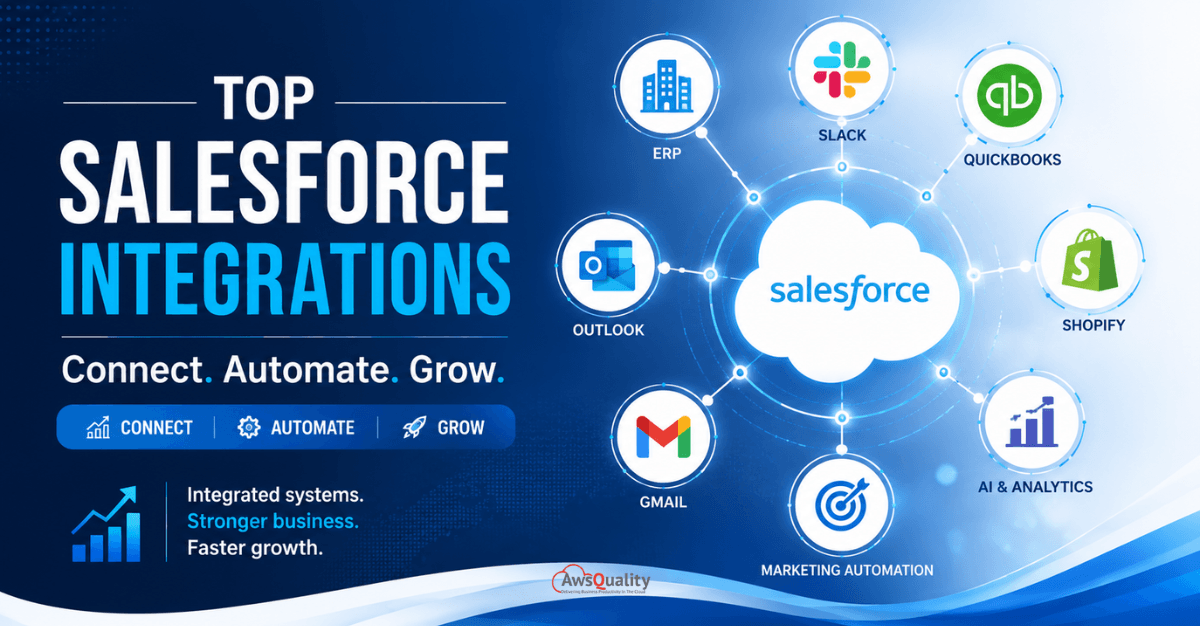
As businesses grow, so does the complexity of managing customers, sales, marketing, finance, support, and operations. While Salesforce serves as a powerful CRM platform, its true potential is unlocked when it integrates seamlessly with the tools your teams use every day.
Modern businesses rely on multiple applications to run efficiently. Without proper integration, data becomes siloed, workflows become fragmented, and employees waste valuable time switching between systems.
Salesforce integrations solve these challenges by creating a connected ecosystem where information flows automatically across departments.
In this guide, we’ll explore the top Salesforce integrations every growing business should consider, their benefits, key use cases, and best practices for implementation.
In 2026, disconnected systems remain one of the biggest hidden threats to business growth. Sales, marketing, support, and finance teams still waste hours switching between platforms, manually updating data, and chasing information that should be instantly available. The result? Lost productivity, slower decision-making, frustrated customers, and missed revenue opportunities.
Salesforce integration is what transforms the CRM from a well-configured database into the central nervous system of a business — the single platform through which every department shares a source of truth, every customer interaction is visible, and every data-dependent decision is faster and more accurate.
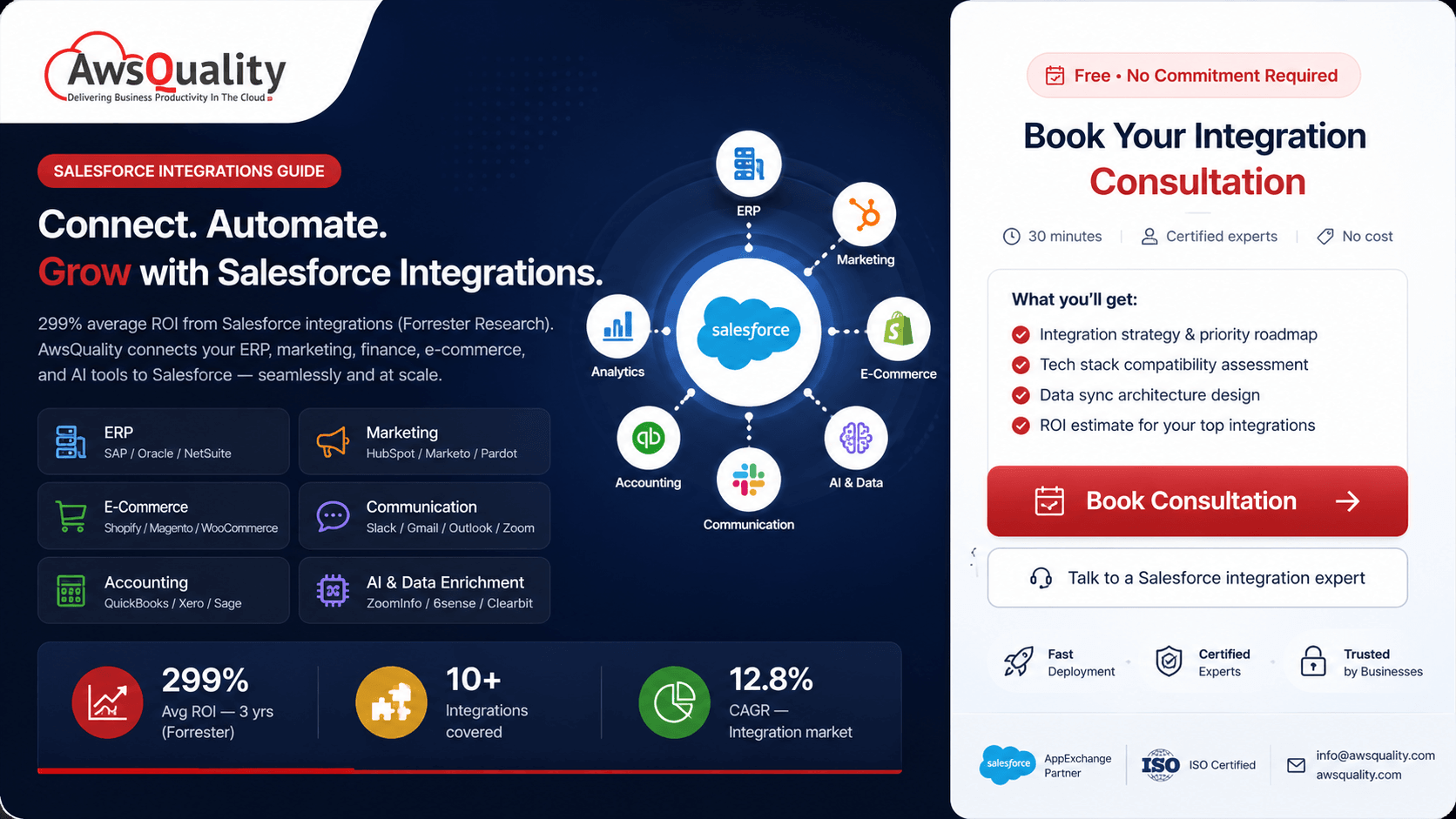
Enterprise organizations achieve 299% average ROI over three years from Salesforce integrations(source: Forrester Research). The specific integrations that drive that ROI depend on your business model, your tech stack, and where your most significant operational friction currently lives.
This guide covers the integrations that deliver the most consistent value across the broadest range of growing businesses — what each one does, what business outcomes it drives, and how to approach implementation.
Why Salesforce Integration is a Growth Imperative, Not a Nice-to-Have
Before examining specific integrations, the business case for connected systems deserves direct attention.
Consistently integrated businesses outperform disconnected ones in speed, accuracy, and customer satisfaction. This is not a marginal advantage — it is a structural one. When data flows automatically between systems, every process that depends on data runs faster, with fewer errors, and with less human overhead.
The specific costs of disconnection are measurable:
- Sales reps manually entering deal data into accounting systems after close — typically 20–45 minutes per deal
- Marketing teams unable to attribute pipeline generation accurately across channels — leading to misallocated budget
- Customer service agents without purchase or relationship history — leading to longer resolution times and lower satisfaction
- Finance teams reconciling CRM pipeline data with billing data manually at month-end — creating reporting lag and reconciliation errors
The integration services market is projected to expand from $112.91 billion in 2026 at a projected 12.8% CAGR, driven by accelerating digital transformation. The growth of this market reflects the growing recognition across industries that disconnected systems are no longer a manageable inconvenience — they are a competitive liability.
Read: How Salesforce Helps SaaS Companies Scale Faster
Benefits of Salesforce Integrations
Create a Single Source of Truth
Disconnected systems often result in duplicate records and inconsistent information.
Salesforce integrations ensure teams access accurate, real-time data from a single platform.
Improve Team Collaboration
Sales, marketing, finance, and support teams can work from shared information rather than isolated systems.
Automate Business Processes
Automated workflows reduce repetitive tasks and allow employees to focus on higher-value activities.
Enhance Customer Experience
Integrated systems enable faster responses, personalized interactions, and seamless customer journeys.
Top Salesforce Integrations for Growing Businesses
Integration 1: ERP Systems — The Highest-Impact Integration for Most Businesses
ERP (Enterprise Resource Planning) system integration connects Salesforce with your organization’s core operational platform — SAP, Oracle, Microsoft Dynamics 365, NetSuite, or similar.
Why Growing Businesses Need It
Without ERP integration, the handoff from sales to operations is manual. A deal closes in Salesforce. Someone notifies operations. Operations creates an order in the ERP. Inventory is checked separately. Fulfilment is tracked in a third system. The customer asks the sales rep for an order update. The sales rep asks operations. Operations checks the ERP.
With ERP integration, the closed deal in Salesforce triggers automatic order creation in the ERP. Inventory availability is visible to the sales team in real time. Fulfilment status is visible in the Salesforce Account record. The customer gets faster, more accurate updates.
Also read: Salesforce and Quickbooks Desktop Integration Using DBSync
Integration 2: Marketing Automation — Closing the Marketing-Sales Loop
Marketing automation integration connects Salesforce with platforms like HubSpot, Marketo, Pardot (now Marketing Cloud Account Engagement), or Salesforce Marketing Cloud — synchronizing lead data, campaign attribution, engagement scoring, and pipeline influence reporting between the marketing and sales systems.
Benefits: closed-loop reporting, better lead scoring, personalized campaigns, and improved MQL-to-SQL conversion rates.
Why Growing Businesses Need It
Without marketing-sales integration, marketing and sales operate with fundamentally different views of the same customer. Marketing sees website visits, email opens, and content downloads. Sales sees pipeline stages, deal notes, and activity logs. Neither team has the complete picture.
With integration, marketing sees which campaigns produce the highest-quality leads — not just the most leads — because pipeline outcomes in Salesforce feed back into marketing attribution. Sales sees each lead’s complete engagement history before they pick up the phone. Lead scores from marketing’s automation platform inform Salesforce’s Einstein Lead Scoring. Campaign influence is visible in opportunity reporting.
Integration 3: Accounting and Financial Systems — Finance Visibility for Sales Teams
Accounting integration connects Salesforce with financial management platforms — QuickBooks, Xero, Sage, or similar — synchronizing customer financial data, invoice status, payment history, and accounts receivable information between the CRM and the accounting system.
QuickBooks integrations sync financial data with Salesforce. This helps finance teams maintain visibility into sales data.
Why Growing Businesses Need It
The disconnect between CRM and accounting is one of the most consistently painful points in growing businesses. Finance cannot see deal pipeline context for revenue forecasting. Sales cannot see whether a customer is past due before calling to propose an expansion. Customer success cannot see whether a customer’s account is in good standing before a renewal conversation.
With accounting integration:
- Sales reps see invoice status and payment history on Salesforce Account records — without logging into the accounting system
- Closed-won opportunities automatically trigger invoice creation in the accounting platform, eliminating manual data re-entry
- Finance teams see pipeline data for accurate cash flow forecasting
- Renewal conversations are informed by payment history and account standing
Integration 4: Customer Service Platforms — Complete Context for Every Interaction
Customer service integration connects Salesforce with support platforms — Zendesk, ServiceNow, Freshdesk, or Salesforce Service Cloud — so that customer service agents have complete CRM context for every support interaction, and sales teams have visibility into their customers’ support history.
Connect Salesforce with Zendesk, ServiceNow, Freshdesk, or Salesforce Service Cloud. Benefits: support agents get complete customer context instantly, leading to faster resolution times and higher customer satisfaction (CSAT) scores.
Why Growing Businesses Need It
Customer service agents who handle a support call without knowing what the customer purchased, when they purchased it, what they were promised, or whether they have an open renewal are starting every interaction at a disadvantage. The customer expects the company to know their history. The company knows it only if the data is connected.
Sales teams who do not know about a customer’s open support cases before a renewal or expansion conversation are walking into conversations blind. A customer with three unresolved critical support cases is not ready to expand their contract — and a sales rep who discovers this in the meeting rather than before it has lost the renewal.
Check out: A Step-by-Step Guide to Integrating GitHub with Salesforce
Integration 5: E-Commerce Platforms — Unified Commerce and CRM Data
E-commerce integration connects Salesforce with platforms like Shopify, Magento (Adobe Commerce), WooCommerce, or BigCommerce — synchronizing customer order data, product catalog information, shopping behavior, and fulfilment status between the commerce platform and the CRM.
Shopify integrations connect e-commerce data with Salesforce CRM. Businesses use this integration to unify customer and transaction data.
Why Growing Businesses Need It
Without e-commerce integration, online purchase data and CRM customer data live in separate systems. A customer who has placed twelve orders over two years is invisible to the sales team in Salesforce — they only exist in Shopify. Their purchase frequency, average order value, product preferences, and lifetime value are not visible in the tool the sales and marketing teams use.
With integration, every online purchase is associated with the Salesforce contact record. Purchase history informs marketing segments. High-value customers are automatically enrolled in appropriate customer success workflows. Repeat purchasers are flagged for loyalty programs. Win-back campaigns are triggered by purchase recency data.
Integration 6: Communication and Collaboration Tools — Connected Sales Conversations
Communication integrations connect Salesforce with the tools sales teams use for daily communication — email platforms (Gmail, Outlook), video conferencing (Zoom), and team collaboration (Slack) — logging interactions automatically and surfacing CRM context within the communication tools.
The Outlook integration connects email communication with Salesforce records. Sales teams benefit from having email conversations directly linked to CRM records. The top applications preferred by sales teams are Slack, HubSpot, Zoom, Gmail, and Outlook.
Why Growing Businesses Need It
The average sales rep’s data entry problem is not laziness — it is volume. Logging every email, every call, every meeting into Salesforce is a genuine administrative burden that competes with actual selling time. When logging is manual, it is incomplete. When it is incomplete, Salesforce data quality degrades. When data quality degrades, forecasting becomes unreliable, and the business value of the CRM declines.
Communication integrations solve this by making data capture automatic. Emails are logged to the relevant Contact and Opportunity without any rep action. Meeting notes from Zoom sync to Salesforce. Slack conversations connected to specific deals or accounts create a collaboration record without manual entry.
Integration 7: CPQ and Billing — Automating the Revenue Cycle
CPQ (Configure, Price, Quote) and billing integration — whether through native Salesforce Revenue Cloud or third-party CPQ tools like PROS, Conga, or Veeqo — connects the quoting and contract management process directly to Salesforce Opportunity management and downstream billing systems.
Why Growing Businesses Need It
Businesses that sell complex, configurable products or services typically manage quoting in a separate tool or in spreadsheets. When a deal closes in Salesforce, the pricing, configuration, and contract terms must be manually transferred to billing. This manual transfer is a source of errors, delays, and revenue leakage.
CPQ integration brings configuration, pricing, and quoting into the Salesforce Opportunity — so the price a customer sees in the quote, the terms in the contract, and the amount in the invoice are all generated from the same data model. The order-to-cash cycle is automated, not manually transcribed.
Also check: How to Handle Data Sync Issues in Salesforce Integrations
Integration 8: Customer Success and Renewal Management
Customer success integration connects Salesforce with platforms like Gainsight, ChurnZero, or Totango — synchronizing health scores, renewal forecasts, usage data, and customer lifecycle milestones between the CS platform and the CRM.
Why Growing Businesses Need It
Subscription businesses live or die on retention. Customer success teams need data — product usage, support history, financial health, engagement signals — to identify at-risk accounts before they churn and expansion opportunities before a competitor surfaces them.
Without integration, customer success operates with a partial picture — seeing their own platform’s data but not the complete customer relationship context in Salesforce. With integration, CS teams see the account’s sales history, support cases, marketing engagement, and CS health score in a unified view — and can take action from Salesforce without switching between platforms.
Integration 9: HR and Workforce Management
HR integration connects Salesforce with HRIS platforms like Workday, BambooHR, or SAP SuccessFactors — synchronizing employee records, territory assignments, and user provisioning between the HR system and the CRM.
Why Growing Businesses Need It
For growing sales organizations, HR and CRM alignment is an operational necessity. When a new sales rep joins, they need a Salesforce user created, territory assigned, and account routing configured. When a rep leaves, their accounts need to be reassigned and their Salesforce access revoked — ideally within hours, not days.
Manual HR-to-CRM processes create both efficiency and security risks. Delays in user provisioning mean new reps cannot access accounts. Delays in deprovisioning mean former employees retain access to customer data.
With HR integration, onboarding and offboarding events in the HRIS automatically trigger corresponding Salesforce actions — user creation, role assignment, territory allocation, and access revocation — without IT tickets or manual processes.
Integration 10: AI and Data Enrichment Tools
AI and data enrichment integration connects Salesforce with tools like Clearbit, LinkedIn Sales Navigator, ZoomInfo, Bombora, or 6sense — enriching Salesforce Account and Contact records with external firmographic, technographic, and intent data, and connecting buying intent signals to sales workflows.
Why Growing Businesses Need It
Salesforce contains what the sales team knows about prospects. Data enrichment tools contain what the market knows — company size, technology stack, funding history, executive changes, and behavioral intent signals that indicate purchase likelihood.
With enrichment integration, Salesforce records are populated with third-party data automatically — reducing manual research time per account, improving lead scoring accuracy, and enabling intent-based outreach triggered by third-party signals rather than waiting for inbound interest.
Check: How to Integrate Gmail with Salesforce (Step-by-Step Guide)
How to Choose the Right Salesforce Integrations for Your Business
Not every integration is equally urgent for every business. The right prioritization depends on where your most significant operational friction currently lives.
Step 1: Identify your biggest data handoff failures
Where do your teams manually transfer information between systems? Where do errors and delays in that transfer cause the most downstream impact? Each manual handoff is a candidate for integration.
Step 2: Prioritize by revenue impact
Integrations that accelerate the order-to-cash cycle, improve lead conversion rates, or reduce customer churn generate measurable revenue impact. These should be prioritized above integrations that primarily improve operational convenience.
Step 3: Choose the right integration architecture
Organizations can integrate Salesforce using native tools or third-party platforms. Use native integrations when the use case is standard, volume is modest, and customization needs are low. Use middleware platforms when volume is high, multiple systems need to connect, or business logic is custom.
| Scenario | Recommended Approach |
|---|---|
| Simple, standard use case | Native AppExchange connector |
| Multiple systems, complex routing | MuleSoft, Boomi, or Workato |
| ERP with custom business logic | Custom API integration + middleware |
| High volume, real-time sync | Change Data Capture + event-driven architecture |
| SMB, quick deployment needed | Zapier or Make for low-complexity workflows |
Step 4: Plan for data quality before integration
Salesforce integration transforms how modern businesses operate, turning complexity into clarity and data into strategy. But integration amplifies data quality — both good and bad. Dirty data in one system propagates across all connected systems. Before any integration goes live, clean the source data: resolve duplicates, standardize field formats, and validate required fields.
Read: How SAP + Salesforce Integration Transforms Your Pipeline
Common Integration Mistakes to Avoid
Mistake 1: Integrating Before Cleaning Data
The most common integration failure mode: connecting two systems where one (or both) has significant data quality issues, then watching those issues propagate across the entire connected ecosystem. Address data quality before integration, not after.
Mistake 2: Building Point-to-Point at Scale
Point-to-point integrations — direct connections between each pair of systems — create a maintenance nightmare as the number of systems grows. Every new system requires connections to every existing system. A hub-and-spoke architecture with Salesforce at the center, or a middleware platform handling orchestration, is more sustainable.
Mistake 3: Syncing Everything Bidirectionally by Default
Bidirectional sync — where data changes in either system propagate to the other — creates conflict resolution complexity when the same record is modified in both systems simultaneously. Map data ownership deliberately: which system is the source of truth for each data element, and which direction should it sync?
Mistake 4: No Monitoring After Go-Live
Integrations fail silently. A sync job that stops running, an API token that expires, or a field mapping that breaks when one system updates its schema — all of these produce data divergence that compounds over time. Every production integration needs active monitoring with alerting when the sync fails or produces unexpected volumes.
Mistake 5: Underestimating Ongoing Maintenance
The Salesforce Data Cloud centralizes structured and unstructured data, enabling real-time analytics and personalization. Einstein AI enhances this by offering intelligent recommendations, predictive scoring, and automated insights. As Salesforce and connected platforms evolve — with new releases, new features, and new APIs — integrations require ongoing maintenance. Budget for maintenance as a percentage of the initial build cost, typically 15–20% per year.
Read: Salesforce Integration v/s. Migration – Which Strategy Works Best for Your Business
Common Salesforce Integration Challenges
Data Quality Issues
Poor data quality can negatively impact integrations.
Solution
Clean data before implementation.
Duplicate Records
Duplicate customer records can create confusion.
Solution
Implement matching and deduplication rules.
Security Concerns
Sensitive business information requires protection.
Solution
Use secure APIs and proper access controls.
Complex Legacy Systems
Older systems may require custom integration approaches.
Solution
Use middleware platforms and phased implementation.
Best Practices for Salesforce Integrations
Start with Business Objectives
Focus on outcomes rather than technology.
Ask:
- What problem are we solving?
- Which teams benefit?
- What metrics will improve?
Prioritize High-Impact Integrations
Begin with systems that generate the most business value.
Use Standard Connectors Whenever Possible
Native integrations are often easier to maintain and support.
Monitor Performance
Track:
- Sync success rates
- Data quality
- User adoption
- Workflow efficiency
Plan for Scalability
Choose integration strategies that can grow with your business.
The Future of Salesforce Integrations
Several trends are shaping the future:
AI-Powered Integrations
AI will automate data synchronization and workflow optimization.
Real-Time Connectivity
Businesses increasingly demand instant data access across systems.
Low-Code Integration Platforms
Organizations can deploy integrations faster with minimal coding.
Hyperautomation
Integrated systems will support end-to-end business automation.
Frequently Asked Questions
What are Salesforce integrations?
Salesforce integrations connect Salesforce with other business applications, enabling automated data sharing and workflow automation.
Why are Salesforce integrations important?
They improve productivity, eliminate data silos, enhance customer experiences, and create a unified business ecosystem.
Which Salesforce integration is most important?
It depends on business needs, but common priorities include email platforms, accounting systems, collaboration tools, and marketing automation platforms.
Can Salesforce integrate with ERP systems?
Yes. Salesforce integrates with ERP solutions such as SAP, Oracle, NetSuite, and Microsoft Dynamics.
How do Salesforce integrations improve customer experience?
They provide employees with complete customer information, enabling faster responses, better personalization, and seamless service.
Conclusion
Salesforce is most powerful when it becomes the center of a connected business ecosystem.
By integrating Salesforce with communication tools, accounting software, marketing platforms, customer service solutions, ERP systems, and AI technologies, growing businesses can streamline operations, improve customer experiences, and accelerate growth.
The key is to prioritize integrations that align with your business goals, deliver measurable value, and support future scalability.
Organizations that invest in the right Salesforce integrations today will be better positioned to compete, innovate, and grow in an increasingly connected digital world.
 Bio
Bio