Software development has changed dramatically over the last few years.
Customers expect faster updates. Development teams work across locations. Applications are becoming more complex. And businesses cannot afford lengthy release cycles or recurring production issues.
This is where DevOps has become essential.
However, implementing DevOps is not simply about adopting automation tools. The real challenge is creating a connected development environment where planning, coding, testing, deployment, and monitoring work together.
Azure DevOps provides a collection of tools designed to support this entire software development lifecycle.
But having access to these tools is only the first step.
The real value comes from knowing how to use them effectively.
In this article, I want to look at six important Azure DevOps tools and share practical tips that can help development teams get more value from them.
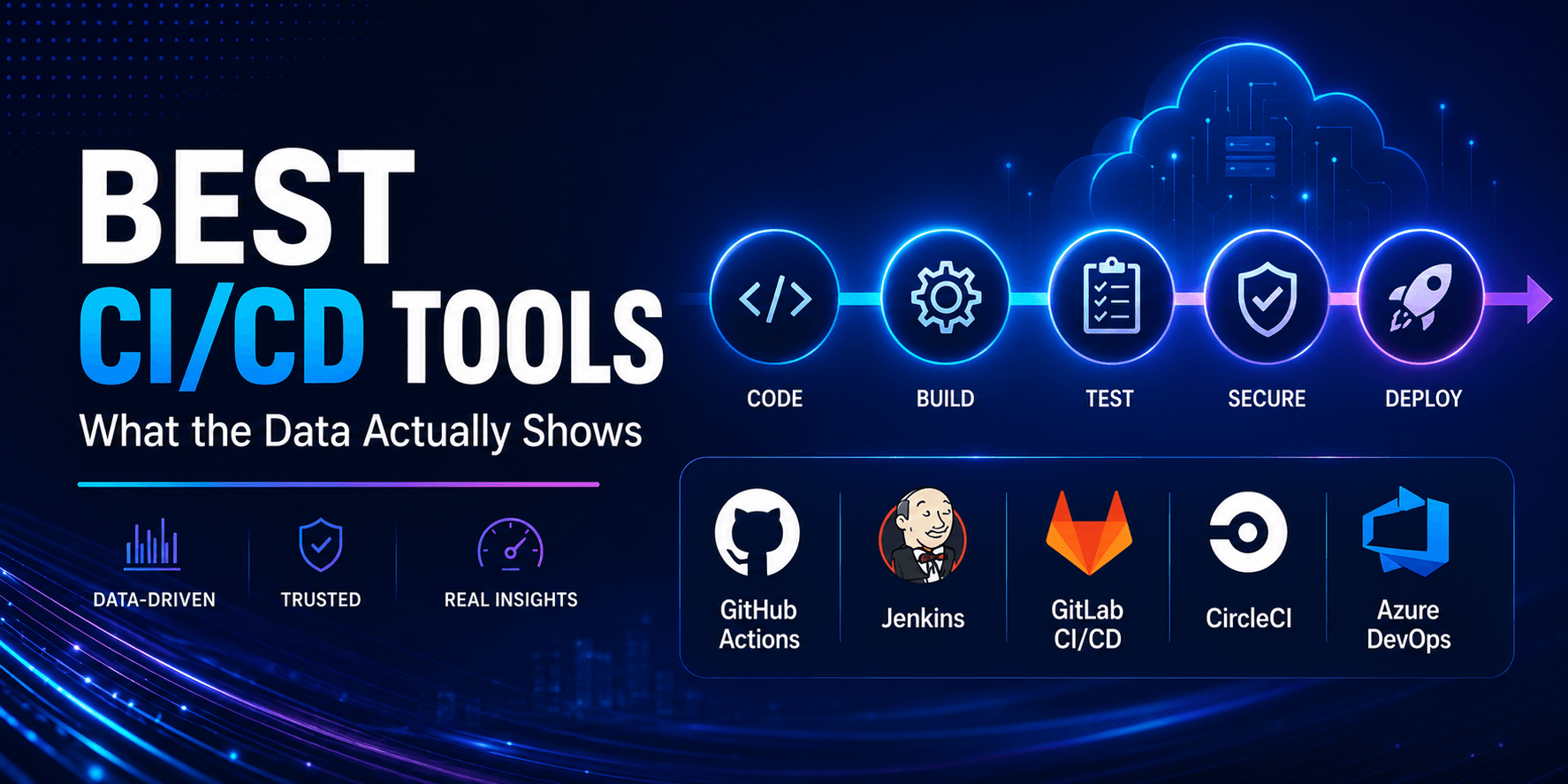
Read: Best CI/CD Tools – What the Data Actually Shows
What is Azure DevOps?
Azure DevOps is Microsoft’s integrated cloud-hosted DevOps platform. It provides a complete set of services for planning, developing, testing, and delivering software — across any language, platform, or cloud provider.
The platform supports both cloud-based and on-premises deployments, integrates natively with GitHub and the Microsoft ecosystem, and connects to virtually every third-party tool used in modern software delivery — from Jira and Slack to Kubernetes, Terraform, and AWS.
In 2026, Azure DevOps is evolving rapidly in two directions simultaneously: deeper integration with GitHub (Microsoft’s developer platform) and accelerating AI-assisted capabilities through GitHub Copilot integration, AIOps-powered pipeline intelligence, and automated security scanning at the pipeline level. By 2030, the roadmap points toward a fully autonomous DevOps ecosystem where AI proactively detects and resolves pipeline issues, generates infrastructure-as-code, and optimises delivery workflows continuously.
Understanding the current platform in depth is the foundation for taking advantage of where it is heading.
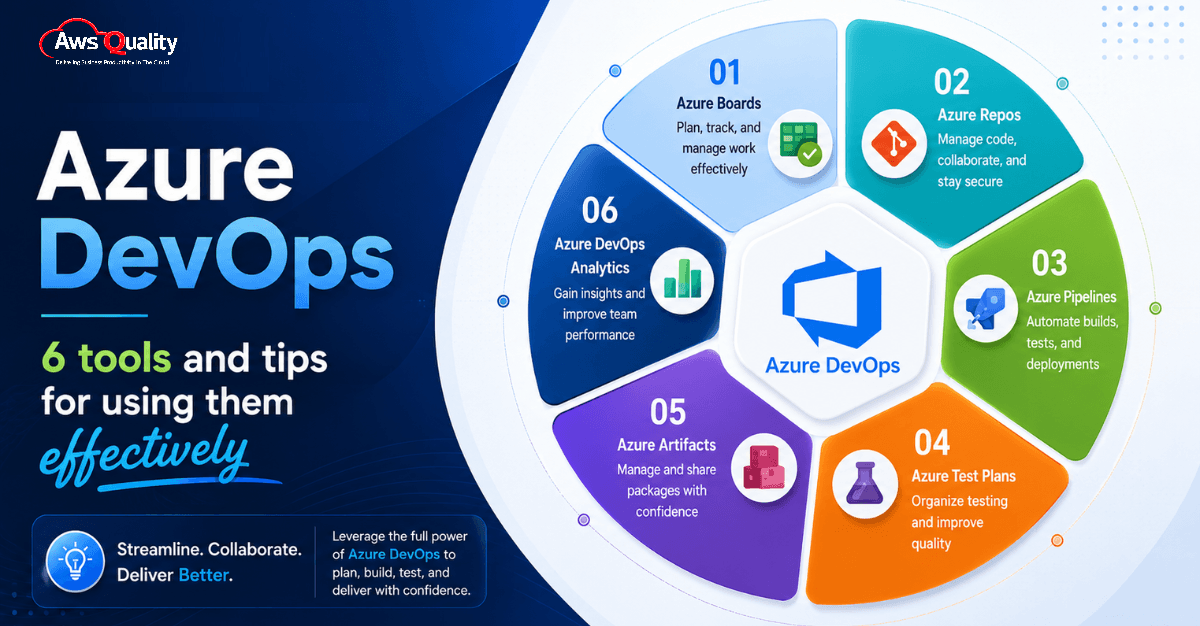
The key Azure DevOps capabilities include:
- Azure Boards
- Azure Repos
- Azure Pipelines
- Azure Test Plans
- Azure Artifacts
- Azure DevOps Analytics
Let’s look at each one in more detail.
1. Azure Boards: Plan and Track Development Work
One of the biggest challenges in software projects is visibility.
What is the team working on?
Which tasks are blocked?
Are critical bugs being prioritized?
Is the current sprint on track?
Azure Boards helps teams organize and track development work through work items, backlogs, Kanban boards, and sprint planning capabilities.
Teams can manage user stories, features, bugs, tasks, and project milestones from a centralized environment.
How Azure Boards Helps Teams
Azure Boards provides better visibility into development activities and allows product managers, developers, testers, and other stakeholders to collaborate around the same project information.
Instead of maintaining separate spreadsheets or disconnected task management systems, teams can connect development work directly with code and delivery processes.
Tip: Keep Your Boards Simple
One mistake I often see is teams creating overly complicated workflows.
Too many statuses, custom fields, and approval stages can quickly make project tracking difficult.
Start with a simple workflow such as:
New → Active → Review → Done
Add additional stages only when there is a genuine business requirement.
The purpose of a project board is to provide visibility—not create more administrative work.
2. Azure Repos: Manage Source Code More Effectively
Source code is one of the most valuable assets in any software organization.
Azure Repos provides Git-based version control capabilities that allow development teams to securely store, manage, and collaborate on code.
Developers can create branches, submit pull requests, review code, and track changes across the development lifecycle.
Why Azure Repos Matters
Modern development teams rarely work on code individually.
Multiple developers may be working on different features, bug fixes, and improvements at the same time.
Without proper version control, managing these changes can become extremely difficult.
Azure Repos creates a structured environment where teams can collaborate while maintaining the integrity of the codebase.
Tip: Establish a Clear Branching Strategy
A repository without a branching strategy can quickly become difficult to manage.
Teams should define clear rules for branches.
For example:
- Main branch for production-ready code
- Development branch for ongoing development
- Feature branches for individual features
- Hotfix branches for urgent production fixes
Naming conventions should also remain consistent.
A feature branch could follow a structure such as:
feature/customer-dashboard
Similarly, bug fixes could use:
bugfix/payment-validation
Simple standards make repositories easier to understand and maintain.
Another Important Tip: Use Pull Request Policies
Do not allow every code change to move directly into the main branch.
Configure pull request policies that require code reviews, successful builds, and relevant approvals before changes are merged.
Code reviews are not just about finding errors.
They also help teams share knowledge and maintain consistent development standards.
Also read: DevOps Implementation Cost – What Businesses Should Expect
3. Azure Pipelines: Automate Build and Deployment Processes
Manual software deployment is slow and vulnerable to human error.
A developer builds the application.
Someone manually runs tests.
Another person prepares the deployment.
Configuration issues appear.
The release fails.
The team spends hours identifying what went wrong.
Azure Pipelines helps automate build, testing, and deployment workflows through continuous integration and continuous delivery practices.
What Can Azure Pipelines Automate?
Azure Pipelines can automate activities such as:
- Building applications
- Running automated tests
- Performing code quality checks
- Creating deployment packages
- Deploying applications to different environments
This allows teams to create repeatable software delivery processes.
Tip: Treat Pipelines as Code
One of the most effective ways to manage Azure Pipelines is through YAML-based pipeline definitions.
Pipeline configurations can be stored alongside application code.
This provides several benefits.
Changes can be reviewed.
Pipeline history can be tracked.
Configurations can be reused.
And teams can restore previous versions if something goes wrong.
Your deployment process should receive the same engineering discipline as your application code.
Tip: Build Smaller Pipelines
Large pipelines with dozens of tightly connected tasks can become difficult to troubleshoot.
Instead, create logical stages such as:
Build → Test → Security Check → Staging → Production
This makes failures easier to identify.
If a pipeline stops during testing, the team immediately knows where to investigate.
Tip: Add Deployment Approvals Carefully
Production deployments may require approvals, particularly in enterprise environments.
However, avoid creating unnecessary approval layers.
Automation should reduce delivery friction.
Approvals should protect critical environments—not recreate manual deployment processes inside a DevOps tool.
4. Azure Test Plans: Integrate Quality Into Development
Testing should not happen only before a production release.
By that point, fixing defects can be significantly more difficult.
Azure Test Plans helps teams manage manual testing, exploratory testing, user acceptance testing, and test cases within the development workflow.
Testing activities can also be connected with project requirements and development work.
Why Integrated Testing Matters
Imagine a tester discovers a critical issue.
Without an integrated development environment, the tester may create a ticket in one system.
The developer works in another system.
Project managers track progress somewhere else.
Important information can easily get lost.
Azure DevOps allows teams to connect testing activities with work items and development processes.
This improves traceability.
Tip: Connect Tests With Requirements
Every important business requirement should have clearly defined acceptance criteria.
Where appropriate, connect test cases with user stories or requirements.
This creates a clearer relationship between:
Business Requirement → Development Work → Testing → Release
If a feature fails during testing, teams can quickly understand which requirement is affected.
Tip: Combine Manual and Automated Testing
Not every test should be automated.
And not every test should remain manual.
Automate repetitive tests that run frequently.
Examples include:
- Regression tests
- API tests
- Unit tests
- Repetitive functional checks
Use manual or exploratory testing for areas that require human judgment and user experience evaluation.
The goal is not 100% automation.
The goal is intelligent testing.
Check out: How to Build a CI/CD Pipeline – Step-by-Step Guide
5. Azure Artifacts: Manage Software Packages and Dependencies
Modern applications depend heavily on reusable packages and libraries.
Development teams may use packages from internal projects or external ecosystems.
Managing these dependencies across multiple applications can become complicated.
Azure Artifacts provides centralized package management capabilities.
Teams can create feeds to store, manage, and share software packages.
Why Package Management Matters
Without proper dependency management, developers may use different versions of the same library.
One application uses version A.
Another uses version B.
A third application downloads a package from an unknown source.
This creates maintenance and security challenges.
A centralized package strategy provides better control over software dependencies.
Tip: Create a Clear Package Versioning Strategy
Teams should define consistent package versioning standards.
Semantic versioning is a commonly used approach:
MAJOR.MINOR.PATCH
For example:
3.2.1
A major version may represent a breaking change.
A minor version may introduce new functionality.
A patch version may contain bug fixes.
Consistent versioning helps development teams understand the impact of package updates.
Tip: Avoid Dependency Chaos
Regularly review application dependencies.
Ask simple questions:
Are we still using this package?
Is the package actively maintained?
Are multiple versions being used across projects?
Does the dependency introduce known security risks?
Dependency management should be part of the development process—not something teams investigate only when a problem appears.
6. Azure DevOps Analytics: Turn Development Data Into Insights
DevOps generates a significant amount of data.
Sprint progress.
Build success rates.
Deployment frequency.
Bug trends.
Work item cycle time.
Test results.
But data alone does not improve software delivery.
Teams need to turn that data into meaningful insights.
Azure DevOps Analytics helps organizations analyze project and development information.
Tip: Track Metrics That Drive Decisions
Many teams create dashboards filled with metrics.
The problem is that nobody knows what action to take based on those numbers.
Instead of tracking everything, focus on metrics connected to delivery performance.
For example:
- Deployment frequency
- Lead time for changes
- Build success rate
- Cycle time
- Defect trends
- Failed deployments
- Work item aging
Every metric should answer a question.
If build success rates are falling, why?
If cycle time is increasing, where is work getting blocked?
If production defects are rising, which part of the development process needs improvement?
A good DevOps dashboard should encourage action—not simply look impressive in a management meeting.
Also check: Why Most DevOps Transformations Fail (And How to Fix Them)
How These Azure DevOps Tools Work Together
The full value of Azure DevOps emerges when the six tools are used as an integrated system rather than as independent capabilities.
The integrated workflow for a well-configured Azure DevOps environment looks like this: a user story is created in Azure Boards and assigned to the current sprint. A developer creates a feature branch in Azure Repos, linked to the work item. As the developer builds the feature, Azure Pipelines automatically runs unit tests and linting on each push. When the feature is ready, the developer creates a pull request — triggering a CI pipeline that runs the full test suite, SAST, and dependency scan. Branch policies require two reviewers to approve and the build to succeed before merge.
When the pull request merges to main, Azure Pipelines triggers the full CI pipeline and deploys to the development environment automatically. Passing the development environment pipeline triggers a deployment to staging, with automated test execution using Azure Test Plans. A manual approval gate gates the production deployment. After approval, the production pipeline deploys, runs a health check, and rolls back automatically if the health check fails.
Internal packages are managed through Azure Artifacts feeds, consumed by every pipeline. Secrets are stored in Azure Key Vault and referenced through variable groups. Access is managed through Microsoft Entra ID with MFA enforced.
DORA metrics — deployment frequency, lead time for changes, change failure rate, and time to restore service — are tracked and reviewed in weekly team meetings, using Azure DevOps analytics alongside pipeline-specific metrics like queue time and stage retry rates.
This integrated workflow is not aspirational. It is the configuration that leading DevOps teams are running in production in 2026. And it is achievable for any team willing to invest in configuring each of the six tools to their full potential.
Measuring Success: DORA Metrics and Azure DevOps Analytics
Configuring Azure DevOps effectively is not a one-time exercise. It is an ongoing practice of measurement, review, and improvement. The metrics that matter most for measuring Azure DevOps effectiveness are the DORA metrics, supplemented by pipeline-specific metrics.
Deployment frequency: How often does the team successfully deploy to production? Elite performers deploy on demand — multiple times per day. High performers deploy between once per day and once per week. Measuring this in Azure DevOps Analytics provides an immediate baseline and tracks the impact of improvements.
Lead time for changes: From commit to production deployment — how long does it take? Shorter lead times mean faster feedback and higher ability to respond to market changes. Elite performers achieve lead times of under an hour; many organisations measure in days or weeks.
Change failure rate: What percentage of production deployments result in a degraded service or rollback? A low change failure rate indicates that the CI/CD pipeline’s quality gates are effective. A high change failure rate indicates that what is reaching production has not been sufficiently validated.
Mean time to restore: When a failure occurs, how long does it take to recover? Short recovery times reflect automated rollback capabilities, good observability, and practised incident response.
Pipeline-specific metrics: Queue time (how long builds wait for an available agent), stage retry rates (how often pipeline stages fail and need to be rerun), and test flakiness rates (how often tests produce inconsistent results across runs) are the pipeline-health metrics that should be reviewed weekly alongside the DORA metrics.
Teams that win with Azure DevOps in 2026 are the teams that combine speed with discipline: standardised pipelines, strong guardrails, measurable quality, and reliable rollback — with DORA metrics as the compass that tells them whether they are improving.
Need expert support to streamline CI/CD, strengthen DevSecOps, and optimize Azure DevOps workflows? Hire DevOps experts from AwsQuality to accelerate your software delivery.
Common Azure DevOps Mistakes Businesses Should Avoid
Azure DevOps is a powerful platform, but tools alone cannot fix broken development processes.
I have seen organizations invest in DevOps platforms while continuing to operate with traditional, disconnected workflows.
Some common mistakes include:
Automating a Broken Process
If your deployment process is poorly designed, automating it will simply make the poor process run faster.
Understand the workflow first.
Then automate it.
Creating Too Many Customizations
Azure DevOps provides extensive customization capabilities.
That does not mean every field, workflow, or dashboard needs to be customized.
Complexity creates maintenance challenges.
Ignoring Security
Access permissions, repository policies, service connections, secrets, and deployment environments should be carefully managed.
DevOps speed should never come at the cost of security.
Tracking Too Many Metrics
More metrics do not automatically create better insights.
Focus on measurements that help teams identify bottlenecks and improve software delivery.
Treating DevOps as an IT Initiative
DevOps requires collaboration between development, operations, testing, security, and business teams.
If DevOps is treated only as a technical tooling project, its impact will always be limited.
The AI Dimension: What Azure DevOps Looks Like
No guide to Azure DevOps in 2026 is complete without addressing the AI capabilities that are actively changing what the platform can do.
GitHub Copilot integration with Azure DevOps enables AI-assisted code review, automated generation of pipeline YAML, and AI-powered code completion across the Azure Repos editor. AIOps features are detecting and suggesting remediations for pipeline failures — analysing failure patterns, identifying root causes, and recommending configuration changes that would prevent recurrence. AI-driven test generation is reducing the manual effort required to maintain comprehensive test coverage.
By 2030, the roadmap points toward a DevOps environment where AI proactively resolves pipeline issues, automatically generates infrastructure-as-code from high-level intent descriptions, and optimises delivery workflows continuously based on observed performance data.
For teams using Azure DevOps today, the practical implication is to invest in the foundations that make AI assistance effective: clean YAML pipelines that are structured clearly enough for AI to reason about, comprehensive test suites that provide the quality signal AI needs to detect regressions, and good observability that gives AI the data it needs to diagnose failures. The teams best positioned to benefit from AI in their DevOps practice are those that have built a disciplined, well-structured baseline without it.
Final Thoughts
Azure DevOps provides powerful tools for managing modern software development.
But the platform itself is not the strategy.
The real question is how effectively your organization connects people, processes, automation, and data.
Azure Boards can improve visibility.
Azure Repos can strengthen code collaboration.
Azure Pipelines can automate software delivery.
Azure Test Plans can integrate quality into development.
Azure Artifacts can improve dependency management.
And Azure DevOps Analytics can turn development data into actionable insights.
But these tools create the greatest value when they work as part of a connected DevOps culture.
My advice to organizations starting their Azure DevOps journey is simple:
Do not try to automate everything on day one.
Start with the biggest delivery bottleneck.
Improve the process.
Automate where automation creates measurable value.
Track the results.
Then continuously improve.
Because successful DevOps transformation is not about using more tools.
It is about building a better way to deliver software.
Frequently Asked Questions
What are the main tools in Azure DevOps?
The core Azure DevOps capabilities include Azure Boards, Azure Repos, Azure Pipelines, Azure Test Plans, and Azure Artifacts. Teams can also use Azure DevOps Analytics and reporting capabilities to gain insights from development data.
What is Azure DevOps used for?
Azure DevOps is used to plan software projects, manage source code, automate CI/CD pipelines, manage testing, control software packages, and analyze software delivery processes.
Is Azure DevOps a CI/CD tool?
Azure DevOps includes Azure Pipelines, which supports continuous integration and continuous delivery. However, Azure DevOps is broader than a CI/CD tool because it also provides project tracking, source control, testing, and package management capabilities.
What is the difference between Azure DevOps and Azure Pipelines?
Azure DevOps is the broader development platform. Azure Pipelines is a service within Azure DevOps focused on automating build, test, and deployment processes.
Is Azure DevOps suitable for enterprise development teams?
Yes. Azure DevOps can support teams managing complex software development processes, multiple repositories, CI/CD workflows, testing activities, and cross-team project tracking.
How can businesses use Azure DevOps more effectively?
Businesses should begin with clear development processes, establish repository and branching standards, automate repeatable delivery activities, integrate testing earlier, track actionable metrics, and continuously improve workflows based on delivery data.
 Bio
Bio