In today’s competitive business environment, sales teams are expected to do more than ever before. They must engage prospects, manage customer relationships, track opportunities, generate accurate forecasts, and close deals faster—all while delivering a personalized customer experience.
The challenge? Many sales professionals still spend a significant portion of their time on administrative tasks rather than selling.
According to industry studies, sales representatives often spend less than 40% of their time actively selling, with the remainder consumed by data entry, reporting, follow-ups, scheduling, and other repetitive activities.
This is where Salesforce automation becomes a game changer.
By automating routine tasks, streamlining workflows, and providing intelligent insights, Salesforce enables sales teams to focus on what they do best: building relationships and driving revenue.
In this comprehensive guide, we’ll explore how Salesforce automation boosts sales productivity, the key automation capabilities available, implementation best practices, and how organizations can maximize their return on investment.
What is Salesforce Automation?
Salesforce automation refers to the use of Salesforce’s built-in tools, workflows, AI capabilities, and integrations to automate repetitive sales processes and business activities.
Instead of relying on manual actions, Salesforce can automatically:
- Capture and update data
- Assign leads
- Trigger follow-ups
- Create tasks
- Send notifications
- Generate reports
- Manage approvals
- Forecast revenue
- Recommend next actions
The goal is simple:
Reduce manual work and allow sales teams to spend more time selling.
Read: How to Build AI-Powered Workflows in Salesforce?
Why Sales Automation Is No Longer Optional
Sales reps spend an average of only 34% of their time actually selling. The rest? Logging calls, updating records, sending follow-up emails, chasing approvals, and generating reports. It’s the administrative tax that every sales team quietly pays — and it’s killing your revenue potential.
Salesforce automation changes that equation. When your CRM works for your reps instead of demanding constant manual input from them, something remarkable happens: deal velocity increases, pipeline hygiene improves, and your best sellers spend their energy where it matters — building relationships and closing.
This isn’t about replacing human judgment. The most effective Salesforce implementations use automation for the predictable and repeatable — routing, notifications, data entry, stage updates — while freeing humans to do the irreplaceable: listening, advising, and negotiating.
Key Benefits of Salesforce Automation
1. More Time for Selling
This is perhaps the biggest advantage.
Sales automation reduces time spent on repetitive tasks such as:
- Data entry
- Lead assignment
- Activity logging
- Follow-up reminders
- Report generation
Instead of managing administrative work, sales reps can focus on:
- Prospecting
- Relationship building
- Negotiations
- Closing deals
Result:
Higher sales productivity and improved revenue performance.
2. Faster Lead Response Times
Speed matters.
Research consistently shows that leads contacted quickly are more likely to convert.
Salesforce automation enables:
- Automatic lead capture
- Instant lead assignment
- Automated notifications
- Follow-up task creation
Example
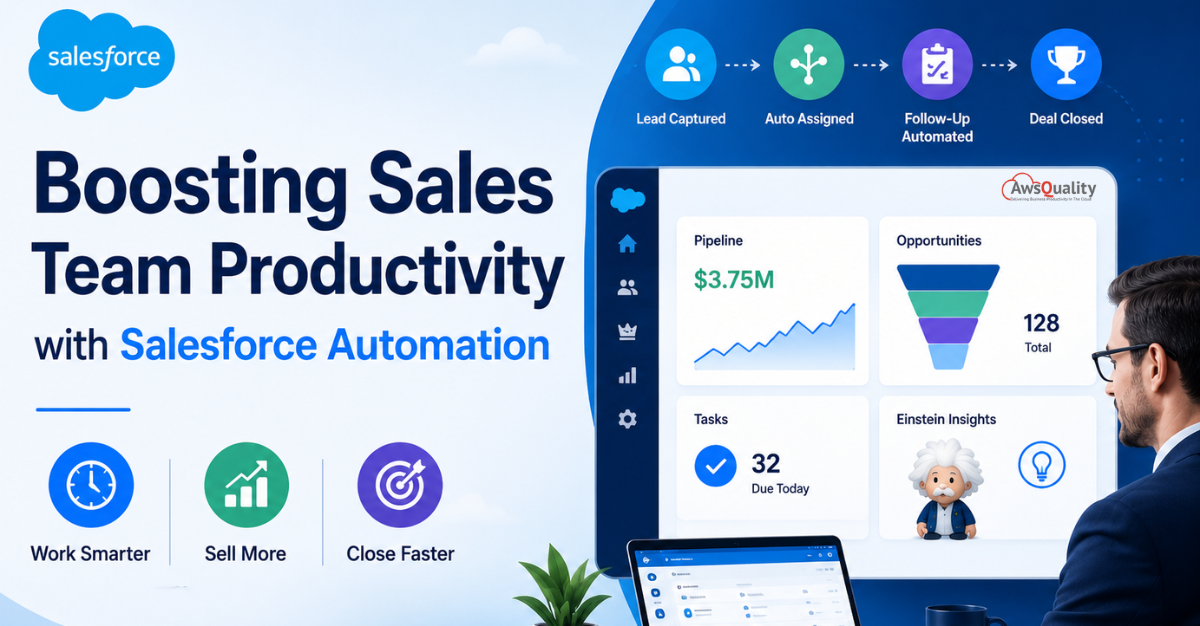
When a prospect submits a website form:
- Salesforce creates a lead record
- Assigns it to the appropriate sales rep
- Sends a notification
- Creates a follow-up task
All within seconds.
Result:
Improved conversion rates.
3. Improved Lead Qualification
Not every lead is sales-ready.
Salesforce automation helps prioritize leads using:
- Lead scoring
- Behavioral tracking
- Engagement metrics
- AI-powered insights
Benefits
Sales teams focus on:
- High-intent prospects
- Qualified opportunities
- Revenue-generating activities
Result:
Better resource allocation and higher win rates.
4. Consistent Sales Processes
Top-performing sales organizations rely on repeatable processes.
Automation ensures:
- Every lead follows the same workflow
- Required steps are completed
- Approvals occur consistently
- Opportunities move through standardized stages
Result:
Predictable sales execution.
5. Better Data Quality
Poor CRM data creates major productivity challenges.
Salesforce automation helps maintain clean data by:
- Eliminating duplicate records
- Validating information
- Auto-populating fields
- Synchronizing data across systems
Result:
More reliable reporting and forecasting.
Also read: 7 Features Top Salesforce Consulting Services Offer Real Growth
Key Integrations to Supercharge Automation
Salesforce doesn’t operate in isolation. The automations that create the biggest productivity gains are often the ones that connect Salesforce to the other tools in your stack.
Salesforce + Slack
Send deal alerts, approval requests, and activity notifications directly to Slack channels. Reps get nudged where they already work, not via email they’ll miss.
Salesforce + DocuSign / Conga
Trigger contract generation from Opportunity stage changes. Auto-populate contract templates with CRM data. Send for signature without leaving Salesforce.
Salesforce + LinkedIn Sales Navigator
Sync account and contact data bidirectionally. Surface LinkedIn insights on CRM records. Trigger connection requests when leads hit a score threshold.
Salesforce + Gong / Chorus
Call recordings auto-associate to opportunities. AI-analyzed call insights update deal risk scores. Next steps from calls create Salesforce tasks automatically.
Salesforce + HubSpot / Pardot
Bidirectional lead sync with scores, engagement history, and marketing activity. Marketing-qualified leads auto-route to sales. Sales activity feeds back into nurture suppression.
Salesforce + Calendly / Chili Piper
When a prospect books a meeting, automatically update the lead status, create an opportunity, assign a rep, and send a prep checklist — all before the meeting happens.
Check out: 5 Ways Salesforce Development Services Can Transform Your Business
Step-by-Step Implementation Roadmap
Automation rollout fails most often because teams try to automate everything at once. The most effective approach is phased — prove value quickly, build trust with the team, then expand.
Phase 1 — Quick Wins (Weeks 1–4)
1. Audit your current manual processes
Interview 3–5 reps and identify the top 5 tasks they do manually every day. These become your automation targets. Common findings: logging calls, sending follow-ups, updating stage fields.
2. Enable Einstein Activity Capture
The single highest-ROI, lowest-effort automation. Connect Gmail/Outlook and watch manual activity logging disappear. Do this first — the productivity improvement builds immediate trust in the automation program.
3. Build your first Lead Assignment Rule
Even a simple territory-based rule that routes leads to the right queue eliminates the back-and-forth of manual lead distribution. Set this up and measure response time before and after.
4. Create your first stage-based Flow
Pick one stage transition (e.g., Demo Scheduled → Demo Completed) and automate the post-transition tasks. Ship it, get feedback, iterate.
Phase 2 — Core Automation (Weeks 5–10)
5. Build your first Sales Engagement sequence
Start with your highest-volume lead source. A 6-step, 14-day sequence covering email + call + email + call + email + breakup. Measure reply rates and iterate.
6. Implement stale deal detection
Build the scheduled Flow that flags opportunities with no activity. This one automation typically surfaces 15–20% of pipeline that was headed for quiet death.
7. Automate your core reports
Schedule the 3 reports every sales leader needs: weekly pipeline review, monthly forecast, and quarterly win/loss analysis. Deliver them automatically to the right inboxes.
Phase 3 — Advanced Optimization (Weeks 11–20)
8. Activate Einstein Lead and Opportunity Scoring
Allow Einstein 4–6 weeks to build its model from your data before using scores in routing logic. Then integrate scores into your assignment rules and sequence enrollment triggers.
9. Build your approval process workflows
Map every scenario that requires management approval (discounts, non-standard terms, large deals) and automate the routing, escalation, and notification chain.
10. Integrate your key third-party tools
By now you know which integrations would add the most value. Prioritize one at a time: Gong first if call insight is a gap, DocuSign if contract turnaround is slow, Slack if notification timeliness is an issue.
Also check: WhatsApp for Salesforce – Transform Customer Conversations Without Leaving Your CRM
Common Mistakes to Avoid
Salesforce automation projects fail for predictable reasons. Here are the most common pitfalls — and how to avoid them.
Automating broken processes
Automation amplifies what already exists. If your lead qualification process is inconsistent, automating it makes the inconsistency happen faster and at greater scale. Fix the process first, then automate it. This is the most common and most expensive mistake in CRM implementations.
Building for admins, not reps
Automations built without rep input often add friction in the wrong places. Involve 2–3 reps in every automation design. Ask: “Does this make your day easier or harder?” The goal is to reduce clicks and decisions, not just satisfy a management requirement for data completeness.
Neglecting testing and sandboxes
Every automation should be built and tested in a Salesforce Sandbox before deploying to production. Untested Flows have triggered mass emails to entire customer databases, corrupted opportunity data, and created thousands of duplicate tasks. Use change sets or tools like Gearset for safe deployments.
No documentation or version control
Undocumented automation becomes a black box that no one wants to touch. Every Flow should have an internal description explaining what it does and why it exists. Use a naming convention: [Object]_[Trigger]_[Action] (e.g., Opp_StageChanged_NotifyManager). Future admins will thank you.
Governor limit violations
Salesforce enforces execution limits (Governor Limits) on automations, especially in high-volume orgs. Poorly designed Flows that trigger recursively, query the database excessively, or chain too many sub-flows can hit these limits and fail silently during peak usage. Design with limits in mind from the start.
Check: How to Handle Data Sync Issues in Salesforce Integrations (Complete Guide)
Real-World Salesforce Automation Examples
Example 1: Automated Lead Management
Before Automation:
- Leads manually assigned
- Slow response times
Missed opportunities
After Automation:
- Instant routing
- Immediate notifications
- Automated follow-ups
Outcome:
Higher lead conversion rates.
Example 2: Automated Opportunity Progression
Before Automation:
- Reps manually updated opportunities
- Tasks frequently missed
After Automation:
- Stage-based workflows
- Automatic reminders
- Triggered activities
Outcome:
Shorter sales cycles.
Example 3: Automated Reporting
Before Automation:
- Managers spent hours building reports
After Automation:
- Real-time dashboards
- Scheduled reports
- Automated forecasts
Outcome:
Better visibility and faster decision-making.
Future Trends in Salesforce Sales Automation
AI Agents and Agentforce
AI-powered agents will increasingly:
- Assist sales reps
- Handle routine interactions
- Generate insights
- Recommend actions
Hyperautomation
Organizations will combine:
- Salesforce automation
- AI
- Workflow orchestration
- Integration platforms
to automate entire business processes.
Predictive Selling
AI will continue improving:
- Opportunity scoring
- Customer behavior prediction
- Revenue forecasting
Intelligent Customer Engagement
Automation will become increasingly personalized and proactive.
Read: Salesforce Goes Multi-Framework — And React is Just the Beginning
Frequently Asked Questions
What is Salesforce sales automation?
Salesforce sales automation uses workflows, AI, and automation tools to streamline repetitive sales tasks and improve productivity.
How does Salesforce improve sales productivity?
Salesforce reduces manual work, accelerates lead management, improves forecasting, automates follow-ups, and provides real-time insights.
What Salesforce tool is used for automation?
Salesforce Flow is the primary automation tool used to build workflows and automate business processes.
Can Salesforce automate lead assignment?
Yes. Salesforce Lead Assignment Rules automatically route leads based on predefined criteria.
Does Salesforce offer AI-powered automation?
Yes. Salesforce Einstein and Agentforce provide AI-powered lead scoring, forecasting, recommendations, and intelligent automation.
Your next steps
Start small. Ship fast. Measure everything.
Salesforce automation is not a one-time project — it’s an ongoing discipline. The organizations that get the most out of it treat automation as a living, evolving system: building, measuring, improving, and expanding continuously.
The best place to start is always the highest-friction, highest-frequency manual task your team does today. Pick one. Automate it. Measure the time saved. Share the result with your team. Then pick the next one.
Within six months of consistent, phased automation investment, most sales teams see a 25–40% reduction in administrative time, measurably faster pipeline velocity, and — most importantly — reps who actually enjoy using the CRM because it works for them, not against them.
- Enable Einstein Activity Capture this week — zero effort, maximum ROI
- Audit your top 5 manual sales tasks and pick one to automate first
- Build your lead routing logic in Assignment Rules before anything else
- Use Flow for all new automations — skip Workflow Rules and Process Builder
- Test every automation in Sandbox before pushing to production
- Measure time saved per rep per week and report it to leadership
- Document every Flow you build — your future self will be grateful
Also read: How to Integrate Gmail with Salesforce (Step-by-Step Guide)
Conclusion
Sales teams perform best when they spend their time engaging customers—not managing administrative tasks.
Salesforce automation empowers organizations to streamline processes, improve data quality, accelerate sales cycles, and enable smarter decision-making.
By leveraging tools such as Salesforce Flow, lead assignment automation, opportunity management workflows, AI-powered insights, and system integrations, businesses can dramatically improve sales productivity while creating a better experience for both customers and employees.
The organizations that embrace Salesforce automation are not simply improving efficiency—they are building scalable, data-driven sales engines capable of driving sustainable growth in an increasingly competitive market.
As AI and automation continue to evolve, Salesforce will remain at the center of modern sales transformation, helping teams sell smarter, faster, and more effectively.
 Bio
Bio