In today’s digital-first world, customer communication has shifted dramatically toward messaging platforms. Among them, WhatsApp stands out as one of the most widely used channels, with billions of users relying on it for both personal and business conversations.
Yet, most businesses still manage WhatsApp communication outside their CRM, creating inefficiencies, data silos, and missed opportunities.
That’s exactly the problem WhatsApp for Salesforce — powered by AwsQuality is designed to solve .
The Challenge: Conversations Are Everywhere, But Data Is Not
Modern sales and support teams live inside Salesforce. However, customer conversations increasingly happen on WhatsApp. This disconnect creates serious operational challenges.
As highlighted in your deck, teams often face fragmented communication, where reps switch between tools and lose context. Conversations are not captured in the CRM, leading to incomplete customer histories and poor decision-making .
Additionally, outreach is often manual and inconsistent. Messages are sent without automation, tracking, or proper campaign linkage. This not only wastes time but also increases the risk of errors.
There are also growing concerns around security and compliance. When WhatsApp integrations are scattered across systems, sensitive data such as API keys and webhook traffic can become difficult to manage and govern.
Read: How to Integrate Gmail with Salesforce (Step-by-Step Guide)
The Solution: Native WhatsApp Inside Salesforce
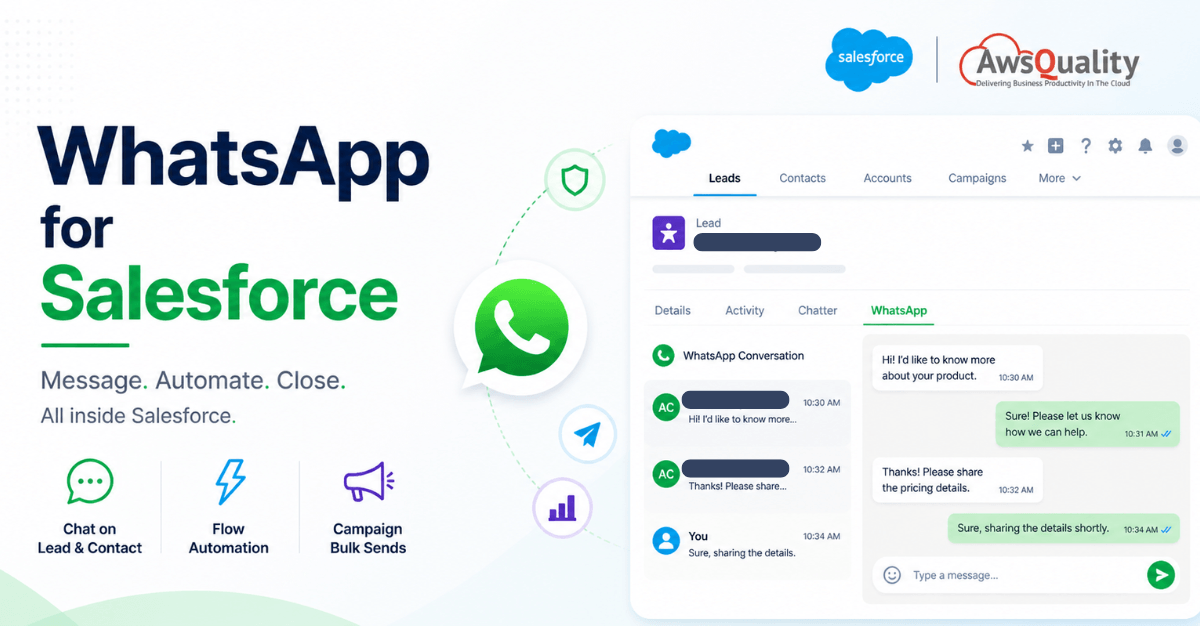
AwsQuality brings WhatsApp directly into Salesforce—eliminating the need for external tools and context switching.
Instead of managing conversations across multiple platforms, your team can:
- Chat directly from Lead and Contact records
- Automate messaging using Salesforce Flow
- Send bulk messages linked to campaigns
- Track everything inside the CRM
As described in your solution overview, everything happens inside Salesforce—no switching, no data loss, no friction.
Key Capabilities That Drive Business Impact
WhatsApp Chat on Lead & Contact
Sales and support teams can view and respond to WhatsApp messages directly within Salesforce records. This creates a unified customer view where every interaction is tracked and accessible.
Flow-Based Automation
Using Salesforce Flow, businesses can automate both promotional and transactional messaging. Whether it’s sending updates, reminders, or campaign messages, everything can be triggered automatically.
Campaign-Linked Bulk Messaging
Bulk messaging is no longer disconnected from CRM data. Campaign-based sends are tracked within Salesforce, making them fully auditable and reportable.
Marketing Cloud Integration
For organizations using Marketing Cloud, the solution integrates seamlessly with Journey Builder and Automation Studio, allowing you to manage messaging across both marketing and sales workflows.
Also read: How SAP + Salesforce Integration Transforms Your Pipeline
How the Architecture Works
The system is designed with a robust, enterprise-grade architecture.
The solution consists of three key layers:
1. WhatsApp / Meta Layer
Handles inbound messages, webhook events, and template delivery callbacks.
2. AwsQuality Platform (Converge)
Acts as the integration layer, managing:
- Webhook ingestion
- Message processing
- Delivery pipelines
- Multi-tenant architecture
3. Salesforce Layer
Where users interact with the system through:
- LWC-based chat interfaces
- Flow automation
- Custom objects and campaign tracking
This architecture ensures that all user interactions happen inside Salesforce, while AwsQuality handles the heavy lifting behind the scenes.
Check out: Salesforce Integration Strategy for Modern Enterprises
Seamless Experience for Reps and Admins
One of the biggest strengths of this solution is how seamlessly it fits into existing workflows.
Reps can access full conversation threads directly on Lead and Contact records, giving them complete visibility into customer interactions. The system merges historical and real-time messages, ensuring no information is lost.
The experience feels real-time thanks to near-instant message updates, even without complex event infrastructure.
For admins, configuration is straightforward. Settings such as API endpoints, tokens, and tenant details are managed through standard Salesforce configuration patterns. Pre-built permission sets and connectivity testing tools make setup quick and reliable.
All of this is clearly outlined in the “Rep & Admin Experience” section of your deck .
Why This Architecture Stands Out
This isn’t just another integration—it’s built for enterprise scalability and governance.
The architecture ensures that sensitive WhatsApp data is handled securely within a dedicated integration layer, rather than being exposed across multiple systems.
It is designed to scale efficiently, handling high-volume messaging without hitting Salesforce governor limits. This is achieved through asynchronous processing and worker queues.
Most importantly, it doesn’t disrupt existing workflows. Sales and service teams continue using Salesforce as usual—no new tools, no additional training.
The data model is clean and structured, with all messages, delivery statuses, and campaign associations stored in Salesforce objects, making reporting and analytics straightforward.
Also check: Salesforce AI Agents – The Future of Enterprise Automation
From Sandbox to Production IN Five Stages
AwsQuality’s rollout path is deliberately incremental, reducing risk at each stage.
- Sandbox Setup — Install the package and configure AwsQuality_Settings__c with the Base URL, token, and tenant slug.
- Connectivity Test — Use the built-in Settings tab to validate the AwsQuality connection and confirm webhook routing from Meta.
- Pilot Tenant — Onboard one brand and phone number. Test inbound and outbound session messages on a Lead record.
- Campaign Pilot — Run one promotional bulk send via Flow tied to a Campaign. Validate segment tracking and delivery reporting.
- Scale & Automate — Extend to Marketing Cloud journeys, enable Platform Events for high-volume scenarios, and roll out additional tenants per your plan.
Most organizations can reach production on their first tenant within a matter of days from sandbox setup.
Business Benefits You Can Expect
By bringing WhatsApp into Salesforce, organizations can:
- Eliminate tool switching and improve productivity
- Maintain a complete customer communication history
- Automate messaging workflows
- Improve campaign tracking and reporting
- Enhance security and compliance
- Scale messaging operations efficiently
Check: External Services in Salesforce – Connect Any REST API Without Writing a Line of Apex
Final Thoughts
WhatsApp is not going away as a business communication channel — if anything, its role is expanding. The question is whether your CRM infrastructure can keep up.
AwsQuality’s integration doesn’t bolt WhatsApp onto Salesforce as an afterthought. It makes WhatsApp a first-class citizen of the CRM: auditable, automatable, and fully visible on every Lead and Contact record. Sales reps stay in their workflow. Marketers get campaign attribution. IT gets governance. And customers get the fast, familiar messaging experience they already prefer.
Want to Build a Similar Product?
If you’re inspired by how WhatsApp works seamlessly inside Salesforce, you’re not alone.
Many businesses today are looking to build custom integrations, automation tools, or SaaS products tailored to their workflows.
At AwsQuality, we don’t just build integrations—we help companies design and develop scalable, enterprise-grade products on Salesforce and beyond.
Whether you want to:
- Build a custom CRM integration
- Develop a SaaS product
- Automate business workflows
- Create AI-powered tools
- Integrate platforms like WhatsApp, Slack, or APIs
👉 We can help you bring your idea to life—from concept to production.
📩 Have an idea in mind? Let’s talk.
Frequently Asked Questions (FAQs)
1. What is WhatsApp for Salesforce by AwsQuality?
WhatsApp for Salesforce by AwsQuality is a native integration that enables businesses to send, receive, and manage WhatsApp messages directly within Salesforce. It allows teams to communicate with customers, automate workflows, and track conversations without leaving the CRM.
2. How does WhatsApp integrate with Salesforce?
The integration works through a dedicated middleware layer (AwsQuality platform – Converge) that connects WhatsApp (Meta APIs) with Salesforce. Messages, events, and delivery updates are processed in real-time and displayed inside Salesforce records like Leads and Contacts.
3. Can I send WhatsApp messages directly from Salesforce?
Yes, users can send and receive WhatsApp messages directly from Lead and Contact records. The full conversation thread is visible within Salesforce, ensuring complete context for every interaction.
4. Does this solution support automation?
Yes, the solution supports automation using Salesforce Flow. You can trigger WhatsApp messages based on events such as lead creation, status changes, or campaign actions.
5. Can I send bulk WhatsApp messages through Salesforce?
Yes, bulk messaging is supported and can be linked to Salesforce Campaigns. This allows businesses to track messaging performance, maintain audit trails, and generate reports.
6. Is this integration secure?
Yes, the architecture is designed with security in mind. Sensitive data such as API keys and webhook traffic is managed within a dedicated integration layer, reducing exposure within Salesforce and ensuring better compliance.
7. Will my team need training to use this solution?
No, one of the key advantages is that it works entirely within Salesforce. Since your team continues using the same interface, there is minimal to no training required.
8. Does it work with Salesforce Marketing Cloud?
Yes, the solution is compatible with Marketing Cloud. It can be used with Journey Builder and Automation Studio for advanced marketing workflows.
9. Can I track WhatsApp conversations in Salesforce reports?
Yes, all messages, delivery statuses, and campaign interactions are stored in Salesforce custom objects, making them fully reportable and auditable.
10. How long does it take to implement this solution?
Implementation can be completed in phases, starting from sandbox setup to full deployment. Most organizations can go live after a short pilot phase, depending on complexity.
11. What are the main benefits of using WhatsApp within Salesforce?
The key benefits include improved productivity, centralized communication, automation of messaging workflows, better reporting, and enhanced customer engagement.
12. Is this solution scalable for enterprise use?
Yes, the architecture supports high-volume messaging and multi-tenant environments, making it suitable for enterprise-level deployments.
13. Can this solution handle real-time messaging?
Yes, the system supports near real-time messaging updates, allowing users to view and respond to conversations almost instantly.
14. What types of messages can be sent through this integration?
You can send both session messages (real-time conversations) and template-based messages (promotional or transactional), depending on your business needs.
15. Do I need separate tools for WhatsApp after this integration?
No, once integrated, all WhatsApp communication can be managed directly within Salesforce, eliminating the need for external tools.
 Bio
Bio