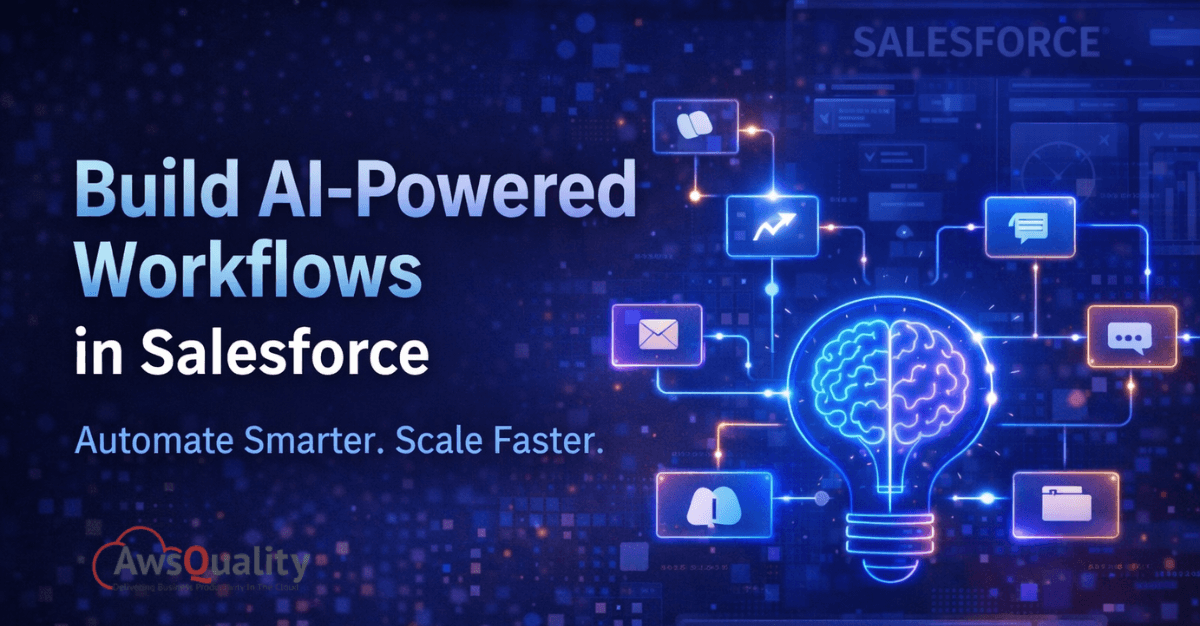
Salesforce has always been a platform built around efficiency — helping businesses manage relationships, automate repetitive tasks, and keep teams aligned around shared data. But in 2026, something more fundamental has shifted. Salesforce is no longer just a system of record or even a system of engagement. It is rapidly becoming a system of intelligence, where AI doesn't sit on the sideline as a novelty feature but operates as an active participant in your business processes.
The arrival of Agentforce — Salesforce's native AI agent platform — alongside deeply embedded Einstein AI capabilities across every cloud, has made it genuinely possible to build workflows that think, reason, and act autonomously. Leads get qualified without human input. Cases get resolved before a support rep touches them. Opportunities get scored and prioritized in real time. Contracts get summarized and routed automatically.
But building AI-powered workflows in Salesforce effectively requires more than turning on a feature. It requires understanding the architecture of how AI connects to your data, your processes, and your people — and knowing how to design workflows that are intelligent without being unpredictable. This guide walks you through exactly that.
Read: 5 Ways Salesforce Can Improve Your Customer Experience
Understanding the AI Layer in Salesforce
Before building anything, it helps to understand the three distinct layers of AI capability that Salesforce offers in 2026, because each one plays a different role in workflow design.
Einstein AI is the foundational intelligence layer embedded across Sales Cloud, Service Cloud, Marketing Cloud, and beyond. It powers predictive scores — lead scores, opportunity scores, churn risk scores — as well as generative features like Einstein Copilot for drafting emails, summarizing records, and generating call summaries. Einstein AI works largely within the context of individual records and user interactions, surfacing recommendations and automating content generation at the point of work.
Agentforce is Salesforce's autonomous AI agent platform, and it represents a significant evolution beyond Einstein. Where Einstein assists humans, Agentforce agents act independently. They can be configured to handle entire workflows — qualifying inbound leads, resolving support cases, onboarding new customers, or following up on stalled opportunities — without waiting for a human to initiate each step. Agentforce agents use your Salesforce data, connected knowledge bases, and defined business rules to reason through tasks and take action.
Salesforce Flow remains the backbone of process automation in Salesforce, and it works in concert with both Einstein AI and Agentforce. Flow handles the structured logic — the conditional branches, the record updates, the notifications, the integrations — while AI provides the intelligence layer that makes decisions within that structure. Understanding how these three layers interact is the foundation of building effective AI-powered workflows.
Also read: Salesforce Consulting Partners vs. Salesforce Implementation Partners
Step 1: Define the Workflow Objective Clearly
The most common mistake teams make when building AI-powered workflows is starting with the technology rather than the problem. Before you open Flow Builder or configure an Agentforce agent, you need a precise definition of what you want the workflow to accomplish.
Ask yourself: What is the specific business process this workflow will handle? What triggers it? What data does it need to access? What actions should it take, and under what conditions? Where does human judgment need to remain in the loop, and where can AI act autonomously?
A vague objective like "use AI to improve our sales process" will produce a vague result. A precise objective like "automatically qualify inbound leads from web forms, score them based on firmographic and behavioral data, route high-score leads to senior reps within five minutes, and enroll low-score leads in a nurture sequence" gives you something you can actually build — and measure.
Write the objective in plain language before touching any configuration. This document becomes your north star throughout the build and your baseline for measuring success after launch.
Step 2: Audit Your Data Quality First
AI-powered workflows are only as intelligent as the data they operate on. This is not a caveat — it is the single most critical dependency in any Salesforce AI implementation. Einstein's predictive scores, Agentforce's reasoning, and Flow's conditional logic all rely on data being accurate, complete, and consistently structured.
Before building, audit the specific fields and objects your workflow will use. Are lead source values populated consistently? Are account industry fields standardized or full of freeform variations? Are contact records properly associated with their parent accounts? Do opportunity stages reflect real pipeline stages or are they being used inconsistently across your team?
Address data quality issues before they become AI quality issues. Use Salesforce's built-in duplicate management tools, validation rules, and field-level required settings to enforce data integrity going forward. If you are building a workflow that depends on historical data patterns — like Einstein's opportunity scoring — ensure that historical records are clean enough to produce meaningful training signals.
Check out: How AI + Cloud Drives Business Growth and Efficiency
Step 3: Build the Automation Foundation with Salesforce Flow
With your objective defined and your data in order, the next step is building the structural backbone of your workflow in Salesforce Flow. Flow handles everything that is deterministic — the if-this-then-that logic that doesn't require AI judgment.
Start by mapping your workflow in a simple diagram before touching Flow Builder. Identify every trigger, every decision point, every action, and every data interaction. This pre-build mapping step prevents the common problem of building yourself into a corner mid-flow.
In Flow Builder, use Record-Triggered Flows for workflows that respond to changes in Salesforce data — a new lead created, an opportunity stage updated, a case status changed. Use Schedule-Triggered Flows for time-based processes like daily lead follow-up checks or weekly pipeline reviews. Use Autolaunched Flows when your workflow needs to be called from another process, an API, or an Agentforce action.
Within your Flow, leverage the full power of the available elements: decision elements for branching logic, loop elements for processing collections of records, subflows for reusable process components, and external service actions for integrating with APIs outside Salesforce. Build the non-AI logic first and test it thoroughly before layering in AI capabilities. A well-structured flow is the safety net that keeps your AI actions predictable.
Also chcek: Is Agentforce Designed to Slowly Replace Einstein?
Step 4: Integrate Einstein AI Capabilities
With your Flow foundation in place, you can begin integrating Einstein AI capabilities at the points in your workflow where intelligence adds genuine value.
Einstein Scoring can be invoked within your Flow to surface lead scores, opportunity scores, or case classification scores that inform routing decisions. Rather than building routing logic based on arbitrary field values, you can route based on Einstein's predictive assessment of likelihood to convert, likelihood to close, or case urgency — decisions that improve continuously as Einstein learns from your data.
Einstein Copilot can be activated at key points in your workflow to generate contextually relevant content. When a high-priority lead is routed to a rep, Copilot can automatically draft a personalized outreach email based on the lead's industry, company size, and recent web activity. When a case is escalated, Copilot can generate a case summary for the receiving rep so they can get up to speed instantly without reading through an entire history.
Einstein Classification and Next Best Action can be embedded in Service Cloud workflows to automatically tag incoming cases by category and intent, suggest the most relevant knowledge article or resolution path, and recommend the next action for the agent handling the case. This reduces handle time without removing the human judgment that complex cases require.
When integrating Einstein features, always define what happens when the AI output is unavailable, below a confidence threshold, or outside an expected range. Robust workflows have explicit fallback paths — routing to a human, defaulting to a standard process, or flagging for review — rather than failing silently.
Check: Responsible and Ethical AI - How to Ensure Compliance, Security, and Transparency in AI Systems
Step 5: Deploy Agentforce for Autonomous Workflow Execution
For workflows where the full process can be handled without human intervention — or with human oversight at defined checkpoints rather than every step — Agentforce opens a new tier of capability.
Agentforce agents are configured through Agent Builder in Salesforce Setup. Each agent is defined by a role (what it is responsible for), a set of actions it can take (Salesforce record operations, Flow invocations, external API calls, knowledge base queries), guardrails that define what it cannot do, and the data it has access to through connected Data Cloud objects.
A well-designed Agentforce workflow for inbound lead qualification, for example, might work as follows: a new lead record is created in Salesforce from a web form submission, triggering the Agentforce agent. The agent reviews the lead's firmographic data, checks whether the company is an existing customer or a known competitor, queries your product knowledge base to identify the most relevant use case, generates a qualification assessment, and either routes the lead with a briefing note to the appropriate sales rep or enrolls it in a nurture sequence — all within seconds of the form submission, without any human involvement.
The key to making Agentforce work well is precise action definition and clear guardrails. Define exactly what actions the agent is permitted to take and under what conditions. Use Salesforce's built-in audit and monitoring tools to review agent actions during the initial deployment period, and establish a human escalation path for cases that fall outside the agent's defined parameters. Start with a narrow scope — one workflow, one use case — and expand as you build confidence in the agent's behavior.
Read: 5 Ways Salesforce Development Services Can Transform Your Business
Step 6: Connect to Data Cloud for Real-Time Intelligence
The full power of Salesforce's AI capabilities is unlocked when your workflows are connected to Salesforce Data Cloud — Salesforce's real-time data platform that unifies customer data from every source into a single, continuously updated customer profile.
When your Agentforce agents and Einstein models have access to Data Cloud, they are working from a complete picture of each customer — not just what's in their CRM record, but their recent website behavior, email engagement history, product usage data, support interactions, and any other connected data source. This transforms AI decision-making from pattern matching on static records to genuine contextual reasoning on live customer signals.
Connecting Data Cloud to your AI workflows requires mapping your external data sources through Data Cloud's connector library, defining your unified data model, and configuring which Data Cloud objects your Einstein models and Agentforce agents can query. Once connected, the difference in AI output quality is immediately apparent — recommendations become more relevant, scores become more accurate, and agent decisions become more contextually appropriate.
Step 7: Monitor, Measure, and Iterate
Deploying an AI-powered workflow is not the finish line — it is the starting point of an ongoing improvement cycle. Salesforce provides robust monitoring tools that should be part of your operational routine from day one.
Use Flow's built-in error and performance monitoring to track execution success rates, identify failure points, and catch edge cases that weren't anticipated during design. Use Agentforce's conversation and action logs to review agent decisions, spot patterns in escalations, and identify opportunities to refine guardrails or expand agent capabilities. Use Einstein's model performance dashboards to monitor prediction accuracy over time and understand when model retraining may be needed.
Establish clear success metrics tied to the business objective you defined in Step 1. If your workflow was designed to qualify leads faster, measure lead response time before and after. If it was designed to reduce case handle time, measure average resolution time across AI-touched cases versus non-AI-touched cases. If it was designed to improve opportunity prioritization, measure win rates on Einstein-scored opportunities versus those routed by other criteria.
The teams that get the most from AI-powered Salesforce workflows are not the ones who build and move on. They are the ones who treat each workflow as a living system — reviewing performance regularly, incorporating feedback from the users interacting with the system, and continuously refining the AI logic, the flow structure, and the data inputs that drive both.
Building AI Workflows That Last
The goal of an AI-powered Salesforce workflow is not to replace the judgment of your sales reps, support agents, or operations teams. It is to remove the low-value, repetitive, time-consuming work that gets in the way of their best judgment — so that when human intelligence is genuinely needed, it is focused, informed, and available.
Done well, AI-powered workflows in Salesforce create a compounding advantage. Each improvement in data quality makes AI smarter. Each refined guardrail makes agents more trustworthy. Each new use case builds organizational confidence that allows you to automate more ambitiously over time.
Start with one workflow. Define it precisely, build it carefully, monitor it rigorously, and improve it continuously. That discipline — more than any specific feature or configuration — is what separates the organizations that unlock genuine value from AI in Salesforce from those that are still waiting for it to happen on its own.
Frequently Asked Questions
Q1: What is the difference between Einstein AI and Agentforce in Salesforce?
Einstein AI assists humans by surfacing predictions, scores, and generated content within Salesforce records. Agentforce goes further — it acts autonomously, handling complete workflows like lead qualification and case resolution without waiting for human input.
Q2: Do I need coding skills to build AI-powered workflows in Salesforce?
No. Salesforce Flow Builder, Agent Builder, and Einstein's configuration tools are all point-and-click — no coding required. However, complex integrations or custom logic may benefit from developer support for best results.
Q3: How does Salesforce Data Cloud enhance AI-powered workflows?
Data Cloud unifies customer data from every source into a single real-time profile. This gives Einstein and Agentforce a complete, up-to-date picture of each customer — making AI scores more accurate and agent decisions more contextually relevant.
Q4: What are Agentforce guardrails and why do they matter?
Guardrails define what an Agentforce agent is allowed to do, which records it can access, and when it must escalate to a human. They prevent inappropriate actions and make AI agent behavior predictable, trustworthy, and safe to scale.
Q5: How do I measure whether my AI-powered Salesforce workflow is working?
Tie measurement to your original business objective. Track metrics like lead response time, case resolution rate, or opportunity win rate — before and after deployment. Salesforce's Flow dashboards, Agentforce action logs, and Einstein analytics provide the data you need.
Q6: What is the best starting point for building AI workflows in Salesforce?
Start with a narrow, well-defined use case — such as Einstein lead scoring with a simple routing flow or an Agentforce agent handling FAQ support cases. Build confidence with a small deployment, measure results, then expand to more complex workflows gradually.
Q7: How often should AI-powered Salesforce workflows be reviewed?
Review AI workflows quarterly at minimum. Also trigger an immediate review after major business changes, Salesforce platform updates, noticeable drops in AI accuracy, or user feedback indicating unexpected behavior.
Q8: Can AI-powered Salesforce workflows integrate with external tools?
Yes. Salesforce Flow supports external REST API calls, and Agentforce agents can be configured with custom actions that connect to third-party platforms. Common integrations include ERP systems, marketing tools, data enrichment providers, and conversation intelligence platforms.
 Bio
Bio