Continuous Integration and Continuous Delivery (CI/CD) have become foundational practices in modern software development. As organizations strive to release software faster, improve quality, and enhance developer productivity, selecting the right CI/CD platform has become a strategic decision rather than a purely technical one.
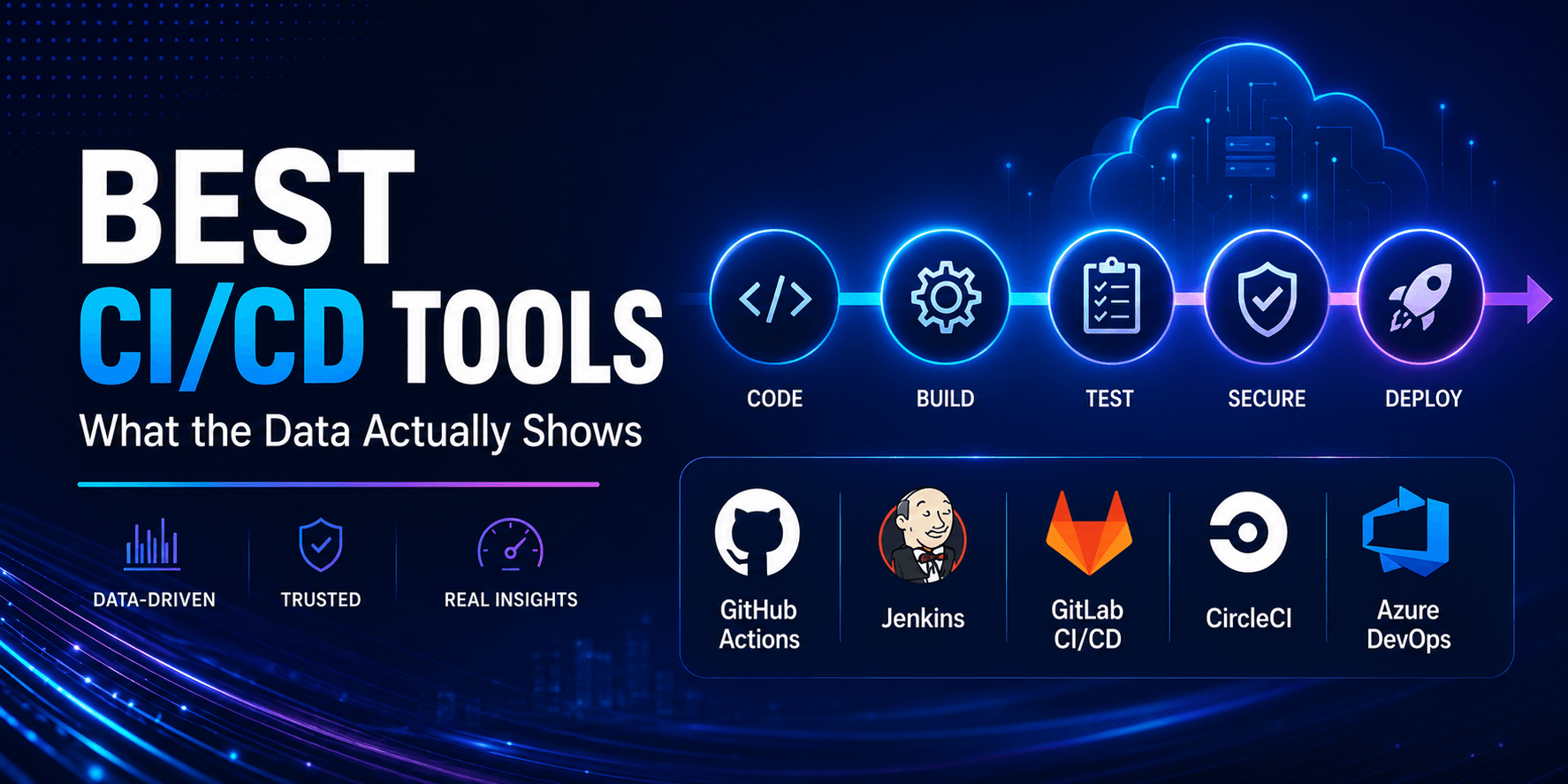
However, the market is crowded with tools claiming to be the fastest, most scalable, and most developer-friendly. From GitHub Actions and GitLab CI/CD to Jenkins, CircleCI, Azure DevOps, and Bitbucket Pipelines, every platform presents a compelling case.
So which CI/CD tools are actually leading the market?
Instead of relying on marketing claims, let’s examine what industry adoption trends, developer preferences, enterprise usage patterns, and platform capabilities reveal about today’s leading CI/CD solutions.
Stop Reading Listicles — Start Reading Data
Search “best CI/CD tools 2026” and you will find the same names repeated across most top-ranking articles: Jenkins, GitHub Actions, GitLab CI/CD, CircleCI, TeamCity, and Harness. The names are not wrong. But the question most of those articles fail to answer is: what does the data actually show about how teams choose between them — and why?
This guide is different. Instead of listing every CI/CD tool in existence with marketing-adjacent descriptions, it anchors the analysis in three things: real adoption data from developer surveys, honest trade-off analysis for each major tool, and a practical decision framework based on team size, infrastructure model, and engineering constraints.
The goal is not to tell you which tool is “best.” There is no single best CI/CD tool in 2026. The right choice depends on where your code lives, how large your team is, what security requirements you face, and how much operational overhead you are willing to accept. The goal is to help you make an informed, defensible choice for your specific context — using the same evidence the data provides.
Why CI/CD Matters More Than Ever
Software delivery speed has become a competitive advantage.
Organizations deploying code multiple times per day consistently outperform those relying on manual deployment processes.
Modern CI/CD pipelines help teams:
- Automate testing
- Improve code quality
- Reduce deployment risk
- Accelerate release cycles
- Enhance developer productivity
- Support DevOps practices
- Enable continuous deployment
As cloud-native architectures, microservices, and distributed teams become standard, robust CI/CD infrastructure is no longer optional.
Read: DevOps Implementation Cost – What Businesses Should Expect
What the Adoption Data Actually Shows
Before evaluating individual tools, it’s worth understanding what developers and organizations are actually using — not what vendors claim.
Organizational Adoption (JetBrains State of Developer Ecosystem 2025)
Organizationally, GitHub Actions leads with 33% adoption, followed by Jenkins at 28% and GitLab CI at 19%. The top three are consistent across both personal and organizational contexts.
Interestingly, 18% of respondents report not using any CI/CD tool at all. It highlights a structural gap between how CI/CD is discussed and how it’s actually adopted.
This is a significant finding that most CI/CD comparison articles ignore. If nearly one in five organizations is not using any CI/CD system, the conversation about which tool is “best” is missing a large portion of the market that is still working through adoption entirely.
Market Share by Web Presence
Based on analysis of 3.5M+ websites, GitHub dominates the market with an overwhelming 98.3% share, followed by GitLab with 1.8% and Bitbucket with 0.4%. This measurement captures the hosting platform layer rather than the CI/CD execution layer, but it illustrates how deeply GitHub’s ecosystem has penetrated the development landscape.
What This Data Tells Us
Three patterns emerge from the adoption data:
1. GitHub Actions has become the default for new projects. Its growth has been driven primarily by frictionless adoption — if your code is on GitHub, Actions is already there. GitHub Actions now powers the majority of new CI/CD setups.
2. Jenkins is not dying — it is specializing. Jenkins is the most deployed CI/CD server globally, actively maintained, and got its biggest CloudBees update in a decade. But cloud-native alternatives win most new projects. Jenkins’ sweet spot is organizations with strict infrastructure control requirements and the ops team to support it.
3. The era of defaulting to Jenkins for everything is over. In 2026, the cost of engineering time is far higher than the cost of compute. The calculus has shifted: paying for managed CI/CD compute is almost always cheaper than paying engineers to manage Jenkins infrastructure.
What Is CI/CD? (A Concise Definition for Context)
CI/CD combines three practices. Continuous Integration merges developer code changes into a shared repository multiple times a day, triggering automated builds and tests on each push. Continuous Delivery extends this by keeping code in a deployable state at all times, with a manual approval gate before production. Continuous Deployment removes the gate entirely, pushing every passing change straight to production.
The practical result: teams catch integration bugs within minutes instead of days, deployment becomes a routine event rather than a stressful ceremony, and rollbacks happen in seconds.
Measuring CI/CD Effectiveness: DORA Metrics
The DORA (DevOps Research and Assessment) framework provides the industry-standard measurement model for CI/CD performance. The four DORA metrics are: deployment frequency (how often code changes are deployed into production), lead time for changes (the time from committing a code change to its deployment in production), change failure rate (the percentage of code changes resulting in failure or requiring post-deployment remediation), and time to restore service (the time to recover from a service outage or incident).
Leading organizations reported average lead times as low as 15 minutes in 2026, achieved through the use of automated testing, infrastructure as code (IaC), and cloud-native deployment strategies.
Elite performers using DORA metrics are twice as likely to meet organizational goals, deliver faster customer value, and maintain higher developer satisfaction.
Initial ROI from CI/CD can be seen within 3–6 months, as automation reduces manual tasks, accelerates feedback loops, and improves efficiency. Full benefits, including cultural shifts and increased innovation velocity, typically materialize in 12–18 months.
Also read: How to Build a CI/CD Pipeline – Step-by-Step Guide
The Best CI/CD Tools in 2026: Honest Analysis
1. GitHub Actions — Best for GitHub-Native Teams
GitHub Actions is the most widely adopted CI/CD platform as of 2026, largely because it is embedded directly into the world’s largest code hosting platform. Workflows are defined in YAML files inside your repository, triggered by virtually any GitHub event (push, pull request, issue creation, release, schedule, or external webhook).
What the data shows: GitHub Actions leads with 33% organizational adoption — the highest of any CI/CD platform in developer surveys.
Key strengths:
- Native GitHub integration: No external service to configure. Workflows live in .github/workflows/ alongside your code, with first-class support for pull request checks, status badges, and deployment environments.
- Massive marketplace: Over 20,000 community-maintained actions cover everything from code scanning and container publishing to Slack notifications and infrastructure provisioning.
- Matrix builds allow running the same job across multiple operating systems and language versions simultaneously
- Generous free tier (2,000 minutes/month for public repos; unlimited for public)
- GitHub Copilot integration in Actions workflows bringing AI assistance to pipeline authoring
Security considerations: The most critical security practices for GitHub Actions CI/CD in 2026: pin all actions to a full SHA, not a branch or mutable tag; use OIDC instead of static credentials for cloud authentication; apply least-privilege permissions.
Honest limitations:
Build speed on standard Azure VMs is slower than CircleCI’s purpose-built compute for heavy test suites
Complex enterprise governance requires GitHub Enterprise, which is expensive at scale
Groovy-based Jenkinsfiles are more expressive for highly complex build logic
Migration path: The official GitHub Actions Importer CLI supports automated migration from Jenkins, CircleCI, Travis CI, Azure DevOps, and GitLab CI. Most Jenkins pipelines migrate with 70–90% accuracy. The remaining 10–30% typically involves custom Jenkins plugins that need to be replaced with equivalent marketplace actions or custom shell scripts.
Best for: Teams with code on GitHub, new projects without legacy CI/CD infrastructure, and organizations wanting the path of least resistance to a production-grade pipeline.
Pricing: Free tier available; Team plans include 3,000 minutes/month; Enterprise pricing available
2. Jenkins — Best for Maximum Flexibility and On-Premise Control
Jenkins has been a cornerstone of CI/CD since its inception in 2011. Setting up and maintaining Jenkins requires dedicated expertise, especially when managing numerous plugins and ensuring pipeline security. Despite this, Jenkins remains relevant in 2026, especially for organizations with specialized needs or legacy systems.
What the data shows: Jenkins holds 28% organizational adoption — second only to GitHub Actions — despite being over a decade old and requiring significant operational investment.
Key strengths:
- Unmatched flexibility through its massive plugin ecosystem (1,800+ plugins)
- Self-hosted by design — data never leaves your infrastructure
- No per-minute or per-seat pricing — run unlimited builds on your own hardware
- Supports virtually any programming language, build tool, and deployment target
- Deeply configurable pipeline logic through Groovy-based Jenkinsfiles
Honest limitations:
- Groovy-based Jenkinsfiles have a steep learning curve compared to YAML alternatives.
- No native AI. CloudBees offers some AI features, but open-source Jenkins has none.
- Significant operational overhead: patching, plugin management, and infrastructure maintenance require dedicated DevOps resources
- User interface is dated compared to modern cloud-native alternatives
- Security hardening requires manual effort that managed platforms handle automatically
Best for: Organizations with strict infrastructure control requirements and the ops team to support it. Air-gapped environments, regulated industries with data sovereignty requirements, and organizations with complex, deeply customized build pipelines that do not map cleanly to YAML-based alternatives.
Pricing: Free and open-source; CloudBees Jenkins enterprise support available separately
3. GitLab CI/CD — Best for Single-Platform DevOps
GitLab CI/CD is the CI/CD component of the GitLab DevOps platform, which includes version control, issue tracking, code review, container registry, and security scanning in one interface. Pipelines are defined in .gitlab-ci.yml files and run on GitLab-hosted runners or self-hosted runners.
What the data shows: GitLab CI holds 19% organizational adoption — third overall, with particular strength among organizations prioritizing integrated DevSecOps.
Key strengths:
- By 2026, GitLab CI/CD has cemented its role as a comprehensive DevOps platform. Integrated directly within GitLab’s version control system, it offers seamless workflows from code commit to deployment. Its built-in features, such as issue tracking, code review, and security scanning, empower teams to manage the entire development lifecycle in one interface.
- GitLab CI is generally considered the leader in integrated security. Its Ultimate tier includes comprehensive scanning (SAST, DAST, dependency scanning, secret detection).
- Available both cloud-hosted and fully self-hosted — meeting data sovereignty requirements without sacrificing managed convenience
- Native DORA metrics dashboard built into the platform
- Kubernetes integration and container registry included out of the box
Honest limitations:
- GitLab Ultimate (the tier with full security features) is expensive for large teams
- The all-in-one approach creates vendor dependency — migrating away from GitLab involves moving repositories, CI, security scanning, and project management simultaneously
- Smaller plugin/marketplace ecosystem compared to GitHub Actions
Best for: Teams wanting repos + CI + security + project management in one platform. Organizations with compliance requirements that benefit from built-in security scanning, and teams that want to avoid managing multiple tools across the DevOps lifecycle.
Pricing: Free tier available (GitLab.com); Premium from $29/user/month; Ultimate from $99/user/month; Self-managed options available
4. CircleCI — Best for Speed and Test-Heavy Pipelines
CircleCI emphasizes speed and simplicity, especially for cloud-native workflows. It has carved out a clear differentiated position in 2026: when build speed is the primary constraint, CircleCI’s purpose-built compute infrastructure consistently outperforms general-purpose alternatives.
What the data shows: CircleCI’s 2026 State of Software Delivery report showed average throughput grew 59% year-over-year across 28 million workflows.
Key strengths:
Honest limitations:
- More expensive than GitHub Actions at scale — the performance premium has a direct cost
- A separate tool from your code hosting platform, adding configuration and context-switching overhead
- Less tightly integrated with GitHub’s PR workflow compared to native GitHub Actions
Best for: Teams with large test suites that benefit from aggressive parallelism and optimized compute. Rapidly scaling engineering organizations where developer wait time on CI is a measurable productivity bottleneck.
Pricing: Free tier (6,000 credits/month); Performance plans from $15/month; Custom enterprise pricing
5. Azure DevOps Pipelines — Best for Microsoft-Stack Enterprises
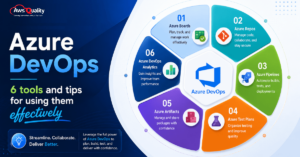
Azure DevOps by Microsoft is an all-in-one CI/CD platform that packages repositories (Azure Repos), planning and tracking (Azure Boards), pipelines (Azure Pipelines), package management (Azure Artifacts), and test management (Azure Test Plans) into a single product.
Key strengths:
- Deep integration with Microsoft Azure cloud infrastructure — native deployment to Azure App Service, AKS, and Azure Functions
- Enterprise-grade compliance framework aligned with Microsoft’s security posture
- Seamless connection with Visual Studio and the broader Microsoft 365 ecosystem
- YAML-based pipeline configuration alongside a visual pipeline editor for non-technical stakeholders
- Strong support for Windows-centric build environments (.NET, SQL Server, IIS)
Honest limitations:
- Less intuitive for teams not already in the Microsoft ecosystem
- GitHub Actions is increasingly preferred even within Microsoft-aligned organizations, as Microsoft has invested heavily in it post-GitHub acquisition
- Some features require navigating between Azure DevOps and Azure Portal, adding operational friction
Best for: Enterprises already standardized on Microsoft Azure, Windows-heavy development stacks, and organizations where alignment with existing Microsoft licensing is a priority.
Pricing: Free tier (1,800 minutes/month); Additional parallel jobs from $40/month; Enterprise pricing available
6. TeamCity — Best for Enterprise Build Orchestration
TeamCity appears less frequently overall in surveys, but has noticeable traction within organizations that care about hybrid and on-premises setups.
Built by JetBrains, TeamCity provides enterprise-grade build management with a particular strength in complex, multi-project build chains and hybrid deployment models — cloud runners combined with on-premises agents.
Key strengths:
- Industry-leading build chain visualization for complex multi-module projects
- Supports both cloud-hosted and self-hosted runners with seamless switching
- Deep integration with JetBrains IDE ecosystem (IntelliJ, GoLand, Rider)
- Sophisticated build history, test trend analysis, and flaky test detection
- Strong .NET, JVM, and Python ecosystem support out of the box
Honest limitations:
- Proprietary platform with licensing costs at enterprise scale
- Less community tooling compared to GitHub Actions’ marketplace
- YAML configuration (Kotlin DSL) has a steeper learning curve than GitHub Actions YAML
Best for: Large enterprise engineering teams running complex JVM or .NET projects, organizations already using JetBrains IDEs, and companies needing sophisticated hybrid cloud/on-premise build orchestration.
Pricing: Free tier (100 build configurations); Commercial licenses from $1,999/year per server
7. Harness — Best for Enterprise CD and AI-Powered Pipelines
Harness has positioned itself distinctly in the CI/CD market: while most tools compete on CI (build and test), Harness’s primary differentiation is in the CD (deployment) layer — particularly for enterprise organizations running complex multi-cloud, multi-service deployment pipelines.
Key strengths:
- AI/ML-powered deployment verification that automatically detects and rolls back bad deployments
- Native support for canary deployments, blue-green deployments, and progressive delivery
- Feature flag management integrated directly into the deployment pipeline
- Cost optimization recommendations for cloud spending connected to pipeline activity
- Strong governance and policy enforcement for regulated deployment workflows
Honest limitations:
- Significant pricing — Harness is an enterprise product with enterprise price points
- Overkill for teams whose primary bottleneck is CI (building and testing) rather than CD (deployment)
- Requires organizational maturity to realize the full value of its AI verification features
Best for: Enterprise engineering organizations with complex deployment requirements, multiple cloud environments, strict rollback requirements, and the budget to invest in advanced deployment intelligence.
Pricing: Free Developer tier; Team from $50/month; Enterprise pricing on request
Check out: Why Most DevOps Transformations Fail (And How to Fix Them)
Feature Comparison: CI/CD Tools at a Glance
| Feature | GitHub Actions | Jenkins | GitLab CI | CircleCI | Azure DevOps | TeamCity |
|---|---|---|---|---|---|---|
| Hosted option | ✅ | ❌ | ✅ | ✅ | ✅ | ✅ |
| Self-hosted option | ✅ | ✅ | ✅ | ✅ | ✅ | ✅ |
| Free plan | ✅ | ✅ | ✅ | ✅ | ✅ | ✅ |
| YAML-based config | ✅ | ❌ (Groovy) | ✅ | ✅ | ✅ | ✅ |
| Built-in security scanning | ✅ (Basic) | ❌ | ✅ (Ultimate) | ❌ | ✅ | ❌ |
| AI-powered features | ✅ (Copilot) | ❌ | ✅ | ✅ (ML Splitting) | ✅ | ✅ |
| Native DORA metrics | ❌ | ❌ | ✅ | ✅ | ✅ | ✅ |
| Plugin/marketplace | ✅(20K+) | ✅ (1800+) | Limited | Limited | Limited | Limited |
| SOC 2 / ISO 27001 | ✅ | Self-Managed | ✅ | ✅ | ✅ | ✅ |
| Kubernetes native | ✅ | ✅ | ✅ | ✅ | ✅ | ✅ |
| Learning curve | Low | High | Medium | Low-Medium | Medium | Medium-High |
How to Choose: A Decision Framework by Team Context
The most valuable CI/CD analysis is not a ranking — it is a decision tree. Here is how to think through the choice based on your actual situation.
By Team Size
1–20 developers (startup / small team):
GitHub Actions is almost always the right answer. It requires zero infrastructure investment, has a generous free tier, and its integration with GitHub’s PR workflow creates minimal friction for small teams. The 2,000 free minutes per month covers most small teams’ usage entirely.
20–100 developers (growth stage):
Evaluate build volume. GitHub Actions or GitLab for managed. Jenkins or Buildkite if you need self-hosted control. CircleCI if test parallelism is the bottleneck.
100+ developers (enterprise):
Platform decision matters. GitLab Ultimate for enterprise DevSecOps. GitHub Enterprise for ecosystem breadth. Jenkins + Kubernetes for maximum control. Buildkite for hybrid (self-hosted agents + managed orchestration).
By Code Hosting Platform
- Code on GitHub → GitHub Actions first. No other choice has the same level of native integration.
- Code on GitLab → GitLab CI/CD. The integrated experience is the platform’s core value proposition.
- Code on Azure DevOps / Bitbucket → Azure Pipelines or Bitbucket Pipelines respectively for the same reason.
- Code spread across multiple platforms → CircleCI, Jenkins, or TeamCity — platform-agnostic tools that connect to any VCS.
By Primary Constraint
- Speed is the bottleneck (slow builds hurting developer productivity) → CircleCI. Features like SSH debugging and intelligent test splitting will reduce developer frustration and wait times. The productivity gain offsets the cost of a specialized tool.
- Security and compliance are the primary concern → GitLab CI if you want a powerful, integrated platform that enforces security and compliance.
- Data sovereignty / air-gapped environment → Jenkins self-hosted, GitLab self-managed, or TeamCity on-premise.
- Microsoft ecosystem → Azure DevOps Pipelines.
- Complex deployment pipelines (not just CI) → Harness.
By Infrastructure Preference
| Preference | Recommended Tool |
|---|---|
| Fully managed, zero infrastructure | GitHub Actions, CircleCI, GitLab |
| Self-hosted with full control | Jenkins, GitLab self-managed, TeamCity |
| Hybrid (managed + self-hosted agents) | Buildkite, TeamCity, GitHub Actions with self-hosted runners |
| On-premise only | Jenkins, TeamCity, GitLab self-managed |
The AI Dimension: How CI/CD Tools Are Using AI
Adoption of AI and machine learning are rapidly being integrated into CI/CD tools for predictive analytics, intelligent test automation, and optimization of the deployment pipeline. This evolution signifies a move towards more proactive, data-driven decision-making processes in software development.
AI agents are running inside pipelines, not just suggesting fixes, but autonomously creating merge requests to repair broken builds.
Here is how AI is manifesting across the major platforms in 2026:
- GitHub Actions + Copilot: GitHub Copilot assists with writing workflow YAML, suggesting fixes for failed pipelines, and explaining pipeline errors in plain language. Copilot Workspace can generate entire CI/CD configurations from natural language descriptions.
- GitLab AI: GitLab’s AI-assisted pipeline debugging surfaces root cause analysis for failed jobs and suggests configuration improvements. GitLab Duo provides AI-powered code review and vulnerability explanation integrated directly into the CI pipeline.
- CircleCI ML Test Splitting: ML-powered test splitting automatically distributes tests across parallel containers based on historical timing data, optimizing parallelism without manual configuration.
- Harness AI Verification: Machine learning models analyze deployment metrics to automatically detect regressions and trigger rollbacks — eliminating the need for manual post-deployment validation.
The trajectory is clear: AI in CI/CD is moving from passive suggestions to active pipeline participation. The tools best positioned for the next three years are those integrating AI not just as a UI layer but as a core component of build, test, and deployment decision-making.
Enterprise Security and Compliance Considerations
For enterprises deploying CI/CD at scale, security is not a feature — it is a requirement. Here is what the data shows about compliance across major platforms:
Audit Logging: Enterprise tiers of GitHub Actions, GitLab CI/CD, and Azure DevOps provide comprehensive audit logs for compliance. Jenkins requires custom plugin configuration for detailed auditing. Access Control: All platforms support role-based access control (RBAC), though implementation varies. Jenkins offers the most granular control, while cloud platforms emphasize ease of management. Compliance Certifications: GitHub, GitLab, CircleCI, and Azure DevOps maintain SOC 2, ISO 27001, and other relevant certifications. Self-hosted Jenkins inherits your infrastructure’s compliance posture.
Key enterprise security checklist for any CI/CD platform:
- Secrets management — never store credentials in pipeline YAML; use a dedicated secrets manager (HashiCorp Vault, AWS Secrets Manager, or native secrets storage)
- Least-privilege permissions — CI/CD service accounts should have only the permissions they need for each job
- Pipeline-as-code — all pipeline configurations version-controlled and subject to code review
- Dependency pinning — all third-party actions or orbs pinned to specific versions or SHA hashes
- Audit logging — all pipeline executions, approvals, and configuration changes logged
- Environment segregation — production deployments require separate approval gates from staging
- Secret scanning — pre-commit hooks and pipeline steps to detect accidentally committed credentials
Common CI/CD Mistakes That Undermine Pipeline Value
Weak or missing automated testing is a common mistake, which leads to undetected bugs and unstable deployments. Implementing a solid testing framework early in the CI/CD process is crucial to avoid this.
Beyond testing, these are the patterns that consistently undermine CI/CD value:
1. Treating CI/CD as a one-time setup
Pipelines require ongoing maintenance. As your codebase grows and dependencies change, pipelines that are not actively maintained become slower, less reliable, and increasingly disconnected from actual deployment reality.
2. Excessive manual approval gates
Manual gates that exist without clear governance rationale defeat the purpose of continuous delivery. Audit every manual gate: does it exist because it must, or because nobody questioned whether it should?
3. Ignoring flaky tests
Flaky tests — tests that intermittently fail without code changes — are a silent productivity killer. A CI pipeline that occasionally fails for no real reason trains engineers to re-run rather than investigate.
4. Not measuring pipeline performance
Use DORA metrics to measure deployment frequency, lead time for changes, change failure rate, and mean time to recovery (MTTR). These metrics provide insights into pipeline performance and areas for improvement.
5. Over-engineering the first pipeline
The best first CI/CD pipeline is one that runs tests on every pull request and deploys on merge to main. Start there. Add sophistication only in response to real pain, not anticipated complexity.
6. Hard-coding environment-specific configuration
Hard-coded secrets, environment drift, and missing rollback strategies are potential CI/CD pitfalls to watch out for.
CI/CD Pipeline Best Practices
- Keep pipelines fast. A pipeline that takes 45 minutes is a pipeline that engineers wait for, work around, or ignore. Optimize build times aggressively — parallelize tests, cache dependencies, and eliminate redundant steps.
- Test at the right level. Not all tests belong in CI. Unit tests should run on every commit. Integration tests on every PR. End-to-end tests on merge to main. Load tests on release candidates. Match test scope to pipeline stage.
- Implement rollback before you need it. Define and test your rollback procedure before deploying to production. Automated rollback triggered by deployment health metrics is preferable to manual intervention during an incident.
- Pipeline-as-code is non-negotiable. Every pipeline configuration should live in version control, be subject to code review, and have a change history. Pipelines configured through UIs are a governance and reproducibility liability.
- Feature flags decouple deployment from release. Deploying code and
releasing features are separate events. Feature flags allow you to deploy continuously while releasing deliberately — the most powerful architecture for maintaining high deployment frequency without business risk.
Frequently Asked Questions
Q: What is the most widely used CI/CD tool in 2026?
GitHub Actions leads with 33% organizational adoption, followed by Jenkins at 28% and GitLab CI at 19%, according to the JetBrains State of Developer Ecosystem Report 2025.
Q: Is Jenkins still worth using in 2026?
Jenkins is the most deployed CI/CD server globally, actively maintained, and got its biggest CloudBees update in a decade. But cloud-native alternatives win most new projects. Jenkins’ sweet spot is organizations with strict infrastructure control requirements and the ops team to support it.
Q: Should I use GitHub Actions or GitLab CI?
If your code is on GitHub, use Actions. If you want repos + CI + security + project management in one platform, consider GitLab.
Q: Which CI/CD tool is fastest for large test suites?
CircleCI’s parallel test splitting can cut build times by 50–70% for test-heavy projects, especially Ruby, Python, and JavaScript. Its ML-powered test splitting optimizes parallelism automatically based on historical timing data.
Q: What are the four DORA metrics for measuring CI/CD performance?
The four DORA metrics are: deployment frequency (how often code changes are deployed into production), lead time for changes (the time from committing a code change to its deployment in production), change failure rate (the percentage of code changes resulting in failure or requiring post-deployment remediation), and time to restore service (the time to recover from a service outage or incident).
Q: How long does it take to see ROI from CI/CD implementation?
Initial ROI can be seen within 3–6 months, as automation reduces manual tasks, accelerates feedback loops, and improves efficiency. Full benefits, including cultural shifts and increased innovation velocity, typically materialize in 12–18 months.
Q: Which CI/CD tool is best for enterprise security?
GitLab CI is generally considered the leader in integrated security. Its Ultimate tier includes comprehensive scanning (SAST, DAST, dependency scanning, secret detection). GitHub Enterprise and Azure DevOps also maintain strong compliance certifications including SOC 2 and ISO 27001.
Q: What percentage of organizations still don’t use any CI/CD tool?
18% of respondents in the JetBrains 2025 developer survey report not using any CI/CD tool at all — a significant finding that suggests CI/CD adoption is still far from universal.
Conclusion: The Best Pipeline Is the One Your Team Actually Maintains
There is no single best CI/CD tool in 2026. The right choice depends on where your code lives, how large your team is, what security requirements you face, and how much operational overhead you are willing to accept. GitHub Actions leads in adoption and ease of use. Jenkins remains unmatched in flexibility for teams that can invest in maintenance. GitLab CI/CD offers the most complete single-platform experience. CircleCI delivers top-tier build performance. TeamCity provides enterprise-grade build orchestration.
Start with the tool that fits your current workflow, invest in pipeline-as-code practices that reduce vendor lock-in, and revisit your choice as your team and infrastructure evolve. The best CI/CD pipeline is the one your team actually maintains and trusts.
The data shows GitHub Actions is where the market is going for most new projects. It does not show that GitHub Actions is right for every team. Jenkins still owns 28% of the organizational market for a reason. GitLab CI is growing for a reason. CircleCI has a loyal user base for a reason.
Read the data. Understand your constraints. Make a deliberate choice. Then invest in making that pipeline excellent — because the tool matters far less than the engineering discipline you apply to it.
 Bio
Bio