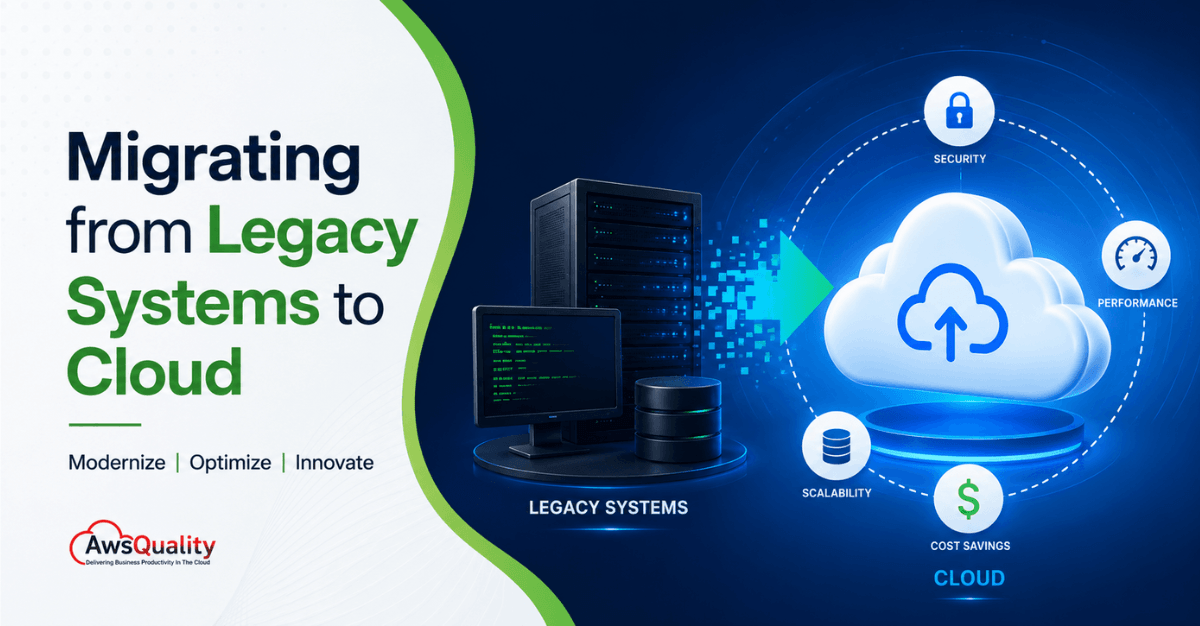
Cloud migration has become a strategic priority for organizations seeking greater agility, scalability, security, and cost efficiency. As businesses face increasing demands for digital transformation, many are finding that legacy systems—while once reliable—can no longer support modern business requirements.
From outdated infrastructure and rising maintenance costs to limited scalability and security concerns, legacy environments often hinder innovation. Cloud migration offers a pathway to modernize applications, streamline operations, and unlock new capabilities such as artificial intelligence (AI), automation, advanced analytics, and real-time collaboration.
However, successful cloud migration requires more than simply moving data and applications from one environment to another. It demands careful planning, risk management, architecture design, and ongoing optimization.
This guide explores everything organizations need to know about migrating from legacy systems to the cloud, including benefits, migration strategies, challenges, best practices, and implementation steps.
What Is Cloud Migration?
Cloud migration is the process of moving legacy on-premises systems, applications, and data to cloud-based infrastructure such as AWS, Microsoft Azure, or Google Cloud. A successful migration follows the 7 Rs framework (Rehost, Replatform, Refactor, Repurchase, Retire, Retain, Relocate), a structured 7-step process, and best practices around security, cost governance, and phased execution. Organizations that migrate successfully reduce IT costs by 20–30% and gain scalability, faster deployment, and improved resilience.
Cloud migration is more than a simple lift-and-shift of outdated software. It is a strategic transformation of older, on-premises systems — often hindered by monolithic architectures and proprietary hardware — into agile, cloud-native environments like AWS, Azure, or Google Cloud.
Legacy systems typically remain in use long after their intended lifespan because they support critical operations. But as systems age, their performance drops, operational costs rise, and security risks multiply. Migration from legacy systems has become a strategic priority — not an IT project.
Organizations typically migrate to:
- Public Cloud
- Private Cloud
- Hybrid Cloud
- Multi-Cloud Environments
Popular cloud providers include:
- Amazon Web Services (AWS)
- Microsoft Azure
- Google Cloud Platform (GCP)
- Oracle Cloud Infrastructure (OCI)
- Data migration
- Application migration
- Infrastructure migration
- Platform migration
- Business process modernization
- Mainframe systems running COBOL or other outdated languages
- On-premise ERP systems (SAP, Oracle) that predate cloud integration
- Legacy CRM software (e.g., Siebel CRM, pre-cloud Dynamics)
- Custom-built applications with no active vendor support
- Systems running on end-of-life operating systems (Windows Server 2008, etc.)
- Monolithic applications with tightly coupled, undocumented dependencies
- 94% of enterprises now use at least one cloud service (Flexera 2026)
- 83% of enterprise workloads will be in the cloud by end of 2026 (Medha Cloud)
- $31.5 billion — the cloud migration services market in 2026, growing at 22.4% CAGR
- 20–30% average IT cost reduction post-migration within the first year
- Cloud migration is the #2 IT priority for CIOs in 2026, behind only cybersecurity (Gartner)
- Launch products faster
- Deploy applications rapidly
- Support remote teams
- Respond quickly to market changes
- Capital expenditures (CapEx)
- Data center expenses
- Hardware maintenance costs
- Disaster recovery investments
- Multi-factor authentication
- Automated backups
- Threat intelligence
- Continuous vulnerability management
- Security monitoring
- Geographic redundancy
- Automated failover
- Rapid recovery capabilities
- Continuous backups
- Remote work
- Global operations
- Cross-functional collaboration
- Best for: Stable applications with tight timelines; quick wins
- Pros: Fastest migration path, immediate infrastructure cost savings
- Cons: Doesn’t optimize for cloud-native capabilities; can lead to higher cloud costs
- Timeline: 2–4 weeks per application
- Best for: Applications that need better performance but don’t warrant a full rewrite
- Pros: Operational gains without full redesign; moderate cost
- Cons: Requires more planning than rehosting
- Best for: Customer-facing applications where competitive differentiation matters
- Pros: Maximum cloud-native value, scalability, and agility
- Cons: Highest investment of time and budget; 2–6 months per application
- Best for: Applications where a mature SaaS alternative exists
- Pros: Eliminates maintenance burden; modern feature set immediately
- Cons: Data migration complexity; user retraining required
- Best for: Redundant tools, unused applications, end-of-life software
- Pros: Immediate cost savings on licenses and maintenance; reduces migration complexity
- Action: During your portfolio review, flag tools with no recent usage
- Best for: Highly regulated systems; recently modernized on-premise apps
- Note: “Retain” doesn’t mean “never migrate” — revisit these annually
- Best for: Organizations with large virtualized footprints needing rapid migration
- Pros: Minimal operational disruption; familiar tooling retained
- 40% of applications → Rehost (quick wins, exit the data center fast)
- 30% → Replatform (targeted improvements)
- 15% → Retire (immediate cost savings)
- 10% → Repurchase (replace with SaaS)
- 5% → Retain (compliance or complexity reasons)
- Full application inventory with owner, age, usage metrics, and business criticality
- Dependency map showing how systems interact
- Data classification (what’s sensitive, regulated, or mission-critical)
- TCO analysis for each application
- Target cost reduction (e.g., 25% TCO reduction in Year 1)
- Performance benchmarks (e.g., 99.9% uptime SLA)
- Security and compliance requirements (HIPAA, SOC 2, GDPR, PCI-DSS)
- Timeline milestones and phase gates
- Business continuity requirements (maximum acceptable downtime)
- Monolithic vs. microservices
- Containers (Docker/Kubernetes) vs. serverless (AWS Lambda, Azure Functions)
- Public cloud vs. private cloud vs. hybrid cloud
- Data residency and sovereignty requirements
- Show measurable ROI quickly (build stakeholder confidence)
- Have low complexity and dependencies (reduce early risk)
- Are non-mission-critical (allow your team to learn before tackling core systems)
- ✅ Functional testing — does everything work as expected?
- ✅ Performance testing — does it meet or exceed on-premise benchmarks?
- ✅ Security testing — are all controls in place?
- ✅ Integration testing — do connected systems communicate correctly?
- ✅ Rollback testing — can you revert cleanly if needed?
- Use ETL tools like AWS Database Migration Service, Azure Data Factory, or Google Datastream
- Validate data integrity at every stage (row counts, checksums, business logic validation)
- Implement automated backup and recovery procedures before migration begins
- De-identify or anonymize sensitive data in non-production environments
- Plan for data format conversion (legacy systems often use proprietary data formats)
- Big Bang Cutover: Migrate everything at once in a single maintenance window. Fastest but highest risk.
- Blue-Green Deployment: Run legacy (blue) and cloud (green) environments in parallel; switch traffic incrementally. Lower risk, higher cost.
- Rolling Deployment: Migrate and release components gradually. Suitable for microservices architectures.
- Canary Release: Route a small percentage of traffic to the cloud first; increase gradually based on performance data.
- Monitor system health, response times, and resource utilization intensively for the first 72 hours
- Keep legacy systems on standby for rollback during a defined “stability window”
- Communicate proactively with end users and stakeholders
- Document issues and resolutions for future migration waves
- Rightsize compute and storage resources (eliminate over-provisioning)
- Implement CI/CD pipelines for automated deployment
- Set up cost monitoring, budgets, and alerts (FinOps practices)
- Conduct security configuration reviews
- Tag all resources consistently for accurate cost allocation
- Establish regular performance and cost reviews
- Infrastructure provisioning
- Security enforcement
- Deployment pipelines
- Monitoring
- Zero Trust principles
- Multi-factor authentication
- Encryption
- Continuous monitoring
- Resource provisioning
- Security management
- Cost control
- Compliance
- Cost dashboards
- Budget alerts
- Resource optimization tools
- Implement least-privilege access for all users and services
- Use Multi-Factor Authentication (MFA) for all accounts
- Regularly audit and rotate access credentials
- Encrypt data in transit (TLS 1.3) and at rest (AES-256)
- Implement data loss prevention (DLP) policies
- Classify data by sensitivity and apply appropriate controls
- Use Virtual Private Clouds (VPCs) to isolate workloads
- Implement Web Application Firewalls (WAF)
- Monitor network traffic with cloud-native security tools
- Map your workloads to applicable regulations (HIPAA, GDPR, PCI-DSS, SOC 2)
- Use compliance-as-code tools to continuously audit configuration
- Maintain audit logs for all access to sensitive data
- Use Reserved Instances or Savings Plans for predictable workloads (up to 72% cheaper than on-demand)
- Rightsize resources before committing to long-term reservations
- Retire unused applications before migration (don’t pay to move what you don’t need)
- Adopt FinOps practices from day one
- Implement FinOps: Align cloud spending with business value. Organizations using FinOps practices reduce cloud waste by 20–30% within the first year.
- Embrace DevOps and CI/CD: Automate testing, deployment, and monitoring pipelines.
- Invest in continuous training: Cloud technology evolves rapidly; keep your team current.
- Monitor and optimize continuously: Set up automated alerts for performance anomalies, cost spikes, and security events.
- Plan for multi-cloud: 87% of enterprises now run multi-cloud environments. Design for portability from the start.
- Complete application and infrastructure inventory
- Map all dependencies (automated scanning)
- Assign 7 Rs strategy to each application
- Define success metrics and SLAs
- Select cloud provider(s) and architecture
- Establish security and compliance requirements
- Train migration team
- Set up cloud landing zone (access controls, VPCs, monitoring)
- Run pilot migration and validate results
- Execute data migration with dual-write strategy
- Perform integration testing
- Conduct security configuration review
- Execute cutover with rollback plan ready
- Monitor intensively for 72 hours post-cutover
- Rightsize compute and storage resources
- Implement CI/CD pipelines
- Set up cost monitoring and FinOps practices
- Conduct security audit
- Tag all resources consistently
- Document lessons learned
- Plan next migration wave
Cloud migration can involve:
Read: Generative AI in business – where it creates real value and where it falls short
What Counts as a Legacy System?
Why Cloud Migration Can No Longer Wait
Legacy systems were built for a different era — one of fixed workloads, physical servers, and on-premise environments. They once provided stability. In 2026, they increasingly limit scalability, block innovation, and multiply operational costs.
The numbers tell the story clearly:
Yet despite this momentum, 38% of migrations still exceed their original budget, and 31% miss their planned timeline — almost always because of poor planning, not poor technology.
This guide gives you everything you need to plan, execute, and succeed at cloud migration — from your first legacy audit to post-migration optimization.
Key Benefits of Cloud Migration
Improved Business Agility
Cloud environments enable organizations to:
Businesses can innovate without waiting for hardware procurement or infrastructure upgrades.
Cost Optimization
Cloud migration often reduces:
Organizations only pay for the resources they consume.
Enhanced Security
Modern cloud platforms offer:
Security becomes more proactive and scalable.
Better Disaster Recovery
Cloud environments improve business continuity through:
This significantly reduces downtime risks.
Global Accessibility
Cloud-based systems enable employees to access applications and data securely from anywhere, supporting:
Also read: A Complete Guide to Build Secure AI Systems on Cloud Platforms
The Business Case for Cloud Migration
Before moving a single workload, leadership needs a clear business case. Here’s what cloud migration delivers:
1. Cost Reduction
Organizations that migrate save an average of 20–30% on total cost of ownership (TCO) over a 3-year period. These savings come from eliminating hardware maintenance, reducing data center leases, and shifting from CapEx (capital expenditure) to OpEx (operational expenditure) models.
2. Scalability and Flexibility
Legacy systems are built for fixed capacity. Cloud infrastructure scales dynamically — up during peak demand, down when traffic subsides — so you only pay for what you use.
3. Faster Time to Market
In legacy environments, deploying a new feature might take weeks of manual testing. In the cloud, automated CI/CD pipelines allow developers to push code updates in hours. This dramatically reduces time-to-market for new applications and features.
4. Enhanced Security
When combined with good practices, moving legacy systems to the cloud can significantly improve your security baseline. Cloud providers invest billions in security infrastructure — far more than most organizations can manage on-premise.
5. Business Continuity and Disaster Recovery
Cloud platforms offer built-in redundancy, automated backups, and geographic failover capabilities that are cost-prohibitive to replicate on-premise.
6. AI and Innovation Readiness
AI and data-intensive applications now account for a significant share of new cloud spending, requiring GPU-ready infrastructure, low-latency networking, and scalable data platforms — none of which legacy systems can provide.
The 7 Rs of Cloud Migration: Choosing the Right Strategy
The 7 Rs framework is the industry-standard approach for categorizing how each application in your portfolio should be handled during migration. Successful migrations use multiple strategies simultaneously — not a one-size-fits-all approach.
1. Rehost (Lift-and-Shift)
Move applications to the cloud without changing code or architecture. Applications transfer as-is from on-premises infrastructure to cloud virtual machines.
2. Replatform (Lift, Tinker, and Shift)
Make selective, small optimizations during migration — without changing the core architecture. Moving an old database to a cloud-managed database service is a classic example.
3. Refactor (Re-architect)
Completely redesign and rewrite an application to be cloud-native — using microservices, containers, and serverless functions.
4. Repurchase (Drop and Shop)
Replace a legacy application with a modern SaaS product entirely. For example, moving from an on-premises CRM to Salesforce, or from a local HR system to Workday.
5. Retire
Identify and decommission applications that no longer serve a business purpose, have duplicate functionality, or would cost more to migrate than they’re worth.
6. Retain (Revisit)
Keep certain applications on-premise — for now. This applies to systems with strict compliance requirements, applications recently upgraded, or those with unclear migration ROI.
7. Relocate
Move entire virtualized environments to the cloud without changing the hypervisor, applications, or management tooling. Often used for large VMware estate migrations to VMware Cloud on AWS.
How to Mix the 7 Rs
Most successful migrations look something like this:
The framework matters more than the specific percentages. The goal is matching the right strategy to each application’s unique situation.
Check out: Zero Trust Security Model for Cloud and AI Applications
Step-by-Step Cloud Migration Process
Step 1: Discovery and Portfolio Assessment
Before migrating anything, you need a complete picture of what you have. Use automated discovery tools to visualize dependencies between your applications. Comprehensive dependency mapping prevents cascading failures where moving one app breaks another.
Deliverables:
Tools: AWS Application Discovery Service, Azure Migrate, Movere, ServiceNow ITOM
Step 2: Define Migration Goals and Success Metrics
Many migrations begin with a vague desire to “move to the cloud” without defining measurable success criteria. This is one of the top causes of failure. Define upfront:
Step 3: Choose Your Cloud Platform and Architecture
Select the cloud provider(s) that best match your workload requirements, compliance needs, and existing technology partnerships.
| Provider | Strengths | Best For |
|---|---|---|
| AWS | Widest service catalog, mature ecosystem | Enterprise, complex workloads |
| Microsoft Azure | Deep Microsoft/Windows integration | Organizations with Microsoft stack |
| Google Cloud | AI/ML capabilities, data analytics | Data-heavy, AI-driven organizations |
| Multi-Cloud | Resilience, avoid vendor lock-in | Large enterprises with diverse needs |
Architecture decisions to make:
Step 4: Apply the 7 Rs to Each Application
Using your portfolio assessment, assign a migration strategy (from the 7 Rs) to every application. Document the rationale for each decision — this is essential for stakeholder communication and governance.
Prioritize applications that:
Step 5: Run Pilot Migration and Validate
Never jump straight to production. Run a pilot migration on a smaller, lower-risk system or dataset first. This validates your process, tests integrations, confirms rollback procedures, and reveals hidden dependencies before they become production incidents.
Pilot validation checklist:
Step 6: Migrate Data with Dual-Write and Reconciliation
Data migration is often the most complex and risky phase. Use a dual-write approach — where data is written to both the legacy system and the cloud simultaneously — to ensure continuity and allow reconciliation before cutover.
Key data migration practices:
Step 7: Execute Cutover and Go Live
Choose your cutover strategy based on risk tolerance and downtime requirements:
Post-cutover immediate priorities:
Step 8: Optimize, Govern, and Iterate (Months 1–3 Post-Migration)
Migration is not a one-time event — it’s the beginning of an ongoing cloud operations discipline. The first 30–90 days post-go-live are critical for cost and performance optimization.
Post-migration optimization priorities:
Unlock the full potential of the cloud. Discover how our cloud solutions help organizations improve agility, reduce costs, and innovate faster.
Cloud Migration Best Practices
Start Small
Begin with non-critical workloads to gain experience and reduce risk.
Adopt Automation
Use automation tools for:
Prioritize Security
Implement:
Build Governance Early
Establish policies for:
Monitor Costs Continuously
Leverage:
Avoid cloud sprawl.
Cloud Migration Challenges and How to Overcome Them
Challenge 1: Security and Compliance Risks
Security concerns are cited as a primary migration barrier by 71% of organizations. Security risks are amplified during transition periods when systems span both on-premises and cloud environments. Misconfigured permissions, unencrypted data transfers, and inadequate identity management are among the leading causes of cloud security incidents during migration.
Solution: Embed security into every phase — not bolted on afterward. Implement end-to-end encryption, Identity and Access Management (IAM) controls, and compliance monitoring from day one. IAM accounts for 35% of cloud security investments in 2026 for good reason.
Challenge 2: Cost Overruns
84% of organizations cite managing cloud spend as a top challenge. Cloud migrations exceed initial budgets by an average of 14%, often due to lack of architecture-first planning. Hidden costs include data egress fees, legacy licensing models, and idle/over-provisioned resources that create 20–30% cloud spend waste post-migration.
Solution: Adopt FinOps principles early — not after migration. Use budgets, alerts, and dashboards to track spend against KPIs. Rightsize resources from day one. Negotiate data egress and licensing terms before signing cloud contracts.
Challenge 3: Skills Gaps
Approximately 58% of global decision-makers report that cloud skills remain a considerable challenge (IBM IBV). Without the right expertise, even a sound migration plan stalls during execution.
Solution: Invest in training and upskilling before migration begins. Partner with experienced cloud migration specialists. Build cross-functional squads that blend application owners, platform engineers, security specialists, and business stakeholders.
Challenge 4: Dependency Complexity
38% of cloud migrations are delayed by more than one quarter due to dependency mapping challenges. Tightly coupled legacy modules and undocumented behavior make it harder to move applications without causing failures in connected systems.
Solution: Use automated discovery tools to map dependencies comprehensively before planning migration waves. Never assume — always verify dependencies with actual system scanning tools.
Challenge 5: Application Compatibility
Legacy systems built for physical data center environments often rely on hardware dependencies, static IP configurations, or proprietary software that doesn’t translate cleanly to cloud environments.
Solution: For applications with severe compatibility issues, consider Replatform or Refactor strategies rather than Rehost. In cases where legacy software no longer meets operational requirements, rebuilding from the ground up delivers the highest long-term value.
Challenge 6: Stakeholder Alignment
Finance wants predictable spend, IT wants stability, and business units want new features immediately. Without a shared roadmap and governance model, priorities clash and decisions stall.
Solution: Establish a Cloud Center of Excellence (CCoE) with representation from IT, security, finance, and business units. Define shared success metrics agreed upon by all stakeholders before migration begins.
Also check: How AI + Cloud Drives Business Growth and Efficiency
Cloud Migration Security: A Non-Negotiable Priority
Cloud security must be embedded into every phase of the migration process. Key security requirements for any cloud migration:
Identity and Access Management (IAM):
Data Protection:
Network Security:
Compliance:
Cloud Migration Costs: What to Expect
Typical cloud migration costs range between $50,000 and $500,000, with enterprise-scale migrations often exceeding $1–3 million for large application portfolios.
| Cost Category | Details |
|---|---|
| Assessment and Planning | 10–15% of total migration budget |
| Migration Execution | Largest cost component; varies by strategy (Rehost cheapest, Refactor most expensive) |
| Training and Change Management | Often underestimated; budget 10–15% |
| Third-Party Tools and Licenses | Migration tools, cloud management platforms |
| Ongoing Cloud Operations | Compute, storage, networking, support |
| Hidden Costs | Data egress fees, legacy license terminations, rollback planning |
Cost-saving strategies:
Post-Migration: Building a Cloud-First Culture
Successful cloud migration is 50% technology and 50% culture. Organizations that succeed treat migration as continuous improvement backed by governance, security, and optimization.
Key post-migration practices:
Cloud Migration Checklist
Use this checklist before, during, and after your migration:
Pre-Migration
During Migration
Post-Migration
Frequently Asked Questions
Q: How long does cloud migration take?
Most enterprise migrations take 18–24 months for majority workload transfer. Smaller organizations or single-application migrations can be completed in 3–6 months. Timeline depends on application complexity, dependencies, compliance requirements, and team readiness.
Q: Is cloud migration secure?
Yes — with proper security practices such as encryption, access control, and compliance standards, cloud environments are highly secure. In many cases, cloud environments are more secure than on-premise systems, as cloud providers invest billions in security infrastructure. However, organizations remain responsible for securing their own cloud configuration.
Q: What is the best cloud migration strategy?
The best strategy depends on your goals. Rehosting works best for speed. Replatforming delivers operational gains without full redesign. Refactoring maximizes cloud-native value but requires the highest investment. Most successful migrations combine multiple strategies.
Q: How much does cloud migration cost?
Typical costs range from $50,000 to $500,000, depending on complexity, application portfolio size, and chosen strategy. Large enterprise migrations commonly allocate $1–3 million. Post-migration, organizations report an average 20% reduction in infrastructure costs within the first year.
Q: What are the biggest cloud migration mistakes?
The top mistakes are: starting without clear success metrics, defaulting to lift-and-shift when refactoring is more appropriate, underestimating costs (especially data egress and training), skipping the pilot migration phase, and not involving business stakeholders in planning.
Q: Should we choose AWS, Azure, or Google Cloud?
AWS offers the widest service catalog and is best for complex enterprise workloads. Azure is ideal for organizations already running Microsoft products. Google Cloud excels in AI/ML and data analytics. Many large organizations use multi-cloud to avoid vendor lock-in and maximize resilience.
Conclusion: Cloud Migration Is a Journey, Not a Project
Cloud migration is no longer optional — it is essential for businesses aiming to grow, innovate, and compete in 2026. With 83% of enterprise workloads expected to be in the cloud by end of 2026, organizations that delay risk being left behind.
But migration done poorly is worse than no migration at all. The organizations that succeed are those that plan deliberately, use the 7 Rs framework to make smart decisions for each workload, embed security and governance from day one, and treat cloud operations as a continuous discipline — not a one-time project.
Start with a thorough discovery assessment. Define your success metrics. Choose your first migration wave based on impact and risk. Run a pilot. Learn. Iterate.
The cloud won’t migrate itself — but with the right strategy, your organization will emerge faster, leaner, and more resilient than ever before.
 Bio
Bio