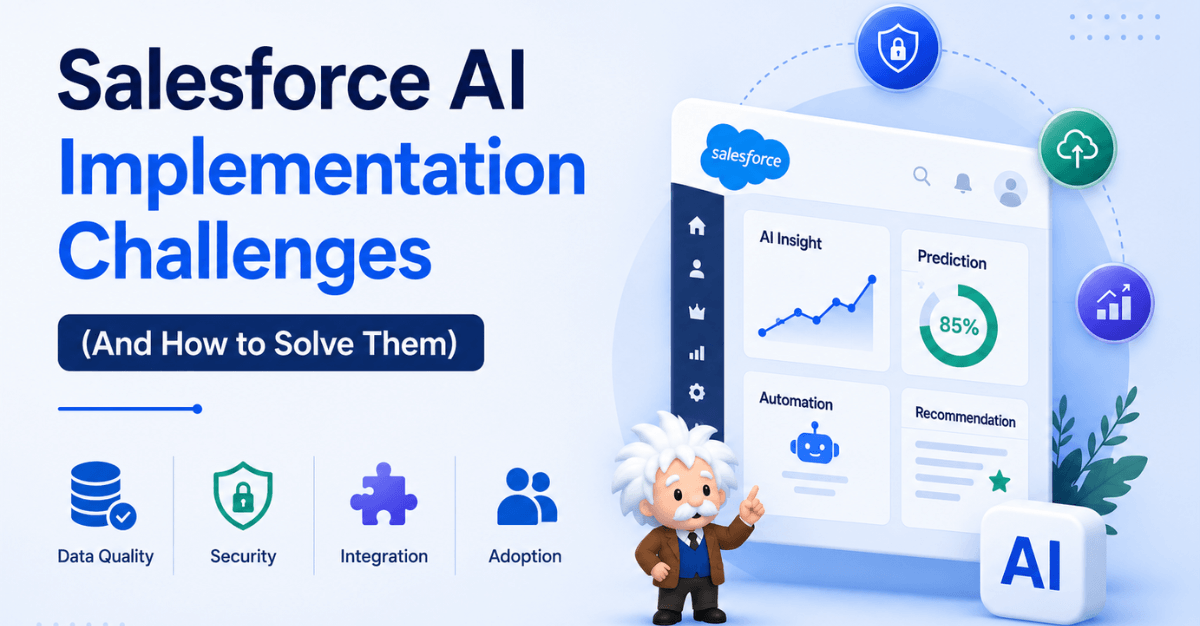
Salesforce now embeds AI across its entire platform — from Einstein Copilot to Agentforce autonomous agents. But implementation failure rates remain stubbornly high. Here is the complete, honest guide to what goes wrong and exactly how to fix it.
85% of IT leaders say their org can’t fully leverage AI due to data integration gaps [Source: Salesforce MuleSoft Connectivity Benchmark Report, 2024]
$800M Agentforce ARR in FY2026, up 169% year-over-year [Source: Salesforce FY2026 Earnings Release, Feb 2026]
67% of Einstein enterprise deployments face significant adoption challenges in first 6 months [Source: OlivAI analysis of 200+ Einstein deployments, 2025]
2.5× higher ROI for AI projects with executive sponsorship vs unsponsored rollouts [Source: Accenture Enterprise AI Research, 2025]
The Salesforce AI Landscape
Salesforce’s AI offering has transformed significantly in the past two years. What was once a collection of predictive scoring features under the Einstein brand has evolved into a comprehensive AI platform spanning three distinct layers: Einstein AI for embedded predictive and generative features within Salesforce products, Einstein Copilot (now integrated across Sales Cloud, Service Cloud, and Marketing Cloud) for conversational AI assistance, and Agentforce — Salesforce’s autonomous AI agent platform that can independently execute multi-step business processes across systems.
This expansion means the implementation question is no longer simply “should we turn on Einstein Lead Scoring?” It now encompasses architecture decisions about which AI capabilities to enable, how to connect them to your data infrastructure, how to govern AI-generated outputs in regulated industries, and how to drive adoption among users who are simultaneously excited and sceptical about AI in their daily workflows.
The platform’s capability growth has also outpaced most organisations’ readiness. Einstein and Agentforce features require clean, well-structured CRM data — a prerequisite that many Salesforce orgs, particularly those that have grown through acquisition or organic expansion over many years, simply do not have. Understanding this gap is the starting point for every successful Salesforce AI implementation.
Why Businesses Are Investing in Salesforce AI
Organizations are adopting Salesforce AI to:
- Improve productivity
- Reduce manual work
- Increase sales efficiency
- Deliver faster customer service
- Personalize engagement
- Improve forecasting accuracy
- Scale operations intelligently
As AI capabilities become more integrated into CRM platforms, businesses increasingly view Salesforce AI as a competitive advantage.
Why Salesforce AI Implementation Is Hard
Salesforce AI implementation fails for a cluster of interconnected reasons that are rarely technical in isolation. The technology itself is mature and well-documented. What trips organisations up is the intersection of technology with data governance, organisational change management, business process design, and budget constraints — all happening simultaneously in a system that many teams have been customizing for years.
The single most consistent finding across failed Salesforce AI implementations is this: teams underestimate the data preparation work required before any AI feature can deliver value. Einstein’s predictive models, Copilot’s contextual suggestions, and Agentforce’s autonomous workflows all depend on structured, consistent, high-quality CRM data. When that foundation is absent — and in most mature Salesforce orgs, it is at least partially absent — AI features either produce misleading outputs or simply cannot be enabled at all.
Root Cause
Most Salesforce AI implementation failures trace back to a single decision made at the start of the project: treating AI feature enablement as a configuration task rather than a data transformation programme. Configuration takes weeks. Data transformation takes months. Teams that conflate the two consistently underscope and underfund the most critical part of the project.
Read: Is Agentforce Designed to Slowly Replace Einstein?
The 10 Core Salesforce AI Implementation Challenges
The following challenges are drawn from real implementation experience across small, mid-market, and enterprise Salesforce deployments. Each challenge is presented alongside the specific solution approach that consistently resolves it.
01. Poor Data Quality and Incomplete CRM Records
The Challenge: Einstein’s predictive models require a minimum volume of complete, consistent historical data to generate meaningful predictions. Most Salesforce orgs have incomplete records — missing fields, inconsistent picklist values, duplicate accounts, and contact data that hasn’t been updated in years. When Einstein Lead Scoring or Opportunity Scoring is enabled on top of this data, the scores are unreliable at best and actively misleading at worst.
The Solution: Run a data quality audit before enabling any AI feature. Use Salesforce’s native Data Quality Analysis tool alongside third-party tools like DataGroomr or Cloudingo to identify duplicate records, empty required fields, and inconsistent values. Establish data governance policies with field-level validation rules that prevent new poor-quality data from entering the system. Set a minimum data quality threshold — typically 80% field completion on key objects — before AI features are enabled.
02. Insufficient Training Data Volume for Einstein Models
The Challenge: Einstein’s machine learning models require minimum data thresholds to activate. Einstein Lead Scoring requires at least 1,000 converted and 1,000 unconverted leads in the past 6 months. Einstein Opportunity Scoring needs 200 closed won and 200 closed lost opportunities. Smaller orgs or those with short Salesforce histories frequently cannot meet these thresholds — and there is no workaround that preserves model accuracy.
The Solution: For orgs that don’t yet meet threshold requirements, focus on improving data capture processes now to build toward the threshold over 6–12 months. In the interim, use Einstein Activity Capture and Einstein Conversation Insights to generate value from behavioural data that doesn’t require historical volume. For orgs with data in external systems, evaluate whether historical CRM data from prior platforms can be migrated to accelerate threshold attainment.
03. Einstein Copilot Prompt Design and Hallucination Risk
The Challenge: Einstein Copilot uses large language models to generate responses grounded in Salesforce data. But poorly designed prompt templates, insufficient grounding context, or queries that push the model outside its grounded data range can result in hallucinated outputs — responses that sound plausible but are factually incorrect. In sales and service contexts, these errors can directly damage customer relationships.
The Solution: Implement Salesforce’s Trust Layer — the architectural guardrail that grounds Copilot responses in verified Salesforce data and prevents sensitive data from leaving the Salesforce boundary. Design prompt templates with explicit constraints: specify the data objects the model should draw from, add instructions to flag when information is unavailable rather than inferring, and implement output review workflows for high-stakes responses. Test every prompt template against edge cases before production deployment.
04. Agentforce Automation Scope Creep and Guardrail Failures
The Challenge: Agentforce agents are designed to autonomously execute multi-step workflows — updating records, sending communications, creating cases, triggering processes. Without precise guardrails and topic restrictions, agents can take unintended actions: sending duplicate customer emails, creating erroneous records, or triggering downstream processes in connected systems that are difficult or impossible to reverse.
The Solution: Define explicit agent topics and actions with minimum viable scope — start with read-only agents before enabling agents with write permissions. Use Salesforce’s Agent Builder to set hard constraints on which objects, record types, and actions an agent can access. Implement a human-in-the-loop confirmation step for any agent action that modifies records or sends external communications. Build a comprehensive testing protocol in sandbox environments that specifically tests edge cases and failure modes before production deployment.
05. Integration Complexity with External Data Sources
The Challenge: Salesforce AI features are most powerful when grounded in data from across the business — ERP systems, marketing platforms, support tools, product usage data. But integrating these external data sources into Salesforce in a clean, well-structured way that AI features can use is a significant integration engineering challenge, particularly in organisations with legacy system landscapes.
The Solution: Use Salesforce Data Cloud (formerly Genie) as the unified data layer — it is purpose-built to ingest, harmonise, and make external data available to Einstein and Agentforce features within the Salesforce Trust Layer. For complex integration scenarios, MuleSoft’s Anypoint Platform provides pre-built connectors for hundreds of systems. Prioritise integrating the two or three external data sources with the highest impact on your target AI use cases before building a comprehensive data integration architecture.
06. Licence and Feature Availability Confusion
The Challenge: Salesforce’s AI feature availability is tightly tied to licence tier and add-on purchases. Einstein features included in base licences differ significantly from those requiring Einstein 1 editions or standalone add-ons. Agentforce conversations are metered. Teams frequently discover mid-implementation that a planned AI feature requires a licence they don’t have — stalling projects and creating budget surprises.
The Solution: Map your target AI use cases to specific Salesforce features and licence requirements before the project begins — not during. Work with your Salesforce Account Executive to produce a definitive feature-to-licence matrix for your planned implementation. Build AI feature licencing costs into your project budget from the outset. For Agentforce, model conversation volume carefully to avoid unexpected overage charges — the per-conversation pricing model requires proper forecasting.
07. User Adoption and Change Management
The Challenge: Sales reps and service agents who have worked a certain way for years are resistant to AI tools that change their workflow — especially when the AI makes recommendations they disagree with. Einstein scores that contradict a rep’s gut feel are often ignored. Copilot suggestions that don’t match institutional knowledge get dismissed. Without deliberate change management, AI features become shelfware quickly.
The Solution: Identify AI champions in each team before rollout — respected peers who can advocate from within rather than top-down mandates. Co-design the AI workflow with end users rather than presenting a finished product. Show, don’t tell: use real data from your org to demonstrate cases where Einstein scores predicted outcomes that the team’s manual assessment missed. Make AI adoption measurable — track utilization rates, score acceptance rates, and correlate AI-assisted outcomes with performance metrics to build the internal evidence base.
08. Security, Compliance, and Data Residency
The Challenge: Salesforce AI features — particularly Einstein Copilot and Agentforce — process CRM data through large language model inference. For organisations in regulated industries (financial services, healthcare, legal), there are compliance questions about whether customer data can be processed through AI inference pipelines, where that data is stored during processing, and how AI-generated outputs are governed and audited.
The Solution: Salesforce’s Einstein Trust Layer provides the primary compliance architecture: it prevents customer data from being used to train external AI models, performs dynamic data masking of sensitive fields before LLM inference, and maintains a complete audit log of all AI interactions. For highly regulated industries, review Salesforce’s compliance certifications (HIPAA, GDPR, FedRAMP) against your specific regulatory requirements before enabling AI features. Engage your compliance and legal teams in the AI governance framework design — don’t treat compliance as a post-implementation concern.
09. Model Drift and Degrading Prediction Quality
The Challenge: Einstein’s predictive models are trained on historical data patterns — which change over time as market conditions shift, team composition evolves, and business processes are updated. A lead scoring model trained on 2024 conversion patterns may perform poorly by late 2025 if the characteristics of your ideal customer have shifted. Without monitoring, teams don’t notice degradation until it’s reflected in business outcomes.
The Solution: Einstein retrains its models automatically on a regular cadence — but this does not guarantee the model remains aligned with your current business reality. Establish a quarterly review of Einstein model performance metrics: score distribution, prediction accuracy on recent closed records, and correlation between scores and actual outcomes. If model performance has degraded, review whether your underlying business data patterns have shifted and whether the training window needs adjustment. Document model version changes and their business impact.
10. Measuring ROI and Demonstrating AI Business Value
The Challenge: Many Salesforce AI implementations struggle to demonstrate clear ROI — not because the AI isn’t working, but because success metrics weren’t defined before implementation, control groups weren’t established, and attribution of business outcomes to AI assistance is murky. Without clear ROI, executive support erodes, and AI features are among the first to be defunded during budget reviews.
The Solution: Define measurable success metrics for each AI feature before enabling it — specific, quantitative targets tied to business outcomes (win rate improvement, average handle time reduction, lead-to-opportunity conversion rate increase). Establish a baseline measurement period before AI activation. Consider an A/B approach where possible: enable AI features for one team or territory and compare outcomes against a control group. Build an AI business case dashboard in Salesforce itself, tracking AI feature utilization alongside the business outcomes you’re attributing to it.
Also read: Customizing and Branding Salesforce for a Better Customer Experience
Best Practices for Successful Salesforce AI Implementation
1. Start with High-Impact Use Cases
Focus first on areas where AI can quickly demonstrate value.
Examples:
- Lead scoring
- Email generation
- Support automation
- Forecasting
2. Build a Strong Data Foundation
AI success depends on:
- Clean data
- Unified systems
- Consistent records
- Reliable integrations
3. Implement AI Governance
Define policies around:
- Data usage
- Prompt handling
- Security
- Ethical AI usage
- Human oversight
4. Use Human-in-the-Loop Workflows
AI should support employees — not fully replace them.
Human validation improves trust and reliability.
5. Invest in User Training
Teach teams:
- How AI works
- When to trust recommendations
- How to validate outputs
- How AI improves workflows
6. Monitor AI Continuously
Monitor:
- AI accuracy
- User adoption
- Security risks
- Performance bottlenecks
- Bias indicators
7. Prioritize Security and Compliance
Protect:
- Customer data
- AI interactions
- Generated content
- API integrations
Especially in regulated industries.
8. Scale Gradually
Avoid trying to automate everything at once.
Expand AI capabilities incrementally.
Check out: How Salesforce Helps SaaS Companies Scale Faster
Common Salesforce AI Use Cases
Sales AI
- Lead scoring
- Opportunity insights
- Sales forecasting
- AI-generated emails
Customer Service AI
- AI chatbots
- Agent assistance
- Automated case summarization
- Intelligent routing
Marketing AI
- Personalized campaigns
- Predictive segmentation
- AI content generation
- Journey optimization
Operations AI
- Workflow automation
- Process intelligence
- Predictive analytics
- Internal knowledge assistants
A 6-Phase Salesforce AI Implementation Roadmap
Successful Salesforce AI implementations follow a consistent pattern. The phases below represent a proven sequence that manages risk, builds momentum, and creates the internal evidence base needed to sustain executive support for AI investment.
1. Discovery and Use Case Prioritisation
Map your business processes to available Einstein and Agentforce capabilities. Identify two or three high-impact, high-feasibility use cases to start with. Define success metrics and baselines for each. Produce a feature-to-licence requirements matrix. Estimated duration: 3–4 weeks.
2. Data Assessment and Remediation
Audit data quality across target objects. Identify and resolve duplicates, missing fields, and inconsistent values. Implement validation rules and data governance policies. Measure field completion rates and set a go/no-go threshold. Estimated duration: 4–12 weeks depending on org complexity.
3. Pilot Configuration and Sandbox Testing
Enable target AI features in a full sandbox environment. Configure Einstein models, Copilot prompt templates, or Agentforce agent topics. Test extensively against edge cases. Conduct user acceptance testing with champion users. Iterate based on feedback. Estimated duration: 4–6 weeks.
4. Controlled Production Pilot
Deploy to a limited user group or geography in production. Monitor performance metrics and business outcomes against the pre-defined baseline. Gather structured user feedback. Document what’s working, what needs adjustment, and any unexpected behaviours. Estimated duration: 6–8 weeks.
5. Change Management and Scaled Rollout
Develop training materials grounded in real org data and outcomes from the pilot. Run champion-led enablement sessions. Deploy to the full user base with structured onboarding. Implement utilization monitoring to identify users who need additional support. Estimated duration: 4–8 weeks.
6. Ongoing Optimization and Expansion
Establish a quarterly AI review cadence: model performance, utilization metrics, business outcome correlation, and user feedback. Use findings to refine configurations, retrain models if needed, and identify the next set of AI use cases to activate. Build the ROI case for expanded investment. Ongoing.
Also check: Salesforce Strategy for CTOs – Beyond Implementation
Einstein AI vs Agentforce: Choosing the Right Tool
One of the most common implementation mistakes in 2026 is treating Einstein AI and Agentforce as interchangeable options rather than complementary capabilities with distinct use cases. Choosing the wrong tool for a use case leads to over-engineering, under-performance, and wasted implementation effort.
| Capability | Einstein AI | Agentforce | Best Choice |
|---|---|---|---|
| Predictive lead/opp scoring | Native | Not designed for | Einstein AI |
| Sales email drafting | Einstein Copilot | Agent action | Copilot for one-off, Agentforce for workflow-triggered |
| Case summarization | Einstein for Service | Agent action | Einstein for in-console, Agentforce for automated triage |
| Autonomous multi-step workflows | Not designed for | Core capability | Agentforce |
| Conversational self-service | Limited | Core capability | Agentforce |
| Forecast predictions | Einstein Forecasting | Not designed for | Einstein AI |
| Next best action recommendations | Einstein NBA | Can surface as agent output | Einstein NBA for UI, Agentforce for process-triggered |
| Cross-system data retrieval | Via Data Cloud | Native via topics | Agentforce |
Future Trends in Salesforce AI
Agentforce and Autonomous AI Agents
AI-powered agents will increasingly automate customer interactions and workflows.
Generative AI in CRM
AI-generated:
- Emails
- Reports
- Summaries
- Recommendations
- Knowledge articles
will become more common.
AI + Data Cloud Integration
Unified customer data platforms will improve AI accuracy and personalization.
Predictive Enterprise Automation
AI will increasingly optimize operational decisions automatically.
Conversational CRM Experiences
Natural language interactions with CRM systems will become standard.
Common Mistakes to Avoid
Deploying AI Without Data Readiness
Poor data leads to poor AI outcomes.
Over-Automating Critical Processes
Human oversight remains essential.
Ignoring User Adoption
Even excellent AI systems fail without user trust.
Treating AI as a Short-Term Project
AI implementation requires continuous optimization.
Neglecting Security and Governance
Enterprise AI introduces new operational risks.
Pre-Implementation Checklist
Before enabling any Salesforce AI feature in production, work through this checklist with your implementation team:
- Target AI use cases identified, prioritised, and mapped to specific Salesforce features
- Feature-to-licence requirements matrix reviewed and budget confirmed with Salesforce AE
- Data quality audit completed on all objects relevant to target AI features
- Field completion rates measured and minimum thresholds met for Einstein activation
- Duplicate records identified and resolved across Account, Contact, Lead objects
- Picklist values standardised and inconsistent entries cleaned
- Einstein Trust Layer reviewed and configured for your compliance requirements
- Sandbox testing environment configured as a replica of production for AI feature testing
- Agentforce agent topics and actions defined with minimum viable scope
- Human-in-the-loop confirmation steps built for all Agentforce write actions
- Success metrics and baselines defined for each target AI feature
- AI champion users identified and briefed in each affected team
- Training materials built using real org data, not generic demo content
- Model performance monitoring cadence established with defined review owners
- Incident response process defined for AI output errors or unexpected agent actions
Check: 5 Ways Salesforce Can Improve Your Customer Experience
Frequently Asked Questions
What is the most common reason Salesforce AI implementations fail?
Poor data quality is the single most common root cause. Teams enable Einstein features — particularly lead scoring and opportunity scoring — before their CRM data meets the quality and volume thresholds required for accurate predictions. The AI produces unreliable scores, users lose trust in the outputs, the feature is ignored or disabled, and the implementation is written off as a failure. The fix is always the same: invest in data quality before AI enablement, not after. A structured data quality programme typically takes 4 to 12 weeks depending on org complexity — but it is the most important work in the entire implementation.
How is Agentforce different from Einstein Copilot?
Einstein Copilot is an AI assistant embedded within Salesforce that responds to user queries and helps users complete tasks — it is reactive, requiring a human to initiate an interaction. Agentforce is a platform for building autonomous AI agents that can independently execute multi-step workflows without human initiation — it is proactive. A Copilot might help a sales rep draft an email when they ask it to. An Agentforce agent might autonomously detect that a high-value opportunity has gone cold, retrieve context from multiple systems, draft and send a re-engagement email, create a follow-up task, and update the opportunity stage — all without any human action. Both are powerful; they solve different problems.
Does Salesforce AI use my customer data to train its models?
No — this is explicitly prohibited by Salesforce’s Einstein Trust Layer, which is the architectural framework governing all Salesforce AI features. Your CRM data is used to generate predictions and responses within your org, but it is not shared with Salesforce’s model training pipelines or accessible to other Salesforce customers. Salesforce maintains a zero-retention policy for customer data processed through LLM inference — the data is not stored after the inference call completes. This is documented in Salesforce’s Data Processing Addendum and is a contractual commitment, not just a policy statement.
How long does a typical Salesforce AI implementation take?
For a focused, well-scoped implementation of one or two Einstein features — such as Lead Scoring and Opportunity Scoring — with adequate data preparation, a realistic timeline is 3 to 5 months from project initiation to stable production deployment. This includes 4 to 8 weeks of data quality work, 4 to 6 weeks of configuration and sandbox testing, 6 to 8 weeks of controlled pilot, and 4 weeks of scaled rollout. Agentforce implementations for complex multi-system autonomous workflows typically take 4 to 8 months. Teams that compress these timelines by skipping data preparation or user testing consistently produce lower-quality outcomes and require expensive remediation work post-launch.
What Salesforce licence do I need for Einstein AI and Agentforce?
Licence requirements are complex and evolve regularly — always verify current requirements with your Salesforce Account Executive. As a general framework: basic Einstein features (Activity Capture, some Copilot functionality) are included in higher-tier Sales Cloud and Service Cloud licences. Einstein Lead Scoring, Opportunity Scoring, and forecasting features are typically included in Einstein 1 Sales and Service Edition licences or available as add-ons. Agentforce is licensed per conversation, with pricing that varies based on agent complexity and volume commitments. Data Cloud, which underpins many advanced Einstein and Agentforce use cases, requires a separate licence. Budget modelling should include a realistic forecast of Agentforce conversation volume to avoid unexpected overage charges.
Can small businesses and SMBs benefit from Salesforce AI?
Yes — but the implementation approach needs to be proportionate to scale. SMBs with smaller data volumes may not meet the thresholds for Einstein’s predictive scoring models, in which case Einstein Copilot features (email drafting, case summarisation, meeting summaries) and Einstein Activity Capture provide immediate value without volume requirements. For SMBs, the most effective approach is to identify the single most time-consuming manual task in the sales or service workflow, find the specific Einstein feature that addresses it, and implement that feature well — rather than attempting a broad AI transformation that exceeds the organisation’s implementation capacity.
The Bottom Line
Salesforce AI implementation challenges are real — but none of them are unsolvable. The organisations that succeed are not those with the largest budgets or the most sophisticated technology teams. They are the ones that approach implementation methodically: starting with clean data, defining clear success metrics, scoping AI use cases to what the business can actually absorb, and investing seriously in the change management that turns technical capability into human adoption.
Einstein AI and Agentforce represent a genuine step-change in what is possible with CRM — the ability to predict outcomes, automate complex workflows, and surface insights that would take human analysts hours to compile. But that capability is only accessible to organisations that have done the foundational work to deserve it.
Start with the checklist. Audit your data. Pick one use case. Prove the value. Build from there. Every successful Salesforce AI implementation in existence started with exactly that sequence.
 Bio
Bio