AppExchange & Tools
SMS CLOUD
SMS CLOUD by AwsQuality is a Salesforce AppExchange SMS app for individual, bulk, and scheduled messaging — with templates, history tracking, Lightning Ready delivery, and global reach from CRM records.
SMS CLOUD by AwsQuality is a Salesforce AppExchange SMS messaging app that lets sales, service, and marketing teams send individual SMS, bulk SMS, and scheduled SMS from Salesforce — without leaving Lead, Contact, Account, Case, Campaign, or custom object records.
Tagline: More SMS. More Reach. More Business.
Ready-to-install Salesforce SMS for AppExchange orgs
Your customers already respond to text messages. Your teams already work in Salesforce. SMS CLOUD connects both so outreach stays inside the CRM instead of jumping to a separate SMS tool, spreadsheet, or gateway console.
AwsQuality built SMS CLOUD as a Salesforce-native product: configure once, reuse SMS templates, send from list views or records, schedule recurring messages, and track delivery history on the related record. The app is Lightning Ready and designed for a fast, high delivery rate when phone numbers include the correct country code.
Why teams choose SMS CLOUD for Salesforce messaging
When SMS lives outside Salesforce, teams lose context and auditability. Common problems include:
- Reps copying phone numbers into third-party SMS tools
- No clear history of what was sent, when, or to which record
- One-off messages that cannot be reused as templates
- Manual bulk outreach that does not scale
- Difficulty scheduling follow-ups at a consistent time
- Classic vs Lightning gaps that slow admins and end users
SMS CLOUD is designed to close that gap by keeping SMS configuration, templates, sending, scheduling, and history inside Salesforce.
What is SMS CLOUD?
SMS CLOUD is AwsQuality’s Salesforce AppExchange SMS product for communicating with clients from CRM records. It supports:
- Individual SMS from a record detail page
- Bulk SMS to multiple selected records
- Scheduled / mass SMS on daily, weekly, monthly, or yearly frequency
- Predefined and customizable SMS templates
- SMS History tracking with message body, date/time, and status
- Easy configuration for standard and custom objects with a phone field
- Lightning Ready messaging and template experiences
- Global delivery when numbers include the proper country code
Key Salesforce SMS capabilities
1. Individual SMS from CRM records
Send a single SMS to the phone field on Lead, Contact, Account, Case, Campaign, or a configured custom object. Messaging stays tied to the customer record your team already trusts.
2. Bulk SMS from list views
Select multiple records and send the same outreach in one action. Afterward, review results in SMS History so bulk campaigns remain visible inside Salesforce.
3. Schedule SMS for recurring outreach
Set bulk SMS frequency to daily, weekly, monthly, or yearly and choose a send time in HH:MM format. Apply a default SMS template so recurring messages stay consistent.
4. Predefined and customizable SMS templates
Start from ready templates or customize copy for each use case. Templates help sales and service teams send approved, reusable messages instead of rewriting every text.
5. SMS History tracking
Track what was sent, when it was sent, and delivery status. History helps managers audit outreach and helps reps see prior SMS context before the next conversation.
6. Easy configuration and customization
A user-friendly setup guides admins through object type, phone number field, SMS type, SMS configuration, operation, bulk SMS frequency, schedule time, SMS template, and optional Task/Activity logging. Elegant UI keeps configuration clear for both admins and end users.
7. Lightning Ready AppExchange experience
SMS CLOUD is Lightning Ready, and SMS Template support is Lightning Ready as well — so modern Salesforce orgs can use messaging in Lightning Experience.
8. Send SMS worldwide
Enter the phone number with the correct country code and deliver SMS across regions from Salesforce. The product focuses on fast, reliable delivery as volume grows.
Salesforce objects SMS CLOUD supports
SMS CLOUD works with the Salesforce objects your teams already use — and with custom objects that store a phone field:
- Lead — prospect outreach and qualification follow-ups
- Contact — customer updates and service messages
- Account — account-level notifications
- Case — support alerts and status updates
- Campaign — campaign-related SMS blasts
- Custom objects — any object with a phone field configured for SMS
How SMS CLOUD fits Salesforce workflows
Typical journey for Salesforce admins and users:
- Install SMS CLOUD in a Salesforce org
- Create SMS templates for common messages
- Configure objects, phone fields, operations, and optional scheduling
- Add Send SMS actions and SMS History related lists to page layouts
- Send individual or bulk SMS from records and list views
- Review history, refine templates, and scale outreach
Instead of asking “How do we stitch together another SMS gateway outside Salesforce?”, teams can ask “How do we deploy SMS CLOUD in our Salesforce environment?”
Who SMS CLOUD is for
- Salesforce sales teams needing fast SMS follow-up on Leads and Contacts
- Service teams sending Case-related text updates
- Marketing ops running scheduled or bulk SMS tied to Campaigns
- Salesforce admins who want configurable, Lightning-ready SMS without heavy custom code
- AppExchange buyers looking for a Salesforce-native SMS product from an ISV partner
Business outcomes
- More SMS volume without leaving Salesforce
- More reach across records, list views, and regions
- More business from timely, templated, trackable outreach
- Clearer audit trail through SMS History
- Faster admin setup with dropdown-driven configuration
Get started with SMS CLOUD
See SMS CLOUD in your Salesforce org, request a walkthrough, or talk with AwsQuality about AppExchange SMS deployment.
Browse all AwsQuality products · Request a consultation · Contact AwsQuality
SMS CLOUD by AwsQuality — More SMS · More Reach · More Business.
FAQs
Frequently Asked Questions
Can’t find what you’re looking for? Ask our team.
Is SMS CLOUD a Salesforce AppExchange product?
Yes. SMS CLOUD is an AwsQuality Salesforce AppExchange product built for Salesforce-native SMS messaging.
Can I send bulk SMS from Salesforce list views?
Yes. Select multiple records, send SMS in one action, then review results in SMS History.
Can I schedule SMS in SMS CLOUD?
Yes. Configure frequency (daily, weekly, monthly, yearly), set HH:MM send time, and optionally use a default SMS template.
Does SMS CLOUD support Lightning Experience?
Yes. SMS CLOUD is Lightning Ready, including SMS Template support.
Which Salesforce objects can receive SMS?
Lead, Contact, Account, Case, Campaign, and custom objects with a phone field once configured.
Can I use SMS templates?
Yes. Choose predefined templates or customize them for your message and brand.
Can I track SMS history?
Yes. Review message text, send date/time, and status from SMS History related to the record.
Does SMS CLOUD work for international numbers?
Yes. Use the correct country code on the phone number to send SMS worldwide from Salesforce.
Case studies
Our Case Studies
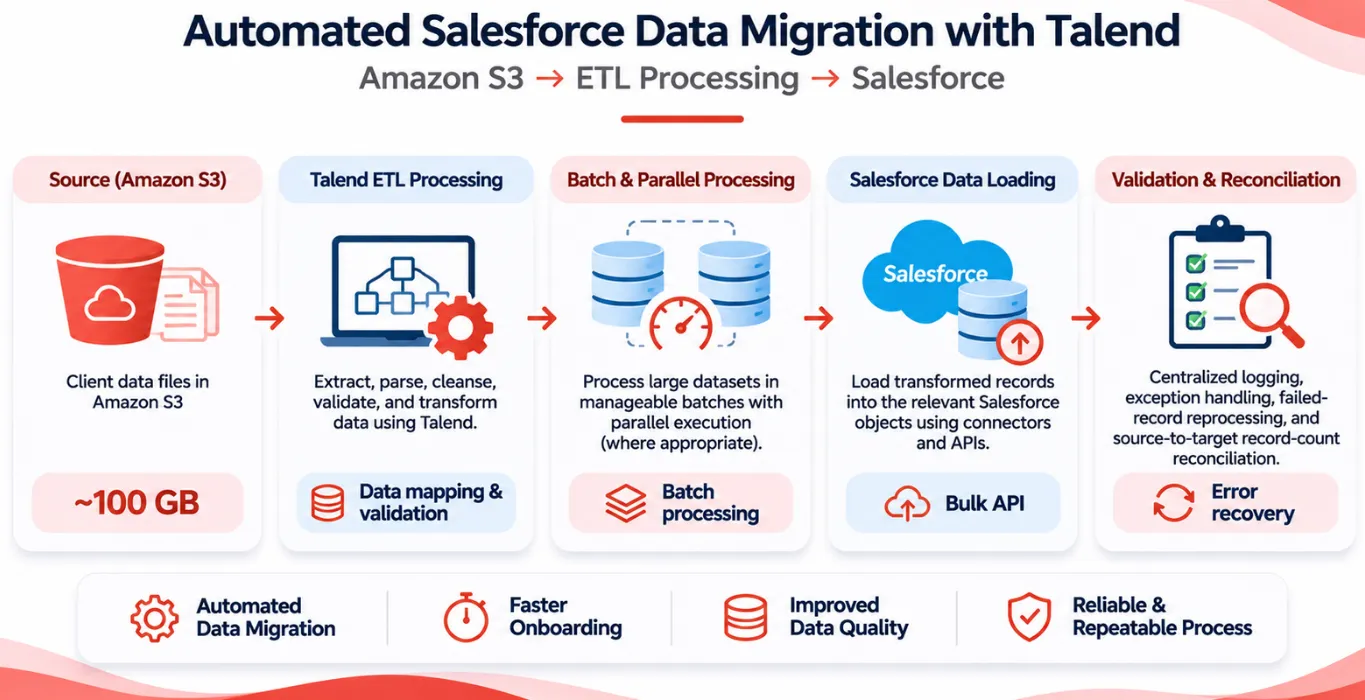 Other Automated Salesforce Data Migration from Amazon S3 Using Talend Project Overview A client onboarding initiative required migrating approximately 100 GB of data files stored in Amazon Simple… Read case study
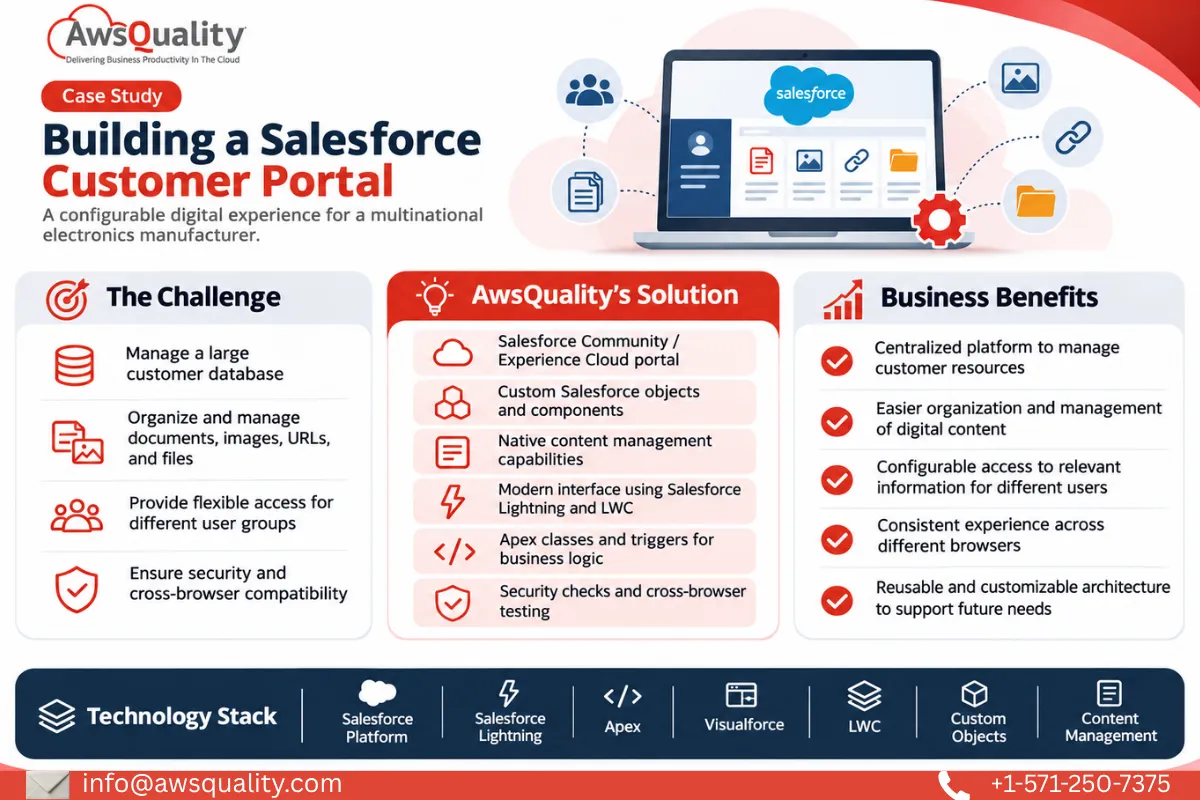 Electronics & Imaging Building a Salesforce Customer Portal (Experiance Cloud) for a Multinational Electronics Company Project Overview A multinational electronics manufacturer partnered with AwsQuality to develop a centralized, Salesforce-powered customer portal that could… Read case study
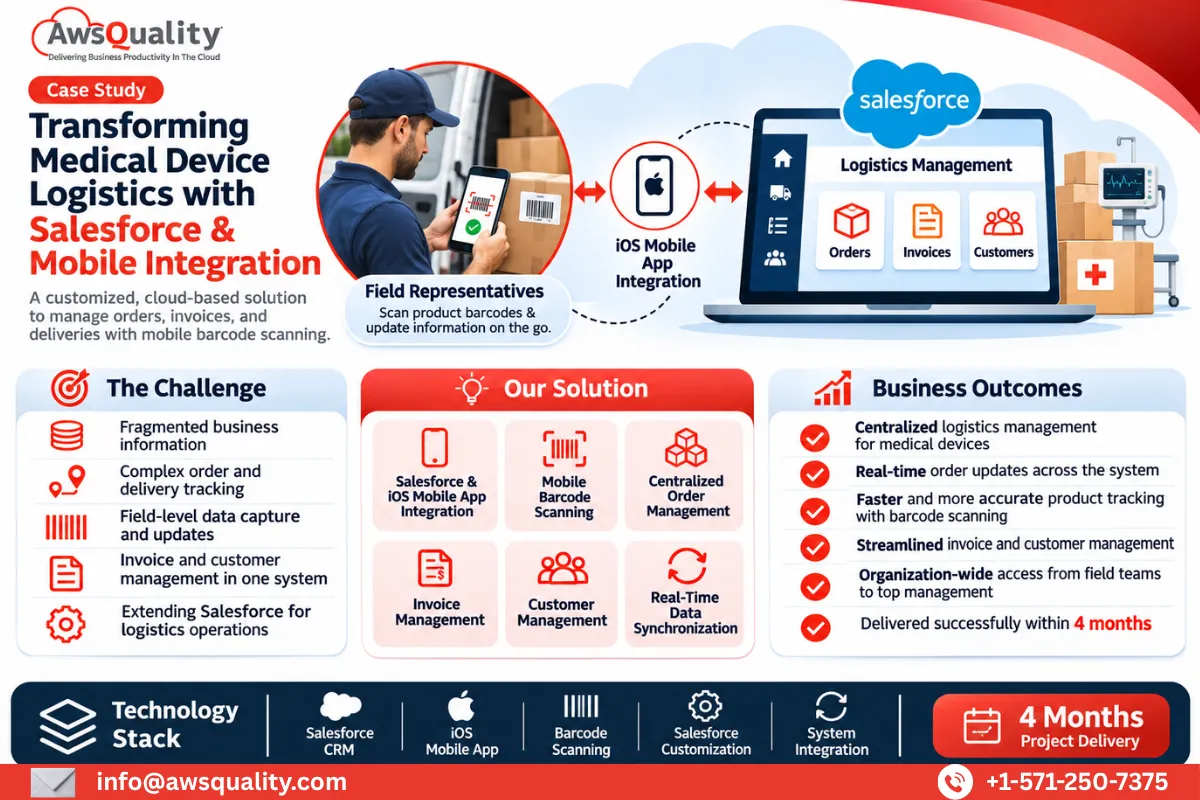 Healthcare Building an End-to-End Salesforce Logistics Management Solution for a Global Medical Devices Company Project Overview A global medical devices logistics company partnered with AwsQuality to develop a comprehensive, cloud-based solution for… Read case study
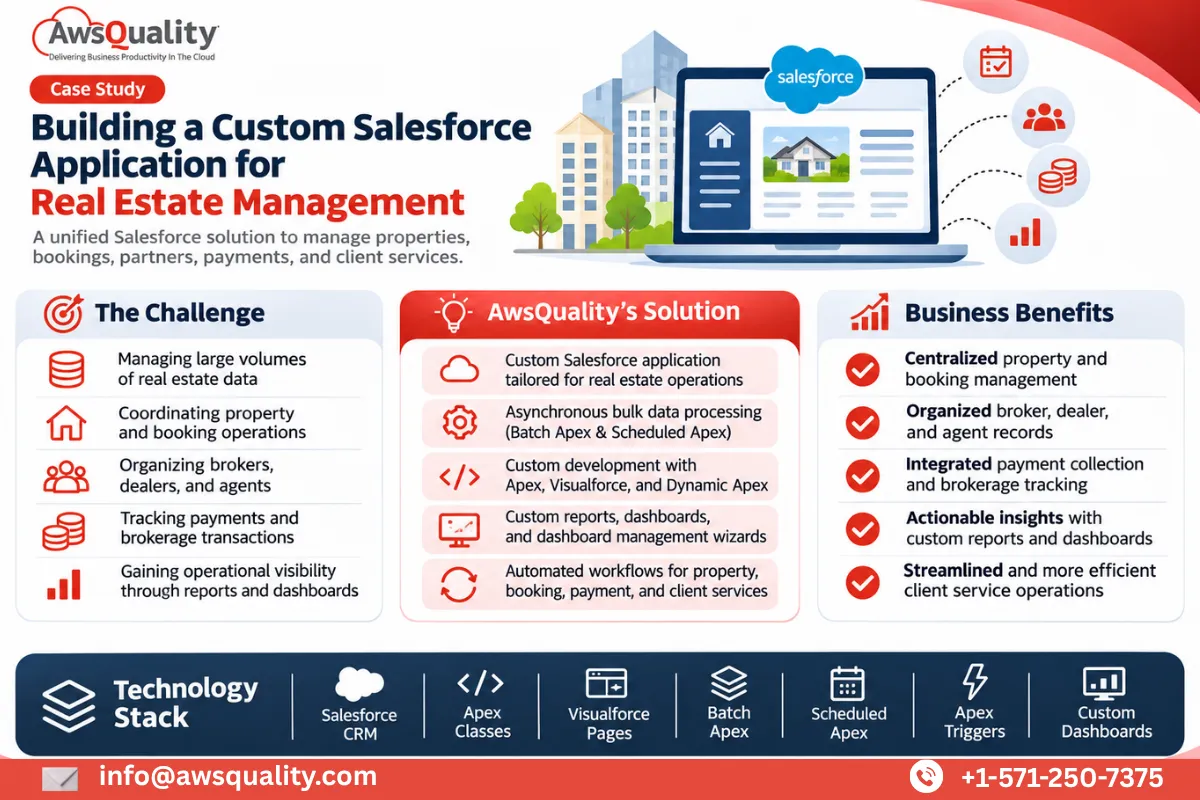 Real Estate Custom Salesforce Real Estate Application Development for Property Management Project Overview A Singapore-based IT services and cloud solutions company partnered with AwsQuality to develop a customized Salesforce… Read case study
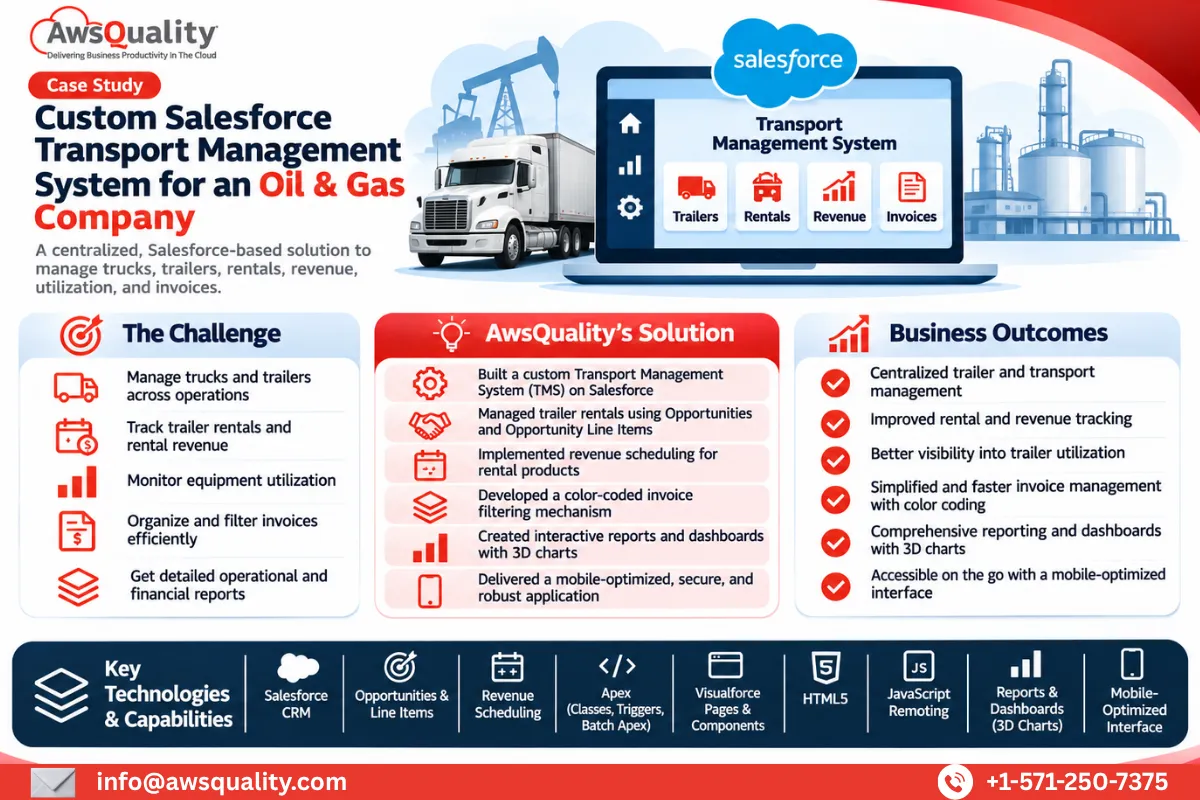 Manufacturing Custom Salesforce Transport Management System for a Wireline and Completion Solutions Company Project Overview A Texas-based oil and gas completion and production solutions company partnered with AwsQuality to develop a… Read case study
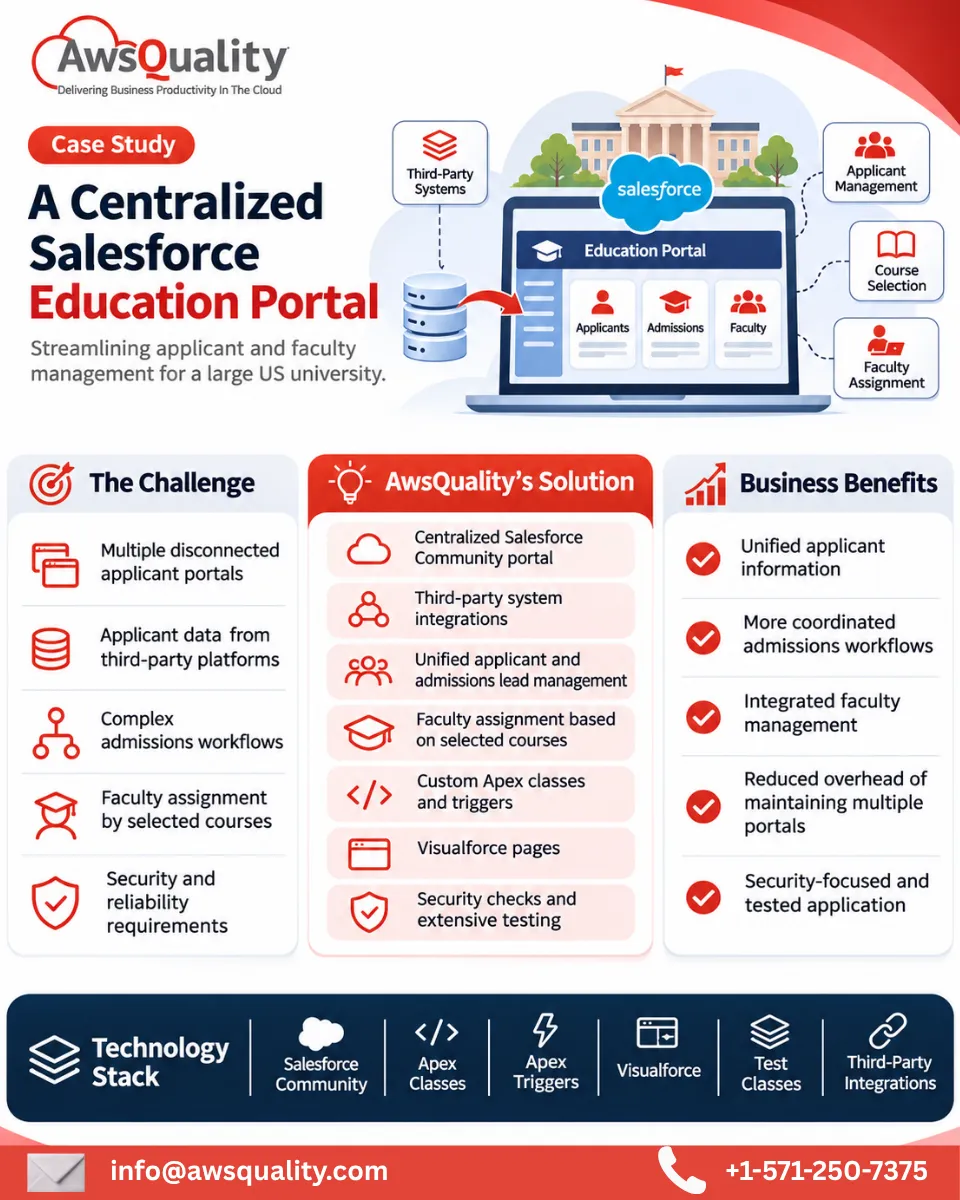 Education Developed Salesforce Community Portal for A USA Based University Read case study
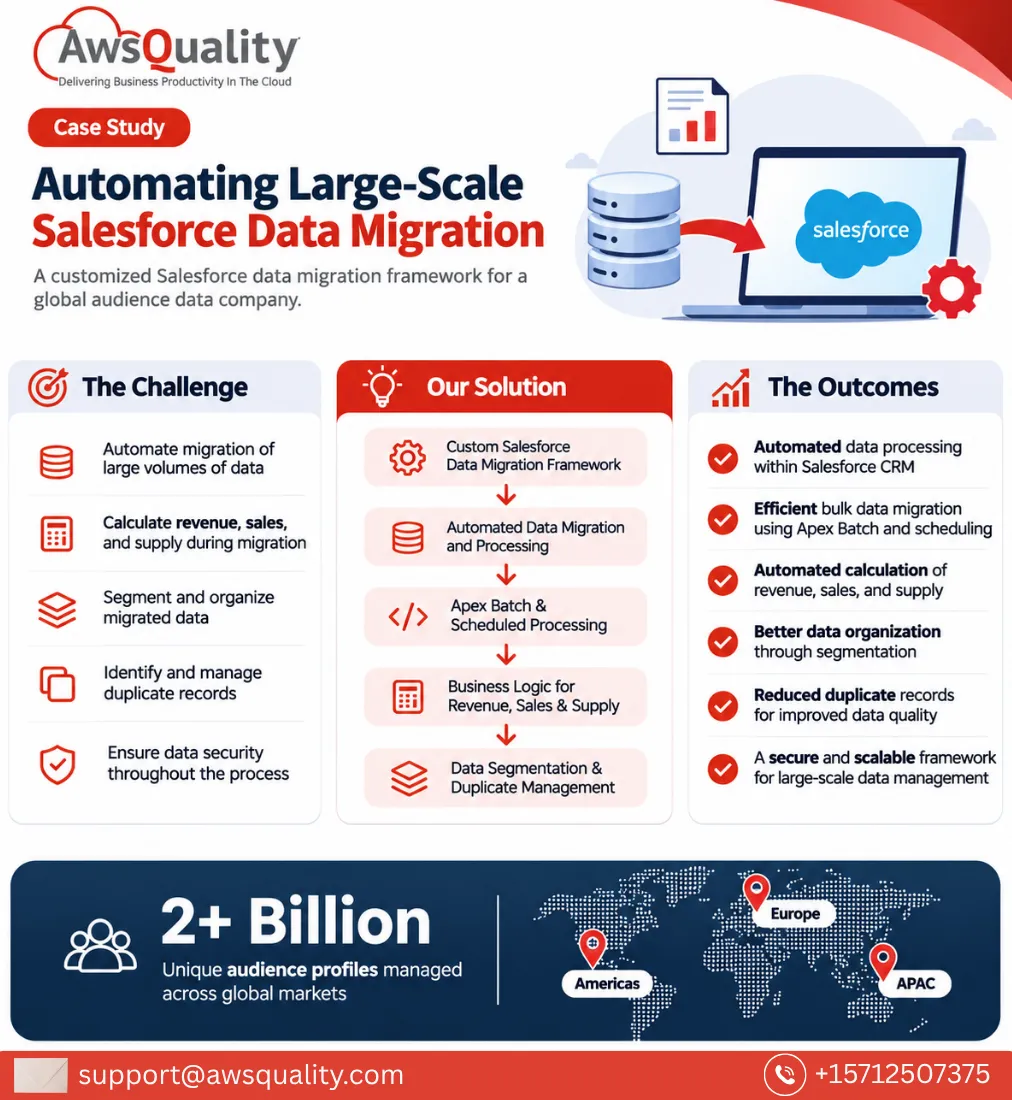 Other Developed Salesforce Data migration System for An Audience Company Project Overview A global audience data company partnered with AwsQuality to develop a robust Salesforce data migration framework… Read case study
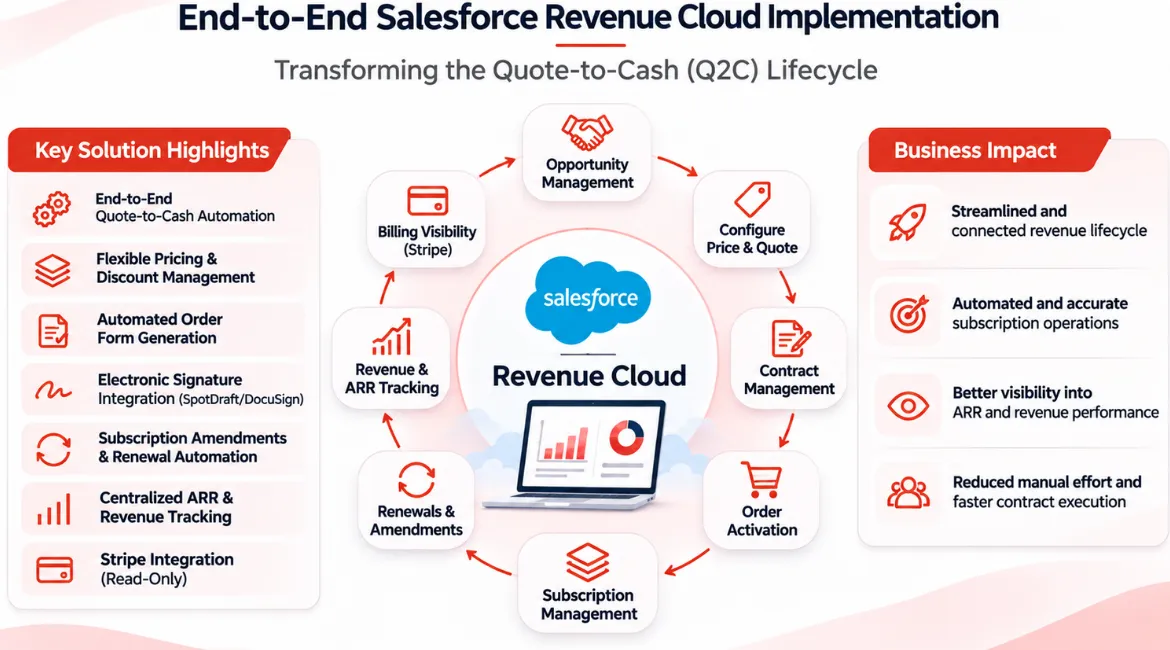 Other End-to-End Salesforce Revenue Cloud Implementation – Transforming the Quote-to-Cash Lifecycle Project Overview The client wanted to streamline its revenue management operations by bringing the entire Quote-to-Cash (Q2C) lifecycle… Read case study
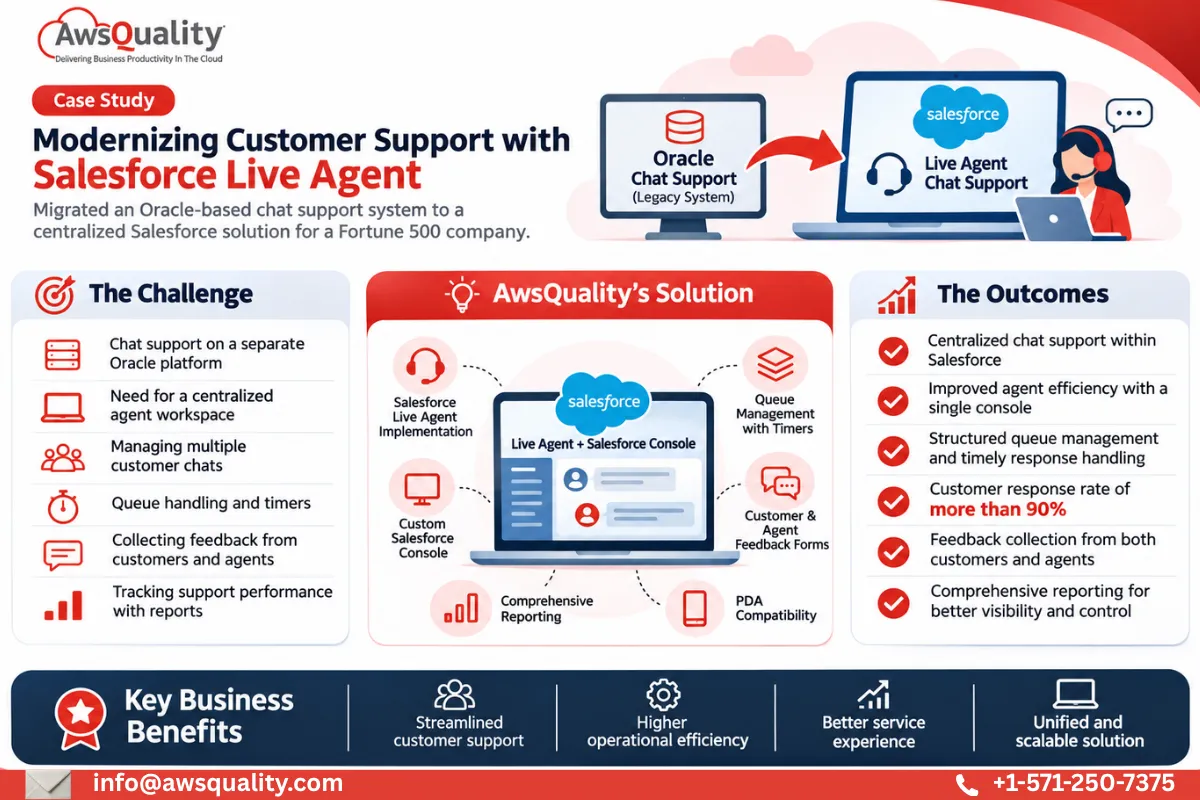 Other Implemented Salesforce Live Agent Chat Support for A Fortune 500 Company Project Overview A Fortune 500 company specializing in computer hardware and electronics partnered with AwsQuality to modernize its… Read case study
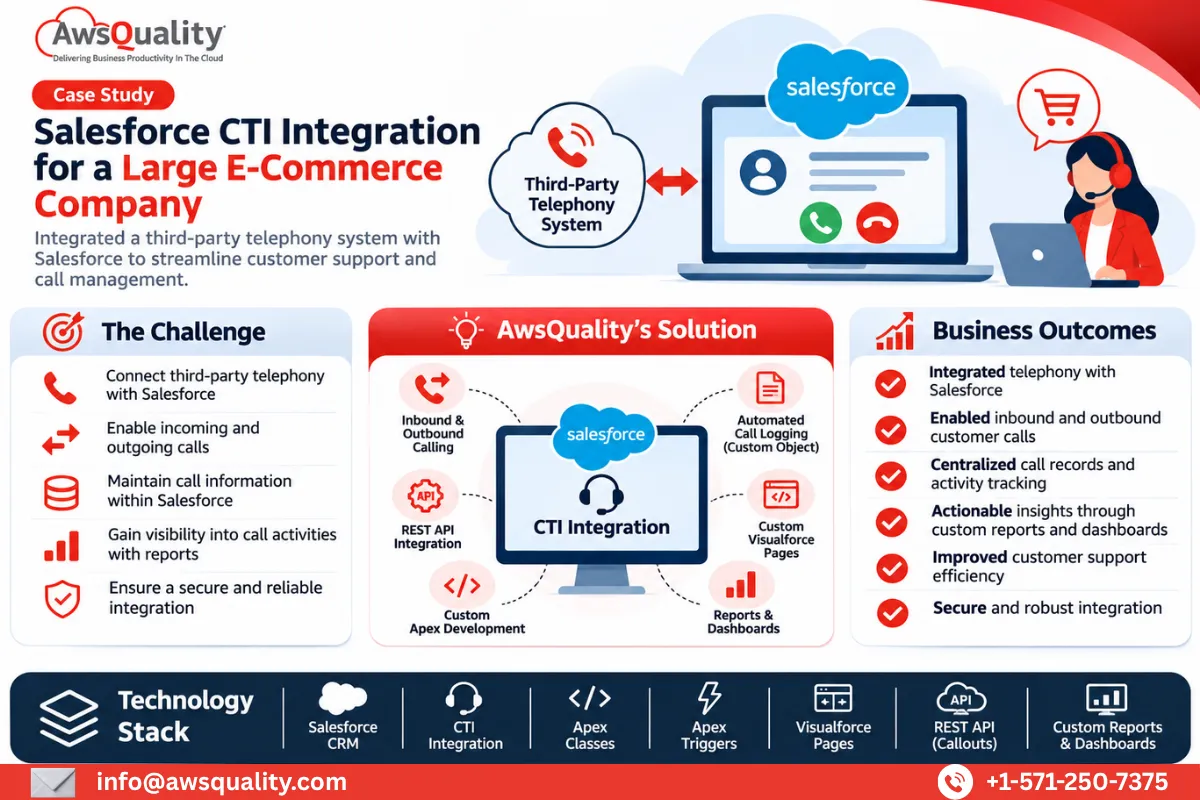 Retail & E-Commerce Salesforce CTI Integration for A large E-commerce Company Project Overview An international e-commerce company partnered with AwsQuality to integrate its third-party telephony system with Salesforce and… Read case study
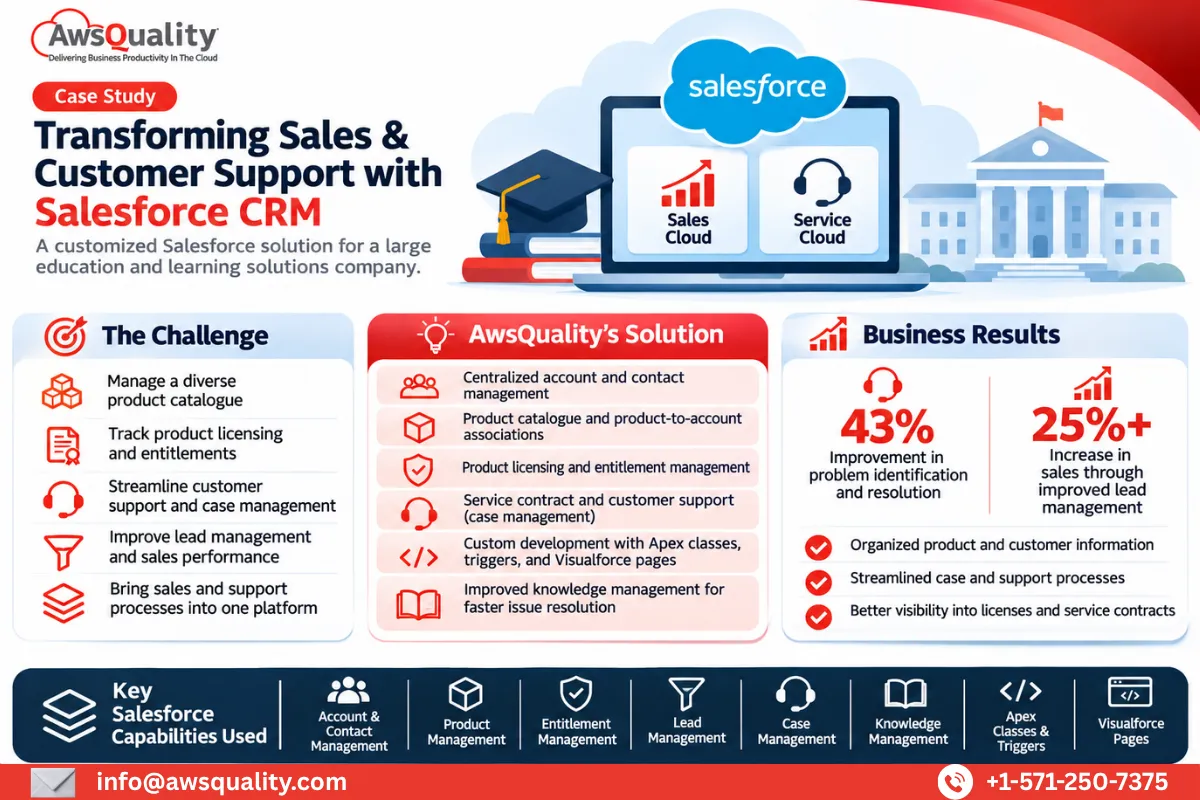 Education Salesforce Implementation for a Large Education and Learning Solutions Company Project Overview A large education and learning solutions provider partnered with AwsQuality to develop a comprehensive Salesforce-based solution… Read case study
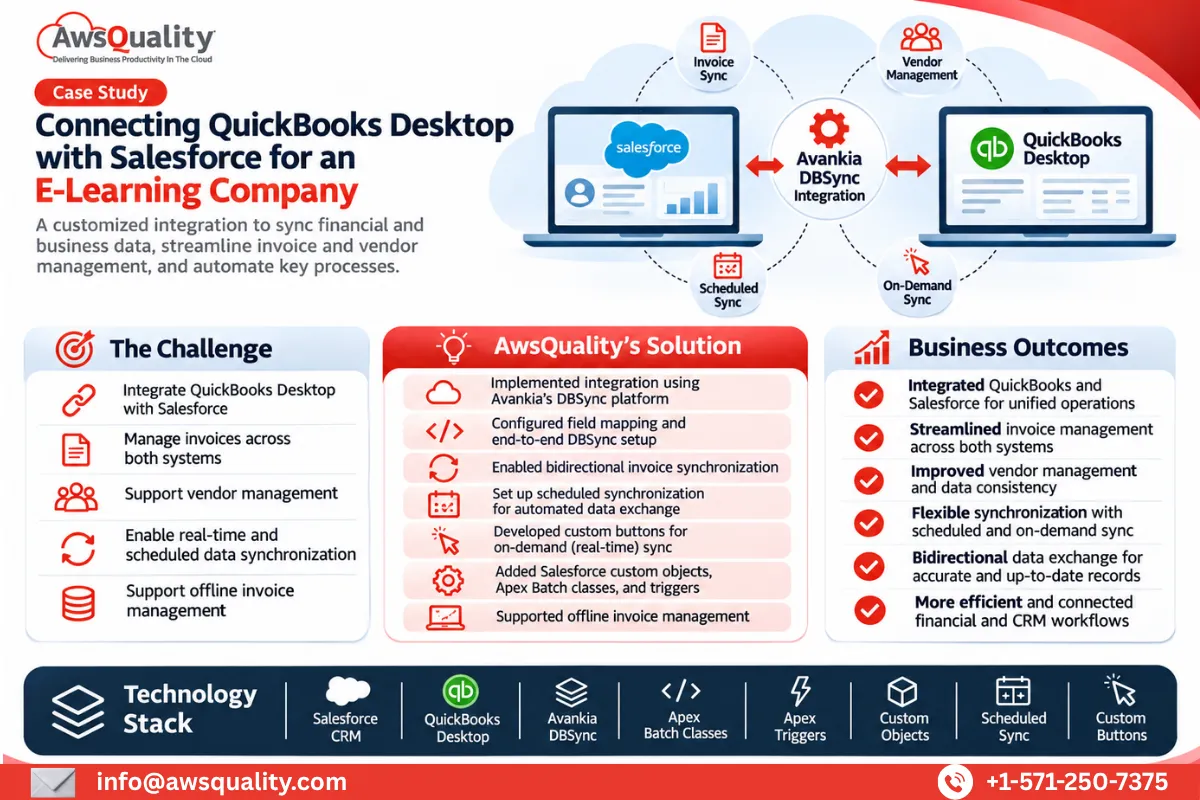 Financial Services Salesforce QuickBooks Integration for an E-learning Giant Project Overview A Texas-based e-learning company partnered with AwsQuality to integrate QuickBooks Desktop with Salesforce CRM and simplify… Read case study
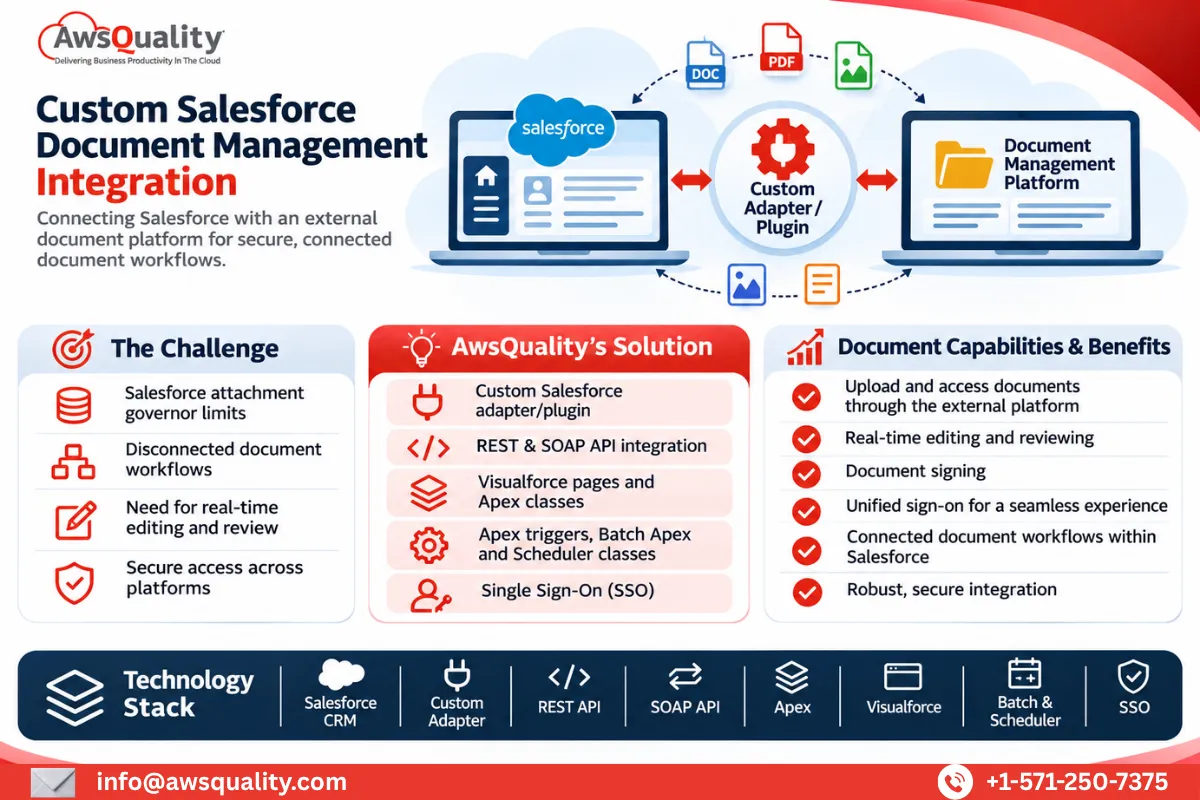 Other Salesforce Services for Document Management Company Project Overview A San Francisco-based document productivity company partnered with AwsQuality to integrate its document management platform with… Read case study