Introduction: Why “Day 2” Is Harder Than Day 1
Buying Salesforce is the easy part. The real challenge starts on “Day 2” when the initial excitement fades and your team begins hitting technical walls.
Most organizations invest significantly in their initial Salesforce implementation — carefully selecting a consulting partner, configuring the instance, migrating data, and training users. Then the project closes, the implementation team moves on, and the business is left with a production Salesforce environment that requires continuous care.
Three Salesforce releases per year (Spring, Summer, Winter) introduce new features and deprecate old ones. Business processes change, requiring configuration updates. Integrations break when third-party systems update their APIs. Users raise support tickets that need investigation. New teams want to extend the platform. Compliance requirements change. Data quality drifts.
In the high-stakes environment of 2026, professional Salesforce support and maintenance services aren’t just a safety net — they are the fuel for your operational engine. An org that is not maintained becomes an increasingly unreliable one. An org that is actively maintained becomes more capable with every release cycle.
This guide covers everything an organization needs to know about hiring the right Salesforce support and maintenance capability: the roles involved, the skills that matter, the certifications that validate expertise, the cost benchmarks across engagement models and geographies, what to look for in an interview, the red flags that signal the wrong hire, and how to choose between the available engagement models for your specific situation.
What is Salesforce Support and Maintenance?
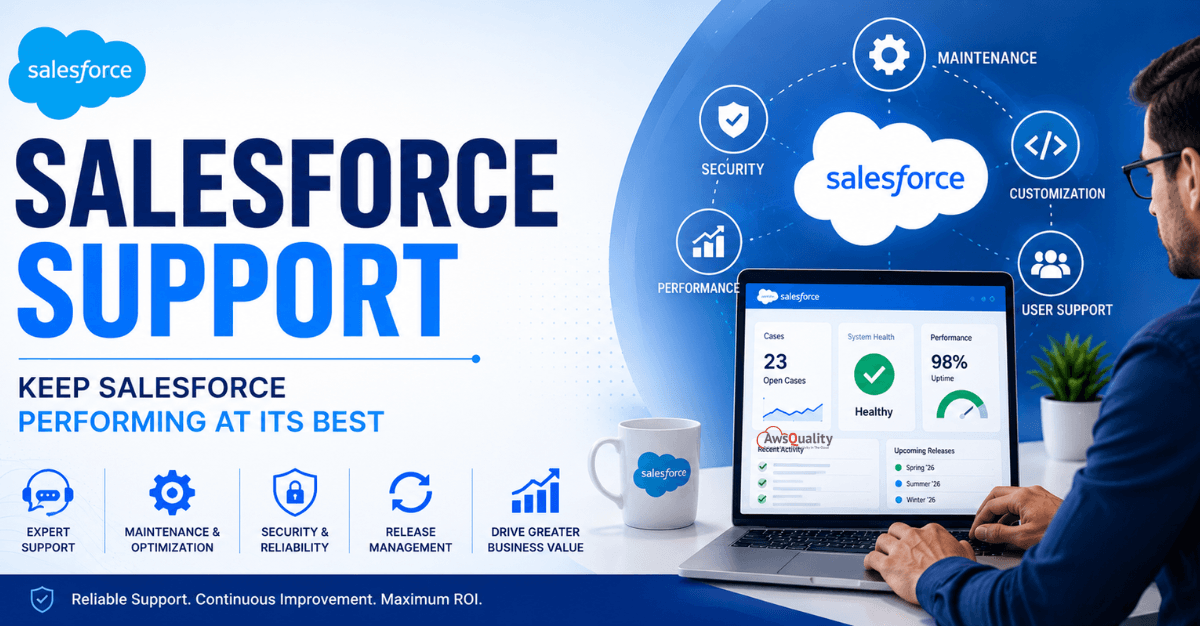
Salesforce support and maintenance refers to the ongoing management, optimization, monitoring, troubleshooting, and enhancement of a Salesforce environment after implementation.
Unlike Salesforce implementation projects that focus on deployment, support and maintenance ensure that the platform continues to deliver value over time.
Support and maintenance activities typically include:
- User support and issue resolution
- System monitoring and performance optimization
- Security management
- Data quality improvements
- Workflow and automation updates
- Integration maintenance
- Salesforce release management
- Customization enhancements
- Technical troubleshooting
- User training and adoption support
The goal is to keep Salesforce running efficiently while continuously improving business processes.
Read: Salesforce Integration v/s. Migration – Which Strategy Works Best for Your Business
Why Salesforce Support Matters
Many organizations assume that once Salesforce is implemented, minimal maintenance is required.
In reality, Salesforce environments are constantly evolving.
Businesses launch new products, enter new markets, change processes, and introduce new customer engagement strategies.
At the same time, Salesforce releases hundreds of new features and updates every year.
Without dedicated support resources, organizations may struggle to:
- Maintain platform performance
- Address user issues quickly
- Ensure security and compliance
- Optimize business processes
- Adopt new Salesforce capabilities
- Maximize ROI from Salesforce investments
Ongoing support ensures the platform remains aligned with changing business requirements.
What Does a Salesforce Support & Maintenance Developer Do?
A Salesforce Support & Maintenance Developer plays a critical role in maintaining platform health and supporting business users.
Their responsibilities often include troubleshooting technical issues, resolving bugs, updating customizations, managing integrations, and enhancing existing Salesforce functionality.
They work closely with business stakeholders to understand operational challenges and implement improvements that increase productivity.
Typical responsibilities include:
Issue Resolution
Developers investigate and resolve platform issues related to workflows, Apex code, Lightning components, integrations, reports, dashboards, and security configurations.
Customization Maintenance
As business needs evolve, developers update custom objects, validation rules, automation processes, flows, and user interfaces.
Release Management
Salesforce introduces new releases multiple times each year. Developers evaluate release notes, test new features, and ensure compatibility with existing customizations.
Performance Optimization
Support developers identify performance bottlenecks and optimize code, queries, integrations, and workflows to improve system efficiency.
Security and Compliance
They help maintain user access controls, data security policies, compliance requirements, and audit readiness.
Integration Support
Many Salesforce environments connect with ERP systems, marketing platforms, customer service tools, and third-party applications. Developers ensure these integrations remain reliable and functional.
Also read: Salesforce Health Check – Why Your CRM Might Be Underperforming
When Should You Hire Salesforce Support & Maintenance Developers?
Many organizations wait until issues become serious before investing in support.
A better approach is to establish ongoing support before major challenges arise.
You should consider hiring Salesforce support developers if:
- Your organization relies heavily on Salesforce operations
- Users regularly report platform issues
- Business processes change frequently
- You have multiple Salesforce integrations
- Security and compliance are critical requirements
- Internal teams lack Salesforce expertise
- You want to maximize platform ROI
The larger and more complex your Salesforce environment becomes, the more valuable dedicated support resources become.
Essential Skills to Look For
Hiring the right Salesforce support developer requires evaluating both technical expertise and business understanding.
Salesforce Platform Knowledge
Candidates should have strong experience with:
- Salesforce CRM
- Sales Cloud
- Service Cloud
- Experience Cloud
- Marketing Cloud (if applicable)
A solid understanding of Salesforce architecture is essential.
Apex Development
Apex remains a core component of Salesforce customization.
Support developers should be capable of troubleshooting and enhancing Apex code efficiently.
Lightning Web Components (LWC)
Modern Salesforce environments increasingly rely on Lightning Web Components.
Developers should understand LWC architecture and best practices.
Flow and Automation Expertise
As Salesforce promotes low-code development, support professionals must understand Flow Builder, Process Automation, and workflow optimization.
Integration Experience
Look for experience with:
- REST APIs
- SOAP APIs
- Middleware platforms
- Third-party integrations
Integration maintenance is often a major support responsibility.
Problem-Solving Skills
Support developers spend significant time troubleshooting issues.
Strong analytical and problem-solving abilities are essential.
In-House vs Outsourced Salesforce Support
One of the biggest decisions organizations face is whether to hire internal developers or partner with a Salesforce support provider.
In-House Team
Advantages:
- Dedicated resources
- Deep business knowledge
- Immediate availability
Challenges:
- Higher hiring costs
- Training expenses
- Resource limitations
- Difficulty scaling
Outsourced Salesforce Support Partner
Advantages:
- Access to specialized expertise
- Lower operational costs
- Scalability
- Broader Salesforce experience
Challenges:
- Less direct control
- Onboarding requirements
- Vendor dependency
Many organizations adopt a hybrid model that combines internal stakeholders with external Salesforce experts.
Check out: Customizing and Branding Salesforce for a Better Customer Experience
Questions to Ask Before Hiring
Before hiring a Salesforce support developer or partner, ask:
- What Salesforce certifications do you hold?
- What industries have you worked with?
- How do you handle Salesforce release updates?
- What is your issue resolution process?
- How do you manage security and compliance requirements?
- What experience do you have with integrations?
- How do you measure support success?
These questions help identify candidates who can provide long-term value.
Certifications That Matter
Salesforce certifications validate expertise across specific platform domains. For support and maintenance roles, these are the most relevant:
Essential Certifications
Salesforce Certified Administrator
The baseline certification for anyone providing Salesforce support. Validates knowledge of declarative configuration, user management, data model understanding, and core platform functionality. Every support professional should hold at minimum the Admin certification.
Salesforce Certified Platform Developer I
Entry-level developer certification covering Apex fundamentals, data modeling, and core development concepts. Required for any developer role handling custom code maintenance.
Salesforce Certified Platform Developer II
Advanced developer certification covering complex Apex patterns, performance optimization, testing frameworks, and advanced integration patterns. Appropriate for senior developer roles handling complex custom code.
Specialized Certifications for Support Contexts
Salesforce Certified Advanced Administrator
Covers advanced configuration topics including security architecture, territory management, advanced automation, and complex data management. Important for organizations with complex configuration requirements.
Salesforce Certified Application Architect / System Architect
For senior architects involved in strategic support and optimization decisions. The architect certifications validate the highest level of Salesforce technical expertise.
Salesforce Certified JavaScript Developer I
Validates Lightning Web Component expertise — increasingly important as more Salesforce UIs are built on LWC and support requires maintaining them.
Salesforce Certified Data Cloud Consultant
For organizations using Data Cloud — validates expertise in data ingestion, identity resolution, and segmentation within the Data Cloud environment.
Salesforce Certified AI Specialist
This certification validates expertise in Salesforce AI features including Einstein, Data Cloud AI capabilities, and Agentforce. Increasingly relevant as organizations adopt Agentforce.
Also Check: How Salesforce Helps SaaS Companies Scale Faster
How to Evaluate Certifications
Certifications validate knowledge, not necessarily experience. When evaluating candidates:
- Ask for the Trailhead profile to verify certifications directly from Salesforce
- Ask about the candidate’s experience with the certified domain in practice
- Understand when each certification was earned and whether the candidate has kept pace with platform changes since
- Prioritize candidates who hold multiple relevant certifications over those with a single older credential
Engagement Models — Choosing the Right Structure
When it comes to hiring someone, everything, including location, skills, and experience, adds up to the cost. But beyond cost, the engagement model determines control, flexibility, and response time.
Model 1: In-House Full-Time Employee
If your team relies on the platform for everything, hiring someone full-time makes sense. You get constant support and regular updates.
Best for: Organizations with continuous, high-volume Salesforce support needs where an admin or developer is genuinely needed for 35+ hours per week. Organizations that require deep institutional knowledge and immediate availability.
Advantages: Maximum institutional knowledge accumulation, fastest response time, direct alignment with business priorities, no scope or billing disputes.
Disadvantages: Full employment cost (salary + benefits + recruiting + training), skill ceiling of a single individual, risk when the person leaves, holiday and absence coverage gaps.
When to hire in-house: Your Salesforce environment is business-critical, changes are frequent, and your support volume justifies full-time employment.
Model 2: Staff Augmentation
Embedding contract Salesforce professionals within your team — often through a staffing firm or consulting partner — to supplement in-house capacity without permanent hiring commitment.
Best for: Organizations that have some in-house Salesforce capacity but need additional expertise for a specific period, a specific skill gap, or elevated project volume.
Advantages: Access to specific expertise without permanent hiring, faster to start than a full-time hire (typically 5–10 days vs. 51+ days), scalable up or down as needs change.
Disadvantages: Higher hourly cost than equivalent full-time employment rate, less institutional knowledge accumulation than a permanent hire.
When to choose staff augmentation: You have a specific skills gap (e.g., a major integration project requiring MuleSoft expertise you don’t have in-house) or a defined period of elevated need (e.g., a new business unit onboarding to Salesforce).
Model 3: Managed Service Provider (MSP)
Leveraging a Salesforce managed service provider to access a full team of architects and developers for the price of a single admin.
The MSP model provides a defined scope of ongoing support coverage through a retainer relationship with a Salesforce consulting partner. Rather than an individual resource, you access a team — with different specialists available for different types of issues.
Best for: Organizations that want enterprise-grade support capability without building an internal team. Particularly suited to organizations whose support needs vary significantly week to week.
Advantages: Team coverage (no single point of failure), access to multiple skill levels within one engagement, defined SLAs and accountability structures, partner-level Salesforce ecosystem access.
Disadvantages: Less granular visibility than in-house, knowledge transfer when the MSP relationship ends, some initial ramp-up time for the partner to learn the org.
When to choose MSP: You want proactive, comprehensive support with team-level expertise, your Salesforce environment is complex, and you want to access a full team for the cost of one or two in-house hires.
Model 4: Freelancer/Contractor
Engaging an individual Salesforce professional on a project or hourly basis through platforms like Upwork, Toptal, or direct referral.
Best for: Well-defined, bounded tasks — a specific report build, a specific integration fix, a specific configuration change — where scope is clear and ongoing relationship is not required.
Advantages: Lowest cost for specific tasks, fast to engage, flexible.
Disadvantages: No coverage for emergencies outside agreed hours, variable quality, no continuity when the engagement ends, higher risk for sensitive data access.
When to choose freelance: If you only need to finish a specific project or fix a migration issue, a contract developer gives you more flexibility. You get the help you need without the long-term overhead.
Model Comparison at a Glance
| Factor | In-House | Staff Augmentation | MSP | Freelancer |
|---|---|---|---|---|
| Cost | High fixed | Medium-high | Medium | Lowest |
| Response time | Fastest | Fast | SLA-defined | Variable |
| Coverage continuity | Holiday gaps | Team coverage via agency | Full team coverage | No guarantee |
| Knowledge retention | Highest | Medium | Contractual | Lowest |
| Scalability | Low | Medium | High | Medium |
| Best for | High-volume ongoing | Skill gaps | Complex orgs | Bounded tasks |
Check: Salesforce Strategy for CTOs – Beyond Implementation
Common Mistakes to Avoid
Many organizations make hiring decisions based solely on technical expertise.
However, Salesforce support requires both technical and business understanding.
Common mistakes include:
- Hiring general developers with limited Salesforce experience.
- Focusing only on reactive support instead of proactive optimization.
- Ignoring communication skills.
- Choosing the lowest-cost provider without evaluating expertise.
- Failing to define support expectations and service-level agreements (SLAs).
Avoiding these mistakes can significantly improve support outcomes.
Red Flags in Salesforce Support Hiring
1. Cannot Articulate Trailhead Profile or Certification Activity
Active Salesforce professionals maintain their certifications annually and engage with Trailhead. A candidate who cannot describe their recent certification maintenance or Trailhead activity has likely not kept pace with the platform.
2. No Experience with Recent Platform Features
A support developer who has not worked with Salesforce Flow (the successor to Process Builder and Workflow Rules) in their recent roles is carrying technical debt from legacy tools that will be increasingly unsupported. Similarly, a developer unfamiliar with Lightning Experience in 2026 is behind the platform’s current standard.
3. Proposes Code for Problems That Flow Would Solve
Over-engineering is a common pattern in support contexts — developers who reach for Apex when a Flow would accomplish the same outcome with less maintenance overhead and fewer deployment dependencies. In a support context, the right solution is often the simplest maintainable one.
4. Cannot Explain Technical Decisions in Plain Language
A support developer who can explain why a particular approach is better than an alternative — in terms a business stakeholder can understand — is significantly more valuable than one who can only write the code. When a user asks why something is done a certain way, “because that’s how Salesforce works” is never a sufficient answer.
5. Inconsistent Work History in Previous Salesforce Roles
Short tenures (under 12 months) in multiple previous Salesforce positions may indicate difficulty completing work to satisfactory standard, communication problems with stakeholders, or an inability to build the institutional knowledge that support roles require.
6. No Process for Documenting Their Work
Ask every support candidate: “How do you document the changes you make to an org?” The answer should describe a specific, practiced process — not “I try to add comments” or “I document in email.” Support work that is not documented creates single-person dependencies that are a business continuity risk.
The Business Benefits of Dedicated Salesforce Support
Organizations that invest in professional Salesforce support often experience measurable benefits.
These include:
- Improved platform performance.
- Higher user satisfaction.
- Faster issue resolution.
- Stronger security and compliance.
- Better adoption of new Salesforce features.
- Reduced operational risks.
- Higher return on Salesforce investments.
Support and maintenance are not simply operational expenses.
They are strategic investments that help organizations maximize the value of their CRM ecosystem.
Also check: 7 Features Top Salesforce Consulting Services Offer Real Growth
Future Trends in Salesforce Support and Maintenance
Salesforce environments are becoming increasingly intelligent.
Artificial intelligence, automation, predictive analytics, and agentic AI capabilities are changing how organizations use the platform.
Support developers are evolving beyond troubleshooting roles and becoming strategic advisors who help businesses optimize customer experiences and leverage emerging Salesforce technologies.
As Salesforce continues to innovate, organizations will need support professionals who can adapt quickly and guide continuous improvement initiatives.
Final Thoughts
Salesforce implementation is only the first step toward digital transformation.
The real value comes from continuously improving, optimizing, and maintaining the platform as business needs evolve.
Hiring the right Salesforce Support & Maintenance Developers ensures your organization can resolve issues quickly, improve user experiences, maintain security, and maximize ROI from Salesforce investments.
Whether you choose an in-house team, an outsourced partner, or a hybrid model, ongoing Salesforce support is essential for long-term success.
Organizations that invest in proactive support today will be better positioned to leverage future Salesforce innovations and maintain a competitive advantage.
 Bio
Bio