
11 Salesforce CRM Issues Fixed Faster with a Consulting Company
 Mohammad Usman 27 min read
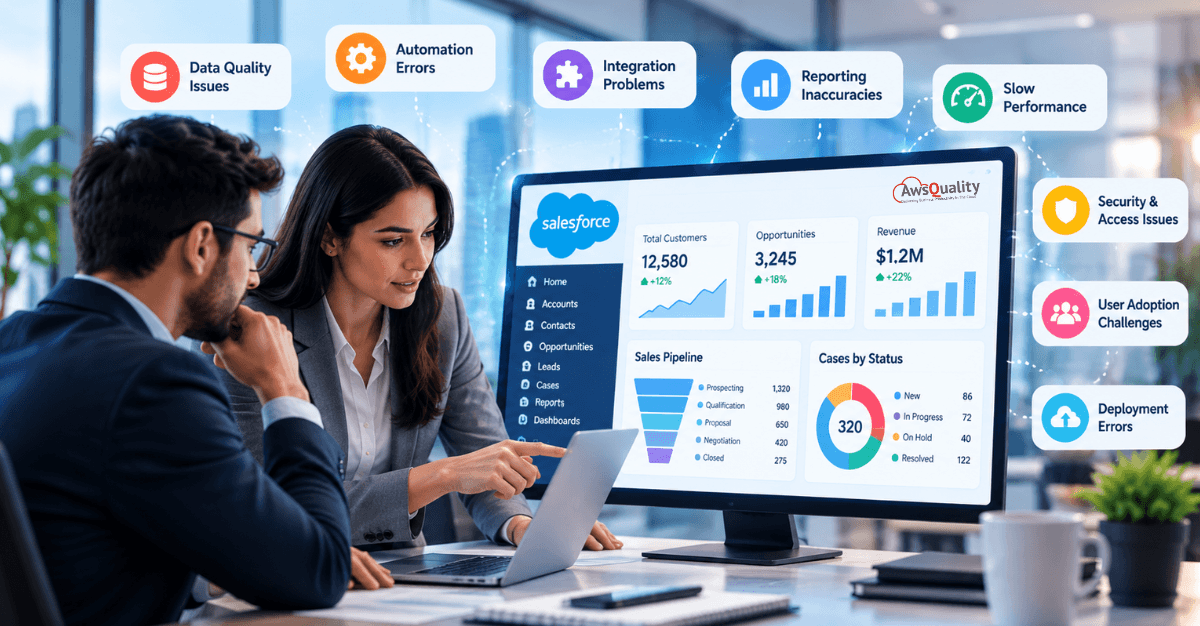
Salesforce CRM helps businesses manage customer relationships, organize sales activities, automate repetitive tasks, and make informed decisions. However, getting the most out of Salesforce requires more than purchasing licenses and entering customer information. Organizations must also configure the platform correctly, maintain accurate data, integrate business applications, and ensure employees know how to use the system effectively.
When Salesforce does not work as expected, the consequences can extend across the business. Sales representatives may struggle to access customer information, managers may lose confidence in reports, integrations may stop synchronizing data, and automated workflows may fail. These issues can slow down operations and reduce the value businesses receive from their CRM investment.
A Salesforce consulting company can help identify the underlying causes of these problems, recommend appropriate solutions, and implement changes that align with business requirements. Instead of relying on trial and error, businesses can work with experienced Salesforce professionals to troubleshoot technical issues, improve configurations, and establish more reliable processes.
In this guide, we explore 11 common Salesforce CRM issues, why they occur, how they affect businesses, and how a Salesforce consulting company can help resolve them efficiently.
Why Do Businesses Experience Salesforce CRM Issues?
Salesforce is a configurable CRM platform, which means businesses can adapt it to their sales processes, customer service requirements, reporting needs, and integrations. However, extensive customization can introduce complexity if changes are not planned, tested, and maintained properly.
Common causes of Salesforce CRM issues include:
- Incorrect or incomplete initial configuration.
- Poor data quality and duplicate records.
- Complex or inefficient automation.
- Integration problems between Salesforce and other applications.
- Inappropriate user permissions and access settings.
- Reports and dashboards that do not reflect business requirements.
- Insufficient user training and adoption.
- Custom code that becomes difficult to maintain.
- Inadequate testing before deploying changes.
- Business processes that evolve without corresponding CRM updates.
Some problems can be resolved through routine administration, while others require deeper technical investigation. A Salesforce consulting company can assess the environment, prioritize issues based on their business impact, and recommend solutions that address the root cause rather than just the visible symptoms.
Read: Agentforce and the Future of Enterprise AI – From Assistants to Autonomous Workflows
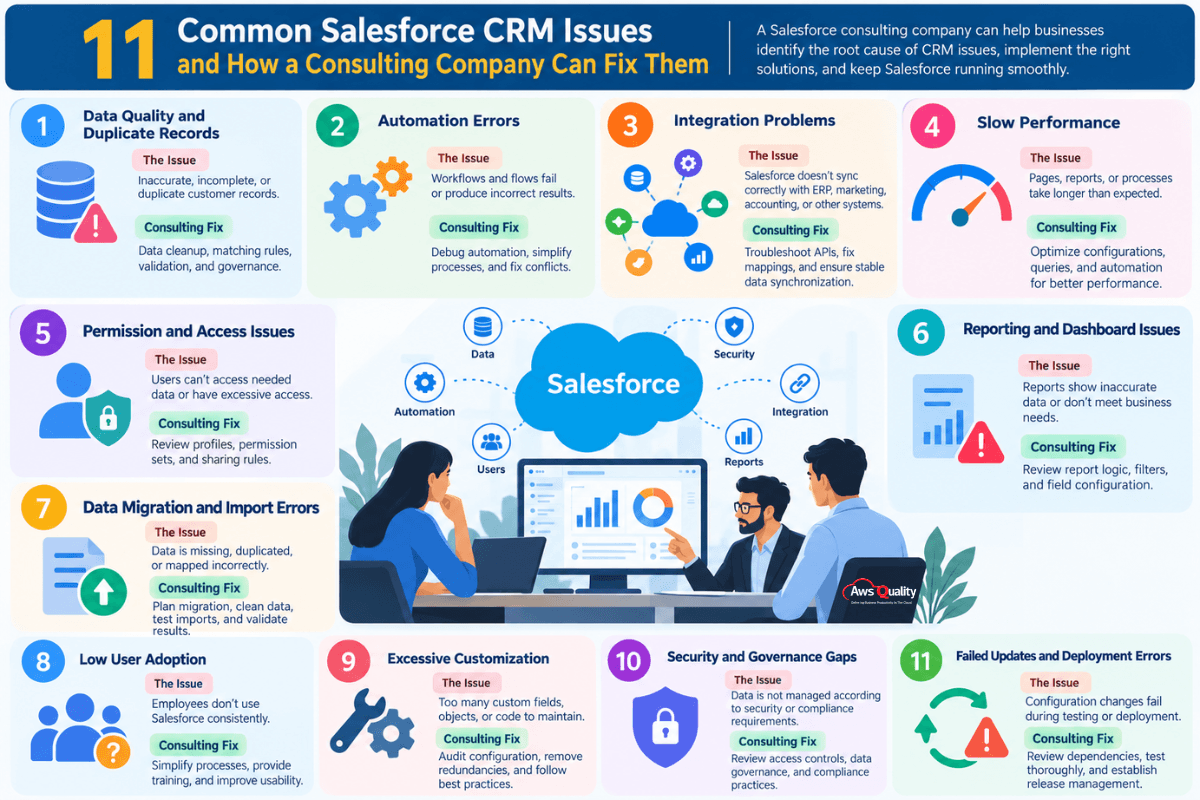
11 Common Salesforce CRM Issues and How a Consulting Company Can Fix Them
1. Poor Data Quality and Duplicate Records
The issue: Salesforce contains inaccurate, incomplete, outdated, or duplicated customer information.
Data quality problems are among the most common challenges businesses encounter when managing a CRM system. Duplicate leads, inconsistent company names, missing contact details, and outdated email addresses can make it difficult for sales and customer service teams to trust the information they see.
For example, a sales representative might contact the same prospect twice because the person has two records in Salesforce. A manager might also receive an inaccurate sales report because opportunity records contain inconsistent information.
These problems can develop when businesses import data from spreadsheets, migrate from another CRM, connect multiple applications, or allow employees to enter information without consistent standards.
How a Salesforce consulting company can help:
A consultant can review the existing database, identify recurring data quality problems, and develop a structured cleanup plan.
Possible solutions include:
- Identifying and merging duplicate accounts, contacts, and leads.
- Standardizing field formats and data entry practices.
- Configuring matching rules and duplicate rules.
- Adding validation rules to prevent incomplete or invalid entries.
- Reviewing data import procedures and field mapping.
- Establishing ongoing data quality monitoring and ownership.
Salesforce provides built-in tools for managing duplicate records and improving data quality. A consultant can help configure these capabilities according to the organization’s requirements.
Business benefit: Cleaner customer records, more reliable reporting, fewer duplicate interactions, and greater confidence in CRM data.
2. Complex Workflows and Automation Failures
The issue: Salesforce automation does not execute correctly, stops unexpectedly, or produces unintended results.
Salesforce automation can reduce manual work by updating records, assigning tasks, sending notifications, and guiding business processes. However, automation becomes difficult to maintain when multiple flows, validation rules, triggers, and custom processes interact.
For example, updating an opportunity might trigger several flows. One flow updates the account, another updates related records, and a third sends a notification. If these processes conflict or repeatedly trigger one another, the result may be failed transactions, unexpected updates, or confusing error messages.
Automation can also fail because of missing field values, incorrect conditions, insufficient permissions, or platform limits.
How a Salesforce consulting company can help:
Salesforce consultants can examine the automation architecture to determine where and why a process is failing.
They may:
- Review record-triggered flows and their execution paths.
- Use debugging tools and error logs to identify failed elements.
- Check for conflicting or redundant automation.
- Simplify complex flows and reuse logic where appropriate.
- Review transaction limits and bulk-processing behavior.
- Configure fault paths and meaningful error notifications.
- Test automation with realistic data volumes before deployment.
Salesforce documents specific considerations for flow limits, transaction processing, and automation design. These constraints should be considered when troubleshooting failures or redesigning complex workflows.
Business benefit: More dependable automation, fewer failed transactions, and less time spent correcting errors manually.
3. Salesforce Integration Problems
The issue: Salesforce does not exchange information correctly with connected applications.
Businesses often connect Salesforce with ERP platforms, marketing automation tools, accounting systems, customer support applications, data warehouses, and custom applications. These integrations help teams maintain consistent customer information across their technology environment.
However, integrations can fail when authentication credentials expire, API configurations change, field mappings become incorrect, or external systems become unavailable.
For example, an order might be recorded in an ERP system but fail to update the corresponding Salesforce opportunity. Sales representatives may then see outdated information and make decisions based on incomplete records.
How a Salesforce consulting company can help:
A consulting team can review the integration architecture and trace the flow of information between systems.
Typical troubleshooting activities include:
- Reviewing API requests, responses, and error logs.
- Checking authentication credentials and connected application settings.
- Validating field mappings and transformation rules.
- Investigating failed synchronization jobs.
- Reviewing API usage and applicable limits.
- Implementing appropriate retry logic and error handling.
- Testing data synchronization across relevant scenarios.
For integrations involving external APIs, Salesforce troubleshooting guidance recommends checking authentication, endpoints, API logs, and connectivity to isolate the source of a failure.
Business benefit: More consistent information across business applications, fewer synchronization errors, and smoother operational workflows.
4. Slow Salesforce Performance
The issue: Salesforce pages, reports, searches, or business processes take longer than expected.
Performance problems can frustrate employees and reduce productivity, particularly when sales or service teams depend on Salesforce throughout the day.
Slow performance does not always indicate a platform-wide problem. It may be associated with inefficient queries, complex automation, large record volumes, poorly optimized components, extensive page layouts, or integrations that delay a transaction.
For instance, a record page containing too many components and related lists may take longer to load than a streamlined page designed around the employee’s actual responsibilities.
How a Salesforce consulting company can help:
A Salesforce consultant can investigate the conditions under which the slowdown occurs and determine whether the issue is related to configuration, custom code, automation, data volume, or an external dependency.
Potential improvements include:
- Reviewing page layouts and Lightning record pages.
- Evaluating reports, list views, and query efficiency.
- Identifying expensive or unnecessary automation.
- Investigating Apex execution and transaction logs where applicable.
- Reviewing custom components and integration response times.
- Reducing unnecessary data retrieval and processing.
- Establishing performance baselines and monitoring recurring issues.
The right fix depends on the evidence. Redesigning a page will not solve a slow external API, just as changing an integration will not necessarily correct inefficient automation.
Business benefit: A more responsive CRM experience, fewer workflow interruptions, and improved employee productivity.
5. Incorrect User Permissions and Access Issues
The issue: Employees cannot access the information or functionality they need, or they can see records they should not access.
Salesforce uses multiple access controls, including profiles, permission sets, organization-wide defaults, role hierarchies, and sharing rules. These controls help businesses manage access to CRM data and functionality.
However, access can become confusing as teams grow, responsibilities change, and new applications or custom objects are introduced.
An employee might be unable to update an opportunity because a required permission is missing. In another situation, a user might have broader access to sensitive customer records than their role requires.
How a Salesforce consulting company can help:
A consultant can review the security model and identify the permissions responsible for the issue.
The work may include:
- Auditing profiles and permission sets.
- Reviewing object, field-level, and record-level access.
- Checking role hierarchy and sharing configurations.
- Investigating access problems involving custom objects.
- Applying least-privilege access principles.
- Testing permissions using representative user accounts.
- Documenting access policies and approval procedures.
The objective is to provide employees with the access required to perform their jobs while protecting sensitive information.
Business benefit: Fewer access-related disruptions, clearer security controls, and more consistent access management.
6. Reports and Dashboards Showing Inaccurate Information
The issue: Salesforce reports and dashboards do not match actual business performance or provide the insights managers need.
Sales and leadership teams rely on CRM reports to understand pipeline health, conversion rates, revenue forecasts, customer activity, and team performance.
However, reports can become unreliable when source data is incomplete, filters are incorrect, fields are misused, or teams interpret sales stages differently. Dashboard components may also rely on outdated reports or metrics that no longer reflect business objectives.
For example, a dashboard might show fewer open opportunities than expected because a report excludes a particular record type or filters out opportunities owned by certain teams.
How a Salesforce consulting company can help:
A Salesforce consultant can trace the reported figures back to their underlying data and configuration.
Common improvements include:
- Reviewing report filters and report types.
- Verifying field definitions and formulas.
- Checking opportunity stages and forecasting processes.
- Identifying missing or inconsistent source data.
- Standardizing KPI definitions across departments.
- Rebuilding dashboards around business priorities.
- Validating report results against trusted reference data.
Reporting issues should be investigated at both the technical and business-process levels. A correctly configured report can still produce misleading results when employees enter inconsistent data.
Business benefit: More trustworthy reporting, clearer performance visibility, and better-informed decisions.
Check out: Guide to Hiring Salesforce Support and Maintenance Developers
7. Difficult Data Migration and Import Errors
The issue: Data imported into Salesforce is missing, incorrectly mapped, duplicated, or associated with the wrong records.
Businesses may need to migrate information when replacing a legacy CRM, consolidating multiple systems, expanding into new markets, or reorganizing their Salesforce environment.
A migration can become complicated when source data contains inconsistent formats, relationships between records are not preserved, or fields do not map correctly to the Salesforce data model.
For example, importing contacts without correctly matching them to their accounts can create incomplete customer records and disrupt sales processes.
How a Salesforce consulting company can help:
Salesforce consultants can plan and validate data migrations before moving information into the production environment.
A structured approach includes:
- Inventorying the source data and identifying the records to migrate.
- Removing unnecessary duplicates and correcting data inconsistencies.
- Mapping source fields to the appropriate Salesforce fields.
- Identifying dependencies between accounts, contacts, opportunities, and related records.
- Testing the import with a representative sample.
- Validating record counts, field values, and relationships.
- Investigating rejected records and correcting import errors.
- Performing post-migration checks and documenting the results.
Salesforce recommends planning migrations carefully, cleaning data, mapping fields, and validating the results to help protect data integrity.
Business benefit: More reliable data transfers, fewer post-migration corrections, and a smoother transition between systems.
8. Low Salesforce User Adoption
The issue: Employees do not use Salesforce consistently, rely on spreadsheets, or enter information only when required.
A technically sound CRM system will not deliver its full value if employees avoid using it. Low adoption may result from insufficient training, complicated processes, unnecessary fields, confusing page layouts, or a lack of clarity about how Salesforce supports everyday work.
For example, sales representatives might maintain their own spreadsheets because updating opportunities in Salesforce requires too many steps. As a result, managers may not have a complete view of the pipeline.
How a Salesforce consulting company can help:
A consultant can assess how employees interact with the CRM and identify obstacles that discourage consistent use.
Possible improvements include:
- Interviewing users about their daily workflows.
- Simplifying record pages and data entry requirements.
- Removing unnecessary steps and redundant fields.
- Automating repetitive administrative tasks.
- Providing role-specific training.
- Creating practical documentation and process guides.
- Establishing adoption metrics and feedback channels.
- Helping managers reinforce consistent CRM practices.
User adoption should be treated as an ongoing process rather than a one-time training session. Salesforce configurations and training materials may need to evolve as business requirements change.
Business benefit: More consistent CRM usage, better data completeness, and stronger alignment between technology and business processes.
Also check: Low Salesforce Adoption? Try These 7 Fixes That Work
9. Excessive Customization and Difficult Maintenance
The issue: Salesforce has become complicated to maintain because of too many custom fields, objects, flows, components, or code-based solutions.
Customization is often necessary to support unique business requirements. However, customizations can become difficult to manage when they overlap, lack documentation, or are introduced without a clear long-term purpose.
For example, several fields may capture similar information, while multiple automations perform overlapping updates. Administrators may struggle to determine which components are still required and which changes could affect existing processes.
How a Salesforce consulting company can help:
A consultant can assess the current Salesforce environment and recommend a more maintainable design.
This may involve:
- Auditing custom fields, objects, flows, and components.
- Identifying redundant or unused configurations.
- Reviewing dependencies before removing components.
- Simplifying business logic where possible.
- Evaluating whether standard Salesforce functionality can meet a requirement.
- Documenting important customizations and dependencies.
- Establishing development, testing, and deployment standards.
The goal is not to eliminate customization entirely. It is to ensure each customization serves a clear business purpose and can be maintained as the organization grows.
Business benefit: A cleaner CRM architecture, easier maintenance, and lower risk when introducing future changes.
Read: How to Choose the Best Salesforce Implementation Partners
10. Security, Compliance, and Data Governance Gaps
The issue: Salesforce data is not managed according to the organization’s security, privacy, retention, or governance requirements.
As businesses expand their use of CRM data, they may need to manage access to sensitive information, define data retention practices, establish audit procedures, and demonstrate compliance with applicable regulations.
Problems can arise when access permissions are overly broad, sensitive fields are not adequately protected, data retention responsibilities are unclear, or teams lack consistent procedures for managing customer information.
A Salesforce implementation does not automatically make an organization compliant with every regulation. Compliance depends on the applicable legal requirements, the organization’s policies, the way Salesforce is configured, and how employees use the system.
How a Salesforce consulting company can help:
A consulting team can review the CRM’s security and governance controls against defined business requirements.
Activities may include:
- Reviewing user permissions and data access.
- Evaluating field-level security and sharing rules.
- Assessing audit and monitoring requirements.
- Reviewing data retention and deletion processes.
- Identifying sensitive data that requires additional safeguards.
- Documenting data ownership and administrative responsibilities.
- Supporting security testing and remediation planning.
Where legal or regulatory interpretation is required, businesses should involve qualified legal, privacy, or compliance professionals. Salesforce consultants can help implement the technical controls that support the organization’s approved requirements.
Business benefit: Better visibility into data access, stronger governance practices, and more consistent handling of sensitive information.
11. Failed Salesforce Updates and Deployment Errors
The issue: Configuration changes, custom code, or new features fail during testing or deployment, disrupting existing processes.
Salesforce environments often change as businesses introduce new fields, automation, integrations, reports, and application features. Problems can occur when dependencies are overlooked, changes are not tested thoroughly, or development and production environments differ.
For example, a new validation rule may prevent an existing integration from updating records. A change to a custom field may also affect reports, flows, Apex code, or other components that depend on it.
How a Salesforce consulting company can help:
Consultants can establish a more controlled development and release process to reduce deployment risks.
Typical improvements include:
- Reviewing dependencies before making changes.
- Using appropriate sandbox environments for development and testing.
- Testing business scenarios, permissions, integrations, and automation.
- Reviewing deployment validation errors and debug logs.
- Applying version control and change management practices where appropriate.
- Preparing rollback or recovery plans for higher-risk changes.
- Monitoring the system after deployment.
Testing should reflect real business scenarios rather than checking only whether the new feature works in isolation. Changes should also be assessed for their impact on existing functionality.
Business benefit: More predictable releases, fewer production disruptions, and greater confidence when improving Salesforce.
Read: How AI Agents and Salesforce are Redefining Customer Service
Quick Comparison: Salesforce CRM Issues and Consulting Solutions
The following table summarizes the issues and the approaches a consulting company may use to address them.
| Salesforce CRM issue | Typical cause | Potential consulting solution |
|---|---|---|
| Poor data quality | Duplicate or incomplete records | Data cleanup, matching rules, and validation |
| Automation failures | Conflicting logic or runtime errors | Flow debugging and automation redesign |
| Integration problems | Authentication, mapping, or API errors | Integration troubleshooting and error handling |
| Slow performance | Inefficient queries, pages, or automation | Performance assessment and optimization |
| Permission issues | Incorrect access configuration | Security review and permission adjustments |
| Inaccurate reports | Incorrect filters or inconsistent source data | Report validation and KPI standardization |
| Migration errors | Incorrect mapping or poor source data | Migration planning, testing, and reconciliation |
| Low user adoption | Complex processes or inadequate training | Workflow simplification and user enablement |
| Excessive customization | Redundant components or poor documentation | Configuration audit and architecture improvements |
| Governance gaps | Weak access controls or unclear data policies | Security and data governance review |
| Deployment failures | Missing dependencies or insufficient testing | Release management and regression testing |
The appropriate solution depends on the organization’s Salesforce configuration, the severity of the issue, and the business processes affected.
How Does a Salesforce Consulting Company Fix Issues Faster?
A consulting company can help accelerate issue resolution by combining Salesforce expertise with a structured troubleshooting process. The objective is to identify the cause, choose the right fix, validate the change, and reduce the likelihood of the same issue recurring.
Step 1: Assess the Issue and Its Business Impact
The first step is to understand what is failing, who is affected, and how the problem affects business operations.
A broken integration that prevents order processing may require more urgent attention than a minor dashboard formatting issue. Establishing priorities helps the team focus on the problems with the greatest operational impact.
Step 2: Investigate the Root Cause
A visible error message does not always reveal the underlying problem. For example, an automation failure may originate from a permission restriction, an invalid field value, or another process that runs earlier in the transaction.
Consultants can review configuration, logs, dependencies, data, and user behavior to determine the likely cause before recommending changes.
Step 3: Recommend the Right Solution
The most effective solution is not necessarily the most complex one. A problem might be resolved by correcting a permission, adjusting a flow condition, improving a report filter, or redesigning an integration.
A consultant should explain the available options, expected impact, implementation risks, and any relevant trade-offs.
Step 4: Test Changes Before Production Deployment
Changes should be validated in an appropriate nonproduction environment whenever practical. Testing should cover the affected workflow and important related processes.
For example, changing an opportunity validation rule should involve testing normal opportunity updates, relevant integrations, and any automation that depends on the affected fields.
Step 5: Implement and Monitor the Fix
After testing and approval, the team can deploy the change using the organization’s release procedures. Monitoring helps confirm that the issue has been resolved and that the fix has not introduced new problems.
Step 6: Prevent the Issue From Returning
A complete resolution should address prevention as well as repair. This may involve documenting the fix, adding monitoring, improving validation, updating training materials, or reviewing related configurations.
This structured approach makes troubleshooting more consistent and can reduce repeated investigation, although actual resolution time depends on the complexity of the problem and the organization’s environment.
Check out: How We Built a Duplicate Lead Detection Solution Inside Salesforce
When Should You Hire a Salesforce Consulting Company?
Not every Salesforce issue requires an external consultant. Routine administrative tasks may be manageable by an experienced in-house Salesforce administrator. However, external expertise can be particularly valuable when problems affect multiple systems, involve complex configurations, or require specialized technical knowledge.
Consider hiring a Salesforce consulting company when:
- Recurring errors remain unresolved: The same automation, integration, or data problem keeps returning despite previous fixes.
- Your CRM has become difficult to maintain: Customizations and dependencies make changes risky or time-consuming.
- Integrations are affecting business operations: Data synchronization problems are disrupting sales, service, finance, or other workflows.
- Your reports cannot be trusted: Leadership needs accurate pipeline, revenue, or performance data but cannot reconcile reported figures.
- You are planning a migration or major upgrade: Your organization needs to protect data integrity and validate critical processes.
- Security or access requirements are changing: You need to reassess permissions, data governance, or sensitive information controls.
- Your team lacks specialized expertise: Your internal administrator needs support with Apex, APIs, complex automation, or architecture.
- Salesforce adoption is low: Employees are bypassing the CRM because it does not fit their daily workflows.
A consulting company can also provide temporary support during a major project or offer ongoing assistance after implementation. The right engagement depends on whether you need a specific issue resolved, a broader system review, or continuous Salesforce optimization.
How to Choose the Right Salesforce Consulting Company
Selecting a consulting partner requires more than comparing hourly rates. The company should understand your business requirements, have the relevant technical expertise, and demonstrate a structured approach to troubleshooting and implementation.
Consider these seven factors before making a decision.
1. Relevant Salesforce Experience
Look for experience with the Salesforce products, features, and technologies relevant to your problem. For example, resolving an API integration issue requires different expertise from improving reports or redesigning user permissions.
Ask potential partners to explain how they have approached similar technical or operational challenges.
2. A Clear Troubleshooting Methodology
A reliable consulting company should explain how it investigates problems, identifies root causes, tests solutions, and verifies results.
Be cautious of recommendations that promise a quick fix before the team has assessed your Salesforce environment.
3. Appropriate Technical Capabilities
Depending on your requirements, you may need expertise in Salesforce administration, Flow Builder, Apex, Lightning Web Components, API integrations, data migration, reporting, security, or DevOps.
Confirm that the team assigned to your project has the skills required for the specific work.
4. Communication and Documentation
Consultants should explain technical problems in language your business stakeholders can understand. They should also document important changes, dependencies, testing results, and recommendations.
Good documentation makes it easier for your internal team to maintain the solution after the engagement ends.
5. Testing and Change Management
Ask how the company tests fixes before production deployment and handles changes that could affect existing processes.
For complex environments, look for a disciplined approach to sandbox testing, regression testing, release approvals, and post-deployment monitoring.
6. Flexible Engagement Options
Different problems require different levels of support. A small configuration issue may need a short engagement, while a complex integration or CRM optimization project may require a dedicated team.
Discuss the scope, expected deliverables, resource availability, billing model, and support arrangements before work begins.
7. Ongoing Support and Optimization
Some issues require long-term monitoring rather than a one-time fix. If you expect recurring maintenance, ask whether the company offers ongoing support, system health reviews, enhancement services, and knowledge transfer.
You can explore the official Salesforce Partner Network to research consulting providers and evaluate their experience against your requirements. Partner status alone does not guarantee that a provider is the right fit, so assess its relevant expertise and delivery approach as well.
Salesforce Consulting Company vs. In-House Administration
Should you resolve Salesforce issues internally or bring in a consulting company? The answer depends on the problem’s complexity, the skills available within your organization, and the potential business impact.
| Consideration | In-house Salesforce administrator | Salesforce consulting company |
|---|---|---|
| Routine configuration | Often well suited | Useful when additional expertise is needed |
| User access and basic administration | Often manageable internally | Helpful for complex security reviews |
| Complex integrations | Depends on internal technical skills | Can provide specialized integration expertise |
| Advanced automation or custom code | Depends on the team’s capabilities | May offer dedicated development and debugging skills |
| Large-scale data migration | May require additional resources | Can support planning, execution, and validation |
| Architecture review | Depends on available experience | Can provide an independent assessment |
| Major implementation or redesign | May require a larger internal team | Can provide specialist resources and structured delivery |
| Ongoing system knowledge | Builds internal familiarity | Should include documentation and knowledge transfer |
These options are not mutually exclusive. Many businesses use a hybrid model in which their internal administrator manages everyday requests while a consulting partner handles complex issues, specialized development, and larger projects.
The goal is to build a support model that matches your business needs without creating unnecessary costs or dependencies.
Also read: Driving Salesforce User Adoption – A CXO’s Guide to Maximizing ROI
What Determines the Cost and Time Required to Fix Salesforce Issues?
There is no single price or resolution timeline for all Salesforce CRM issues. A minor configuration adjustment may be relatively straightforward, while a problem involving custom code, several integrations, and business-critical workflows may require substantial investigation and testing.
The following factors commonly influence the effort involved.
Complexity of the issue: A missing permission may be easier to diagnose than a recurring automation failure involving several flows and Apex triggers.
Size of the Salesforce environment: The number of users, records, integrations, custom objects, and dependencies can affect the amount of investigation required.
Availability of documentation: Clear architecture diagrams, error logs, and change records can help consultants understand the environment more efficiently.
Quality of the existing configuration: Poorly documented customizations or overlapping automation can increase troubleshooting effort.
Testing requirements: Changes affecting revenue, customer service, security, or integrations may require more extensive validation.
Urgency and service coverage: Critical incidents may require prioritized or after-hours support, depending on the agreement.
Scope of work: A one-time fix costs differently from a broader audit that includes remediation, documentation, monitoring, and training.
Before starting an engagement, ask for a clearly defined scope, an estimate of the investigation and implementation effort, and a process for approving additional work if the root cause proves more complex than expected.
A useful engagement should also distinguish between fixing the immediate problem and addressing the underlying cause. The second may require additional work but can help prevent repeated failures.
How to Measure the Results of Salesforce CRM Issue Resolution
After a consulting engagement, businesses should evaluate whether the changes have improved the system and the affected business processes.
Useful measures include:
- Mean time to resolution: The average time required to resolve reported issues.
- Repeat incident rate: The percentage of issues that recur after being marked as resolved.
- Automation failure rate: The frequency of failed or interrupted automated processes.
- Integration success rate: The percentage of expected synchronization or API operations that complete successfully.
- Report accuracy: The degree to which CRM reports reconcile with trusted business data.
- Change failure rate: The proportion of deployments that cause incidents, require rollbacks, or need urgent remediation.
Data quality: The completeness, accuracy, consistency, and duplication rate of relevant records.
User adoption: Whether employees consistently use Salesforce for the intended workflows.
Establish a baseline before making changes, then compare results after implementation. The exact metrics should reflect the problem being addressed rather than treating every measure as equally important.
For example, if the primary issue is a failed integration, integration success rate and data synchronization delays may be more useful than general login activity.
Conclusion
Salesforce CRM issues can affect far more than the software itself. Poor data quality can undermine reporting, failed automation can interrupt workflows, integration problems can create inconsistent records, and complicated configurations can make future improvements harder to implement.
A Salesforce consulting company can help businesses investigate these challenges, identify root causes, implement appropriate solutions, and establish practices that reduce recurring problems. Its value comes not just from fixing errors, but from helping Salesforce work more reliably for the people and processes that depend on it.
The best approach is to prioritize issues by business impact, investigate before making changes, test solutions carefully, and measure the results after implementation.
If your organization is experiencing recurring Salesforce CRM problems, consider a structured assessment of your current environment. Identifying the most significant issues first can help your team focus its resources on improvements that matter to sales productivity, customer experience, data reliability, and long-term CRM performance.
FAQs
Frequently Asked Questions
What are the most common Salesforce CRM issues?
Common issues include poor data quality, duplicate records, failed automation, integration errors, slow performance, incorrect permissions, inaccurate reports, migration problems, low user adoption, excessive customization, and deployment failures.
The appropriate solution depends on the underlying cause and the business processes affected.
How can a Salesforce consulting company fix CRM issues faster?
A Salesforce consulting company can help by investigating the root cause, reviewing configurations and logs, identifying dependencies, and applying targeted fixes. It can also test changes before deployment and recommend preventive measures to reduce recurring incidents.
Resolution speed depends on the complexity of the issue, the quality of the existing environment, and the availability of relevant information.
Can a Salesforce consulting company improve CRM performance?
Yes. Consultants can investigate slow pages, inefficient queries, complex automation, custom components, and integration delays. They can recommend targeted optimizations based on the evidence rather than making unrelated configuration changes.
Can consultants help resolve Salesforce integration errors?
Yes. They can review API responses, authentication settings, field mappings, synchronization processes, and error logs to identify integration failures. They may also improve error handling, retry logic, and monitoring where appropriate.
How can businesses prevent Salesforce automation failures?
Businesses can reduce automation failures by simplifying complex logic, reviewing dependencies, testing realistic scenarios, considering platform limits, and monitoring errors. Flows should also include suitable error-handling mechanisms where applicable.
Changes should be tested before production deployment, particularly when multiple automations interact.
When should a business hire a Salesforce consultant instead of using an internal administrator?
An internal administrator may be sufficient for routine configuration and day-to-day support. A consultant can be valuable when issues involve complex integrations, custom code, data migration, architecture, advanced automation, or changes that require specialized expertise.
Businesses can also use consultants to support internal teams during periods of high demand.
How much does it cost to hire a Salesforce consulting company?
The cost varies by project scope, technical complexity, consultant experience, engagement model, and support requirements. A focused configuration fix may require less effort than a major integration project or a comprehensive CRM audit.
Request a scoped estimate that explains the expected deliverables, assumptions, testing requirements, and any ongoing support costs.
Can Salesforce CRM issues affect sales and customer relationships?
Yes. Incorrect customer records, failed integrations, and unreliable reports can disrupt sales follow-ups, delay service responses, and reduce employees’ confidence in the CRM.
Resolving these issues can improve the reliability of customer information and support more consistent business processes.
Should a business fix Salesforce issues before adding new features?
In many cases, yes. Adding features to an environment with unresolved data quality, automation, or integration problems can introduce additional complexity.
A consultant can help prioritize existing issues, assess dependencies, and determine whether remediation should happen before new functionality is introduced.
What should businesses prepare before contacting a Salesforce consulting company?
Prepare a description of the issue, the time it started, the users or processes affected, any relevant error messages, and the steps needed to reproduce it. If available, include recent configuration changes, integration logs, and documentation about the affected workflow.
Avoid sharing passwords, access tokens, or unnecessary sensitive customer information. Provide system access only through approved, secure procedures.
Salesforce
Related Articles
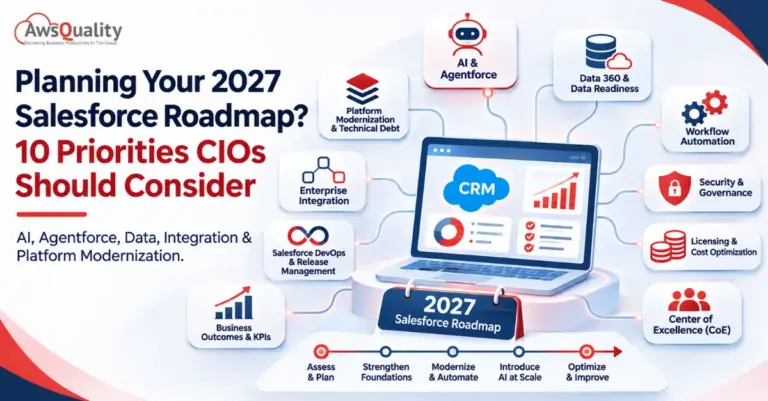
Planning Your 2027 Salesforce Roadmap? 10 Priorities CIOs Should Consider
Salesforce has evolved far beyond its traditional role as a customer relationship management (CRM) platform. Today, organizations use it to manage customer…
Salesforce Shopify Integration: Connecting Customer Data, Orders, and Inventory
A successful eCommerce business depends on more than an attractive online store. It needs accurate customer information, reliable order processing, up-to-date inventory,…
15 Salesforce Consulting Partner Tips: Guide to Smart Integration
Salesforce has become an important part of how businesses manage customer relationships, streamline operations, and make data-driven decisions. However, its real business…