Support & Quality
Salesforce Support & Maintenance
Keep your business applications running smoothly with proactive maintenance and support. From bug fixes and performance monitoring to updates and enhancements, we help ensure reliability and long-term performance.
FAQs
Frequently Asked Questions
Can’t find what you’re looking for? Ask our team.
What are Salesforce support services?
Salesforce Service Cloud is one of the most well-known and highly regarded customer service software solutions globally. This customer service software enables agents and customers to quickly connect and solve customer problems via phone, chat, web, or email.
What is Salesforce managed?
Salesforce-managed services encompass a wide range of activities to ensure proper Salesforce CRM performance and avoid system issues. As a Salesforce managed services provider, Awsquality assists businesses in maintaining and evolving Salesforce solutions to meet their specific business needs.
What is Premier Support Salesforce?
Premier Plans include direct access to Salesforce experts to assist you with faster adoption and deployment. You also get quicker response times for questions and support and a faster path to certifications.
How do I access Premier Salesforce support?
1. Go to help.salesforce.com and sign in.
2. Scroll down to the Support & Services tile and look for the 'Company Passcode' option.
3. Depending on the nature of your call, select either 'Premier Company Passcode' or 'Premier Passcode for Designated Contact.'
How does Salesforce improve customer service?
Getting customer data in the Salesforce cloud would save the customer time explaining their situation. Customers are also happier when they speak with someone who knows about their previous interactions with your company. Salesforce improves response times as well as customer satisfaction.
Why do you need a Salesforce partner?
An excellent Salesforce partner offers system training and ongoing support, making the system more user-friendly. If we can demonstrate how to use the system to your employees, reducing the time they have to spend figuring it out for themselves, they will be more likely to jump right in.
How do I raise a case with a Salesforce support team?
1. Access Salesforce Help by logging in.
2. Click the Contact Support button.
3. On the "Create a Case" tile, click Create a Case.
4. Choose an "Inquiry Type" from the options provided: ...
5. Fill in the Case fields that are required.
6. Add any Case Collaborators to allow people to track the Case's progress.
7. Click the Create Case button.
Case studies
Our Case Studies
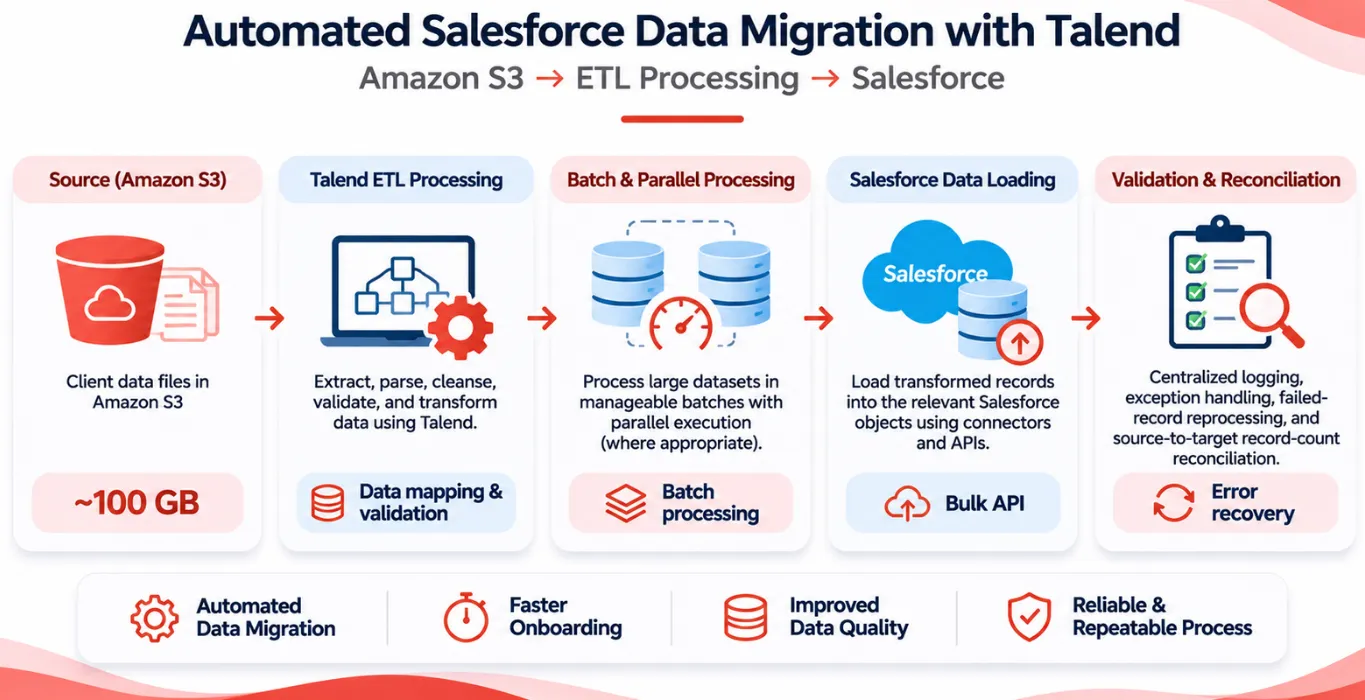 Other Automated Salesforce Data Migration from Amazon S3 Using Talend You concentrate on the core business and let our Salesforce experts take care of your Salesforce implementation. A… Read case study
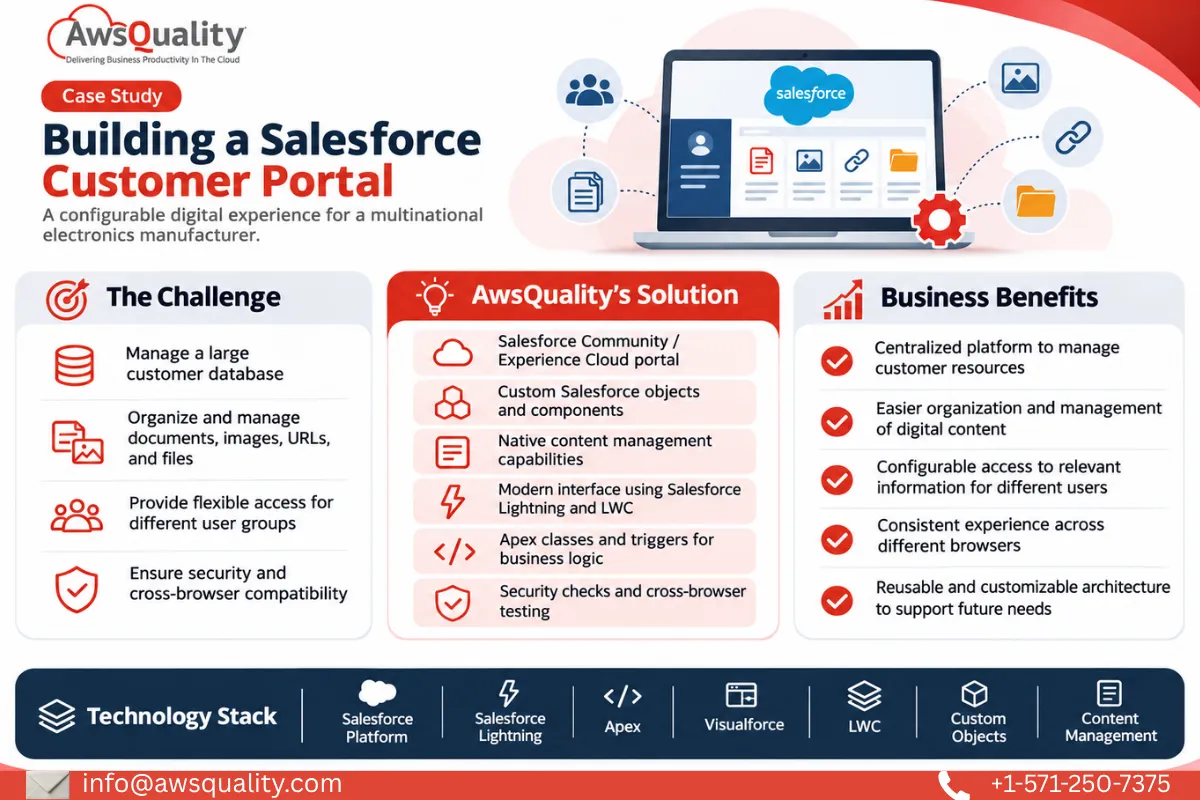 Electronics & Imaging Building a Salesforce Customer Portal (Experiance Cloud) for a Multinational Electronics Company You concentrate on the core business and let our Salesforce experts take care of your Salesforce implementation. A… Read case study
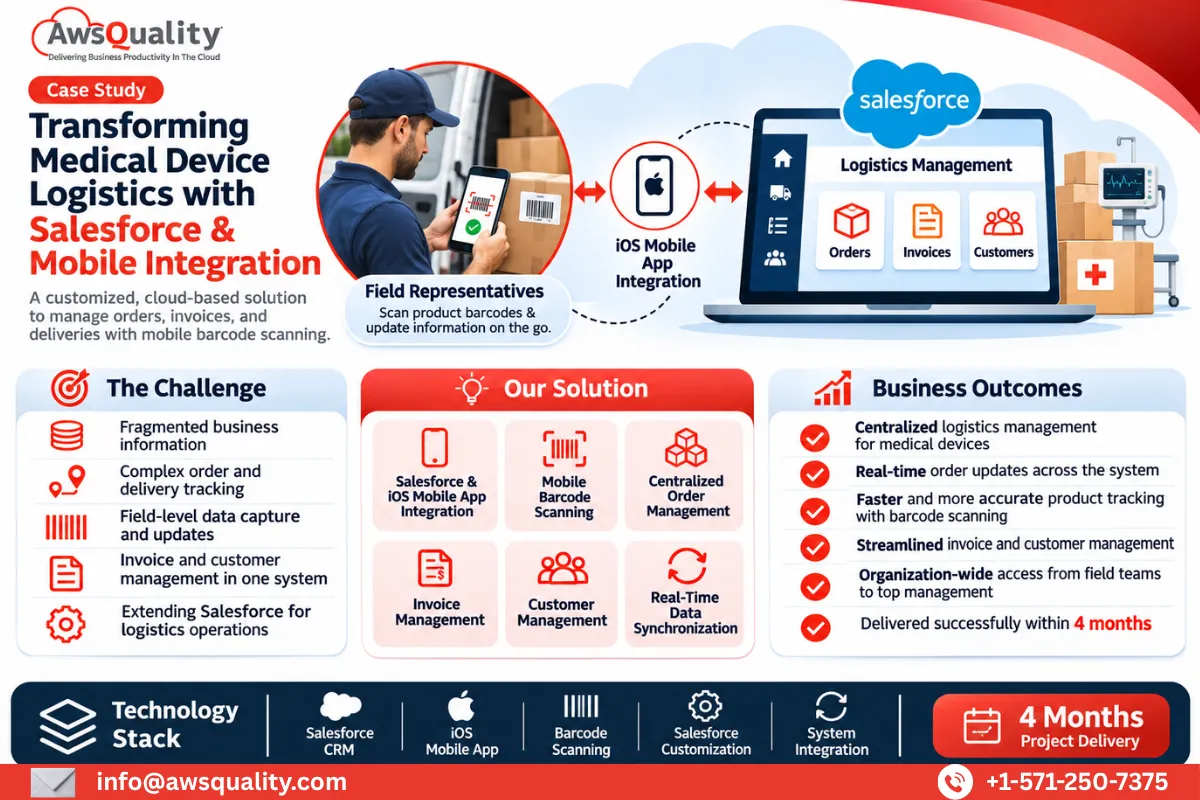 Healthcare Building an End-to-End Salesforce Logistics Management Solution for a Global Medical Devices Company You concentrate on the core business and let our Salesforce experts take care of your Salesforce implementation. A… Read case study
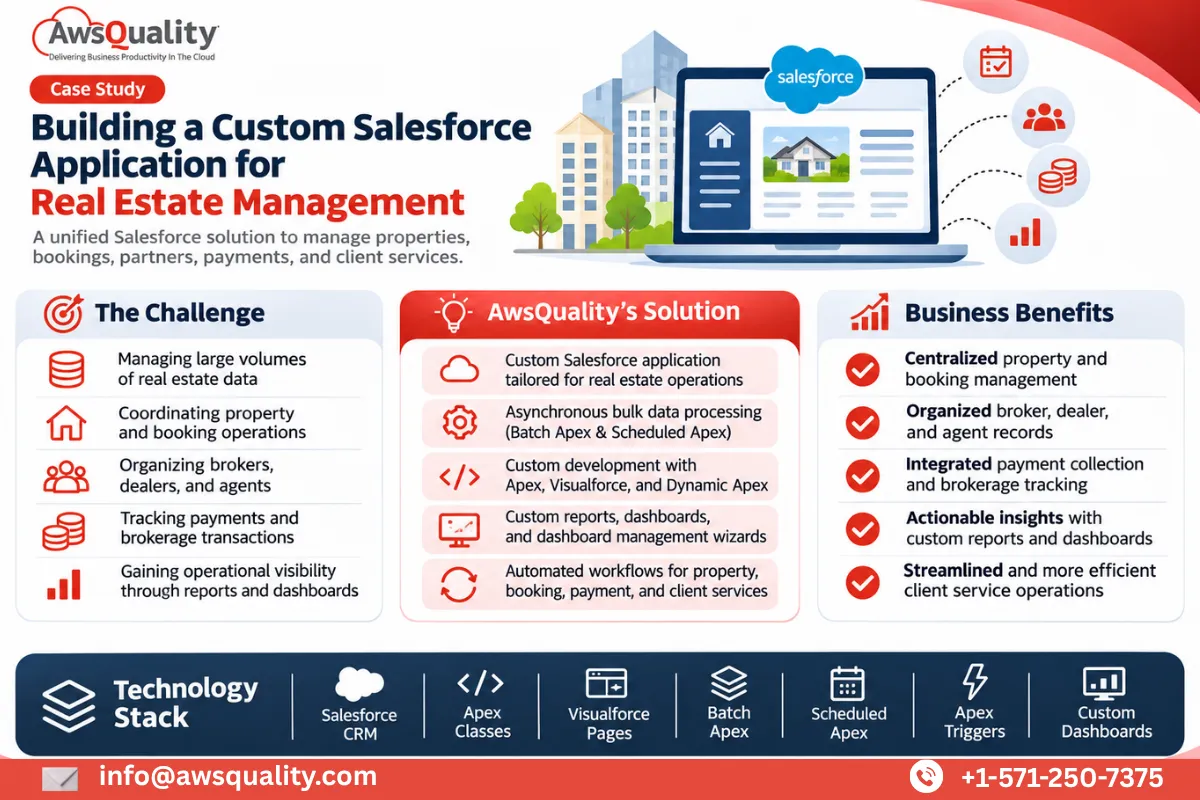 Real Estate Custom Salesforce Real Estate Application Development for Property Management You concentrate on the core business and let our Salesforce experts take care of your Salesforce implementation. A… Read case study
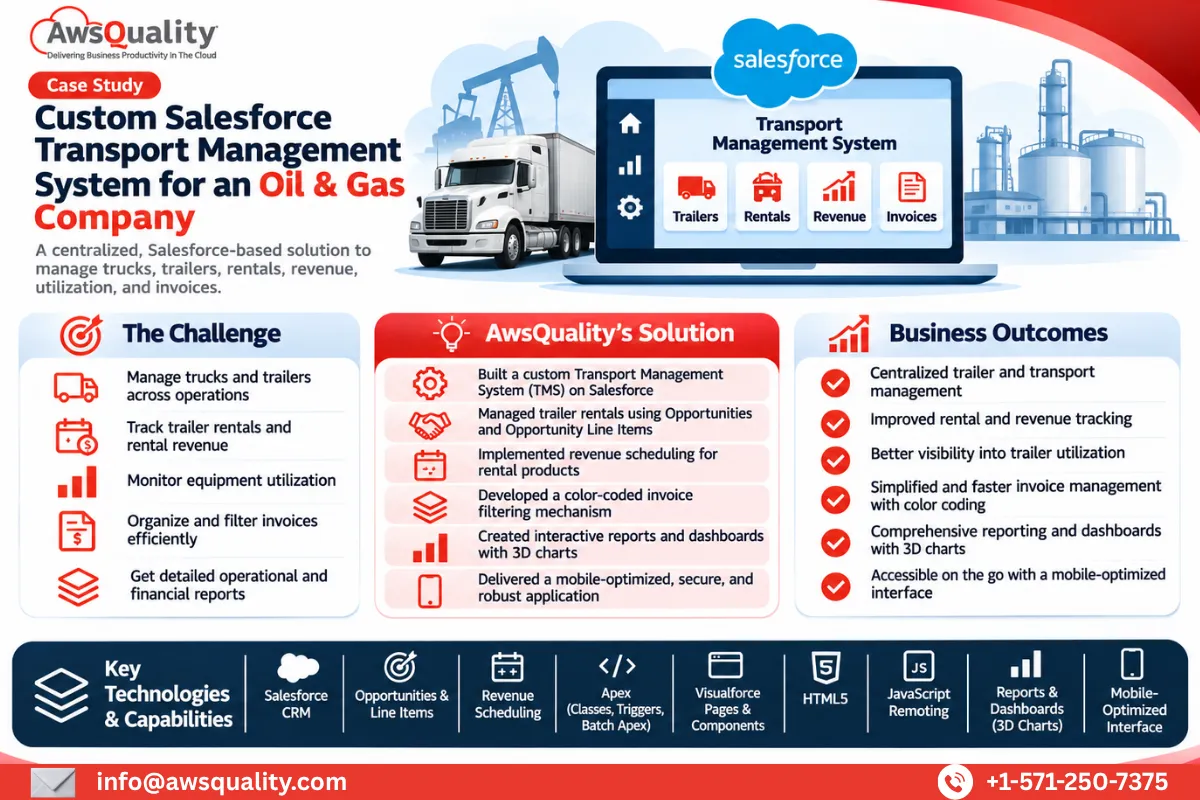 Manufacturing Custom Salesforce Transport Management System for a Wireline and Completion Solutions Company You concentrate on the core business and let our Salesforce experts take care of your Salesforce implementation. A… Read case study
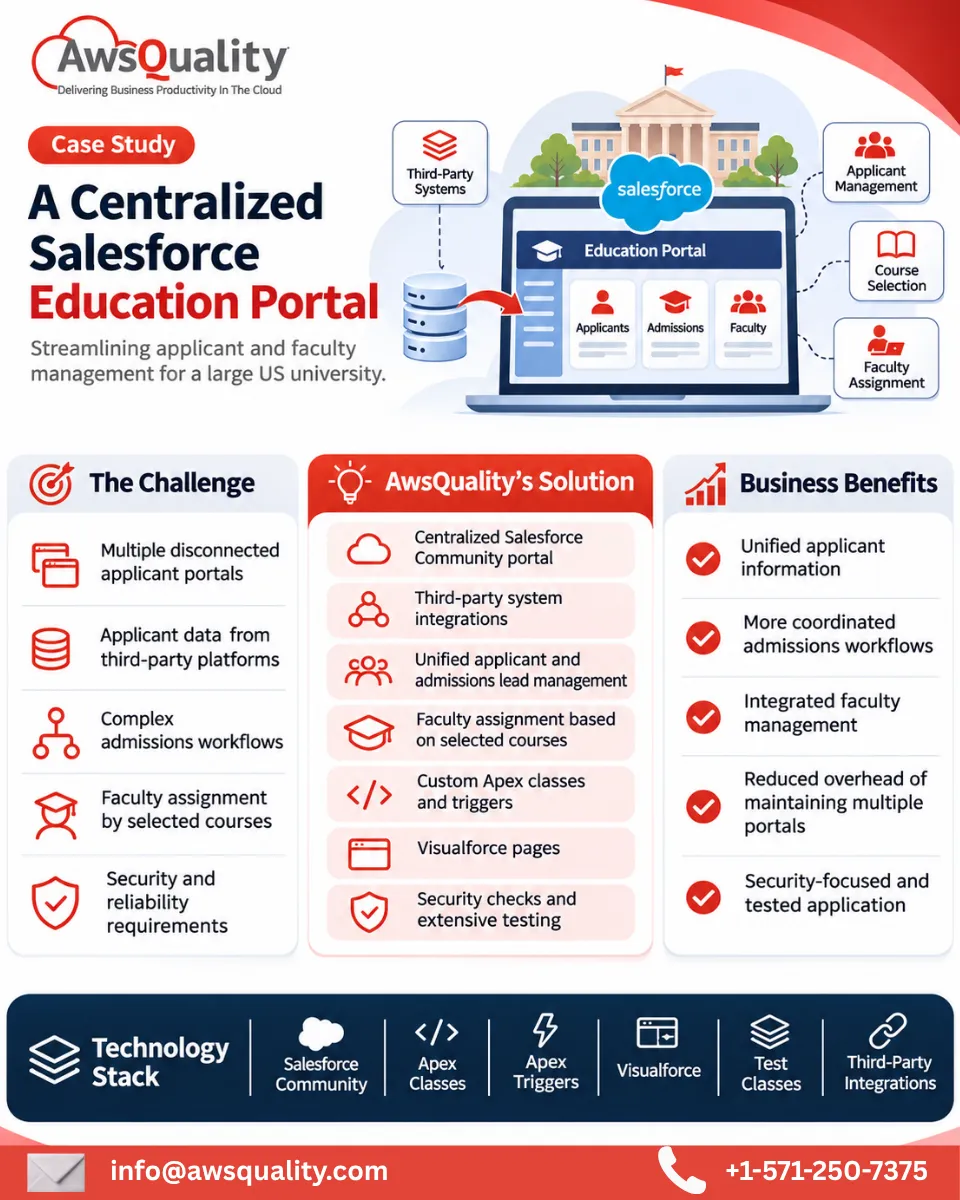 Education Developed Salesforce Community Portal for A USA Based University You concentrate on the core business and let our Salesforce experts take care of your Salesforce implementation. A… Read case study
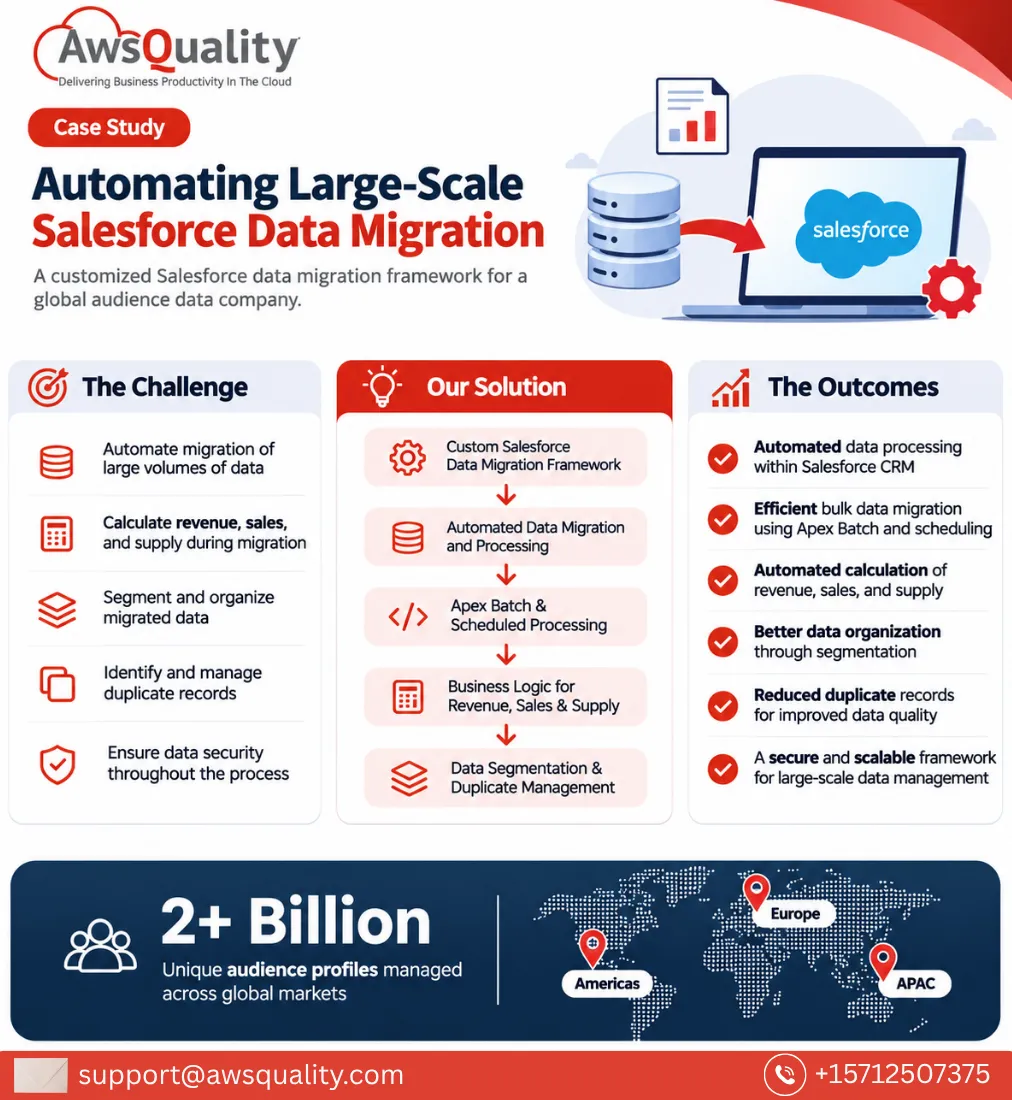 Other Developed Salesforce Data migration System for An Audience Company You concentrate on the core business and let our Salesforce experts take care of your Salesforce implementation. A… Read case study
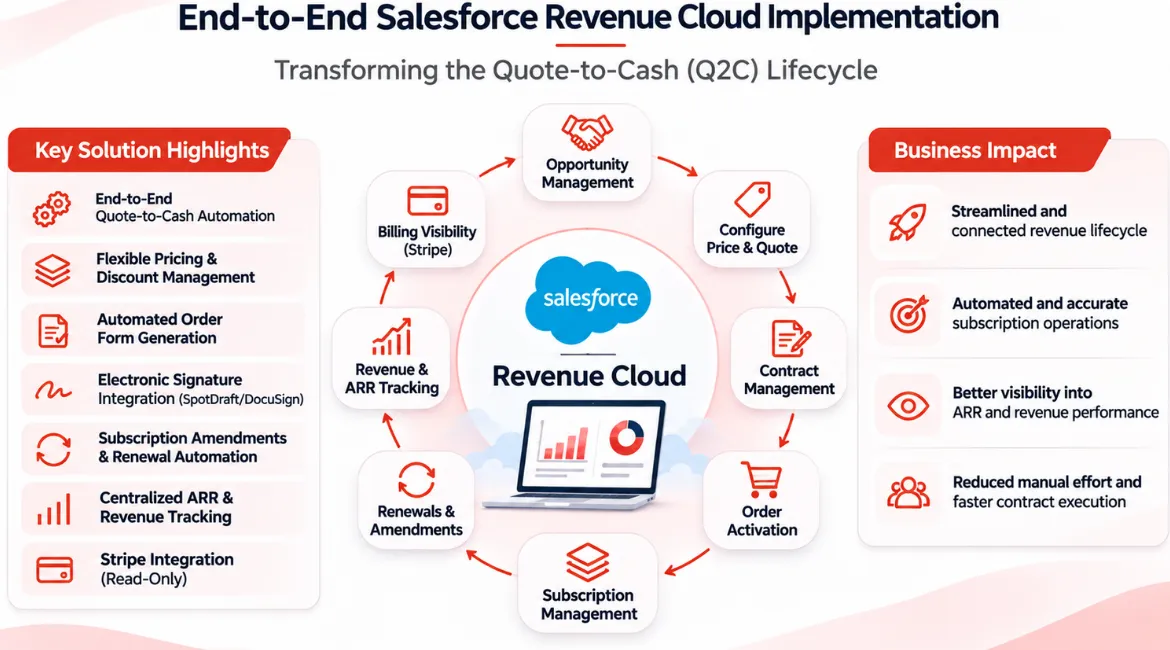 Other End-to-End Salesforce Revenue Cloud Implementation – Transforming the Quote-to-Cash Lifecycle You concentrate on the core business and let our Salesforce experts take care of your Salesforce implementation. A… Read case study
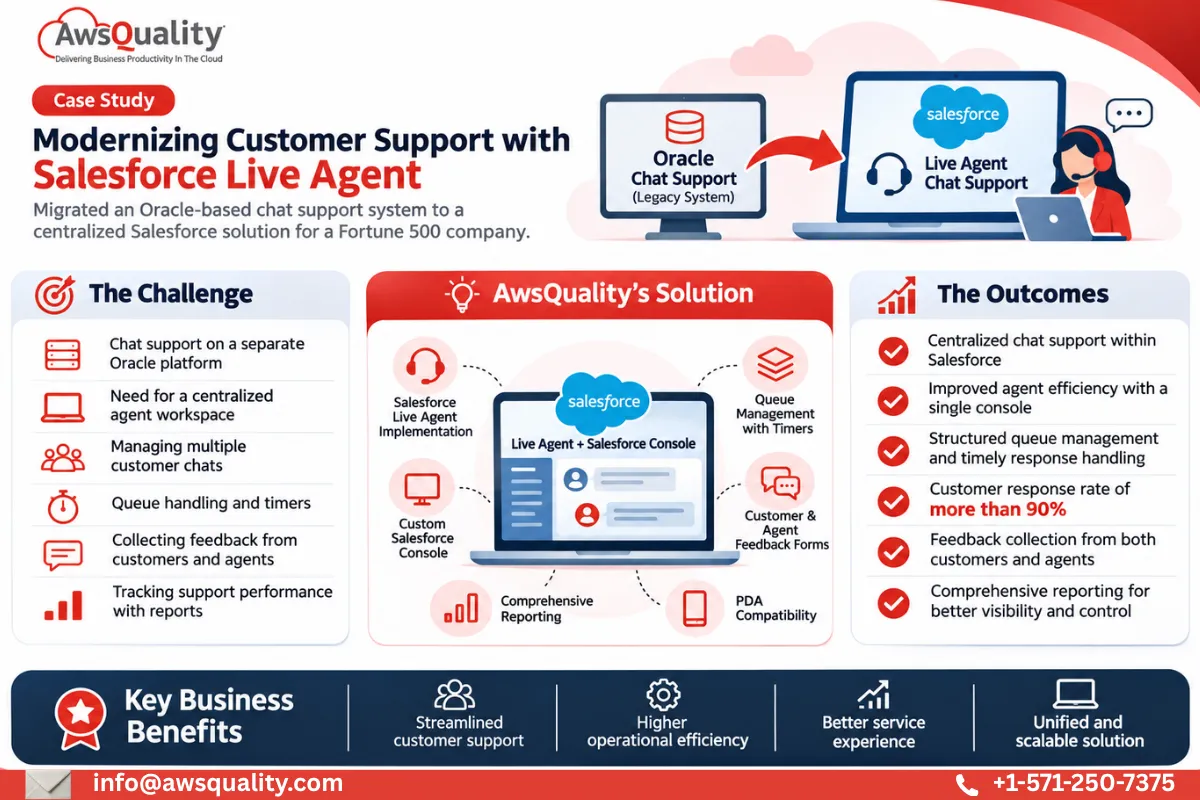 Other Implemented Salesforce Live Agent Chat Support for A Fortune 500 Company You concentrate on the core business and let our Salesforce experts take care of your Salesforce implementation. A… Read case study
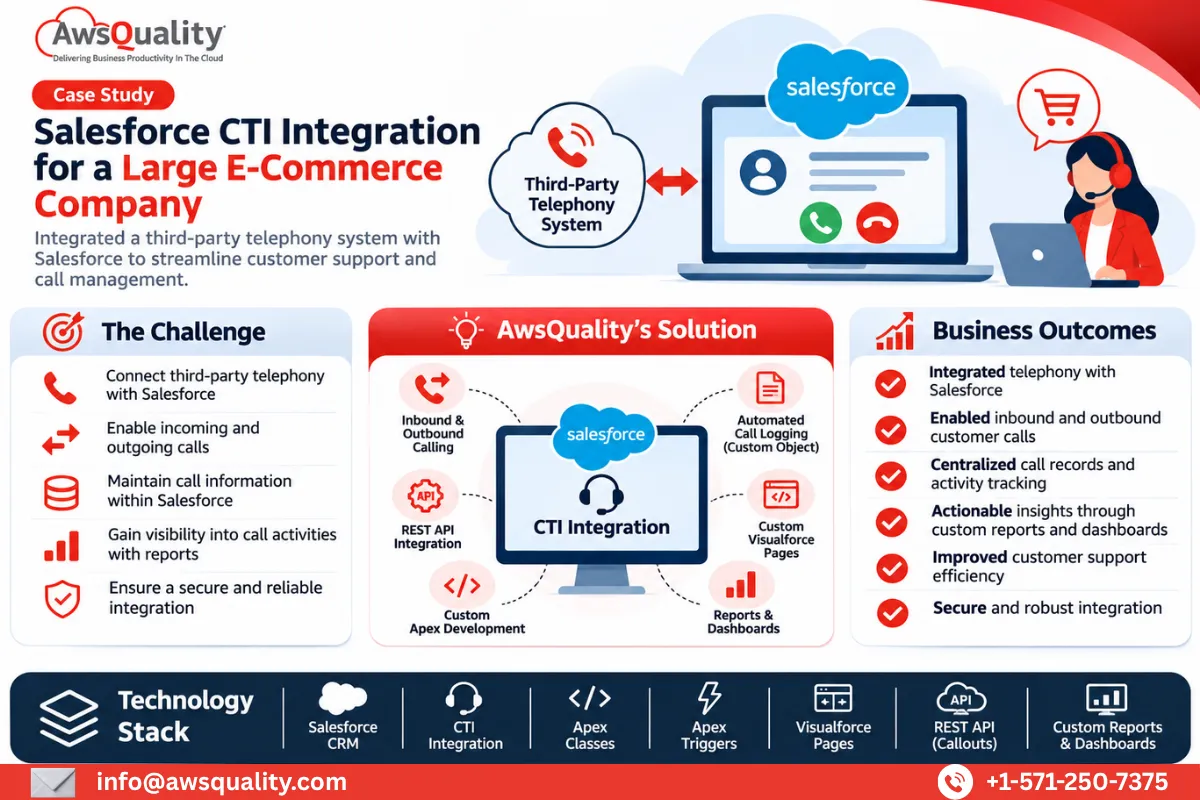 Retail & E-Commerce Salesforce CTI Integration for A large E-commerce Company You concentrate on the core business and let our Salesforce experts take care of your Salesforce implementation. A… Read case study
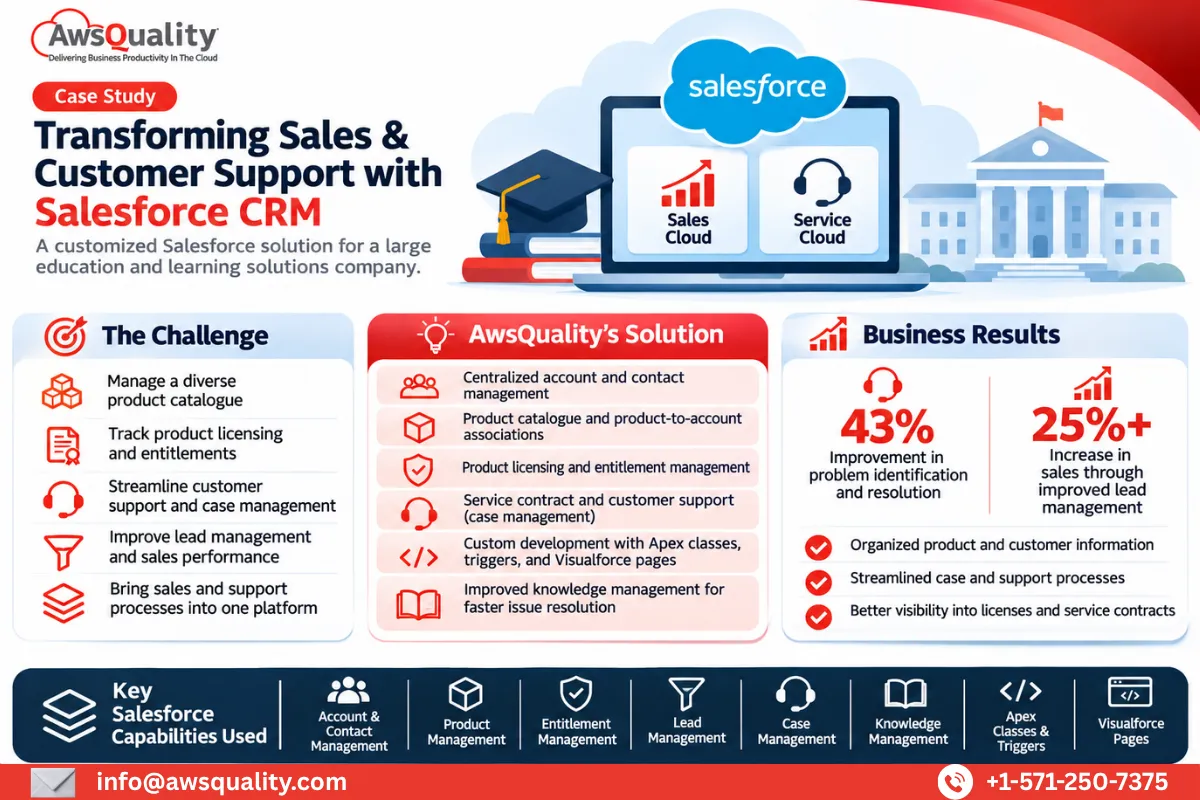 Education Salesforce Implementation for a Large Education and Learning Solutions Company You concentrate on the core business and let our Salesforce experts take care of your Salesforce implementation. A… Read case study
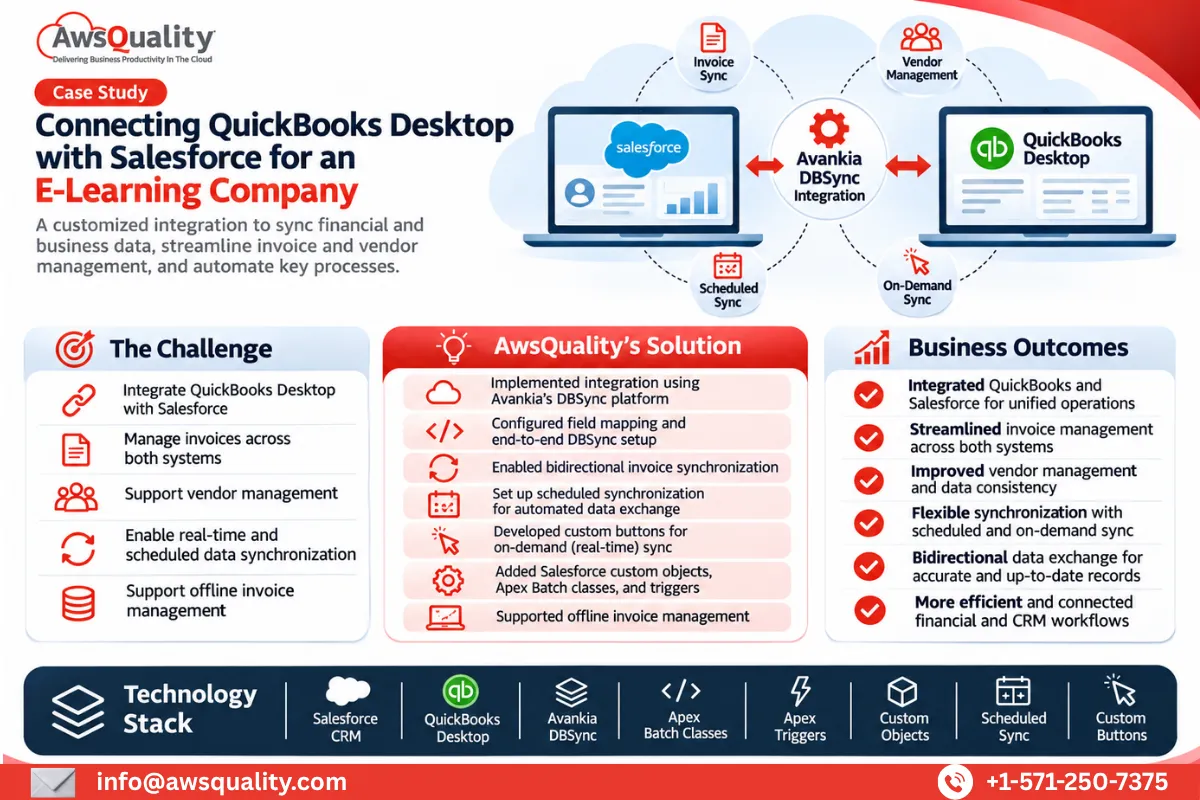 Financial Services Salesforce QuickBooks Integration for an E-learning Giant You concentrate on the core business and let our Salesforce experts take care of your Salesforce implementation. A… Read case study
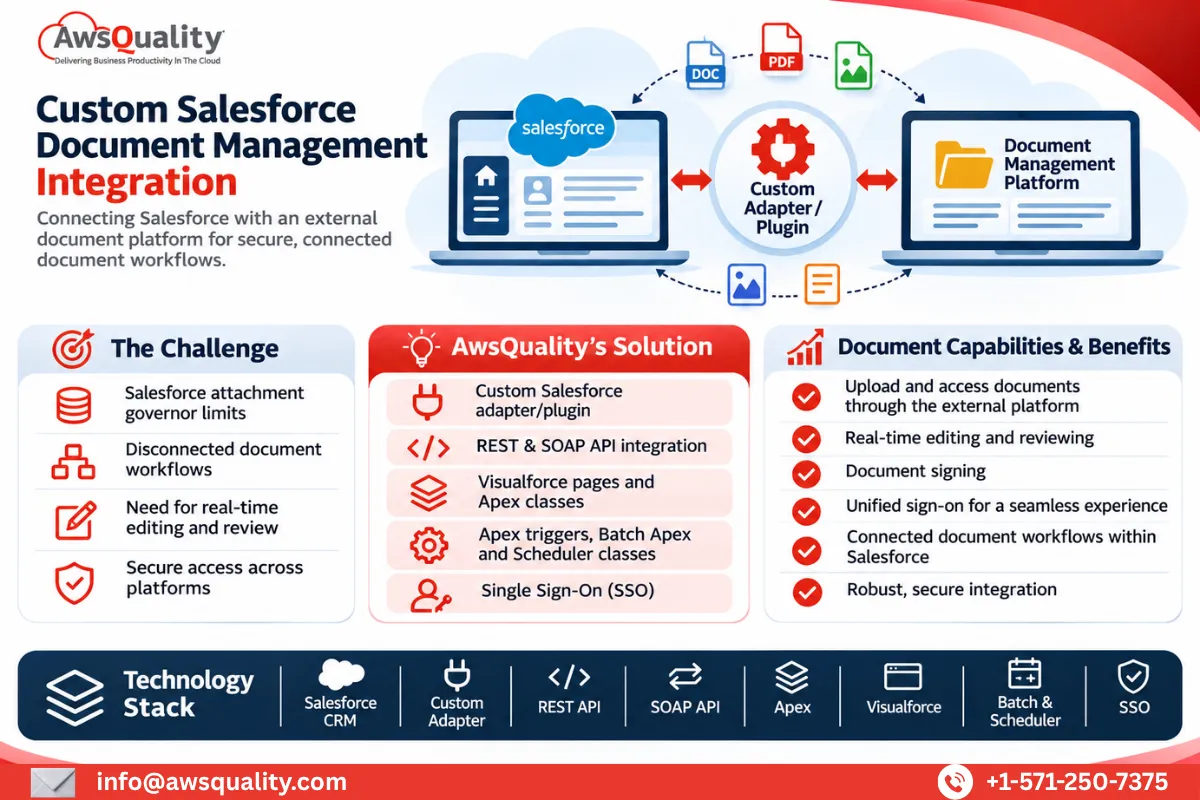 Other Salesforce Services for Document Management Company You concentrate on the core business and let our Salesforce experts take care of your Salesforce implementation. A… Read case study