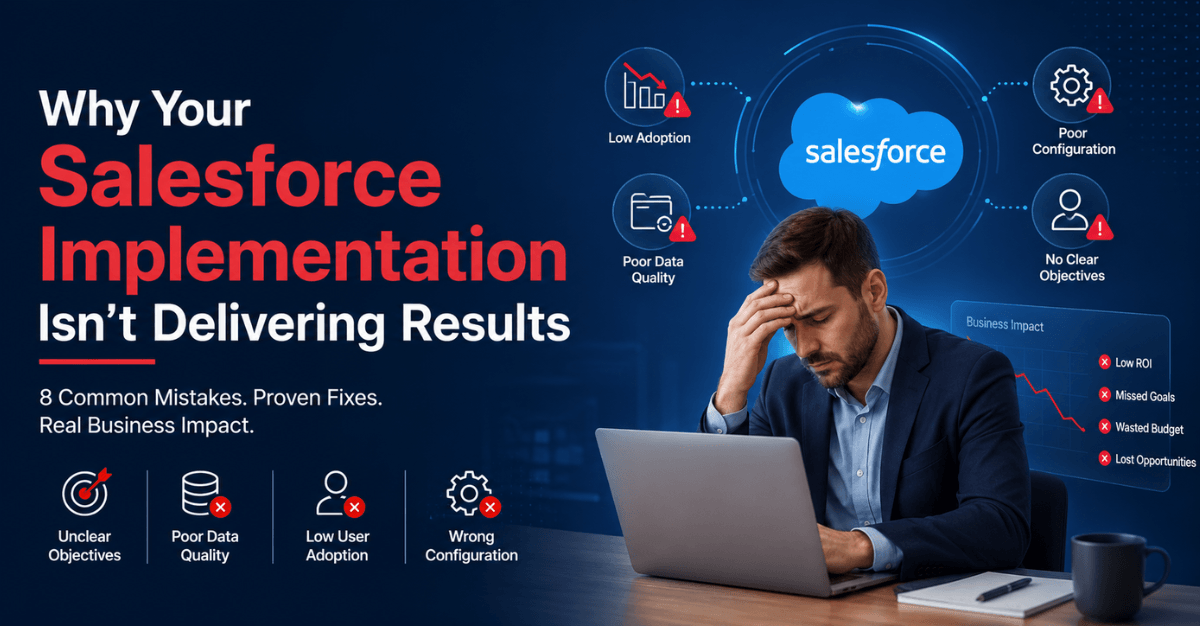
Introduction: Salesforce Works. Your Implementation Might Not.
Salesforce is the world’s number one CRM platform, commanding 20.7% of the global market for the twelfth consecutive year. More than 150,000 organizations run their customer relationships, sales pipelines, service operations, and marketing automation on it. The technology is proven, continuously improved, and backed by one of the most mature partner ecosystems in enterprise software.
And yet, between 55% and 70% of Salesforce implementations fail to meet their planned business objectives, according to a combination of research from Johnny Grow (2025), Gartner, and Forrester. Some analysts put the broader CRM failure rate as high as 90% when “failure” is defined as not producing measurable improvement in the business metrics the implementation was designed to move.
The patterns of failure are consistent and well-documented. Sales teams build shadow systems — personal spreadsheets and notebooks they maintain alongside the CRM because entering data into Salesforce feels like overhead rather than a tool that helps them sell. Data quality erodes quietly: records become incomplete, duplicated, and outdated until nobody trusts the reports. Leadership cannot point to a single business metric that improved after go-live. The system is live, but fewer than 40% of users log in regularly. The budget has quietly doubled from the original estimate.
Read: How to Choose the Best Salesforce Implementation Partners
If this describes your Salesforce environment, the first thing to understand is this: only 6% to 10% of Salesforce implementation failures are caused by the platform itself. The rest — the overwhelming majority — are caused by eight specific, avoidable mistakes that show up with remarkable consistency across organizations of every size and industry.
This article identifies each of those eight mistakes, explains exactly why each one produces the failure it does, and provides the specific remediation approach that turns each failure pattern into a recoverable situation.
When Salesforce is implemented well, the documented results are compelling: a 300% increase in conversion rates, 29% revenue growth, 32% improvement in forecast accuracy, and 40% productivity improvement, according to HeyDAN’s 2026 CRM adoption analysis. The gap between those outcomes and the ghost-town CRM your reps are working around is not the technology. It is the approach.
What Does a Successful Salesforce Implementation Look Like?
A Salesforce implementation should not be considered successful simply because the CRM went live on time and within budget.
Success should translate into measurable improvements in how the organization operates.
Depending on your business objectives, these improvements might include:
- Higher Salesforce adoption
- Better sales pipeline visibility
- Faster lead response
- Higher conversion rates
- Shorter sales cycles
- Improved sales productivity
- More accurate forecasting
- Faster customer service
- Better customer data quality
- Reduced manual work
- Stronger cross-functional collaboration
- Improved customer experiences
The right KPIs will differ from one organization to another. What matters is establishing them before implementation and measuring whether Salesforce is helping achieve them.
Also read: Low Salesforce Adoption? Try These 7 Fixes That Work
Top Reasons Your Salesforce Implementation Isn’t Delivering Results
1. No Clear, Measurable Objectives Were Defined Before Implementation Began
The failure pattern: The organization purchases Salesforce because “we need a CRM” or “our sales team needs better visibility.” There are no specific, measurable business objectives tied to the implementation. Nobody defines what success looks like in numbers: what conversion rate improvement is expected? What pipeline visibility metric constitutes success? What time-to-close reduction justifies the investment?
Without measurable objectives, teams end up with a system that does not solve real problems — because nobody was specific enough about what problems it was supposed to solve. The implementation team configures what seems reasonable. The system goes live. And six months later, leadership cannot point to anything concrete that improved.
You cannot manage what you do not measure, and you cannot measure what you do not define. A Salesforce implementation without specific, quantifiable success criteria has no standard against which success can be evaluated — which means it also has no early warning system for identifying when the implementation is drifting toward failure.
The fix: Before any configuration begins, define three to five specific, measurable business outcomes the implementation must produce within 12 months of go-live. Not “better pipeline visibility” — “pipeline forecasting accuracy improving from 60% to 80% within 9 months.” Not “improved sales productivity” — “sales cycle length reducing from 45 to 35 days by Q3.” These metrics become the north star for every configuration decision: if a feature does not contribute to one of these metrics, it is not a priority.
Tie these metrics to individual and team performance reviews so that Salesforce adoption is connected to outcomes people are accountable for — not just a tool they are asked to use.
2. Low User Adoption — The Most Consistent Reason Salesforce Fails
The failure pattern: The system is live. The training sessions were completed. And three months later, fewer than 40% of users log in regularly. Reps enter the minimum required data to satisfy reporting requirements and do their real work in spreadsheets, sticky notes, and email. The CRM becomes a data entry burden rather than a sales tool, and the quality of CRM data deteriorates in direct proportion to how reluctantly it is entered.
The CRM failure rate sits at 55% in 2025, and low user adoption is the leading cause, according to Webvillee’s June 2026 analysis. When teams resist the platform, data goes unentered, pipeline reporting becomes unreliable, and the entire investment produces near-zero return. Research shows that only 50% of CRM features are actively used even in organizations that consider their implementations successful.
The critical framing error is treating user adoption as a training problem. It is not. Training provides knowledge. It does not change behavior or address the underlying question every sales rep is actually asking about any new tool: “Does this make my job easier or harder?”
The fix: User adoption is a change management initiative, not a software deployment. The specific practices that move the needle:
Design Salesforce around how users work, not how administrators want to report. Every field, every page layout, every process should be evaluated by the question: “Does this help a sales rep do their job better?” Fields that exist only for management reporting create friction without user benefit — and that friction directly reduces adoption.
Identify champions. Every team has two or three people whose enthusiasm or skepticism shapes the team’s attitude toward new tools. Identify those influencers before go-live and bring them into the configuration process. When a skeptic becomes an advocate because their specific needs were addressed, the adoption dynamic of the entire team shifts.
Make the data valuable to the people entering it. If Salesforce shows reps their performance metrics, their commission tracking, their territory pipeline, and their deal insights — and does not show those things anywhere else — the motivation to use it is internal, not imposed.
Connect Salesforce adoption to outcomes, not compliance. Leadership should use Salesforce data visibly and exclusively in sales meetings, forecasting calls, and performance reviews. When the data that matters for career advancement lives in Salesforce, adoption follows.
3. Poor Data Quality Undermined the Foundation Before It Was Built
The failure pattern: The organization migrates its existing data — contacts, accounts, opportunities, activities — from the legacy system into Salesforce without adequate cleansing, deduplication, or validation. Within weeks of go-live, sales reps discover duplicate accounts, missing fields, incorrect contact information, and account records with no associated contacts. They stop trusting the data. And when they stop trusting the data, they stop using the system.
60% of CRM migrations fail due to bad data quality, according to Webvillee’s 2026 analysis. Bad data is not a minor inconvenience. It is the primary mechanism through which Salesforce becomes a liability rather than an asset. Every AI feature, every pipeline report, every forecast, every customer service interaction is only as reliable as the data it consumes. Garbage in, garbage out — at enterprise scale and enterprise cost.
The fix: Data migration should be treated as a project phase, not a final step. The specific sequence:
Data audit before migration. Profile the legacy system’s data across completeness, accuracy, consistency, and uniqueness. Document the percentage of records with empty required fields, the duplicate rate, the formatting inconsistencies in critical fields (company name, email, phone), and the records that should be archived rather than migrated.
Cleanse before you move. Deduplicate, standardize, and validate the data in the source system before migrating it. Deduplication tools — Validity DemandTools is the established specialist for Salesforce data — address fuzzy matching that exact-match deduplication misses. Standardize picklist values, address formats, and naming conventions in the source before they land in Salesforce.
Validate after migration. Do not declare migration complete until a systematic post-migration validation confirms record counts, relationship integrity (contacts attached to the right accounts), and data accuracy for a statistically significant sample of records.
Implement data governance from day one. Salesforce’s built-in duplicate management rules, validation rules, and required field configurations prevent the data quality erosion that occurs organically in every CRM that does not enforce data standards at the point of entry.
Check out: How to Migrate to Salesforce Without Losing Your Data
4. No Executive Sponsorship — Or Sponsorship in Name Only
The failure pattern: The Salesforce implementation is owned by IT or by a project manager. The CEO or VP of Sales attended the kickoff call and has not been meaningfully involved since. The implementation team is making configuration decisions without the authority or the business context to make them well. Cross-functional conflicts — between sales and marketing over lead ownership, between operations and sales over process definition — are not being resolved because nobody with the authority to resolve them is actively engaged.
Only 6% to 10% of CRM implementation failures are caused by the platform itself, according to Huble’s June 2026 analysis. The most common root causes are lack of executive sponsorship and no cross-functional governance — both failures of organizational ownership, not technology.
The pattern plays out predictably: without a C-level sponsor who owns the business outcome (not the technical delivery), the implementation gets managed to a go-live date rather than to a business result. The project ends on paper. The adoption problem begins.
The fix: Assign a C-level executive as the business owner of the Salesforce implementation, with accountability for the business outcomes defined in the success metrics — not for the technical delivery. Engaging an experienced Salesforce consulting company to facilitate this governance setup significantly reduces the risk of ownership ambiguity. The sponsor’s role is not to attend steering committee meetings. It is to:
- Communicate the business case for the implementation to the organization, in terms of what it means for the people using it
- Resolve cross-functional conflicts with authority and speed
- Review adoption dashboards monthly and hold managers accountable for their team’s adoption
- Use Salesforce data visibly and exclusively in leadership meetings
When the Chief Revenue Officer reviews pipeline in Salesforce and requires pipeline data to be current for any deal to be discussed in the weekly forecast call, adoption follows. When Salesforce is one of several parallel systems leadership tolerate alongside, it becomes another optional tool that gets deprioritized.
5. Over-Customization That Created Technical Debt Instead of Business Value
The failure pattern: The implementation partner or internal team built extensively in Apex code and custom objects because customization felt like thoroughness. Every request from every stakeholder was accommodated. The initial configuration grew into a complex custom application that requires specialist knowledge to maintain, breaks with each Salesforce release, and is so far from the standard platform that Salesforce’s own documentation does not apply.
This is one of the most expensive failure modes because it is self-reinforcing. The more heavily customized the implementation, the more expensive each subsequent change becomes. The more expensive changes become, the less frequently they are made. The further the system drifts from users’ actual needs, the lower adoption becomes.
A significant portion of Salesforce implementations fail specifically because they are over-engineered. Every Salesforce administrator has encountered a legacy implementation where nobody can explain why a particular object exists or what a workflow does — but everyone is afraid to change it because something else might break.
The fix: A declarative-first configuration philosophy — using Flow, validation rules, formula fields, and standard Salesforce configuration before considering Apex code or custom development — produces implementations that are more maintainable, less brittle, and more upgradeable than code-heavy approaches. Every custom development decision should be evaluated against the question: “Is this business requirement genuinely not achievable through standard Salesforce configuration?” If it is achievable declaratively, it should be built declaratively.
Implementation scope should be governed by a prioritization framework that distinguishes “must have” (core workflow requirements), “should have” (significant efficiency gain), “nice to have” (marginal improvement), and “not now” (better addressed in Phase 2 with evidence from Phase 1 usage). Features in the “not now” category should not be built in Phase 1 regardless of how enthusiastically they are requested.
6. Training Was Treated as an Event, Not a Process
The failure pattern: Training happened. There was a half-day session before go-live where users were walked through the system. Attendance was patchy. The content covered everything at a high level, which means it covered nothing at the depth users actually need to do their jobs. Three weeks after go-live, most users have forgotten what they were shown. Questions go unanswered. Confidence in the system remains low.
22% of sales professionals still report being unsure what their CRM actually is or does, despite their organization using it, according to HeyDAN’s 2026 analysis. That statistic is not a training content problem — it reflects a training model where one-time events cannot produce the behavior change that sustained tool adoption requires.
The fix: Training should be designed as an ongoing process with three distinct phases:
Role-based pre-go-live training focused exclusively on the specific tasks each role will perform in Salesforce. A sales development representative does not need to understand how an administrator manages user permissions. They need to know how to create leads, log activities, advance opportunities, and read their pipeline reports. Role-specific training at the right depth produces more adoption than comprehensive training at insufficient depth.
Reinforcement training in the weeks after go-live addresses the specific questions and confusion that emerge when people actually use the system. The first two to four weeks of post-launch are when adoption is most fragile. Daily or weekly check-ins, accessible help resources, and a responsive support mechanism during this window are disproportionately valuable.
Continuous learning through Salesforce Trailhead and internal playbooks that evolve as the system evolves. Salesforce releases three major platform updates per year. Organizations whose training program does not include a mechanism for communicating what has changed and what users should do differently end up with a user base that is permanently behind the platform they are using.
7. The Implementation Was Treated as a Project With an End Date
The failure pattern: The go-live date was celebrated as the implementation’s conclusion. The project team disbanded. The partner’s engagement ended. Adoption problems that emerged in the weeks following go-live were not addressed systematically because there was no ongoing program to address them. The system that launched is essentially the same system six months later — except the business has changed, the user needs have evolved, and the gap between what Salesforce can do and what it is being used for has widened.
Salesforce is not a project. It is a capability. The difference is that projects have start and end dates, while capabilities require continuous investment and governance to remain valuable. Organizations that treat Salesforce as a project to complete rather than a capability to develop consistently experience adoption erosion after go-live, as the lack of optimization creates the impression that the initial implementation is the final state.
The fix: Establish a post-go-live optimization program with three elements:
Regular health checks — quarterly reviews of adoption metrics, data quality scores, process adherence rates, and user feedback that identify the specific improvements with the highest potential impact on system value.
An optimization backlog — a prioritized list of improvements, configured features, and new capability additions that the Salesforce team works through on a regular cadence, ensuring the system evolves with the business rather than falling behind it.
A governance model — a cross-functional Salesforce steering group that meets regularly to review adoption, evaluate new capabilities (including Agentforce, AI features, and new Salesforce releases), approve configuration changes, and ensure the system remains aligned with the organization’s current processes rather than its processes as they existed at implementation time.
8. Salesforce Was Built for Reporting, Not for Users
The failure pattern: The system is extensively instrumented for management reporting — dashboards, pipeline views, and activity tracking that give leadership visibility into what the sales team is doing. But the experience of using Salesforce day to day is slow, clunky, and adds work rather than removing it. Every opportunity update requires navigating multiple pages. Required fields that serve reporting needs interrupt fast-moving sales workflows. The mobile experience is not optimized for field sales. And the system does not connect to the tools — email, calendar, LinkedIn — where users actually spend their time.
This is the manifestation of implementing Salesforce as a management reporting tool rather than a sales enablement tool. Both are legitimate capabilities. But when the user experience prioritizes the reporting consumer over the data producer, the quality and completeness of the data deteriorates — because the people whose cooperation produces good data are given no reason to provide it.
The fix: Audit the current Salesforce configuration from the perspective of the user, not the administrator. For each role, time how long it takes to complete the five most common daily tasks. Identify the fields and page layouts that create unnecessary friction. Evaluate the mobile experience. Assess which integrations would most reduce the number of applications a user needs to switch between to complete their work.
Lightning App Builder enables the creation of role-specific page layouts that show each user exactly the information they need and none of the information they do not. Einstein Activity Capture eliminates manual email and calendar logging. Salesforce Inbox and the Gmail and Outlook integrations surface Salesforce data directly in the communication tools where users are already working. Salesforce Mobile’s customization enables field sales teams to complete core CRM activities without returning to a desktop.
The measure of a well-built Salesforce environment is not whether management can see everything — it is whether users find it easier to work with Salesforce than without it. When that threshold is crossed, adoption becomes self-sustaining.
Warning Signs Your Salesforce Implementation Is Failing Right Now
If the eight failure patterns above sound familiar, the following warning signs indicate that the implementation has already entered failure mode — and that the intervention should not wait for the next quarter or the next renewal cycle.
Parallel systems are proliferating. When sales managers maintain their own Excel pipeline trackers, when reps have private spreadsheets of their accounts, or when teams share customer information in Slack rather than in Salesforce records — the CRM has failed its core function and people have compensated around it.
Login rates are below 60%. If fewer than 60% of licensed users are logging into Salesforce regularly, adoption has not reached the threshold where the system becomes self-sustaining. Below this level, data quality degrades too quickly for the system to remain trusted.
Pipeline reports and actuals do not match. When the deals that close are consistently absent from or incorrectly represented in the pipeline report, the sales team is not using Salesforce as their working system. They are reporting into it minimally while managing opportunities elsewhere.
Data quality scores are declining. If a data quality assessment of the Salesforce database shows declining completeness rates, increasing duplicate rates, or growing numbers of records with stale modification dates — the data environment is deteriorating, not improving, and the trust deficit will eventually affect everyone who relies on the data.
No one can point to a business outcome the implementation produced. If, six or twelve months after go-live, the business case cannot be validated by any measurable improvement in pipeline, conversion, revenue, or service metrics — the implementation has not been delivered. This is the most definitive sign.
Also check: Salesforce Health Check – Why Your CRM Might Be Underperforming
How to Rescue a Failing Salesforce Implementation
A failing Salesforce implementation is almost always recoverable. The investment in licenses, configuration, and organizational change does not need to be written off. The specific recovery path depends on which of the eight failure patterns applies, but the sequence is consistent across most rescues:
Step 1 — Diagnose before prescribing.
Conduct a structured Salesforce health assessment that covers adoption metrics, data quality scores, business process alignment, technical debt, and user sentiment. Do not attempt remediation without a clear diagnosis of which specific failure patterns are present.
Step 2 — Address user adoption first.
No configuration improvement produces results if the people who should be using the system are not using it. User adoption remediation takes priority over every other intervention.
Step 3 — Repair data quality.
A dedicated data cleansing and governance initiative that addresses the specific data quality issues identified in the health assessment — deduplication, completeness, standardization — restores the trust that makes everything else valuable.
Step 4 — Simplify and align.
Remove complexity that does not serve user needs. Rebuild page layouts and workflows around the user experience rather than the reporting requirement. Confirm that Salesforce reflects how the business actually operates, not how it operated when the implementation was designed.
Step 5 — Establish ongoing governance.
Put the optimization program, the adoption monitoring, and the cross-functional governance model in place before declaring the rescue complete. The absence of ongoing governance is what allowed the implementation to deteriorate in the first place.
Salesforce Implementation vs. Salesforce Optimization
Implementation and optimization solve different problems.
Salesforce implementation typically focuses on establishing Salesforce for a new organization, department, process, or use case.
Salesforce optimization focuses on improving an existing Salesforce environment that isn’t delivering its full potential.
Optimization may involve:
- Process redesign
- Workflow automation
- Data cleanup
- Integration improvements
- UX simplification
- Performance improvements
- Technical debt reduction
- Security review
- Reporting improvements
- AI readiness
- Adoption initiatives
For organizations already using Salesforce, optimization may be more practical and cost-effective than rebuilding everything from scratch.
How AI Changes the Salesforce ROI Equation
The growth of Salesforce AI and agentic automation makes strong CRM foundations even more important.
AI agents can potentially help businesses automate work, surface insights, assist employees, and coordinate workflows.
But AI doesn’t automatically repair weak business processes or poor data.
Think of it this way:
Poor process + AI = Faster poor process
Poor data + AI = Unreliable intelligence
Strong process + Trusted data + AI = Scalable intelligent automation
Before investing heavily in AI agents, evaluate whether your Salesforce environment is ready to support them.
How to Measure Salesforce ROI
Salesforce ROI should not be evaluated only by comparing implementation costs with licensing expenses.
Measure improvements across the organization.
Sales Performance
Track:
- Lead conversion
- Opportunity win rate
- Sales cycle length
- Pipeline velocity
- Forecast accuracy
- Revenue per representative
Customer Service
Measure:
- First-response time
- Resolution time
- Customer satisfaction
- Case deflection
- Agent productivity
Operational Efficiency
Track:
- Process completion time
- Manual effort
- Automation rates
- Error rates
- Data quality
Salesforce Adoption
Measure:
- Active users
- Feature utilization
- Data completeness
- Process compliance
Technology Performance
Evaluate:
- Technical debt
- Integration reliability
- Deployment speed
- Maintenance effort
- System performance
The best Salesforce KPIs should connect directly to the business objectives the CRM was implemented to achieve.
How AwsQuality Can Help Improve Salesforce Performance
An underperforming Salesforce implementation doesn’t always require a complete rebuild.
Sometimes the biggest gains come from identifying a handful of high-impact issues and solving them systematically.
AwsQuality provides Salesforce consulting services to help businesses assess existing CRM environments, identify improvement opportunities, and align Salesforce strategy with evolving business requirements.
For organizations implementing or expanding Salesforce, our Salesforce implementation services can support planning, configuration, integration, migration, automation, and ongoing platform improvement.
When standard functionality isn’t sufficient, our Salesforce development services can help create scalable custom functionality and integrations aligned with specific business requirements.
Depending on your Salesforce environment, an improvement initiative may include:
- Salesforce health assessment
- Process optimization
- Salesforce integration
- Data strategy and migration
- Workflow automation
- Apex development
- Lightning Web Components
- Sales Cloud optimization
- Service Cloud optimization
- Experience Cloud
- Salesforce AI and Agentforce
- Performance optimization
- Ongoing Salesforce support
The objective isn’t to add more Salesforce functionality.
It’s to ensure that the functionality you have—and anything you build next—creates measurable business value.
Frequently Asked Questions
Why is my Salesforce implementation not delivering ROI?
Common reasons include unclear business objectives, poor user adoption, low-quality data, inefficient processes, integration gaps, excessive customization, weak reporting, and lack of continuous optimization.
How can I improve Salesforce user adoption?
Simplify workflows, reduce unnecessary data entry, automate repetitive tasks, provide role-specific training, involve users in improvement decisions, and clearly demonstrate how Salesforce helps employees perform their jobs more effectively.
Should I reimplement Salesforce or optimize my existing org?
Optimization is often appropriate when the core environment remains viable but suffers from data, process, integration, usability, or technical-debt problems. Reimplementation may make sense when the underlying architecture is fundamentally unsuitable or accumulated complexity makes improvement impractical.
Can Salesforce AI fix a poorly implemented CRM?
Not reliably. AI can enhance a strong Salesforce environment, but poor data, inconsistent processes, weak governance, and unsuitable architecture should be addressed first.
What should a Salesforce health check include?
A comprehensive Salesforce assessment should typically examine business processes, data quality, integrations, automation, architecture, customizations, security, user experience, reporting, adoption, performance, and technical debt.
How can a Salesforce implementation partner improve CRM ROI?
A strong implementation partner can help align Salesforce architecture, processes, integrations, data, automation, and user experience with measurable business objectives rather than focusing only on technical deployment.
Conclusion
When your Salesforce implementation isn’t delivering results, purchasing more licenses, building more dashboards, or adding another customization is rarely the first answer.
The underlying problem is often deeper.
Your Salesforce environment may have become disconnected from your business processes, employees, data, technology ecosystem, or strategic objectives.
The solution begins by returning to a fundamental question:
What business outcomes should Salesforce help us achieve?
From there, evaluate the processes, data, integrations, automation, architecture, and user experience required to achieve those outcomes.
Salesforce delivers its greatest value when it becomes more than a system employees are required to update.
It should become a platform that reduces friction, improves decisions, connects customer information, automates work, and helps the organization operate more effectively.
If that isn’t happening today, it doesn’t necessarily mean your Salesforce investment has failed.
It may simply mean your Salesforce strategy needs to evolve.
 Bio
Bio