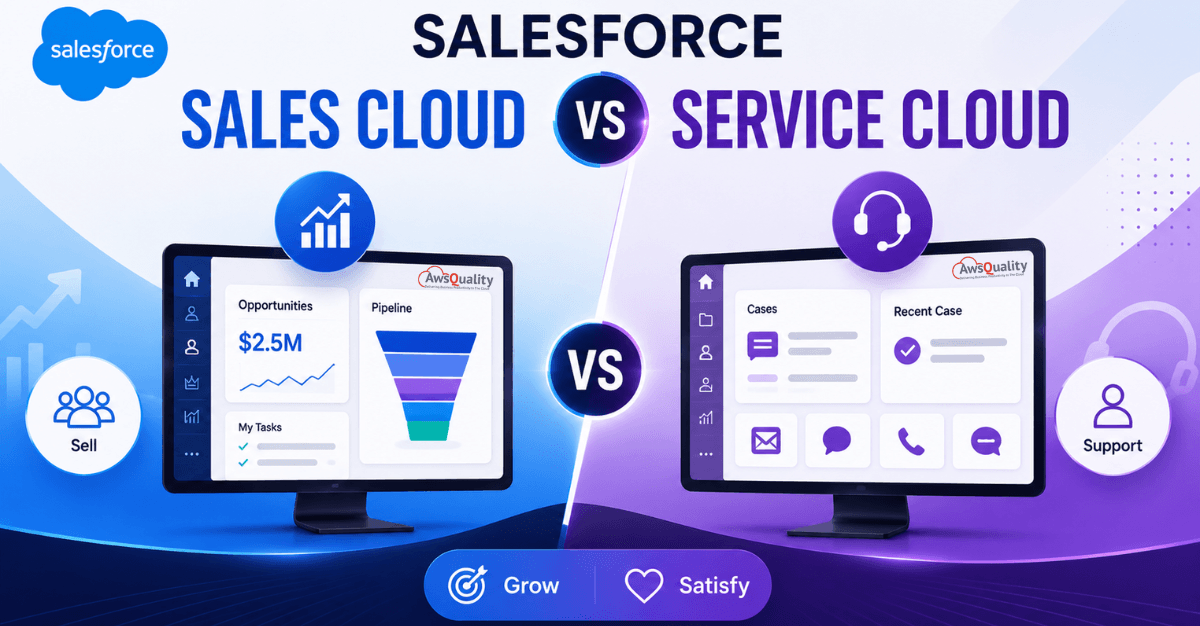
Two Products, One Platform, One Decision
When businesses evaluate Salesforce for the first time, the question of Sales Cloud versus Service Cloud comes up almost immediately. Both carry the Salesforce name, both live on the same platform, and both claim to improve customer relationships. Understanding the distinction between them is the first decision that shapes everything that follows.
The confusion is understandable. Both products share significant common ground — the same data model, the same interface, the same admin tools, the same Agentforce AI integration. But their purposes, their audiences, and the outcomes they are designed to drive are fundamentally different.
Sales Cloud is focused for sales reps and sales managers, with all key functionality geared towards account acquisition, the sales funnel, and closing deals. Service Cloud is geared towards service agents and service managers.
Understanding which product you need — or whether you need both — requires clarity on three things: what each product does, where they genuinely differ, and what your organization’s primary pain is right now.
This guide gives you that clarity. Complete feature breakdowns, honest benefit analysis, pricing comparison, use case guidance by industry and business type, and a practical framework for making the right decision for your specific situation.
Read: The Ultimate Guide to AgentForce: Features, Benefits and Industry Use Cases
What is Salesforce Sales Cloud?
Salesforce Sales Cloud is a cloud-based CRM application that enables organizations to manage sales pipelines effectively. It serves both B2B and B2C companies. Since it centralizes all customer data and automates tasks, salespeople can make more informed decisions faster.
Sales Cloud is designed for one primary outcome: converting prospects into customers more efficiently, at higher volume, and with better data visibility than a team could achieve without it.
Sales Cloud generates 24% of Salesforce’s total revenue — making it the highest-revenue individual product in the Salesforce portfolio and one of the most widely deployed CRM solutions in the world.
Who Uses Sales Cloud?
- Sales Development Representatives (SDRs) managing lead qualification
- Account Executives managing opportunities through the pipeline
- Sales Managers overseeing team performance and forecasting
- Revenue Operations professionals managing pipeline data and process
- Sales Directors and CROs requiring accurate forecasting and board reporting
Sales Cloud Core Features
Lead Management
Sales reps capture potential customers as Leads in Sales Cloud and guide them through the lead generation funnel. Lead Assignment Rules automatically route leads to the appropriate sales rep based on geography, product interest, territory, or other configurable criteria. Web-to-Lead captures form submissions from your website directly into Salesforce as lead records, with Lead Auto-Response Rules sending immediate confirmation emails to enquirers.
Opportunity Management
Opportunities represent active deals in progress. Sales Cloud provides pipeline stage tracking with configurable probability weightings, Contact Roles (linking the specific people involved in a deal), Opportunity Teams (assigning multiple salespeople to a deal), and Path guidance providing coaching notes at each stage to help reps advance deals effectively.
Activity Management
Tasks, events, and call logs associated with every customer record. Einstein Activity Capture syncs emails and calendar events from Gmail or Outlook directly into Salesforce, ensuring no customer interaction goes unrecorded.
Collaborative Forecasting
Hierarchical sales forecasting that allows sales managers and leadership to view pipeline coverage, commit and best-case projections, and quota attainment at every level of the organization. The accuracy of forecast data is directly tied to the quality of data entry discipline in the pipeline.
Sales Engagement (Cadences)
Email sequences, call steps, and automated follow-up cadences that ensure every lead receives consistent, timely outreach without requiring manual task management by each rep. Part of the Sales Engagement add-on included in higher editions.
Einstein Lead Scoring and Opportunity Scoring
AI-powered scoring that ranks leads and opportunities based on their likelihood to convert, drawing on historical conversion data. Available from Enterprise edition onwards. Allows reps to prioritize the highest-probability work rather than treating every lead and opportunity with equal urgency.
Agentforce SDR Agent
The autonomous AI sales development representative that qualifies inbound leads, handles objections, and books meetings around the clock — available on higher-tier Sales Cloud editions. Drive growth around the clock by autonomously answering product questions, handling objections, and booking meetings for sales reps.
Sales Workspace (Spring ’26)
The new AI-powered hub in Spring ’26 that unites agents, analytics, and predictive insights — guiding reps, automating tasks, and keeping them focused within a unified interface.
Reports and Dashboards
Customizable reporting covering lead conversion rates, pipeline value by stage, rep activity metrics, win/loss analysis, and revenue forecasting. Sales Cloud’s reporting is the most commonly cited reason for buying it — the visibility it creates into sales performance replaces the guesswork of spreadsheet-based pipeline management.
Also read: Salesforce AI Implementation Challenges (And How to Solve Them)
What is Salesforce Service Cloud?
Salesforce Service Cloud is Salesforce’s customer service and support platform — built to manage the post-sale customer relationship, handle support cases, and resolve customer issues efficiently.
Service Cloud fosters collaboration between human agents and AI across all service types, channels, and industries — ensuring effortless experiences from initial contact to final resolution.
Where Sales Cloud focuses on acquiring customers, Service Cloud focuses on keeping them. Customer retention, satisfaction, and resolution speed are the primary outcomes Service Cloud is designed to drive.
Who Uses Service Cloud?
- Customer Service Representatives handling inbound support requests
- Service Managers overseeing team performance and SLA compliance
- Contact Centre Operations teams managing multi-channel support
- Customer Success Managers managing post-sale relationships
- Field Service teams managing onsite service delivery
Service Cloud Core Features
Case Management
Cases are the core object in Service Cloud — each representing a customer issue, request, or inquiry. Cases can be created from email, web forms, phone calls, chat, or social media. Case Assignment Rules route incoming cases to the appropriate agent or queue based on configurable criteria. Case Escalation Rules automatically escalate cases that breach defined response time thresholds.
Omnichannel Routing
Service Cloud’s omnichannel capability routes work from all channels — email, phone, chat, social, SMS — to the appropriate agent based on skills, availability, and priority. Agents receive all channel interactions in a single unified interface, eliminating the need to switch between systems for different channels.
Knowledge Base
Service Cloud’s Knowledge feature creates, maintains, and delivers a library of articles that help agents resolve cases faster and allows customers to self-serve answers before creating a case. Knowledge Base reduces handling time by surfacing relevant articles during case resolution and deflects inbound contacts through customer-facing portals.
Service Console
The Service Console is Service Cloud’s purpose-built agent interface — a unified workspace where agents can see the customer’s full history, open cases, recent interactions, knowledge articles, and next-best-action recommendations in a single view without navigating between screens.
Agentforce Service Agent
The autonomous AI agent that provides always-on support for customers to help with answering questions, resolving cases, managing orders, and troubleshooting issues — delivering reduced response times, always-on service, and cost savings. This is the capability that enables 24/7 service without proportional staffing costs.
Einstein for Service
AI-powered features including case classification (automatically routing cases to the right queue), reply recommendations (suggesting responses to agents based on case content and knowledge), and CSAT prediction (flagging cases likely to result in low satisfaction before they close).
Service Level Agreements (SLAs) via Entitlements and Milestones
Entitlements define what support a customer is entitled to receive — based on their contract, support tier, or product. Milestones define the response and resolution time commitments within those entitlements. The system automatically tracks SLA compliance and escalates cases approaching breach.
Live Agent and Embedded Chat
Real-time chat functionality that can be embedded on your website or app, allowing customers to connect with a human agent or — increasingly — an Agentforce AI agent for immediate assistance.
Customer Self-Service Portals (Experience Cloud)
Service Cloud integrates with Experience Cloud to deliver customer-facing portals where customers can create and track their own cases, search the knowledge base, and interact with community content — reducing inbound contact volume while improving customer experience.
Field Service Management
Salesforce Field Service (available as an add-on) extends Service Cloud to manage onsite service delivery — scheduling field technicians, optimizing routing, capturing mobile work orders, and providing real-time visibility into field operations.
Check out: Customizing and Branding Salesforce for a Better Customer Experience
Sales Cloud vs Service Cloud: Key Differences
The easiest way to understand the difference is this:
Sales Cloud helps businesses acquire customers.
Service Cloud helps businesses retain customers.
Sales Cloud focuses on generating revenue through sales activities, while Service Cloud focuses on improving customer experiences after the sale.
Primary Purpose
| Dimension | Sales Cloud | Service Cloud |
|---|---|---|
| Core function | Acquire new customers | Retain and support existing customers |
| Primary metric | Revenue and pipeline | CSAT, resolution time, case volume |
| Primary user | Sales reps and managers | Service agents and managers |
| Lifecycle stage | Pre-sale | Post-sale |
| Core object | Lead → Opportunity → Account | Case → Knowledge → Entitlement |
| Success indicator | Deals won, quota attainment | First-contact resolution, SLA compliance |
Feature Comparison
| Feature | Sales Cloud | Service Cloud |
|---|---|---|
| Lead management | ✅ Full | ❌ Not included |
| Opportunity pipeline | ✅ Full | ❌ Not included |
| Collaborative forecasting | ✅ Full | ❌ Not included |
| Sales cadences / engagement | ✅ (add-on) | ❌ |
| Case management | ❌ | ✅ Full |
| Omnichannel routing | ❌ | ✅ Full |
| Knowledge Base | ❌ | ✅ Full |
| Service Console | ❌ | ✅ Full |
| Entitlements and SLAs | ❌ | ✅ Full |
| Live Agent chat | ❌ | ✅ Full |
| Einstein lead/opp scoring | ✅ (Enterprise+) | ❌ |
| Einstein case classification | ❌ | ✅ |
| Agentforce SDR Agent | ✅ | ❌ |
| Agentforce Service Agent | ❌ | ✅ |
| Accounts and Contacts | ✅ Shared | ✅ Shared |
| Reports and Dashboards | ✅ Shared | ✅ Shared |
| Flows and Automation | ✅ Shared | ✅ Shared |
| AppExchange ecosystem | ✅ Shared | ✅ Shared |
Also check: WhatsApp for Salesforce – Transform Customer Conversations Without Leaving Your CRM
What They Share
Before the differences, the shared foundation matters. Both products are built on the core Salesforce Platform, so there are critical features they share. These are core Salesforce concepts that almost all industries need.
Sales Cloud and Service Cloud share:
- Accounts and Contacts — the same customer records, visible to both sales and service teams
- Reports and Dashboards — the same reporting infrastructure, customized for each team’s metrics
- Flows and Process Automation — the same automation engine, used for different processes
- Activity Management — tasks, events, and call logs associated with customer records
- AppExchange — access to the same ecosystem of third-party applications
- Agentforce platform — the same AI agent infrastructure
- Data 360 (Data Cloud) — the same unified data foundation
The shared data model is the most important common element. When a sales rep closes a deal, the Account and Contact records they created are immediately visible to the service team. When a service agent resolves a case, that history is visible to the sales rep in the Account record. This 360-degree customer view — available only when both products share a platform — is one of the strongest arguments for deploying both.
Benefits of Salesforce Sales Cloud
Increased Sales Productivity
Sales representatives spend less time on administrative work and more time selling.
Better Pipeline Visibility
Managers gain real-time insights into opportunities and revenue forecasts.
Improved Lead Conversion
Automated lead management helps prioritize high-quality prospects.
Faster Sales Cycles
Workflow automation accelerates deal progression.
Revenue Growth
Better visibility and efficiency contribute directly to increased sales performance.
Read: Is Agentforce Designed to Slowly Replace Einstein?
Benefits of Salesforce Service Cloud
Faster Issue Resolution
Agents have immediate access to customer information and support tools.
Higher Customer Satisfaction
Personalized and efficient support improves customer experiences.
Improved Agent Productivity
Automation reduces manual work and repetitive tasks.
Omnichannel Customer Experience
Customers receive consistent support regardless of communication channel.
Increased Customer Retention
Exceptional service helps build loyalty and reduce churn.
Which Should You Choose? A Decision Framework
Choose Sales Cloud When:
- Your primary business challenge is generating revenue and closing deals
- You have a defined sales team that currently manages prospects and pipeline in spreadsheets or a legacy CRM
- Your customer journey is primarily pre-sale — lead to closed won
- Your primary metrics are pipeline coverage, conversion rate, and quota attainment
- You are a new Salesforce customer starting with the highest-impact immediate investment
Industries that typically start with Sales Cloud: B2B technology, professional services, financial services (new business focus), manufacturing, SaaS, real estate
Choose Service Cloud When:
- Your primary business challenge is customer retention and support quality
- You have a customer service team handling high volumes of cases, queries, or requests
- Your customer journey is primarily post-sale — onboarding, support, renewal
- Your primary metrics are CSAT, first contact resolution, case volume, and SLA compliance
- Your customer base is established and retention drives more growth than new acquisition
Industries that typically start with Service Cloud: E-commerce, healthcare, telecommunications, utilities, software with complex support requirements
For e-commerce: typically benefits more from Service Cloud due to high customer service demands and the need for effective support channels.
Choose Both When:
If your service team needs to see sales history and your sales team needs to see support case history when interacting with customers, both products need to be deployed — even if each team only actively uses one.
This 360-degree customer view requirement is the most common reason organizations deploy both products, and it is the scenario where the shared Salesforce data model delivers its most significant value. Roles that benefit from both products on the same platform — account managers, customer success managers, inside sales teams that also handle renewals — are the clearest indicator that a combined deployment is the right architecture.
Scenarios that almost always require both:
- Account management teams that both sell and support
- SaaS businesses with subscription sales and ongoing technical support
- B2B companies where sales reps are alerted to at-risk accounts based on support patterns
- Any organization where a customer’s support history should inform the next sales conversation
Sales Cloud and Service Cloud with Agentforce
One of the most significant developments in Salesforce is Agentforce.
Agentforce introduces AI-powered agents capable of supporting both sales and service teams.
For Sales Cloud, Agentforce can:
- Generate opportunity summaries
- Recommend next actions
- Forecast sales outcomes
- Assist with prospect engagement
For Service Cloud, Agentforce can:
- Resolve customer inquiries
- Route support cases
- Generate responses
- Summarize interactions
This enables organizations to increase efficiency while delivering more personalized experiences.
Also read: How to Transform Your Sales Team Performance with a Salesforce Consulting Partner?
Implementation Considerations
Before choosing Sales Cloud or Service Cloud, consider:
Business Objectives
Are you focused on acquiring customers or improving support experiences?
Team Requirements
Which departments will use the platform?
Customer Journey
Where are your biggest operational challenges?
Future Scalability
Will you eventually require both sales and service capabilities?
Many organizations start with one cloud and expand as business needs evolve.
Why Partner with AwsQuality?
Successful Salesforce implementation requires more than software deployment.
It requires strategic planning, customization, integration, training, and ongoing optimization.
AwsQuality helps organizations:
- Implement Salesforce solutions
- Customize workflows
- Integrate third-party systems
- Optimize business processes
- Leverage Agentforce capabilities
Whether you’re adopting Sales Cloud, Service Cloud, or both, the right implementation strategy can significantly impact your return on investment.
Common Questions When Evaluating Sales Cloud vs Service Cloud
“We already have a CRM — do we still need Sales Cloud?”
Sales Cloud is not just a CRM contact database — it is an active sales pipeline management system with forecasting, lead management, and AI-powered prioritization. If your existing CRM is not providing pipeline visibility, conversion analytics, or lead management, Sales Cloud likely adds significant value that your current tool does not.
“Can we use Sales Cloud for customer support?”
Sales Cloud includes basic case management through the Accounts and Contacts framework, but it lacks the dedicated case management features of Service Cloud — omnichannel routing, entitlements, SLAs, knowledge base, and the Service Console. For organizations with a defined customer service function, Sales Cloud alone is insufficient.
“Our team does both sales and service — which do we buy?”
Teams that handle both pre-sale and post-sale customer interactions are the clearest use case for a combined licence. The specific features each team member uses will differ, but the shared customer data model is the foundation that makes both activities coherent.
“What if we start with one and add the other later?”
This is a common and viable approach. Starting with the product that addresses the most acute pain — typically Sales Cloud for revenue-first organizations, Service Cloud for retention-first organizations — and expanding to the second product when the primary implementation is stable is a lower-risk path than deploying both simultaneously.
Frequently Asked Questions
Q: What is the main difference between Salesforce Sales Cloud and Service Cloud?
Sales Cloud helps businesses acquire customers by managing leads, opportunities, pipelines, and sales processes. Service Cloud helps businesses retain and support customers through case management, omnichannel support, knowledge management, and issue resolution. Both are built on the same core Salesforce platform and share a common data model.
Q: Do Sales Cloud and Service Cloud share data?
Yes. Both products are built on the core Salesforce platform and share the same data model for Accounts, Contacts, Activities, Reports, and Dashboards. When both products are deployed, sales and service teams see a unified 360-degree view of each customer — sales history visible to service, support history visible to sales.
Q: Which is better — Sales Cloud or Service Cloud?
Neither is universally better — they serve different purposes. Sales Cloud is the right choice when your primary pain is revenue growth and pipeline management. Service Cloud is the right choice when your primary pain is customer retention and support quality. Many organizations need both.
Q: What does Sales Cloud include that Service Cloud doesn’t?
Sales Cloud includes Lead Management, Opportunity Pipeline Management, Collaborative Forecasting, Sales Engagement cadences, Einstein Lead and Opportunity Scoring, and the Agentforce SDR Agent for autonomous lead qualification. None of these are included in Service Cloud.
Q: What does Service Cloud include that Sales Cloud doesn’t?
Service Cloud includes Case Management, Omnichannel Routing, Knowledge Base, Service Console, Entitlements and SLA management, Live Agent chat, Einstein case classification and reply recommendations, and the Agentforce Service Agent for autonomous customer support. None of these are included in Sales Cloud.
Q: How much do Sales Cloud and Service Cloud cost?
Both products start at $25 per user per month (Starter Suite) and scale to $500 per user per month (Einstein 1 edition). Enterprise editions — the most common enterprise deployment tier — are $165 per user per month for both products. Buying both together qualifies for a 20% bundle discount off list price.
Q: How long does it take to see ROI from Sales Cloud or Service Cloud?
The average ROI period with Salesforce CRM is 13 months, with most customers reporting an average ROI of 70% during this period. Salesforce helped increase the conversion rates of its clients by 44%. Service Cloud implementations with Agentforce have reported ROI in as little as two weeks for specific case deflection use cases.
Q: Can I use Sales Cloud and Service Cloud together?
Yes — and for many organizations, this is the recommended approach. Combining Sales Cloud and Service Cloud offers a seamless customer experience that neither product can deliver independently. Organizations that deploy both benefit from a 360-degree customer view where sales history informs service interactions and support history informs renewal conversations.
The Final Words
Salesforce Sales Cloud and Service Cloud are both powerful platforms, but they serve different purposes.
Sales Cloud helps organizations generate revenue by improving sales processes, lead management, and forecasting.
Service Cloud helps organizations retain customers by delivering exceptional support experiences and improving customer satisfaction.
For many businesses, the best approach is not choosing one over the other—but combining both to create a seamless customer journey from acquisition to retention.
As AI-powered capabilities like Agentforce continue to evolve, organizations that integrate sales and service operations on a unified Salesforce platform will be better positioned to drive growth, improve customer experiences, and remain competitive in the digital era.
 Bio
Bio