Cloud adoption gives businesses the ability to scale infrastructure quickly, launch applications globally, and respond to changing workloads without maintaining traditional data centers. But as AWS environments grow, cloud spending can become difficult to predict and manage.
The challenge is not simply to spend less on AWS. Aggressive cost cutting can create its own problems: undersized compute resources can increase latency, excessive scaling constraints can reduce availability, and removing useful observability can make production issues harder to diagnose.
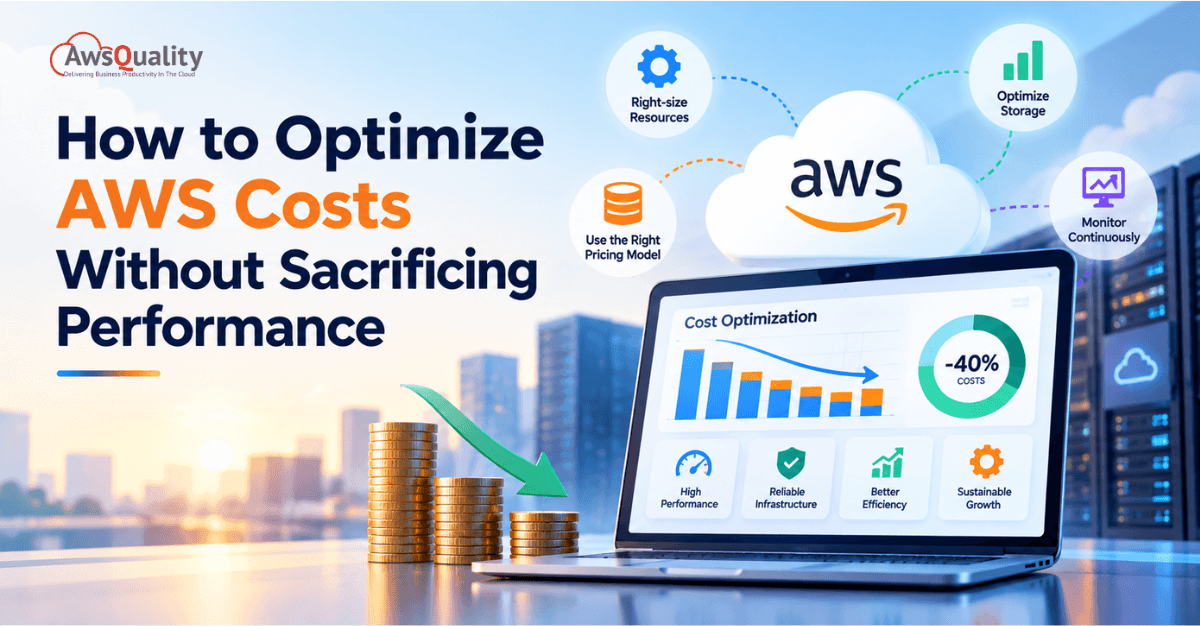
A better objective is cost-efficient performance: delivering the required application performance, availability, reliability, and user experience while eliminating unnecessary cloud spend.
AWS itself recommends factoring cost into architectural decisions and continually analyzing workloads to identify optimization opportunities.
This guide explains how organizations can optimize AWS costs without compromising application performance.
Key Takeaways
- AWS cost optimization should be treated as an ongoing engineering practice, not a one-time cost-cutting exercise.
- Right-sizing resources can reduce waste while maintaining appropriate performance.
- Auto Scaling helps match capacity to actual demand instead of maintaining excess capacity.
- Savings Plans, Reserved Instances, and Spot Instances can reduce compute costs when their usage patterns fit the workload.
- Storage lifecycle policies can prevent businesses from paying premium prices for data that no longer needs high-performance storage.
- Serverless and managed services can reduce infrastructure management overhead when they fit the workload.
- Monitoring cost and performance together helps prevent optimizations that create operational problems.
- AWS Cost Explorer, AWS Budgets, AWS Compute Optimizer, Trusted Advisor, and Cost Anomaly Detection can support an ongoing optimization process.
Read: Cloud Data Engineering – Best Practices for Enterprise Success
What Does AWS Cost Optimization Actually Mean?
AWS cost optimization is the process of aligning cloud infrastructure and services with actual business and technical requirements.
It involves more than finding the cheapest available resource.
For example, consider two approaches:
Approach A
A business reduces the size of its EC2 instances by 50% to lower its monthly bill.
Approach B
The business analyzes utilization, response times, workload patterns, scaling behavior, and capacity requirements before selecting a smaller instance configuration.
Approach B is more representative of sustainable cost optimization.
AWS describes cost optimization as improving resource utilization and avoiding waste while considering factors such as right-sizing, elasticity, pricing models, and ongoing monitoring.
The goal is therefore:
Optimize the cost of delivering the required level of performance—not simply minimize the AWS bill.
The Five Pillars of Sustainable AWS Cost Optimization
Before examining individual strategies, establishing the framework that makes optimization sustainable rather than cyclical is essential. AWS cost reduction efforts can lose their impact over time when organizations lack a process for preventing waste from accumulating again.
Sustainable AWS cost optimization rests on five pillars:
Visibility: You cannot optimize what you cannot measure. The foundation is real-time cost data attributed to the teams, services, and products generating it — not just an aggregate AWS bill. AWS Cost Explorer, AWS Cost Allocation Tags, and purpose-built FinOps platforms provide this foundation.
Rightsizing: Continuously matching resource specifications to actual utilization. Not a one-time exercise — an ongoing operational practice that runs quarterly at minimum.
Commitment management: Choosing the right purchasing model (On-Demand, Reserved Instances, Savings Plans, Spot) for each workload type based on its usage patterns. This single lever produces the highest nominal savings in the shortest time.
Waste elimination: Identifying and removing resources consuming cost without delivering value — idle EC2 instances, unattached EBS volumes, empty S3 buckets with active storage costs, unused Elastic IPs, forgotten NAT Gateways.
Architectural efficiency: Designing or refactoring workloads to reduce cost at the architectural level — serverless where appropriate, container density where beneficial, multi-AZ design that minimizes expensive cross-zone data transfer.
Strategy 1: Rightsizing — A High-Impact Starting Point
Over-provisioning is a common source of cloud waste across every category of AWS resource. The pattern is predictable: teams provision based on projected peak load, the actual peak arrives less frequently than modeled (or differently than modeled), and the excess capacity runs idle indefinitely. Rightsizing is the correction — matching instance specifications to measured, actual utilization rather than theoretical requirements.
The scope of the problem: Most AWS environments include EC2 instances running at sustained CPU utilization below 20–30%, RDS database instances configured for write throughput that the actual query load never approaches, and Elasticsearch or OpenSearch clusters sized for index volumes that have not been reached.
AWS Compute Optimizer is the primary rightsizing tool. It analyzes your CloudWatch metrics over 14 or 93 days and recommends the optimal instance type for each resource based on actual CPU, memory, network, and disk utilization patterns. As of September 2025, AWS Compute Optimizer supports 99 additional EC2 instance types, extending coverage to the latest generation hardware including Graviton-based instances. The tool flags overprovisioned resources with specific alternative recommendations and estimates the cost impact of each change.
Typical rightsizing savings: 20–40% reduction on compute and database costs where systematic rightsizing has not previously been applied. For organizations migrating to AWS or experiencing rapid growth where provisioning decisions were made without a usage baseline, savings at the higher end of this range are common.
Implementation guidance:
- Collect utilization metrics over a 30 to 90-day window before making rightsizing decisions. A 14-day sample misses monthly batch jobs, end-of-period reporting cycles, and other non-daily workload patterns.
- Right-size development and staging environments first. They are lower risk, frequently the most over-provisioned, and provide confidence in the process before applying it to production.
- Use burstable instance families (T3, T3a, T4g) for workloads with variable CPU demand — development servers, low-traffic APIs, bastion hosts, and similar use cases where sustained compute is never needed.
- Schedule quarterly rightsizing reviews as part of operational planning. Workload characteristics change as applications evolve, and the optimal instance type from 12 months ago may not be optimal today.
Graviton instances: AWS’s Graviton4 processor generation delivers up to 40% better price-performance compared to comparable x86 instances, according to AWS’s own benchmarks. For stateless applications, containerized microservices, and workloads without strict x86 binary compatibility requirements, migration to Graviton instances is one of the highest-impact optimizations available without changing application architecture.
Strategy 2: Reserved Instances and Savings Plans — The Commitment Discount Layer
On-Demand pricing is AWS’s most flexible pricing option and its most expensive. Every hour of On-Demand compute that could be covered by a commitment discount is an overpayment relative to what the workload actually costs at the correct pricing model.
Savings Plans (AWS’s preferred modern commitment mechanism) provide discounts of up to 66% compared to On-Demand in exchange for a commitment to a consistent dollar amount of compute usage per hour for one or three years. Unlike Reserved Instances, Savings Plans apply automatically across instance families, sizes, operating systems, and regions — providing commitment discount coverage without requiring the matching specificity of Reserved Instances.
Three types of Savings Plans:
- Compute Savings Plans: The most flexible — apply automatically across EC2, Lambda, and Fargate across all regions and instance families. Discount: up to 66%.
- EC2 Instance Savings Plans: Higher discount (up to 72%) in exchange for commitment to a specific instance family in a specific region. Appropriate for stable, well-understood EC2 workloads.
- SageMaker Savings Plans: For organizations with significant ML training and inference workloads on SageMaker.
Database Savings Plans were introduced at AWS re:Invent 2025, extending the commitment discount model to RDS, Aurora, and other managed database services — a significant addition for organizations with substantial database spend.
Reserved Instances provide up to 72% discount compared to On-Demand for a specific instance type in a specific region, with the additional option to sell unused capacity on the Reserved Instance Marketplace if workload requirements change.
Implementation guidance:
- Cover steady-state baseline workloads with Savings Plans or Reserved Instances. Variable or unpredictable workloads should be covered by On-Demand or Spot.
- Start with 1-year Compute Savings Plans before committing to 3-year terms or EC2 Instance Savings Plans. Flexibility is worth the lower initial discount while the workload’s long-term characteristics are being established.
- Target 70–80% commitment coverage of predictable workloads. Attempting 100% coverage with commitments creates risk if workloads shrink or shift.
- Use AWS Cost Explorer’s Savings Plans recommendations to calculate the right commitment amount based on your historical usage patterns. The recommendation surfaces how much of your On-Demand spend is eligible for coverage and the projected savings at each commitment level.
- Review and adjust commitment coverage annually to account for workload changes.
Check out: Common Cloud Migration Mistakes and How to Avoid Them
Strategy 3: Spot Instances for Fault-Tolerant Workloads — Up to 90% Off
AWS Spot Instances provide access to unused EC2 capacity at discounts of up to 90% compared to On-Demand pricing. The trade-off is that AWS can reclaim Spot capacity with a two-minute interruption notice when it needs the capacity for On-Demand customers.
This trade-off makes Spot Instances appropriate for specific workload types and inappropriate for others.
Spot Instance use cases:
- Batch processing: Data transformation jobs, ETL workloads, log analysis — work that can be checkpointed and resumed after interruption
- CI/CD pipelines: Build and test jobs that are stateless and restartable
- Machine learning training: Training runs that use checkpoint/resume patterns
- Stateless web tier: Application servers behind a load balancer where any individual instance failure is transparent to the user
- Big data processing: Spark or Hadoop cluster worker nodes
Not appropriate for Spot Instances: Stateful applications, databases, applications without graceful shutdown handling, workloads where interruption produces data loss, and any production service where a two-minute interruption is not acceptable.
Implementation patterns for Spot reliability:
Use Spot Fleet or EC2 Auto Scaling with mixed instances to specify multiple instance types and sizes across multiple Availability Zones. When AWS reclaims one Spot pool, the fleet automatically replaces with capacity from another pool — dramatically reducing the practical interruption rate for most workloads.
The effective savings with Spot Instances depend on interruption frequency, which varies by instance type, region, and time of day. For common instance families (m5, m6i) in major regions, interruption rates are typically low enough that Spot-based batch workloads run efficiently without constant interruption overhead.
Strategy 4: Auto Scaling — Eliminate Idle Capacity at Every Load Level
AWS Auto Scaling automatically adjusts compute capacity in response to actual demand — adding capacity when load increases and removing it when load decreases. The cost optimization implication: infrastructure sized for peak never idles at off-peak.
For organizations running fixed-capacity infrastructure that experiences significant traffic variation — whether by time of day, day of week, or seasonal patterns — Auto Scaling is the mechanism that eliminates the cost of maintaining peak capacity during non-peak periods.
Non-production environment scheduling is the fastest, lowest-risk AWS cost reduction available. Development and test environments that run 24 hours per day, seven days per week, are running for at most 50 hours of actual usage (standard business hours Monday through Friday) but consuming 168 hours of billing per week. Scheduling automatic stop/start for non-production environments saves 60–70% on those instance costs — with zero performance impact on production systems.
AWS Auto Scaling components:
- EC2 Auto Scaling: Scale EC2 instances in Auto Scaling Groups based on CloudWatch metrics (CPU, network, custom application metrics) or schedules
- Application Auto Scaling: Scale beyond EC2 — ECS tasks, DynamoDB read/write capacity, Lambda provisioned concurrency, RDS Aurora replicas
- AWS Predictive Scaling: Uses machine learning to forecast load and pre-scale before traffic increases arrive, preventing performance degradation during scale events
Implementation guidance: Define scale-in policies with appropriate cooldown periods to prevent thrashing. Scale-out should be aggressive (faster to add capacity than the user experiences degradation). Scale-in should be conservative (slower to remove capacity than a traffic spike can return).
Also check: Cloud ROI – How to Measure the Business Value of Cloud Investments
Strategy 5: Storage Optimization — S3, EBS, and Database Storage
Storage costs accumulate invisibly. Unlike compute costs where a running instance produces a visible bill item, storage costs for unattached volumes, old snapshots, and S3 objects in the wrong storage class accumulate quietly and compound over time.
S3 storage class optimization:
S3 offers eight storage classes at materially different price points. Most organizations store the majority of their S3 objects in Standard class regardless of access frequency — paying Standard pricing for data that is accessed once per quarter or never.
| Storage Class | Use Case | Cost vs Standard |
|---|---|---|
| S3 Standard | Frequently accessed data | Baseline |
| S3 Standard-IA | Infrequent access, retrieval fee applies | ~46% cheaper storage |
| S3 One Zone-IA | Infrequent, non-critical, single AZ | ~59% cheaper storage |
| S3 Glacier Instant Retrieval | Archival, millisecond access | ~68% cheaper storage |
| S3 Glacier Flexible Retrieval | Archive, minutes to hours access | ~83% cheaper storage |
| S3 Glacier Deep Archive | Long-term archive, hours access | ~95% cheaper storage |
| S3 Intelligent-Tiering | Unknown or variable access patterns | Automatic tier management |
S3 Lifecycle Policies automate the movement of objects between storage classes based on age. A lifecycle policy that moves objects to Standard-IA after 30 days, Glacier Instant Retrieval after 90 days, and Glacier Deep Archive after 180 days can reduce S3 storage costs by 50–70% for organizations with large data volumes and mixed access patterns.
EBS volume cleanup:
Unattached EBS volumes — volumes that were detached when an EC2 instance was terminated but not deleted — are among the top three identified waste items across all organization sizes, according to Flexera 2025. AWS Storage Lens provides visibility into EBS utilization patterns and flags detached volumes, underutilized volumes, and snapshots that have exceeded a defined retention period.
RDS and database storage:
Enable RDS storage autoscaling to avoid manual storage increases. Implement automated snapshot retention policies that match your recovery time objectives rather than retaining snapshots indefinitely. Consider Aurora Serverless v2 for variable database workloads — it scales compute capacity in fine-grained increments based on actual query load, eliminating the excess provisioned capacity of a fixed-size Aurora cluster during low-activity periods.
Strategy 6: Eliminate the Hidden Costs That Silently Inflate AWS Bills
Several AWS cost categories are not obvious from the AWS pricing page but consistently appear in bill analyses as significant line items — particularly for teams that have not audited their architecture against cost.
NAT Gateway charges — the hidden data transfer tax:
NAT Gateways enable resources in private subnets to access the internet. AWS charges NAT Gateway data-processing fees in addition to the hourly gateway charge; the exact rate varies by region. For applications with significant outbound data volume (telemetry, log shipping, package downloads, external API calls), this charge can dwarf compute costs.
Mitigation strategies: Use gateway VPC endpoints for Amazon S3 and DynamoDB where appropriate to avoid NAT Gateway data-processing charges. Note that interface VPC endpoints use a different pricing model. Use AWS PrivateLink for access to other AWS services. For applications with consistent high-volume outbound traffic, evaluate AWS Direct Connect as an alternative to internet-based data transfer.
Inter-AZ data transfer charges — the multi-AZ penalty:
AWS charges for data transferred between Availability Zones within the same region — typically $0.01 per GB in each direction. This charge is invisible in small deployments but significant in microservice architectures where services in different AZs communicate frequently, or in data processing workloads where data is read in one AZ and processed in another.
Mitigation: Review cross-AZ data flows in high-volume services. For services with very high cross-AZ communication rates, evaluate whether deploying related services in the same AZ (sacrificing some redundancy) reduces cost without introducing unacceptable availability risk.
Idle Elastic IP addresses:
AWS charges for Elastic IP addresses that are allocated but not associated with a running instance. This appears minor per IP ($0.005 per hour) but accumulates across large environments with frequent instance cycling. Audit for unused Elastic IPs monthly and release those not in active use.
CloudWatch Logs storage and API costs:
Logging infrastructure that retains logs indefinitely, ships high-volume debug logs to CloudWatch in production, or triggers frequent metric retrieval generates unexpected CloudWatch costs. Define log retention policies that match actual troubleshooting and compliance requirements (typically 30 to 90 days for operational logs, longer only for compliance-mandated categories). Downgrade log verbosity in production — DEBUG logging shipped to CloudWatch at production scale costs significantly more than INFO or WARN level.
Read: Why Platform Engineering Outperforms Traditional Cloud Delivery
Strategy 7: FinOps Culture and Cost Allocation
Individual optimization strategies produce one-time savings. A FinOps practice produces compounding savings because it prevents waste from accumulating in the first place.
Cost Allocation Tags are the foundational investment. Every AWS resource should carry tags that identify the team, application, environment (production/staging/development), and cost center responsible for it. Without this attribution, cost data is an aggregate bill that no one team owns. With it, every team can see exactly what their infrastructure costs — and has the data needed to optimize within their own domain.
AWS Cost Allocation Tags feed into AWS Cost Explorer’s team-level views, AWS Budgets alerts that notify teams when their spend exceeds defined thresholds, and the chargeback or showback models that give teams financial accountability for their cloud usage.
AWS Cost Optimization Hub introduced a unified Cost Efficiency metric in November 2025 — a standardized, comparable score that gives any cloud cost optimization program a single top-level metric tracking progress across all resource types and optimization dimensions.
Deloitte’s 2025 TMT Predictions estimate that companies implementing FinOps tools and practices could collectively save $21 billion in 2025 alone. FinOps Foundation’s research documents that organizations with structured FinOps programs reduce waste to 15–20% of cloud spend, compared to 35–40% for organizations with ad-hoc cost management.
Implementing FinOps at the team level:
- Assign cloud cost ownership to engineering teams — not centrally to a finance or platform team
- Make cost metrics visible alongside performance metrics in engineering dashboards
- Include cost impact in sprint planning and architecture review processes
- Establish monthly cost review cadences with defined action items from identified optimization opportunities
- Use AWS Budgets with Budget Actions to automatically enforce cost controls — for example, stopping non-production instances that exceed a budget threshold
Read: Cloud Migration Guide – From Legacy Systems to Cloud
AWS Native Cost Optimization Tools Reference
AWS provides a comprehensive native toolset for cost visibility and optimization. Understanding what each tool does prevents duplication of effort and ensures the right tool is used for each optimization activity.
| Tool | Primary Function | Key Strength |
|---|---|---|
| AWS Cost Explorer | Cost visualization, trend analysis, Savings Plans recommendations | Historical spend analysis, RI/SP recommendation engine |
| AWS Compute Optimizer | Rightsizing recommendations for EC2, RDS, Lambda, ECS | ML-based utilization analysis, 99+ instance type coverage (Sept 2025) |
| AWS Cost Optimization Hub | Unified optimization recommendations, Cost Efficiency metric (Nov 2025) | Single view across all optimization opportunities |
| AWS Trusted Advisor | Cost, security, performance, and reliability checks | Broad coverage, idle resource identification |
| AWS Budgets | Spend alerts and automated actions | Proactive overspend prevention |
| AWS Storage Lens | S3 and EBS storage usage visibility | Storage pattern analysis, waste identification |
| AWS Auto Scaling | Dynamic capacity management | Automated idle capacity elimination |
| AWS Savings Plans recommendations | Commitment discount modeling | ROI calculation for SP commitment levels |
Performance and Cost: How to Balance Both
The premise of this guide — optimizing AWS costs without sacrificing performance — is worth addressing directly, because the concern that cost optimization degrades performance is both common and frequently wrong.
Most AWS over-spending is not on resources delivering performance benefits. It is on:
- Resources that are running but not serving any traffic (idle EC2 instances, unattached EBS volumes, over-provisioned RDS)
- Resources provisioned for a peak load that arrives infrequently (Auto Scaling addresses this)
- On-Demand pricing applied to predictable, stable workloads (Savings Plans addresses this)
- Storage that is being kept in the wrong tier (lifecycle policies address this)
None of these are performance-delivering resources. Eliminating or repricing them does not reduce performance — it eliminates waste.
The cases where cost optimization genuinely trades against performance are specific:
- Spot Instance interruptions require graceful handling and checkpoint/resume logic — overhead that On-Demand does not impose
- Aggressive scale-in policies that remove capacity too quickly can leave infrastructure under-provisioned during traffic ramps
- Over-aggressive rightsizing that reduces instance memory or CPU below actual working set requirements produces latency increases
Avoiding these patterns requires workload characterization before optimization — understanding actual utilization patterns before making changes. AWS Compute Optimizer’s recommendations are grounded in measured utilization data, not assumptions, which makes its recommendations the safer starting point compared to manually downsizing without a utilization baseline.
The 2025 resilience-cost lesson: AWS cloud provider outages in 2025 reminded engineering teams that optimizing purely for cost without maintaining appropriate redundancy creates a different category of financial risk — business disruption, SLA penalties, and recovery costs — that may exceed the savings achieved. Cost optimization and resilience architecture are complementary, not competing, when designed together.
Check: How to Build Secure AI Systems on Cloud Platforms
Avoid These Common AWS Cost Optimization Mistakes
Mistake 1: Choosing the Cheapest Instance
The cheapest instance is not necessarily the most cost-effective.
A larger instance that completes a workload significantly faster can sometimes result in a lower total cost.
AWS explicitly notes that resource selection should consider the overall cost of achieving the required workload outcome, not simply the hourly price of the resource.
Mistake 2: Removing Redundancy
Removing replicas, backups, or failover infrastructure may reduce the bill.
It may also reduce reliability.
Cost optimization should never ignore business continuity requirements.
Mistake 3: Overusing Spot Instances
Spot can provide significant savings, but workloads must be designed to tolerate interruption.
Using Spot for a workload that cannot tolerate interruption can create operational problems.
Mistake 4: Buying Commitments Without Understanding Usage
A commitment can reduce the unit price while creating unnecessary spend if the underlying workload changes.
Analyze usage before committing.
Mistake 5: Disabling Monitoring
Reducing logs and monitoring can lower costs temporarily.
But it can also make production incidents more difficult and expensive to diagnose.
Optimize observability rather than eliminating it.
Mistake 6: Optimizing Only Once
AWS environments change continuously.
Applications change.
Traffic changes.
AWS introduces new services and features.
Business requirements change.
Therefore, cost optimization should be continuous. AWS recommends regularly reviewing architectural decisions and newer services to identify additional efficiency opportunities.
Also check: Zero Trust Security Model for Cloud and AI Applications
A Practical AWS Cost Optimization Framework
A repeatable framework can make optimization easier.
Step 1: Measure
Understand current spending and workload performance.
Step 2: Identify
Find the largest cost drivers and obvious waste.
Step 3: Analyze
Determine why each resource exists and whether its current configuration is appropriate.
Step 4: Optimize
Apply changes such as:
- Right-sizing
- Auto Scaling
- Storage lifecycle policies
- Pricing-model changes
- Architecture improvements
- Resource cleanup
Step 5: Validate
Compare cost and performance before and after the change.
Step 6: Automate
Automate recurring optimization tasks where practical.
Step 7: Repeat
Review the environment regularly as workloads evolve.
Also read: How AI + Cloud Drives Business Growth and Efficiency
AWS Cost Optimization Checklist
Use this checklist as a starting point:
| Area | What to Review |
|---|---|
| Compute | Right-sizing, utilization, instance families |
| Scaling | Auto Scaling policies and workload elasticity |
| Pricing | On-Demand, Savings Plans, Reserved Instances, Spot |
| Storage | Storage classes, lifecycle rules, unused volumes |
| Databases | Capacity, queries, I/O, storage, caching |
| Networking | Data transfer, cross-region and cross-AZ traffic |
| Retention, volume, duplicate telemetry | |
| Development | Idle environments and schedules |
| Architecture | Serverless and managed-service opportunities |
| Governance | Tags, budgets, ownership, policies |
| Monitoring | Cost and performance metrics |
| Automation | Cleanup, alerts, scaling, lifecycle management |
Frequently Asked Questions
What is AWS cost optimization?
AWS cost optimization is the process of reducing unnecessary cloud spending while maintaining the performance, availability, reliability, and security requirements of an application.
Does reducing AWS costs always reduce performance?
No. Many optimization opportunities involve eliminating unused resources, right-sizing overprovisioned infrastructure, improving storage policies, or using more appropriate pricing models. However, poorly planned cost reductions can negatively affect performance.
What is AWS right-sizing?
Right-sizing means selecting resource types and sizes that appropriately match the workload’s actual requirements instead of consistently overprovisioning capacity.
Are Savings Plans always better than On-Demand pricing?
Not necessarily. Savings Plans can provide lower pricing for eligible usage in exchange for a commitment. They are most useful when usage is sufficiently predictable to justify the commitment.
When should businesses use Spot Instances?
Spot Instances are generally better suited to workloads that can tolerate interruptions, such as batch processing, analytics, flexible compute, and fault-tolerant workloads.
How can businesses reduce AWS storage costs?
Review storage access patterns, remove unnecessary data, use appropriate storage classes, and implement lifecycle policies. Amazon S3 provides multiple storage classes and lifecycle capabilities to support this approach.
How often should AWS costs be reviewed?
AWS cost optimization should be continuous. A practical approach is to monitor costs regularly, investigate anomalies promptly, and conduct deeper architecture and commitment reviews on a recurring schedule.
What AWS tools help with cost optimization?
Common tools include AWS Cost Explorer, AWS Budgets, AWS Cost Anomaly Detection, AWS Compute Optimizer, and AWS Trusted Advisor.
Can serverless reduce AWS costs?
It can, depending on the workload. Serverless changes the infrastructure and billing model and can be particularly useful for event-driven or variable workloads. It should be evaluated based on total workload cost, performance, scalability, and operational requirements.
What is the biggest mistake in AWS cost optimization?
Treating cost as the only objective. A successful optimization strategy considers cost, performance, reliability, security, scalability, and operational effort together.
What is the best way to reduce AWS costs without affecting performance?
Start by identifying idle or overprovisioned resources and optimize them using right-sizing, Auto Scaling, appropriate pricing models, and storage lifecycle policies. Always compare cost and performance before and after making changes.
How can I identify unused AWS resources?
Use tools such as AWS Cost Explorer and AWS Compute Optimizer to identify major cost drivers, idle resources, and underutilized infrastructure. Regularly review EC2 instances, EBS volumes, snapshots, Elastic IPs, and non-production environments.
How can AWS Cost Explorer help reduce cloud costs?
AWS Cost Explorer helps analyze spending trends, identify major cost drivers, and evaluate Savings Plans recommendations. This allows teams to prioritize areas where cost optimization can have the greatest impact.
Is AWS cost optimization a one-time activity?
No. AWS cost optimization should be continuous because workloads, traffic, architectures, and business requirements change over time. Regular cost and resource reviews help maintain efficiency.
How can businesses reduce AWS costs for non-production environments?
Businesses can schedule development and testing environments to stop outside working hours, right-size resources, remove unused storage, and use lower-cost options where appropriate. Non-production environments are often a practical starting point for AWS cost optimization.
Final Thoughts
AWS cost optimization should not be viewed as a cost-cutting exercise.
The real objective is to build an AWS environment where every dollar spent contributes to a measurable workload requirement.
That means removing waste without removing the capacity, resilience, monitoring, and performance the application actually needs.
For growing organizations, the best results usually come from combining FinOps practices, architecture reviews, workload optimization, automation, and continuous performance monitoring.
The result is not simply a smaller AWS bill. It is a cloud environment that is more measurable, efficient, scalable, and aligned with business requirements.
AwsQuality’s cloud engineering practice helps organizations design and implement the AWS cost optimization strategy that fits their current environment, workload portfolio, and engineering maturity — from initial cost visibility and rightsizing assessment through Savings Plans implementation, Auto Scaling architecture, storage optimization, and the FinOps practices that keep savings compounding. Our certified AWS engineers bring the platform depth and production optimization experience that translates cost analysis into implemented, sustained savings.
Connect with our cloud engineering team to discuss an AWS cost optimization assessment for your organization.
📧 info@awsquality.com | 🌐 www.awsquality.com
 Bio
Bio