In today’s competitive business environment, customer experience has become one of the most important factors influencing customer loyalty, retention, and revenue growth. Businesses no longer compete solely on products or pricing—they compete on the experiences they deliver.
Salesforce is one of the world’s leading CRM platforms, helping organizations manage customer relationships, streamline operations, and drive digital transformation. However, simply implementing Salesforce is not enough. To maximize its value, organizations must customize and brand Salesforce to align with their unique business processes, customer expectations, and brand identity.
A well-customized and branded Salesforce environment improves user adoption, enhances customer engagement, increases productivity, and creates a consistent experience across every customer touchpoint.
In this guide, we’ll explore how Salesforce customization and branding contribute to better customer experiences, the key customization options available, best practices, common challenges, and how businesses can maximize their Salesforce investment.
What Is Salesforce Customization?
Salesforce customization refers to modifying Salesforce to meet the specific needs of an organization.
Unlike generic CRM implementations, customized Salesforce environments are tailored to support unique workflows, processes, customer journeys, and reporting requirements.
Customization can include:
- Custom objects
- Custom fields
- Automated workflows
- Lightning components
- Custom dashboards
- Third-party integrations
- Personalized user interfaces
- Customer portals
The goal is to make Salesforce work the way your business works.
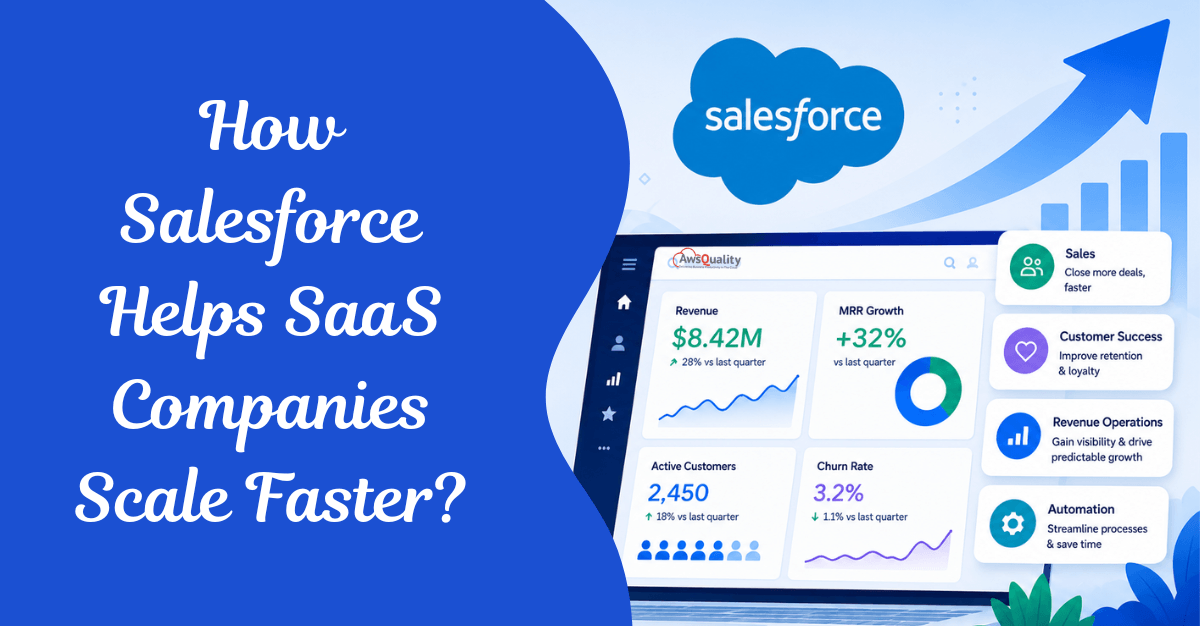
Read: How Salesforce Helps SaaS Companies Scale Faster
What Is Salesforce Branding?
Salesforce branding involves aligning the Salesforce user experience with your company’s visual identity and brand guidelines.
This includes:
- Company logos
- Brand colors
- Fonts
- Themes
- Customer-facing portals
- Experience Cloud sites
- Email templates
- Landing pages
Branding helps create a consistent experience across all customer interactions.
When customers engage with Salesforce-powered portals, communities, or self-service platforms, they should feel like they’re interacting directly with your brand—not a third-party system.
Why Customization and Branding in Salesforce is a CX Strategy — Not Just Aesthetics
Most organizations treat Salesforce customization as a technical task and branding as a design task. The result is a CRM that works well internally but delivers a fragmented, generic experience to the people who matter most — customers.
In 2026, that approach is no longer viable. Poor customer experience puts $3.8 trillion in global sales at risk annually (Qualtrics XM Institute). Meanwhile, 77% of consumers choose, recommend, or pay more for a brand that provides a personalized experience (Forrester Research). The message is clear: every touchpoint your customer has with your Salesforce-powered systems is a brand moment. Each one either builds trust or erodes it.
Customizing and branding Salesforce is about far more than putting your logo on a login page. It is about creating a cohesive, intelligent, and deeply personalized experience that makes customers feel understood, valued, and confident at every interaction — from the first support portal visit to the hundredth renewal conversation.
This guide covers every layer of Salesforce customization and branding that drives measurable customer experience improvement, from foundational visual identity to AI-powered personalization with Agentforce.
Also read: WhatsApp for Salesforce – Transform Customer Conversations Without Leaving Your CRM
The Relationship Between Salesforce and Customer Experience
Customer experience is influenced by every interaction customers have with your business.
These interactions may include:
- Sales conversations
- Support requests
- Marketing communications
- Self-service portals
- Customer onboarding
- Service delivery
Salesforce acts as the central platform connecting these touchpoints.
By customizing and branding Salesforce effectively, businesses can create smoother and more consistent customer journeys.
The Business Case: What Salesforce Customization Delivers
Before diving into the how, let’s anchor on the why with real numbers:
- A Forrester study found that organizations using Experience Cloud achieve an average 342% ROI within three years.
- 77% of consumers choose, recommend, or pay more for a brand that provides a personalized experience, and 88% of professionals say personalized marketing has a direct impact on sales.
- Average order values can grow up to 35% through personalization, as documented by Salesforce Commerce Cloud research in well-executed personalization programs.
- Poor customer experience now puts $3.8 trillion in global sales at risk annually, representing 7–9.5% of average brand revenue.
- Over 66% of consumers expect brands to understand their needs, yet most businesses still rely on static emails and generic content, leading to missed engagement, loyalty, and revenue.
The ROI of investing in Salesforce customization and branding is not theoretical. It is measured in retention, lifetime value, and revenue.
Part 1: Branding Fundamentals in Salesforce Lightning Experience
The foundation of a branded Salesforce experience starts with your internal org — the environment your sales, service, and marketing teams use every day. A thoughtfully branded internal Salesforce experience improves user adoption, reduces training time, and creates the consistency your team needs to deliver coherent customer interactions.
1.1 Themes and Branding in Lightning Experience
Salesforce Lightning Experience includes a built-in Themes and Branding tool that allows administrators to customize the visual identity of the entire org without writing a single line of code.
How to access it: From Setup, enter “Themes and Branding” in the Quick Find box and click on it.
What you can customize:
| Element | Options |
|---|---|
| Brand color | Primary accent color across navigation and buttons |
| Logo | Upload your company logo for the top navigation bar |
| Loading page image | Custom branded splash screen during loading |
| App backgrounds | Page background colors per app |
| Default theme | Choose from Salesforce standard themes or create custom |
Creating a custom theme:
- Go to Setup → Themes and Branding
- Click “New Theme”
- Enter Theme Name and upload your brand assets
- Set primary color to match your brand palette
- Activate the theme for your org
Branding in Salesforce isn’t just about aesthetics — it’s a powerful way to enhance user experience, reinforce company culture, and boost adoption across your org. A platform that visually aligns with your company’s identity creates a sense of familiarity, helps new users trust the environment, and creates a smoother transition for teams adapting to a new tool or workflow.
1.2 Custom App Branding and Navigation
Each custom app in Salesforce Lightning Experience can carry its own brand identity — color scheme, logo, navigation structure, and utility bar. The app name displays on the left side of the navigation bar, and custom colors and branding make each app unique and easy to identify. Users can access other items and apps by clicking the App Launcher icon, and you can include Lightning page tabs and utilities like Lightning Voice in the footer.
Best practices for app branding:
- Assign distinct colors to different functional apps (Sales, Service, Operations) to reduce navigation confusion
- Use your brand’s color hierarchy — primary color for the main sales app, secondary for service
- Customize navigation bar items to show only what each user persona needs
- Use the utility bar for quick access to productivity tools most relevant to each app
1.3 Custom Page Layouts for Brand Consistency
Customizing page layouts paves the way for an employee-friendly, consistent interface. Enhancing these layouts with branding touches — custom fields, company-specific picklist values, or sections spotlighting crucial company details — simplifies user navigation and ensures a harmonious brand experience.
How to customize page layouts:
- From Setup, go to Object Manager and click on the relevant object
- Click “Page Layouts” on the right panel
- Choose an existing layout or create a new one
- Drag elements (fields, buttons, custom links, quick actions) from the top pane onto the layout
- Assign layouts to different user profiles for persona-specific experiences
Pro tip: Rename standard Salesforce tabs and objects to match your organization’s language. Renaming “Opportunities” to “Projects” or “Deals” if that aligns better with your team’s terminology is a simple but effective way to make Salesforce feel like it was built for your business, not just installed in it.
1.4 Custom Login Page
Your login page is often the first branded touchpoint users and customers experience. Salesforce allows you to fully customize this page with your logo, background image, and brand colors — making it feel like a natural extension of your digital ecosystem rather than a generic CRM portal.
From Setup, search “My Domain” to configure a custom subdomain (e.g., yourcompany.my.salesforce.com) and brand the login page through the “Login Page Branding” section.
Part 2: Salesforce Experience Cloud — Branded Customer Portals at Scale
Experience Cloud is where Salesforce customization and branding has its greatest direct impact on customer experience. It transforms Salesforce from an internal CRM into a complete digital interaction platform where customers, partners, and employees connect with your business through one consistent, branded experience.
More than 5,000 active sites use Experience Cloud today, supporting over 10 million monthly visits and 50 million community members worldwide.
2.1 What You Can Build with Experience Cloud
| Portal Type | Use Case | Business Impact |
|---|---|---|
| Customer Self-Service Portal | Case management, knowledge base, account access | Reduces support costs, improves satisfaction |
| Partner Portal | Deal registration, MDF requests, co-selling resources | Accelerates partner revenue |
| B2B Commerce Store | Product catalog, ordering, account management | Streamlines B2B purchasing |
| Employee Experience Site | HR, IT helpdesk, internal communications | Improves workforce engagement |
| Community Forum | Peer-to-peer support, ideation, discussion | Builds brand loyalty and reduces ticket volume |
2.2 Branding Sets: Visual Consistency Across Every Audience
Branding sets in Salesforce Experience Cloud allow for the customization of site visuals, such as colors, fonts, and images. Accessible in the Theme panel, branding sets let you create visually consistent yet tailored pages for different audiences.
Using branding sets, you can:
- Apply your primary brand palette to customer-facing portals
- Create entirely different visual themes for different audience segments (enterprise customers vs. SMB customers vs. partners)
- Ensure every page, component, and interaction reflects your brand — not Salesforce’s default aesthetic
How to create and manage branding sets:
- In Experience Builder, go to Theme → Manage Branding Sets
- Edit, duplicate, or rename the default branding set
- Or create a new branding set from scratch for a specific audience
- Assign branding sets to specific audiences using audience targeting rules
Consistent branding boosts customer confidence and helps build trust. A clearly defined brand framework supports quicker project execution and fosters cooperation between your company and associated websites or partners, allowing for a cohesive brand presence.
2.3 Experience Builder Themes and Templates
Experience Cloud includes a library of mobile-responsive, pre-built themes that give you a professional starting point:
- Ember: Content-centric theme with a full-width hero section and responsive design — ideal for content-heavy portals
- Cypress: Minimalistic aesthetic with a call-to-action button in the hero section — ideal for clean, conversion-focused sites
- Customer Service: Default theme optimized for support portals with case management in mind
- Build Your Own: Start from scratch with a blank template for maximum branding freedom
You can upload your own logo to automatically generate a custom color scheme, create branding sets to change color and style for audience targeting and experience needs, and get a flexible content management system that works from no code to pro code.
2.4 Audience Targeting: The Right Content for the Right Customer
One of the most powerful personalization features in Experience Cloud is audience targeting — the ability to show different content, components, and layouts to different user segments visiting the same site.
In Salesforce, you can create an audience — a way to define certain criteria to segment the users visiting your site. Thanks to this feature, you can customize the site and display different pages, data, and components to different audiences.
Audience targeting use cases:
- Show enterprise customers a different homepage hero than SMB customers
- Display region-specific content based on user location
- Surface industry-specific case studies for visitors in healthcare vs. finance
- Show returning customers loyalty-specific offers vs. first-time visitor content
- Personalize the partner portal based on partner tier (Gold, Silver, Platinum)
How to set up audience targeting:
- In Experience Builder, go to the Audience panel
- Create a new audience with specific criteria (profile, location, CRM data)
- Assign components or page variations to specific audiences
- Preview how the site looks for each audience before publishing
Part 3: Lightning App Builder — Designing the Customer-Facing Interface
The Lightning App Builder is Salesforce’s point-and-click tool for creating custom pages without code. The Lightning App Builder makes it easy to create custom pages for the Salesforce mobile app and Lightning Experience, giving your users what they need all in one place — including custom Home pages containing the components and features that your users use most.
3.1 Custom Record Pages for CX-Driven Workflows
Standard Salesforce record pages show every field for every user. That is inefficient and confusing. Custom record pages built in Lightning App Builder surface only the most relevant information for each persona — helping your sales and service teams deliver faster, more personalized customer interactions.
CX-driving record page customizations:
- Surface customer health scores prominently on account pages
- Add a custom “Next Best Action” component to opportunity pages
- Show recent case history and sentiment data on contact records
- Embed related knowledge articles directly into service case pages
- Create role-specific record views (Account Executive vs. Customer Success Manager)
3.2 Custom Lightning Web Components (LWC)
When standard Salesforce components aren’t enough, Custom Lightning Web Components allow developers to build precisely tailored interface elements.
Custom Lightning Components are more than just a technical solution — they’re a way to create a better, more personalized Salesforce experience for your users. By knowing when to go custom, understanding why it matters, and following best practices for development, you can build components that not only meet business needs but also resonate with users on an emotional level.
Examples of high-impact custom components:
- Customer health dashboard widget showing NPS, usage, and renewal risk
- Real-time order status tracker embedded in a customer service page
- Interactive product configurator integrated with CPQ data
- Custom onboarding progress tracker for customer success workflows
- Branded survey or feedback component embedded in Experience Cloud
3.3 AppExchange Components for Rapid Customization
The Salesforce AppExchange offers thousands of pre-built Lightning components that extend Experience Cloud and Lightning Experience without custom development. From timeline views to data visualization widgets, the AppExchange is the fastest path to advanced customization for organizations without deep development resources.
The AppExchange includes solutions like Smart List for building custom lists in minutes without development, timeline components for visualizing related records, and — most recently — CX Cloud from Genesys and Salesforce, a jointly released native solution combining a unified AI-powered agent workspace with enterprise contact center capabilities.
Part 4: Branded Email Templates for Consistent Customer Communication
Every email sent from Salesforce is a brand touchpoint. Using default Salesforce email templates means your customers receive inconsistent, unbranded communication that feels disconnected from the rest of your digital experience.
Creating branded email templates in Salesforce:
- Go to Setup → Classic Email Templates or Lightning Email Templates
- Create templates using HTML for full brand control
- Embed your brand logo, color palette, and typography
- Use merge fields to personalize content with customer name, account details, and case information
- Build template folders organized by use case (welcome, renewal, case resolution, etc.)
High-impact branded email template types:
- Welcome and onboarding sequences (first impression — make it count)
- Case confirmation and resolution emails (reinforce trust with consistent visuals)
- Renewal and expansion outreach (branded and personalized with customer-specific data)
- Automated milestone communications (customer anniversaries, usage milestones)
- Escalation acknowledgment emails (critical moment — branding signals professionalism)
Part 5: AI-Powered Personalization with Agentforce and Data Cloud
The most transformative layer of Salesforce customization is AI-driven personalization. Static branding and pre-built templates are table stakes. What differentiates leading organizations is the ability to deliver experiences that feel individually tailored — at scale.
5.1 Salesforce Agentforce: AI That Personalizes in Real Time
AI agents can review customer history, buying behavior, and service interactions stored in Salesforce to give relevant responses and recommendations. This level of personalization aids organizations in boosting customer satisfaction and encouraging loyalty and engagement.
Agentforce acts as the AI co-pilot inside Salesforce Service or Sales consoles, surfacing real-time product or content recommendations, suggested next-best actions based on customer behavior and profile data, and context-aware guidance to help agents personalize the conversation.
Instead of working from static playbooks, your agents get:
- Live customer intent data from every digital interaction
- Behavior-triggered insights and sentiment signals
- Tailored conversation guidance aligned with business objectives and customer history
5.2 Agentic Personalization: Understanding Intent, Not Just Behavior
In traditional real-time personalization, every action — a click, a search, a scroll — triggers a relevant next experience on a website. With agentic personalization, those same signals are interpreted in context. The system understands why a customer is acting, not just what they’re doing, and shapes the next step through a conversational response.
This represents a fundamental shift in CX strategy: from reactive personalization (responding to actions) to proactive personalization (anticipating intent and guiding outcomes).
Agentic personalization use cases in Salesforce:
- Automatically surface relevant knowledge articles before a customer opens a support case
- Predict renewal risk and trigger personalized outreach before the customer notices dissatisfaction
- Recommend the next logical product or feature based on usage patterns and peer behavior
- Adapt the self-service portal experience in real time based on the customer’s inferred intent
- Proactively offer scheduling, documentation, or troubleshooting based on behavioral signals
5.3 Data Cloud: The Intelligence Engine Behind Personalization
Data Cloud (now Data 360) is Salesforce’s unified data platform. It ingests, harmonizes, and unifies data from any source to create comprehensive customer profiles that power AI agents and personalization across the entire Agentforce ecosystem.
By unifying data from CRM, commerce, marketing, service, and external sources into a single customer profile, Data Cloud enables a level of personalization that was previously impossible — every Salesforce touchpoint is informed by the customer’s complete relationship history with your brand.
Data Cloud personalization capabilities:
- Real-time segmentation based on behavior, demographics, and predicted intent
- Dynamic audience updates that automatically reflect new customer data
- Cross-channel identity resolution (the same customer recognized across web, email, and service)
- Predictive scoring for churn risk, upsell propensity, and lifetime value
- Activation of unified profiles across Experience Cloud, Marketing Cloud, and Service Cloud
Part 6: Personalization Best Practices for Customer-Facing Salesforce Portals
6.1 Design for the Customer Journey, Not the Feature List
Every customization decision should be anchored to a specific customer journey stage. Map your customer’s key journeys through the portal (onboarding, support, renewal, self-service) and ask: what does this customer need to accomplish right now, and what information or action would help them do it fastest?
Journey-anchored design principles:
- Onboarding: Surface getting-started content, setup checklists, and success milestones prominently
- Support: Make case submission, status tracking, and knowledge search the dominant page actions
- Renewal: Present usage data, ROI metrics, and expansion options before the contract end date
- Self-Service: Minimize friction — every step the customer takes without calling support is a CX win
6.2 Mobile-First Branding
Experience Builder’s theme panel ensures your space looks perfect on every device. In 2026, designing for mobile is not optional — it is the primary experience for a significant portion of customers accessing self-service portals. Every branded component, layout, and visual element must be tested and optimized for mobile before launch.
Mobile branding checklist:
- Logo scales correctly at small viewport widths
- Navigation collapses cleanly to a hamburger menu
- CTAs are large enough for touch interaction (minimum 44px tap targets)
- Forms are optimized for mobile input (no tiny dropdowns)
- Page load time on mobile is under 3 seconds
- Brand colors meet WCAG 2.1 contrast requirements for accessibility
6.3 Consistent Terminology Across Every Touchpoint
One of the most overlooked aspects of Salesforce branding is language consistency. If your product is called “Workspace” but Salesforce calls it “Account,” customers reading emails, portal content, and system messages will encounter confusing terminology shifts that undermine trust.
Audit every customer-facing string in your Salesforce org — page labels, field names, error messages, email templates, and notification text — and align them with your brand’s voice and terminology. This requires renaming standard Salesforce objects and fields in Setup under Object Manager.
6.4 Accessibility as a Brand Value
An Experience Cloud portal that excludes users with disabilities is not a fully branded experience — it’s an incomplete one. Build accessibility into your Salesforce customization from day one:
- Use sufficient color contrast (minimum 4.5:1 ratio for body text)
- Ensure all interactive elements are keyboard-navigable
- Add descriptive alt text to all images and icons
- Test with screen readers before launch
- Follow WCAG 2.1 AA standards as a minimum requirement
Part 7: Measuring the Impact of Salesforce Customization on CX
Customization without measurement is decoration. Define your CX metrics before and after customization to quantify the business impact:
Key Metrics to Track
| Metric | What It Measures | Target After Customization |
|---|---|---|
| Portal Adoption Rate | % of customers actively using self-service | Increase by 20–30% |
| Self-Service Resolution Rate | Cases resolved without agent involvement | Increase by 25–40% |
| Customer Satisfaction (CSAT) | Post-interaction satisfaction score | Improve by 10–20 points |
| Net Promoter Score (NPS) | Customer loyalty and advocacy | Increase by 15–25 points |
| Case Volume | Support tickets opened per customer | Decrease by 15–30% |
| Time to Resolution | Average case handling time | Decrease by 20–35% |
| Portal Session Duration | Engagement with self-service content | Increase as content relevance improves |
| User Adoption (Internal) | % of reps actively using Salesforce daily | Improve through better UX and branding |
Salesforce Analytics Tools for CX Measurement
- Experience Cloud Analytics: Built-in dashboards tracking page views, search queries, community engagement, and self-service behavior
- Einstein Analytics / CRM Analytics: Advanced dashboards connecting CX metrics to revenue outcomes
- Salesforce Flow: Automated triggers based on CX thresholds (e.g., automatically escalate when CSAT drops below 3)
- Data Cloud: Unified view of CX performance across all channels and touchpoints
Part 8: A Practical Salesforce Branding and Customization Roadmap
Use this phased approach to implement Salesforce customization for CX improvement without overwhelming your team or disrupting existing workflows.
Phase 1: Foundation (Weeks 1–4)
- Audit current Salesforce org for branding gaps and inconsistencies
- Apply Themes and Branding in Lightning Experience (logo, colors, loading screen)
- Create branded email templates for the top 5 customer communication types
- Rename standard Salesforce objects and fields to match your terminology
- Set up a custom My Domain and branded login page
Phase 2: Customer Portal (Weeks 5–12)
- Launch or redesign Experience Cloud site with branded themes
- Create branding sets for each customer segment
- Build audience targeting rules for personalized content display
- Customize self-service portal navigation for key customer journeys (support, onboarding, renewal)
- Mobile-optimize all pages and components
Phase 3: Personalization and AI (Weeks 13–20)
- Connect Data Cloud to unify customer profiles across systems
- Implement Agentforce for AI-powered service interactions in the portal
- Enable real-time personalization of portal content based on customer behavior
- Deploy Einstein Next Best Action on agent-facing record pages
- Set up agentic personalization for proactive customer outreach
Phase 4: Measurement and Optimization (Ongoing)
- Establish baseline CX metrics before changes and track improvements
- Conduct quarterly branding audits across all customer-facing touchpoints
- A/B test portal layouts, content positioning, and CTAs
- Gather qualitative feedback from customer advisory panels
- Iterate on AI personalization models based on engagement and outcome data
Common Challenges in Salesforce Customization and Branding
Over-Customization
Excessive customization can create:
- Maintenance challenges
- Upgrade issues
- Complexity
Solution
Customize strategically.
Poor User Adoption
Users may resist changes if interfaces become overly complicated.
Solution
Focus on usability and training.
Inconsistent Branding
Disconnected branding across portals and communications can confuse customers.
Solution
Establish clear branding guidelines.
Integration Challenges
Disconnected systems can undermine customer experiences.
Solution
Invest in robust integration architecture.
Check out: How to Build AI-Powered Workflows in Salesforce?
Best Practices for Salesforce Customization and Branding
Start with Customer Needs
Every customization should support customer experience goals.
Ask:
- What problem are we solving?
- How will this improve customer interactions?
Prioritize Simplicity
Keep interfaces clean and intuitive.
Avoid unnecessary complexity.
Use Standard Features First
Leverage Salesforce’s native capabilities whenever possible.
This reduces maintenance costs.
Maintain Brand Consistency
Ensure all Salesforce touchpoints reflect your brand identity.Test Before Deployment
Validate:
- Functionality
- Performance
- User experience
- Mobile responsiveness
Monitor and Optimize Continuously
Customer expectations evolve.
Regularly review:
- User feedback
- Adoption metrics
- Customer satisfaction scores
Common Salesforce Branding Mistakes to Avoid
1. Branding only the login page
The login page is the entry point. The experience inside the portal, across email templates, and in every customer-facing system message is where branding actually matters. Audit everything.
2. Ignoring internal user experience
If your sales and service teams find Salesforce confusing or visually cluttered, they deliver poorer customer experiences. Internal UX directly impacts CX outcomes.
3. Over-customizing without governance
Uncontrolled customization creates technical debt, inconsistency, and upgrade risk. Establish a Center of Excellence with design standards, naming conventions, and change management processes.
4. Skipping mobile optimization
A beautifully branded desktop portal that breaks on mobile signals that your organization doesn’t understand how customers actually use technology in 2026.
5. Implementing AI personalization without clean data
Agentforce and Data Cloud are only as good as the data they run on. Invest in data quality and governance before activating AI-driven personalization at scale.
6. Personalizing without respecting privacy
Make data usage transparent. Customers who understand and consent to personalization are far more receptive to it than customers who feel surveilled. Align your personalization strategy with GDPR, CCPA, and your customers’ expectations.
Frequently Asked Questions
Q: What is the easiest way to brand Salesforce without code?
The easiest starting point is Setup → Themes and Branding in Lightning Experience, where you can upload your logo, set brand colors, and customize the loading page without any development work. For Experience Cloud, Experience Builder provides a drag-and-drop interface for full portal branding with no code required.
Q: How does Salesforce Experience Cloud improve customer experience?
Experience Cloud provides a branded, self-service digital environment where customers can manage their accounts, submit and track cases, access knowledge articles, and interact with your brand — all without calling support. Organizations using Experience Cloud report significant reductions in case volume, improvements in CSAT, and average ROI of 342% over three years (Forrester).
Q: What is a branding set in Salesforce?
A branding set is a named collection of visual settings (colors, fonts, images) in Experience Cloud that can be applied to specific pages or audience segments. They allow you to maintain a consistent overall brand while serving visually differentiated experiences to different customer groups.
Q: How does Agentforce personalize customer experience in Salesforce?
Agentforce uses AI to review customer history, buying behavior, and service interactions in real time, then delivers personalized recommendations, next-best actions, and contextual guidance to both customers in self-service portals and agents handling live interactions. It shifts CX from reactive to proactive by understanding customer intent — not just behavior.
Q: Can Salesforce personalization work for B2B customer portals?
Yes. B2B organizations can use Experience Cloud audience targeting to display partner-tier-specific content, industry-specific resources, account-specific pricing, and usage-based recommendations — all from a single branded portal that feels individually tailored to each organization.
Q: How long does it take to implement a branded Salesforce Experience Cloud portal?
A basic branded portal with core self-service features typically takes 6–10 weeks. A fully customized portal with audience targeting, AI personalization, and Data Cloud integration typically takes 16–24 weeks, depending on the complexity of your existing Salesforce implementation and data infrastructure.
Q: What metrics show that Salesforce branding customization is improving CX?
Key metrics include self-service resolution rate (cases resolved without agent involvement), portal adoption rate, CSAT and NPS scores, case volume per customer, and time to resolution. Experience Cloud’s built-in analytics and CRM Analytics dashboards track all of these natively.
Conclusion: Your Brand Lives in Every Salesforce Interaction
Every case your service team resolves, every email your automation sends, every page your customer visits in your self-service portal — these are all brand moments. Salesforce gives you the tools to make every one of them count.
Custom branding in Salesforce is often treated as window dressing — something you do at the end of an implementation to make things look nice. But that mindset sells it short. Branding isn’t just about visual polish — it’s about connection, clarity, and consistency.
In 2026, the organizations that win on customer experience are not those with the largest Salesforce org or the most features enabled. They are the ones that have used Salesforce’s customization capabilities to build experiences that feel personal, coherent, and unmistakably theirs.
Start with your brand foundations. Progress to personalized portals. Layer in AI-powered intelligence with Agentforce. Measure ruthlessly. Iterate continuously.
Your customers will feel the difference — and your revenue will reflect it.
 Bio
Bio