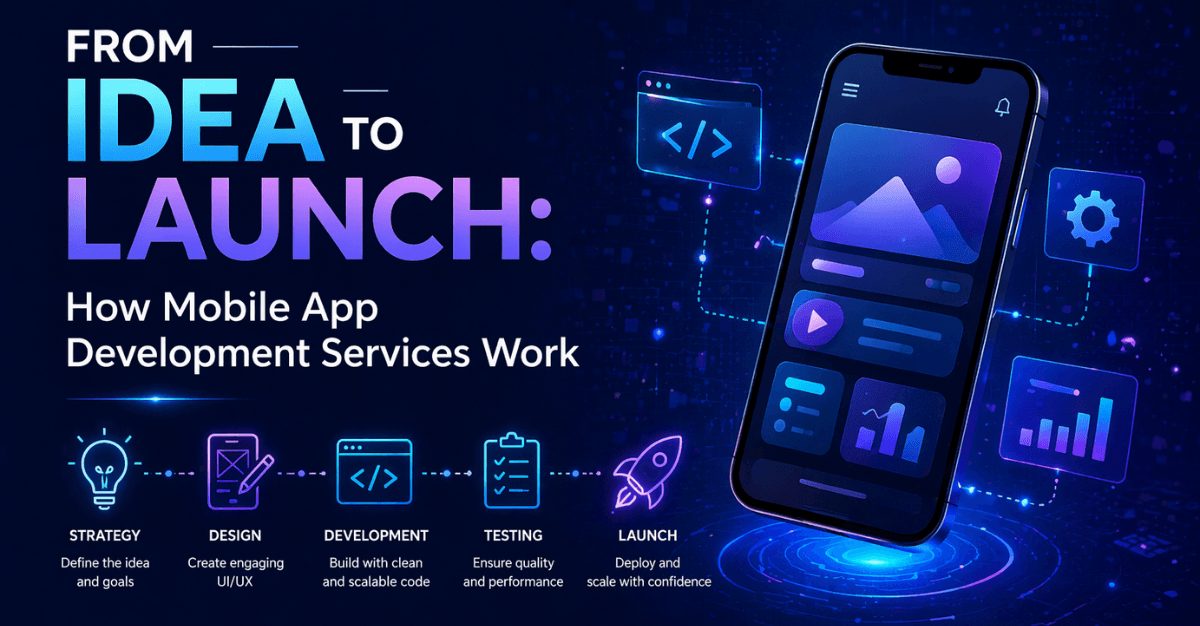
Every app on your phone started as an idea in someone's head. A problem they wanted to solve. A service they wanted to make more accessible. A gap in the market they were convinced they could fill. But between that initial spark and the moment a user downloads and opens your app for the first time, there is an entire world of strategy, design, engineering, testing, and iteration that most people never see.
Mobile app development is one of the most complex and rewarding journeys a business or entrepreneur can undertake. It is also one of the most misunderstood. Many first-time app founders assume the process is straightforward — hire a developer, describe your idea, and receive a finished product. The reality is far more nuanced, and understanding how professional mobile app development services actually work is the difference between launching an app that succeeds and spending a significant budget on something that never finds its audience.
This article walks you through every stage of the mobile app development process — from the moment an idea is formed to the day it goes live on the App Store or Google Play — so you know exactly what to expect, what questions to ask, and how to set your project up for success.
Stages in mobile app development process
Stage 1: Discovery and Requirements Gathering
Every professional mobile app development engagement begins with discovery — a structured process of understanding your business, your users, your goals, and the problem your app is designed to solve.
This stage is often underestimated by clients eager to jump into design and development. In reality, it is the most consequential phase of the entire project. The decisions made during discovery shape everything that follows. A poorly conducted discovery leads to an app built on assumptions — assumptions about who the users are, what they actually need, and how they will interact with the product. An app built on assumptions rarely succeeds.
During discovery, the development team conducts stakeholder interviews to understand business objectives and success metrics. They research the competitive landscape — reviewing existing apps in your category to identify what works, what falls short, and where the whitespace opportunity lies for your product. They define user personas: detailed profiles of the real people who will use your app, including their goals, frustrations, behaviors, and technical comfort level.
The output of discovery is a requirements document — sometimes called a Product Requirements Document or PRD — that specifies what the app will do, who it will serve, and what constraints (budget, timeline, platform, compliance) must be respected throughout development. This document becomes the north star for every subsequent decision.
Read: Mobile App Development Guide - Trends, Technologies & Strategy
Stage 2: Strategy and Technical Planning
With requirements defined, the development team shifts into technical planning — translating business requirements into architectural decisions and a project roadmap.
Several foundational questions are answered at this stage. Will the app be built for iOS, Android, or both? Should it be developed as a native app — coded specifically for each platform in Swift for iOS or Kotlin for Android — or as a cross-platform app using frameworks such as React Native or Flutter that allow a single codebase to run on both platforms? Native development typically delivers the best performance and deepest integration with device capabilities, while cross-platform development offers faster timelines and lower costs for apps where those differences are not critical.
The team also defines the app's technical architecture — how data will be stored and retrieved, which backend systems and APIs the app will connect to, how user authentication will be handled, and what third-party services (payment gateways, mapping tools, push notification providers, analytics platforms) need to be integrated.
A project roadmap is established at this stage, breaking the overall development effort into sprints or phases with clear deliverables, milestones, and timelines. For most professional engagements, agile development methodology is used — meaning the project is delivered in iterative cycles, with working software reviewed and refined at regular intervals rather than delivered as a single monolithic release at the end.
Also read: Find Out the Hidden Advantages of Your Company Using the Salesforce Mobile App
Stage 3: UX Design — Wireframing and Prototyping
Before any visual design or code is written, the user experience of the app is mapped out through wireframes and interactive prototypes.
Wireframes are schematic blueprints of every screen in the app — low-fidelity, black-and-white layouts that show the structure of each interface, the placement of key elements, and the navigation flow between screens. They deliberately strip away color, typography, and visual decoration so that everyone reviewing them focuses on function rather than aesthetics. Does this screen give the user the information they need? Is the path to completing a task clear and logical? Are there unnecessary steps that could be eliminated?
Once wireframes are validated, the team builds an interactive prototype — a clickable simulation of the app that mimics the user experience without requiring any backend functionality to be built. Prototypes are invaluable for user testing. Real potential users are observed navigating the prototype, revealing friction points, confusing navigation patterns, and missing features that would have been far more expensive to discover after development began.
This stage saves significant time and money. Changing a navigation flow in a wireframe takes minutes. Changing the same flow after a developer has built it takes days. The investment in thorough UX design before development begins pays for itself many times over in avoided rework.
Hiring mobile developers gives you access to a plethora of knowledge that can assist in bringing your creative concepts to life. Know more.
Stage 4: UI Design — Visual Design and Brand Application
With the UX structure validated, the design team builds the visual layer — the look and feel of the app that users will actually see and interact with.
UI design translates the wireframe blueprints into polished, pixel-perfect screens that reflect your brand identity. Typography, color palette, iconography, button styles, spacing, and animation are all defined at this stage to create a visual design system that can be applied consistently across every screen of the app.
Great mobile UI design goes beyond making an app look attractive. It guides the user's attention to the right elements at the right moments. It uses visual hierarchy to communicate importance. It applies platform-specific design conventions — Apple's Human Interface Guidelines for iOS, Google's Material Design for Android — that ensure the app feels native and intuitive to users on each platform. An app that ignores these conventions creates friction, regardless of how visually striking its design might be.
The design deliverable from this stage is a complete set of high-fidelity mockups — screen by screen — along with a design system that the development team will reference throughout the build phase. For animation-heavy interfaces, motion design specifications are also produced at this stage.
Stage 5: Development — Building the App
With designs approved, development begins in earnest. This is typically the longest phase of the project, during which the engineering team builds the frontend interface, backend services, and all integrations that bring the app to life.
Development proceeds in sprints — usually two-week cycles during which specific features are built, tested, and demonstrated to stakeholders. This iterative rhythm serves several important purposes. It provides regular visibility into progress, catching misalignments between what was specified and what has been built before they accumulate. It creates natural decision points where priorities can be adjusted based on what has been learned. And it delivers a continuously growing, functional version of the app rather than a long period of silence followed by a single high-stakes delivery.
During the development phase, the team builds the frontend — the screens and interactions users see — and the backend — the servers, databases, and APIs that power the app's data and business logic. Authentication systems, payment processing integrations, push notification services, location services, camera access, and any other platform capabilities are implemented and connected during this phase.
Code quality is maintained throughout development through practices such as code reviews, automated unit testing, and continuous integration — ensuring that new code does not break existing functionality and that the codebase remains maintainable as it grows in complexity.
Stage 6: Quality Assurance and Testing
No app reaches users before it has been thoroughly tested. Quality assurance is not a single event at the end of development — it is a continuous discipline that runs in parallel with the build phase and intensifies as the app approaches launch.
QA engineers test the app across multiple dimensions. Functional testing verifies that every feature works as specified. Usability testing assesses whether real users can navigate and complete tasks without confusion. Performance testing evaluates how the app behaves under load — does it remain responsive when thousands of users are active simultaneously? Compatibility testing checks the app across different devices, screen sizes, and operating system versions, ensuring a consistent experience for users regardless of what device they carry.
Security testing identifies vulnerabilities that could expose user data or be exploited by malicious actors — particularly critical for apps that handle payment information, personal health data, or sensitive communications. For apps in regulated industries, compliance testing verifies that data handling practices meet applicable legal standards.
Issues identified during QA are logged, prioritized, and resolved by the development team before the next testing cycle begins. This iterative loop of testing and fixing continues until the app meets the quality bar required for release — typically defined in a pre-agreed set of acceptance criteria established during the discovery phase.
Stage 7: App Store Submission and Launch
Submitting an app to the Apple App Store or Google Play Store is not as simple as uploading a file. Both platforms have detailed submission requirements and review processes that must be navigated carefully.
Apple's App Store review process is particularly stringent. Apps are reviewed for compliance with Apple's guidelines — covering functionality, design, privacy, content, and legal requirements. First submissions are frequently returned with feedback requiring changes before approval is granted. An experienced development team anticipates common rejection triggers and prepares the submission to minimize review delays. Metadata — app name, description, screenshots, preview video, keywords, and category selection — is also optimized at this stage, as it directly affects how discoverable the app is within the store.
Google Play's review process is faster and less prescriptive, but still requires careful preparation of store listing assets, compliance with Google's developer policies, and clear privacy disclosures.
Launch day is not the end of the development journey — it is the beginning of a new phase. Real users interacting with your app at scale will surface behaviors, preferences, and issues that no amount of pre-launch testing can fully anticipate. A professional development partner ensures that monitoring tools are in place from day one so that crashes, performance issues, and user drop-off points are immediately visible and actionable.
Stage 8: Post-Launch Support and Continuous Improvement
The most successful mobile apps are not static products — they are living platforms that evolve continuously in response to user feedback, market changes, and new platform capabilities.
Post-launch support covers several critical activities. Bug fixes address issues reported by real users or detected through monitoring. OS updates from Apple and Google are released regularly, and apps must be updated to maintain compatibility and take advantage of new platform features. Performance optimization becomes increasingly important as the user base grows and usage patterns become better understood.
Beyond maintenance, the post-launch phase is where the real product development work begins. Analytics data — session lengths, feature usage rates, funnel completion rates, user retention curves — reveals which parts of the app are delivering value and which are underperforming. User feedback collected through reviews, in-app surveys, and support channels provides qualitative insight into what users love and what frustrates them.
This data drives the roadmap for future releases, creating a cycle of continuous improvement that keeps the app competitive, relevant, and growing.
Conclusion
Building a successful mobile app is a journey that demands expertise, discipline, and collaboration at every stage. Understanding how professional mobile app development services work — from discovery and strategy through design, development, testing, launch, and ongoing improvement — puts you in the best possible position to navigate that journey effectively.
The businesses that launch apps that genuinely succeed are not always those with the biggest budgets or the most ambitious feature lists. They are the ones who invest in doing the foundational work properly, partner with a development team that understands both the craft and the business context, and commit to iterating based on real user insight after launch.
Your idea deserves that level of care. And with the right development partner, the journey from idea to a thriving app in the hands of your users is more achievable than you might think.
Frequently Asked Questions
Q1: How does mobile app development work step by step?
Mobile app development follows a structured process: discovery and requirements gathering, technical planning, UX wireframing, UI visual design, frontend and backend development, quality assurance testing, App Store submission, and post-launch optimization. Each stage builds on the previous one, ensuring the final product is functional, user-friendly, and aligned with business goals.
Q2: How long does it take to develop a mobile app?
A simple mobile app typically takes 3 to 6 months to develop, while a medium-complexity app with custom features and integrations takes 6 to 9 months. Enterprise-grade or feature-rich applications can take 9 to 18 months. Timelines depend on platform choice, feature complexity, design requirements, and the thoroughness of the discovery phase.
Q3: What is the difference between native and cross-platform app development?
Native apps are built specifically for one platform — Swift for iOS or Kotlin for Android — delivering the best performance and deepest device integration. Cross-platform apps use frameworks like React Native or Flutter to run on both platforms from a single codebase, offering faster development timelines and lower costs where peak performance is not critical.
Q4: How much does it cost to develop a mobile app?
Mobile app development costs vary widely depending on complexity, platform, features, and the development team's location and expertise. A basic app typically costs between $15,000 and $50,000. Medium-complexity apps range from $50,000 to $150,000. Enterprise or feature-rich applications can exceed $200,000. A thorough discovery phase provides accurate cost estimates before development begins.
Q5: What happens during the discovery phase of app development?
During discovery, the development team conducts stakeholder interviews, researches competitors, defines user personas, and documents all functional requirements in a Product Requirements Document (PRD). This phase ensures the app is designed around real user needs and measurable business goals, reducing the risk of costly rework during the development phase.
Q6: Why is UX design important in mobile app development?
UX design maps the structure, navigation flow, and user interactions of the app before any code is written. It identifies friction points early through wireframes and interactive prototypes, allowing changes to be made at minimal cost. Skipping UX design leads to poor user experiences that directly impact app retention, reviews, and revenue.
Q7: How do you submit an app to the Apple App Store or Google Play?
Submitting to the App Store requires an Apple Developer account, compliance with Apple's Human Interface Guidelines, privacy disclosures, and passing Apple's review process, which can take 1 to 3 days. Google Play requires a developer account and compliance with Google's policies. Both platforms require optimized metadata — app name, description, screenshots, and keywords — for discoverability.
Q8: What is included in post-launch mobile app support?
Post-launch support includes bug fixes for issues discovered by real users, compatibility updates for new iOS and Android OS versions, performance monitoring and optimization, security patches, and feature enhancements based on user feedback and analytics data. Ongoing support ensures the app remains functional, competitive, and aligned with evolving user expectations.
 Bio
Bio