Salesforce is a powerful platform, but even the best-implemented systems can quietly drift out of alignment with your business needs over time. Processes change, teams grow, new products get layered in, and what once worked beautifully starts showing cracks. The trouble is, most organizations don’t notice the warning signs until the problems have compounded into something costly to fix.
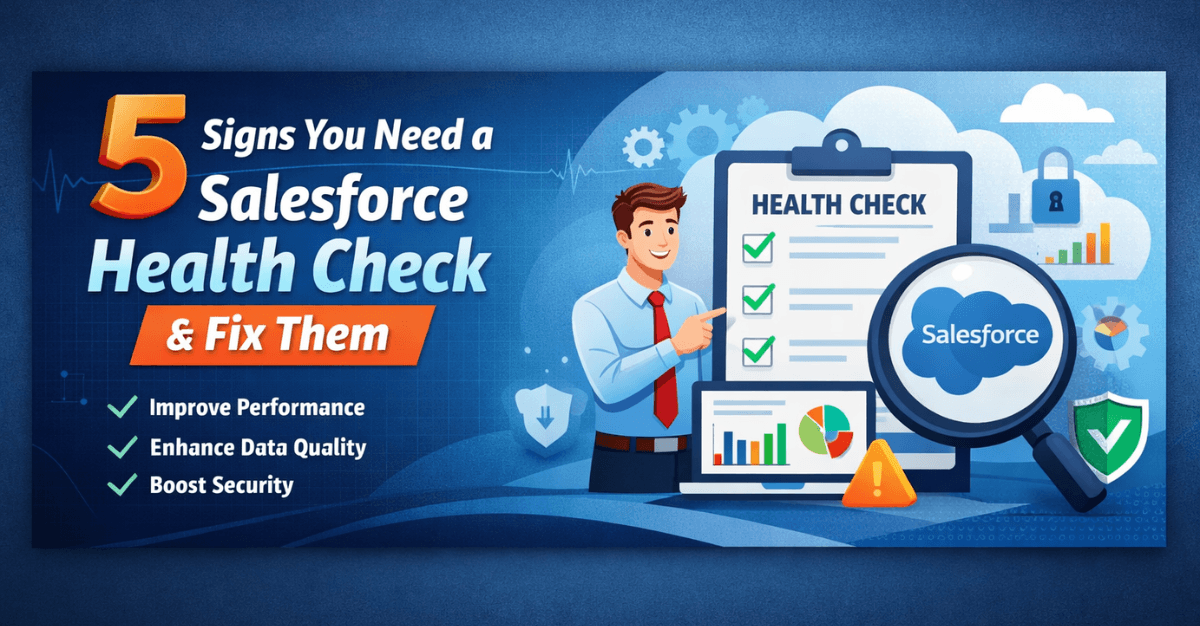
A Salesforce Health Check is a structured audit of your entire Salesforce environment — its data quality, configuration, security settings, automation, adoption rates, and alignment with current business processes. Think of it like a regular medical checkup for your CRM: proactive, diagnostic, and far less painful than dealing with a full-blown crisis.
Read: How to Choose the Best Salesforce Implementation Partners
So how do you know when it’s time to schedule one? Here are five telltale signs — and practical guidance on how to address each.
Sign 1: Your Sales Team Has Stopped Trusting the Data
There’s a phrase you never want to hear from your sales reps: “I don’t use Salesforce for that — I keep my own spreadsheet.” When team members start maintaining parallel records outside the CRM, it’s a loud signal that something has gone wrong with your Salesforce data.
Duplicate records, inconsistent field naming, outdated contact information, and missing pipeline data all erode trust over time. Once that trust is broken, adoption crumbles — and a CRM that isn’t used is worse than no CRM at all, because it creates a false picture of your business reality.
Why It Happens
Data quality problems rarely appear overnight. They accumulate gradually, usually starting with a lack of enforced data entry standards during the initial implementation. When no mandatory fields, validation rules, or naming conventions are put in place early on, every user develops their own habits. One rep logs a contact under a company name; another logs it under an abbreviation. A third skips the account association entirely. Over months and years, these small inconsistencies compound into a dataset that’s difficult to query, report on, or trust.
High staff turnover accelerates the problem. New employees inherit records created by people who are no longer around to explain the logic, and they often start creating new records rather than updating existing ones. Data migration from legacy systems — done hastily or without proper deduplication — is another common culprit, importing thousands of dirty records right from the start.
How to address it: A health check should begin with a comprehensive data audit. This means running deduplication reports to identify and merge duplicate accounts, contacts, and leads. It means reviewing field usage to eliminate redundant or confusing fields that cause inconsistent data entry. It means establishing clear data governance rules — mandatory fields, validation rules, and standardized picklist values — that ensure new data enters the system cleanly.
Beyond the technical fixes, invest in a short retraining session that shows your team exactly how clean data flows benefit them personally — faster lead routing, more accurate forecasting, and less time chasing bad information. When people understand the “why,” adoption follows.
Also read: Salesforce Consulting Partners vs. Salesforce Implementation Partners
Sign 2: Your Automation Is Outdated or Broken
Salesforce has evolved dramatically over the years. Many organizations built their original workflows using legacy tools like Workflow Rules and Process Builder — tools that Salesforce has now retired in favor of Flow. If your org is still running on these older automation tools, you’re not just missing out on more powerful functionality; you’re operating on a foundation that Salesforce no longer supports or actively develops.
Broken automation is even more dangerous. Automations that fire incorrectly, trigger in the wrong order, or fail silently can corrupt data, send incorrect emails to customers, skip critical follow-up tasks, or create duplicate records — all without anyone noticing until the damage is done.
Why It Happens
Automation sprawl is almost always the result of well-intentioned, incremental changes made without a big-picture view of the system. When a business need arises — a new approval process, a follow-up email sequence, a field update trigger — someone builds a quick solution to address it. Then another need arises, and another solution is built on top of the first. Over time, the automation layer becomes a tangled web of interdependent rules that no single person fully understands.
The retirement of Workflow Rules and Process Builder caught many organizations off guard. Teams that built robust automation on these tools years ago never migrated to Flow, either because they lacked the resources, didn’t realize the urgency, or simply didn’t know the change was coming. Meanwhile, personnel changes mean the people who originally built the automations have often moved on, leaving behind logic that no one is qualified to modify safely.
How to address it: A health check should map every automation in your org — Workflow Rules, Process Builder flows, Apex triggers, and Flows — and document what each one is supposed to do and whether it is actually doing it. Identify any that are inactive, redundant, or conflicting with each other.
From there, prioritize migrating legacy automations to Salesforce Flow, which is more powerful, easier to maintain, and better supported going forward. During this migration, simplify wherever possible. Many organizations discover they have five automations doing what one well-designed Flow could handle. Consolidation reduces risk and makes future maintenance far easier.
Check: 7 Reasons to Hire Certified Salesforce Implementation Partners + Benefits The Salesforce ROI Gap
Sign 3: Your Security and Permission Settings Are a Mess
Security is one of the most under-reviewed areas of any Salesforce org. In the early days of a Salesforce deployment, it’s common to grant broad permissions just to get things working. Over time, those permissions accumulate — former employees’ profiles remain active, users have access to records far beyond their role, and sensitive data sits exposed to people who have no business reason to see it.
Beyond the obvious compliance and data protection risks, messy permission structures create operational confusion. Users see fields and objects they don’t need, which clutters their interface and slows them down. Custom profiles multiply unnecessarily, making it hard to understand who can do what and why.
Why It Happens
Security gaps in Salesforce are almost always the product of speed and convenience winning out over best practices. During initial implementation, system administrators often assign system administrator profiles or overly broad permission sets to multiple users just to avoid blocking anyone while the project is still being configured. The intention is always to tighten things up later — but “later” rarely arrives.
As the business grows, new employees are onboarded by cloning the nearest existing user profile rather than building a purpose-fit permission structure. When employees leave, their accounts are sometimes deactivated quickly, but the cleanup of associated sharing rules, permission sets, and data ownership is overlooked. Departments also tend to request access to records and fields as one-off favors — “can you just give me visibility to that account?” — and those exceptions accumulate silently until the permission model no longer reflects any logical organizational structure.
How to address it: A thorough security health check should review user profiles and permission sets to ensure they follow the principle of least privilege — every user has access to exactly what they need, and nothing more. Deactivate accounts for any users who have left the organization, and audit sharing rules to confirm that sensitive records are properly restricted.
Review your org’s Security Health Check score inside Salesforce itself — this built-in tool grades your org’s security settings against Salesforce’s recommended baseline. Anything flagged as high risk should be addressed immediately. Consider implementing multi-factor authentication (MFA) organization-wide if you haven’t already, as it remains one of the most effective defenses against unauthorized access.
Also check: Why Salesforce Fails in EdTech (And How to Fix It Fast)
Sign 4: Reports and Dashboards No Longer Reflect Reality
If your leadership team has stopped referring to Salesforce dashboards in meetings — or worse, if they’re making decisions based on data exported to spreadsheets — your reporting environment has fallen out of sync with your actual business needs.
This happens for several reasons. Salesforce reports are often built by whoever was available at the time, without a clear standard for how metrics should be defined. The result is a graveyard of redundant, mislabeled, or outdated reports that no one maintains and few people trust. Business priorities shift, new products are launched, sales territories are redrawn — but the dashboards keep showing last year’s version of the world.
Inaccurate or ignored reporting doesn’t just create operational blind spots. It undermines the entire business case for Salesforce investment. If leadership can’t see meaningful insights in the platform, they begin to question whether the platform is worth the cost.
Why It Happens
Reporting environments degrade because they are treated as outputs rather than living assets. When Salesforce is first deployed, someone builds a set of reports that reflects the business at that moment in time. But businesses evolve constantly — territories change, product lines expand, KPIs are redefined, new teams are added — and the reports don’t automatically update to reflect any of that.
There’s also a common organizational dynamic at play: reports tend to get built on demand, reactively, whenever someone needs a specific number. Without a dedicated reporting owner or a structured review process, the report library grows unchecked. Users create personal copies of reports, rename them inconsistently, and never delete the originals. Before long, no one can find the “right” version of any given report, so they export to Excel and start over — which defeats the entire purpose of having a CRM.
How to address it: Start by auditing your existing reports and dashboards. Archive or delete anything that hasn’t been viewed in the past 90 days and is not tied to a scheduled report or workflow. Then work with department heads and sales leadership to redefine the key metrics that matter most to each team — pipeline velocity, win rates, customer retention, support resolution times, and so on.
Rebuild dashboards from scratch with those goals in mind, using consistent metric definitions across the organization. Establish a reporting owner for each dashboard who is responsible for keeping it current. Consider implementing a report-naming convention so users can find what they need quickly without wading through hundreds of vague titles like “Q3 Pipeline” or “Leads Report.”
Check out: Low Salesforce Adoption? Try These 7 Fixes That Work
Sign 5: Your Salesforce Org Has Grown Without a Plan
Growth is a good thing — but unplanned growth in a Salesforce org creates serious technical debt. When new teams, products, or business units get added to Salesforce without a coherent architecture strategy, the result is an org full of custom objects that overlap, fields that mean different things to different teams, page layouts that no one manages, and integrations that were added quickly and never properly documented.
This kind of sprawl makes everything harder. Onboarding new users takes longer because the system is confusing. Making changes becomes risky because no one is sure what might break. Consultants charge more because they need extra time just to understand what’s already there. Performance slows as the org accumulates unnecessary complexity.
Why It Happens
Unplanned org growth is a natural consequence of business success — but it’s also a governance failure. When Salesforce adoption spreads across an organization, different departments often begin customizing the platform independently to meet their own immediate needs. The sales team adds fields for their pipeline tracking. The support team builds out a case management object. Marketing adds custom campaign structures. Each team acts rationally from their own perspective, but no one is looking at the system as a whole.
This problem is compounded when Salesforce admins change frequently. Each new admin inherits work they didn’t create and may not fully understand, and rather than reworking existing structures — which carries risk — they layer new solutions on top of old ones. Acquisitions and mergers can also cause sudden org complexity, especially when two Salesforce environments are merged without a thorough rationalization process. The result is an org that reflects five years of reactive decisions rather than a coherent long-term design.
How to address it: This is arguably the most complex issue to address, but a structured health check can create a clear picture of what you have and a roadmap for simplification. Begin with a comprehensive inventory of all custom objects, fields, page layouts, and apps in your org, noting which are actively used and which are orphaned relics of past projects.
Work with a Salesforce architect to establish clear naming conventions and a governance framework going forward — a set of rules that determines how new customizations are proposed, approved, documented, and built. This prevents future sprawl before it starts. Then tackle the cleanup systematically: retire unused objects and fields, consolidate overlapping functionality, and document every meaningful component so institutional knowledge lives in the system, not just in the heads of the people who happened to build it.
Read: 11 CRM Benefits and Implementation Tips with Top Salesforce Consulting Partners
The Bottom Line: Prevention Is Far Cheaper Than Recovery
A Salesforce Health Check is not an admission that something went wrong — it’s an acknowledgment that your business has grown and your platform needs to keep up. Most Salesforce orgs that have been running for two or more years have accumulated at least some of the issues described above. The question is not whether those issues exist, but whether you address them before or after they become crises.
Scheduling a health check annually — or any time your business goes through a major change like a merger, acquisition, leadership transition, or significant product expansion — is one of the highest-return investments you can make in your Salesforce environment. Done well, it improves user adoption, strengthens data quality, reduces security risk, and restores confidence in the platform across every level of your organization.
Your CRM is only as valuable as the trust your team places in it. A health check is how you earn that trust back — and keep it.
Frequently Asked Questions
1. What is a Salesforce Health Check?
A Salesforce Health Check is a comprehensive evaluation of your Salesforce environment to assess performance, data quality, security, automation, and overall system efficiency.
2. Why is a Salesforce Health Check important?
It helps identify inefficiencies, security risks, and data issues, ensuring your CRM operates smoothly and continues to support business growth and decision-making.
3. How often should a Salesforce Health Check be performed?
Ideally, businesses should conduct a Salesforce Health Check at least once or twice a year, or after major updates, system changes, or business expansion.
4. What are the common signs that indicate the need for a Salesforce Health Check?
Common signs include low user adoption, poor data quality, slow system performance, complex automation, and security vulnerabilities.
5. How does a Salesforce Health Check improve user adoption?
By simplifying interfaces, removing unnecessary fields, and aligning workflows with actual business processes, making the system easier and more intuitive to use.
6. Can a Salesforce Health Check improve data quality?
Yes, it helps identify duplicate records, enforce validation rules, and establish data governance practices to ensure accurate and consistent data.
7. What areas are typically reviewed during a Salesforce Health Check?
It includes system performance, data integrity, security settings, workflows and automation, integrations, and user activity.
8. Does a Salesforce Health Check help with system performance?
Yes, it identifies performance bottlenecks such as inefficient workflows, large data volumes, and poorly optimized code, helping improve system speed and reliability.
9. How does a Salesforce Health Check enhance security?
It reviews user permissions, access controls, and compliance settings to ensure sensitive data is protected and aligned with security best practices.
10. Who should perform a Salesforce Health Check?
A certified Salesforce consultant or experienced development team should perform a health check to ensure a thorough and accurate evaluation.
 Bio
Bio