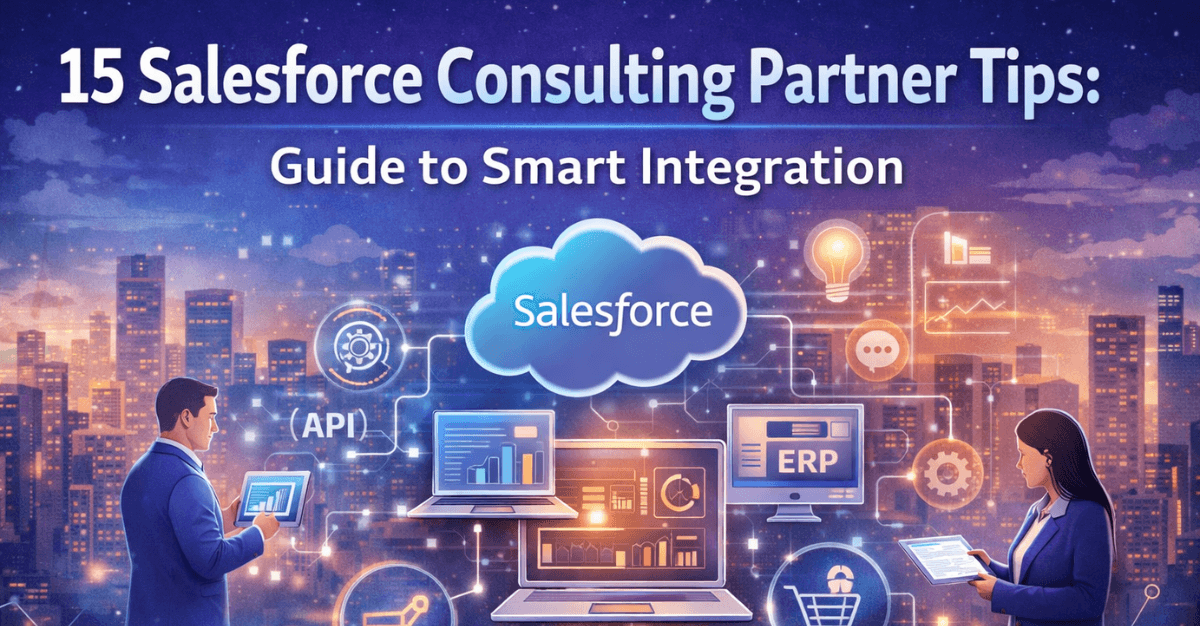
In today’s digital-first business environment, organizations rely heavily on connected systems to deliver seamless customer experiences and efficient operations. Salesforce, being a leading CRM platform, plays a central role in managing customer relationships, sales pipelines, and business data. However, the true value of Salesforce is realized when it is integrated effectively with other systems.
This is where Salesforce consulting partners come into play. With their expertise, businesses can design and implement smart integration strategies that align with their goals, reduce complexity, and maximize ROI.
In this comprehensive guide, we’ll explore 15 expert tips from Salesforce consulting partners to help you achieve smart and scalable integration.
Why Smart Salesforce Integration Matters
Before diving into the tips, it’s important to understand why integration is critical.
Smart integration enables:
- Seamless data flow across systems
- Improved operational efficiency
- Real-time decision-making
- Enhanced customer experience
- Reduced manual errors
Without a proper strategy, integrations can become complex, costly, and difficult to manage.
15 Salesforce Consulting Partner Tips
1. Define Clear Business Objectives
Start with a clear understanding of what you want to achieve. Whether it’s improving customer experience, automating workflows, or enabling real-time analytics, your integration strategy should align with business goals.
2. Map Your System Landscape
Identify all systems that need to be integrated—ERP, marketing tools, support platforms, and more. Understanding your ecosystem helps avoid integration gaps.
3. Choose the Right Integration Approach
Select an approach based on your needs:
- Point-to-point for simple use cases
- Middleware for scalability
- API-led for flexibility
Consulting partners often recommend API-led integration for modern enterprises.
4. Prioritize Data Quality
Poor data leads to poor outcomes. Ensure your data is clean, consistent, and standardized before integration.
5. Use Pre-Built Connectors
Leverage existing connectors and tools to reduce development time and costs. These connectors are often optimized for performance and reliability.
6. Adopt an API-First Strategy
Design integrations with APIs at the core. This approach ensures scalability, reusability, and faster innovation.
7. Ensure Real-Time Data Sync
Modern businesses require real-time insights. Use event-driven architectures to enable instant data updates across systems.
8. Focus on Security and Compliance
Protect sensitive data by implementing:
- Encryption
- Authentication protocols
- Access controls
Compliance with regulations is equally important.
Read: Salesforce Integrations: - Apps and Tools You Need
9. Design for Scalability
Your integration should grow with your business. Avoid rigid architectures that cannot adapt to new requirements.
10. Implement Robust Error Handling
Integration failures are inevitable. Build systems that can:
- Detect errors
- Log issues
- Recover automatically
11. Monitor Integration Performance
Use monitoring tools to track performance metrics such as latency, error rates, and data accuracy.
12. Enable User-Friendly Interfaces
Ensure that users can access integrated systems easily through dashboards or unified interfaces.
13. Collaborate Across Teams
Integration is not just an IT project. Involve stakeholders from sales, marketing, operations, and support to ensure alignment.
14. Test Thoroughly Before Deployment
Conduct rigorous testing:
- Functional testing
- Performance testing
- Security testing
Testing ensures reliability and reduces risks.
15. Plan for Continuous Improvement
Integration is an ongoing process. Regularly review and optimize your systems to keep up with evolving business needs.
Also read: Salesforce Integration v/s. Migration - Which Strategy Works Best for Your Business
Common Integration Use Cases
Salesforce consulting partners often work on:
1. CRM + ERP Integration
Enables seamless order processing, billing, and inventory management.
2. Marketing Automation Integration
Synchronizes campaigns, leads, and customer engagement data.
3. Customer Support Integration
Improves response times and service quality.
4. E-commerce Integration
Provides real-time insights into customer behavior and sales.
Challenges in Salesforce Integration
Even with expert guidance, challenges can arise:
- Data silos
- Complex system dependencies
- Security risks
- High implementation costs
- Maintenance overhead
Addressing these challenges requires careful planning and the right expertise.
Check out: 11 CRM Benefits and Implementation Tips with Top Salesforce Consulting Partners
Best Practices for Smart Integration
To ensure success:
- Use standardized data formats
- Maintain proper documentation
- Implement strong governance
- Automate workflows
- Regularly audit systems
Role of Salesforce Consulting Partners
Salesforce consulting partners bring:
- Technical expertise
- Industry knowledge
- Proven methodologies
- Faster implementation
- Risk mitigation
They help businesses avoid common pitfalls and achieve better outcomes.
Also check: Hidden Risks and Costs of Salesforce Mismanagement
Future Trends in Salesforce Integration
Looking ahead, integration strategies will evolve with technology:
1. AI-Powered Integration
Automation and predictive insights will enhance integration processes.
2. Low-Code/No-Code Platforms
These platforms will simplify integration development.
3. Microservices Architecture
Modular systems will improve scalability and flexibility.
4. Real-Time Data Ecosystems
Businesses will increasingly rely on instant data processing.
Conclusion
Smart Salesforce integration is essential for modern enterprises aiming to stay competitive in a connected world. By following these 15 expert tips from Salesforce consulting partners, businesses can build scalable, secure, and efficient integration strategies.
The key is to focus on business goals, adopt modern approaches like API-led integration, and continuously optimize systems. With the right strategy and expertise, Salesforce can become a powerful hub that drives growth, innovation, and customer satisfaction.
In the end, successful integration is not just about connecting systems—it’s about creating a seamless and intelligent business ecosystem.
Frequently Asked Questions (FAQs)
1. What does a Salesforce consulting partner do?
A Salesforce consulting partner helps businesses implement, customize, and integrate Salesforce solutions to improve processes, efficiency, and customer experience.
2. Why is Salesforce integration important?
Salesforce integration connects different business systems, enabling seamless data flow, automation, and real-time insights.
3. What is the best integration approach for Salesforce?
API-led integration is considered the best approach for modern enterprises because it is scalable, flexible, and reusable.
4. What are common systems integrated with Salesforce?
Common integrations include ERP systems, marketing automation tools, customer support platforms, e-commerce systems, and analytics tools.
5. What are the key challenges in Salesforce integration?
Challenges include data inconsistency, system complexity, security risks, high costs, and ongoing maintenance.
6. How can businesses ensure successful Salesforce integration?
By defining clear objectives, maintaining data quality, using the right tools, and following best practices like API-first design.
7. What tools are used for Salesforce integration?
Tools include Salesforce APIs, MuleSoft, middleware platforms, and pre-built connectors.
8. How do consulting partners improve integration outcomes?
They bring expertise, proven methodologies, and industry knowledge to design scalable and efficient integration solutions.
 Bio
Bio