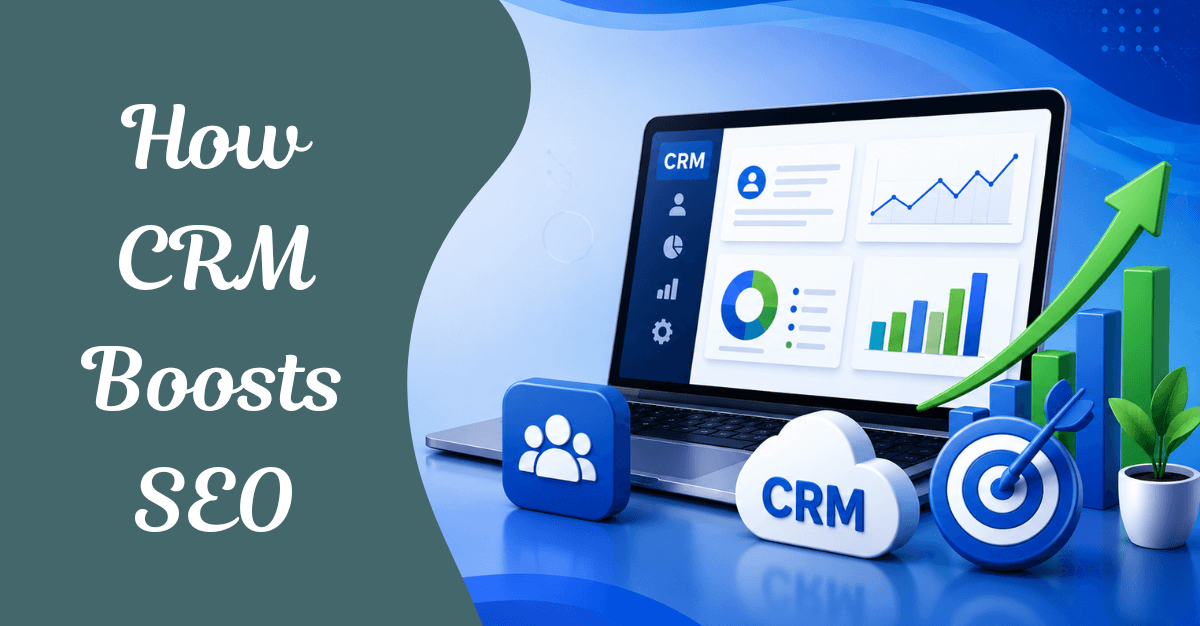
In today’s digital-first world, businesses often treat Customer Relationship Management (CRM) and Search Engine Optimization (SEO) as separate strategies. SEO drives traffic, while CRM manages customer relationships. However, organizations that successfully integrate CRM with their marketing and sales efforts can significantly improve their SEO performance, customer experience, and revenue generation.
Modern search engines increasingly prioritize user intent, engagement, personalization, and content relevance. CRM systems provide valuable customer insights that can help organizations align their SEO strategies with real user needs.
In this article, we’ll explore how CRM can boost SEO, improve content strategies, enhance user experience, and ultimately drive business growth.
What Is CRM and How Does It Relate to SEO?
CRM (Customer Relationship Management) is a system that manages interactions with current and prospective customers, tracking everything from contact information and purchase history to support tickets and communication preferences.
SEO (Search Engine Optimization) focuses on increasing the number of visitors from search engines by targeting the right audience, optimizing the right keywords, and creating content that converts.
At first glance, they seem unrelated. But here’s the connection:
- CRM stores what your customers say — the exact language they use, questions they ask, and problems they face.
- SEO is about matching that language — appearing when people search for solutions using those exact words.
The relationship is simple: CRM helps you understand your customers, and SEO helps you reach them.
Why CRM and SEO Belong Together
Most organizations treat CRM and SEO as two separate disciplines. CRM lives in the sales department. SEO lives in the marketing team. They rarely talk to each other — and that’s a costly mistake.
The truth is, CRM and SEO are two sides of the same coin. SEO brings visitors to your website. CRM helps you understand who those visitors are, what they want, and how they behave. When you combine both, you stop guessing and start making data-driven decisions that improve both your search rankings and your customer relationships.
Modern businesses need strong, thoughtful strategies to stay ahead. Combining CRM tools with SEO tactics greatly improves marketing efforts by interlinking customer data and digital optimization. In 2026, as AI-generated search summaries (SGE) reshape how people discover content, the organizations that win are those that know their audience best — and CRM is the engine that powers that knowledge.
10 Powerful Ways CRM Boosts SEO for an Organization
1. Smarter Keyword Research from Real Customer Language
Traditional keyword research relies on tools like Google Keyword Planner or Ahrefs. These tools show search volume — but they don’t show you the exact words your customers use.
CRM systems track customer preferences, revealing terms or phrases likely to attract users. By analyzing customer conversations, support tickets, sales call notes, and chat logs inside your CRM, you uncover:
- The exact phrases customers use when describing their problems
- Industry-specific terminology your audience is already searching for
- Long-tail keywords rooted in real buyer intent
Example: If your CRM shows that 60% of leads mention “Salesforce integration issues” when contacting support, that’s a real keyword opportunity — not just a support ticket.
Action: Export customer conversation data from your CRM monthly, mine it for recurring phrases, and plug those into your keyword strategy.
2. Data-Driven Content Strategy Aligned with the Buyer Journey
One of the most powerful SEO advantages of CRM is understanding where customers are in their buying journey and creating content that serves each stage.
Understanding customer journeys via CRM insights leads to focused content. Blogs, landing pages, and email campaigns that address specific customer needs boost SEO performance, keep users engaged, and improve site authority.
CRM data helps you map content to three key stages:
| Buyer Stage | CRM Signal | Content to Create |
|---|---|---|
| Awareness | Common questions from new leads | Educational blog posts, how-to guides |
| Consideration | Objections raised during sales calls | Comparison pages, case studies |
| Decision | Reasons deals are won or lost | Product pages, testimonials, ROI calculators |
This alignment ensures every piece of content serves a real audience need — which is exactly what search engines reward.
3. Reduced Bounce Rates Through Content Personalization
Bounce rate is a critical SEO signal. If visitors land on your page and leave immediately, search engines interpret that as poor relevance and push your rankings down.
CRM data dramatically reduces bounce rates through personalization. By analyzing what products or services are most popular for different audience groups, you can tailor landing pages and blog content to specific segments. Personalized content directly leads to lower bounce rates and higher dwell times — both of which give a strong SEO boost.
How it works:
- Segment your CRM audience by industry, role, or behavior
- Create dedicated landing pages for each segment
- Personalize CTAs and content blocks based on CRM profiles
- Track engagement and iterate based on real data
4. Uncovering High-Value Topics Through Customer Pain Points
Your CRM is a goldmine of unanswered questions. Every support ticket, every sales call, every live chat conversation contains questions your customers are also typing into Google.
CRM data identifies pain points within customer journeys. These insights can directly inspire:
- FAQ pages optimized for featured snippets
- Blog posts answering “People Also Ask” questions
- Video content addressing common objections
- Pillar pages built around core customer challenges
This approach is particularly powerful for SGE (Search Generative Experience) optimization, where Google’s AI summarizes answers directly in search results. If your content directly, clearly answers real customer questions, it’s more likely to be featured in AI-generated summaries.
5. Improved User Experience (UX) Signals
Google’s ranking algorithm heavily weights user experience signals: page speed, mobile responsiveness, navigation clarity, and session duration. CRM insights directly improve UX by identifying friction points in the customer journey.
CRM insights refine website navigation, page load times, and mobile responsiveness. A seamless user experience not only retains visitors but also contributes to higher search rankings.
CRM-driven UX improvements:
- Identify which pages cause the most support tickets (fix confusing UI)
- Find which content types keep users engaged longest (create more of it)
- Spot where prospects drop off in the funnel (optimize those pages)
- Understand device preferences by customer segment (prioritize mobile for certain audiences)
6. Stronger Link-Building Through Relationship Management
Backlinks remain one of the most powerful SEO ranking factors. CRM is, at its core, a relationship management tool — and relationships are how you earn backlinks.
A CRM helps SEO professionals stay organized by housing all client contacts, link-building campaign details, communication history, and deliverables in one place. With workflow automation and shared pipelines, your team can focus on strategy instead of admin.
CRM-powered link-building tactics:
- Track outreach campaigns to bloggers, journalists, and industry sites
- Record which contacts have agreed to guest post opportunities
- Follow up systematically using CRM reminders and automation
- Identify existing customers or partners who could link to your content
- Guest blogging is one SEO strategy that helps boost off-page SEO efforts — and CRM makes tracking those opportunities effortless
7. Connecting SEO Performance to Real Business Revenue
One of the biggest challenges in SEO is proving ROI. CRM solves this by connecting organic traffic data to actual sales outcomes.
Combining SEO data with CRM insights uncovers lifetime customer value. CRM systems pinpoint sources that bring in leads, such as organic search or paid ads. Integration with analytics tools allows CRM platforms to measure the impact of SEO campaigns. Tracking revenue from organic search provides a clear picture of how digital efforts support business growth.
How to connect CRM and SEO data:
- Tag leads in your CRM with their original source (organic search, paid, social)
- Track which organic landing pages generate the highest-value leads
- Measure time-to-close for organic vs. other traffic sources
- Calculate customer lifetime value (CLV) by traffic source
- Use this data to prioritize your highest-ROI content topics
When you can show that a blog post generated $50,000 in pipeline, SEO stops being a cost center and becomes a revenue driver.
8. Smarter A/B Testing for Landing Pages
A/B testing is a powerful tool for both SEO and CRM — and combining both multiplies its impact.
By A/B testing landing page elements — forms, headlines, images, CTAs — and feeding results back into your CRM, you create a continuous improvement loop. CRM data tells you which customer segments respond to which variations, enabling hyper-targeted optimization.
CRM + A/B Testing workflow:
- Run A/B tests on landing pages driving organic traffic
- Segment results in CRM by customer type, industry, or deal size
- Identify which variations drive the highest-quality leads (not just clicks)
- Apply winning variations across similar pages
- Track conversion-to-close rates, not just conversion rates
9. Improving Local SEO with CRM Location Data
For organizations serving specific geographies, CRM location data is a powerful local SEO asset.
Your CRM tracks where your best customers are located, which regions generate the most revenue, and which areas have untapped potential. This data directly informs:
- Local keyword targeting (“Salesforce consultant in Chicago”)
- Google Business Profile optimization
- Location-specific landing page creation
- Local link-building efforts targeting regional publications
- Review generation campaigns (reviews are a key local SEO signal)
Action: Use your CRM to identify your top 10 customer locations, then build dedicated local SEO pages for each.
10. Tracking and Refining SEO Strategy with CRM Analytics
SEO without measurement is guesswork. CRM without SEO data misses the top of the funnel. Together, they create a complete picture of your marketing performance.
Regularly tracking SEO results through CRM helps fine-tune SEO strategy. This makes it an effective way of ensuring you’re headed in the right direction for sustainable organic traffic growth.
Key metrics to track:
- Organic traffic by customer segment
- Lead quality score by landing page
- Content engagement rates correlated with deal velocity
- Keyword rankings for customer-language terms
- Backlink acquisition rate from relationship-driven outreach
CRM + SEO Integration: How to Get Started
Step 1: Choose the Right CRM
Popular CRM platforms with strong SEO/marketing integrations include:
- Salesforce — Enterprise-grade, deep integration capabilities
- HubSpot — Built-in SEO tools, content management, and CRM in one
- Pipedrive — Excellent for SEO agencies managing client campaigns
- Zoho CRM — Cost-effective with strong analytics
Step 2: Connect Your CRM to Analytics Tools
Integrate your CRM with:
- Google Analytics 4 (GA4)
- Google Search Console
- Your SEO platform (SEMrush, Ahrefs, Moz)
- Marketing automation tools (Mailchimp, Marketo)
Step 3: Build a Shared Dashboard
Create a unified view that shows:
- Organic traffic sources feeding into the CRM
- Lead quality scores by content/keyword
- Revenue attribution from organic search
- Customer language analysis from CRM conversations
Step 4: Establish Cross-Team Workflows
- Weekly syncs between SEO and sales/CRM teams
- Shared content briefs informed by CRM insights
- Feedback loops from customer success to content strategy
- Regular keyword audits using CRM language data
Common Challenges and How to Overcome Them
Combining CRM systems with SEO isn’t without obstacles. Here’s what to watch for:
| Challenge | Solution |
|---|---|
| Misaligned data | Standardize UTM parameters and lead source tracking |
| System compatibility | Choose platforms with native integrations or use Zapier/Make |
| Skill gaps | Train SEO teams on CRM basics and vice versa |
| Data silos | Create shared dashboards accessible to all teams |
| Attribution complexity | Use multi-touch attribution models in your CRM |
Real-World Results: What CRM-SEO Integration Delivers
Organizations that successfully integrate CRM and SEO typically see:
- Higher content relevance — Content built on real customer language ranks for more specific, high-intent keywords
- Lower bounce rates — Personalized, segment-specific content keeps visitors engaged longer
- Better lead quality — SEO drives traffic that CRM can nurture more effectively
- Clearer ROI — Revenue attribution from organic search becomes measurable
- Faster ranking improvements — Data-driven content decisions reduce wasted effort
Best Practices for Using CRM to Improve SEO
Integrate CRM with Analytics Platforms
Connect CRM data with:
- Google Analytics
- Google Search Console
- Marketing automation tools
Use Customer Questions as Content Ideas
Sales and support conversations often reveal valuable SEO opportunities.
Track SEO Leads in CRM
Monitor:
- Source
- Conversion path
- Revenue contribution
Build Customer-Centric Content
Create content based on actual customer needs rather than keyword volume alone.
Regularly Review CRM Insights
Customer behavior evolves.
Your SEO strategy should evolve with it.
Conclusion: CRM Is Your SEO’s Secret Weapon
In 2026, winning at SEO isn’t just about technical optimization or keyword stuffing. It’s about deeply understanding your audience and creating content that genuinely serves their needs. That’s exactly what CRM does.
Combining CRM and SEO helps you understand your audience better and connect with them more effectively. It makes your marketing smarter, your content more engaging, and your results stronger.
Organizations that break down the wall between their CRM and SEO teams gain a compounding advantage: every customer interaction makes their content better, every piece of content attracts better customers, and the cycle continues.
Start small — mine your CRM for customer language, build one piece of content around it, and measure the results. The data will convince you to do more.
Frequently Asked Questions
Q: Can a small business benefit from CRM-SEO integration?
Yes. Even simple CRM tools like HubSpot’s free tier provide enough customer data to meaningfully improve keyword research and content strategy for small businesses.
Q: Which CRM is best for SEO?
HubSpot is often considered the best all-in-one option because it combines CRM with built-in SEO tools. For enterprise needs, Salesforce with SEO integrations is powerful. For SEO agencies, Pipedrive offers excellent campaign management.
Q: How long does it take to see SEO improvements from CRM integration?
Initial improvements in content relevance and engagement metrics can be seen within 4–8 weeks. Significant ranking improvements typically take 3–6 months, consistent with overall B2B SEO timelines.
Q: Does CRM help with local SEO?
Absolutely. CRM location data helps identify target markets for local keyword campaigns, review generation, and location-specific landing pages — all key local SEO factors.
Q: What’s the most important CRM data for SEO?
Customer language (exact words used in conversations), pain points, frequently asked questions, and geographic data are the most directly actionable CRM insights for SEO.
 Bio
Bio