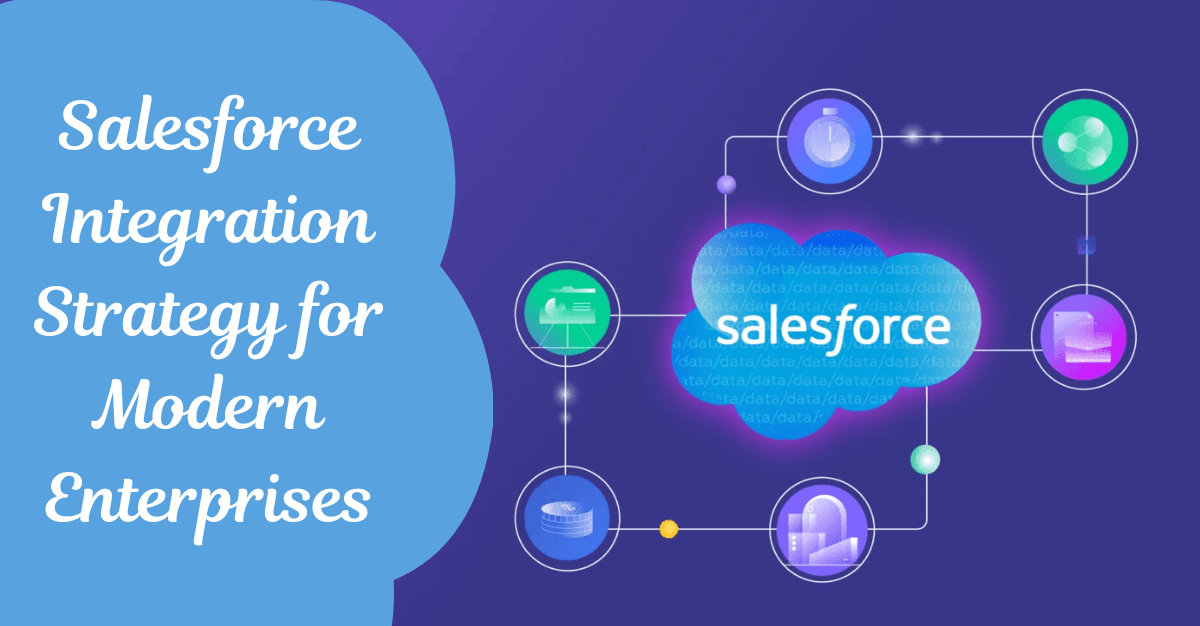
In today’s fast-evolving digital landscape, enterprises are no longer operating in isolated systems. Data flows across multiple platforms—CRM, ERP, marketing tools, customer support systems, and more. To stay competitive, businesses must ensure that all these systems work seamlessly together. This is where a well-defined Salesforce integration strategy becomes critical.
Salesforce, as one of the world’s leading CRM platforms, sits at the center of customer data and business operations. However, its true power is unlocked only when it is integrated effectively with other enterprise systems. A modern Salesforce integration strategy enables organizations to streamline workflows, enhance customer experiences, and make data-driven decisions in real time.
This blog explores the importance, approaches, challenges, and best practices for building a robust Salesforce integration strategy tailored for modern enterprises.
Why Salesforce Integration Matters
At its core, Salesforce integration is about connecting Salesforce with other applications and systems to ensure seamless data exchange. Without integration, organizations often face data silos, manual processes, and inconsistent customer information.
A strong integration strategy delivers several key benefits:
1. Unified Customer View
Customers interact with businesses across multiple touchpoints—websites, mobile apps, support centers, and social platforms. Integration ensures all this data is consolidated in Salesforce, providing a 360-degree view of the customer.
2. Improved Operational Efficiency
Manual data entry and repetitive tasks slow down teams and increase the risk of errors. Integration automates these processes, saving time and improving accuracy.
3. Real-Time Data Synchronization
Modern businesses require real-time insights. Integration ensures that updates in one system are instantly reflected in others, enabling faster decision-making.
4. Enhanced Customer Experience
With integrated systems, teams can respond quickly and personalize interactions based on accurate, up-to-date information.
Read: Custom Salesforce API Integration - Solutions tailored to your business needs
Types of Salesforce Integrations
A comprehensive integration strategy typically includes multiple integration types depending on business needs.
1. Data Integration
This involves synchronizing data between Salesforce and external systems such as ERP or databases. It ensures consistency and eliminates duplication.
2. Process Integration
Here, business processes span across systems. For example, when a deal is closed in Salesforce, an order is automatically created in an ERP system.
3. User Interface Integration
This allows users to access multiple systems from a single interface. Embedded apps or unified dashboards improve user productivity.
4. Application Integration
This focuses on connecting different applications so they can communicate with each other using APIs and middleware.
Also read: Salesforce Integration v/s. Migration - Which Strategy Works Best for Your Business
Key Integration Approaches
Choosing the right integration approach is crucial for success. Enterprises typically adopt one or more of the following methods:
1. Point-to-Point Integration
This is the simplest form of integration where two systems are directly connected.
Pros:
- Easy to implement for small use cases
- Low initial cost
Cons:
- Difficult to scale
- Becomes complex with multiple systems
2. Middleware-Based Integration
Middleware acts as a bridge between Salesforce and other systems. It centralizes integration logic and simplifies management.
Pros:
- Scalable and flexible
- Easier to maintain
- Supports complex workflows
Cons:
- Requires additional investment
- Needs expertise
3. API-Led Integration
This modern approach uses APIs to connect systems in a structured and reusable way.
Pros:
- Highly scalable
- Promotes reusability
- Enables faster innovation
Cons:
- Requires strong API governance
- Initial setup can be complex
4. Event-Driven Integration
This approach uses events (like data changes) to trigger actions across systems.
Pros:
- Real-time responsiveness
- Efficient for dynamic environments
Cons:
- Requires event management infrastructure
Check out: How Salesforce Integration Services Are Fueling Business Agility
Building a Salesforce Integration Strategy
A successful integration strategy is not just about technology—it requires careful planning and alignment with business goals.
1. Define Business Objectives
Start by identifying what you want to achieve. Is it improving customer experience, reducing manual work, or enabling real-time analytics? Clear objectives guide the integration design.
2. Identify Systems and Data Flows
Map out all systems that need to be integrated and define how data will flow between them. Understand dependencies and data ownership.
3. Choose the Right Integration Tools
Salesforce offers multiple integration tools such as APIs, connectors, and platform services. Third-party middleware solutions can also be considered based on complexity.
4. Establish Data Governance
Data quality is critical. Define rules for data validation, duplication handling, and synchronization to maintain consistency across systems.
5. Design for Scalability
Your integration should support future growth. Avoid rigid architectures that cannot adapt to new requirements.
6. Ensure Security and Compliance
Protect sensitive data by implementing authentication, encryption, and access controls. Compliance with regulations is essential.
Also check: External Services in Salesforce - Connect Any REST API Without Writing a Line of Apex
Common Integration Use Cases
Modern enterprises use Salesforce integration across various business functions.
1. CRM and ERP Integration
Connecting Salesforce with ERP systems enables seamless order management, billing, and inventory tracking.
2. Marketing Automation Integration
Integration with marketing tools helps synchronize leads, campaigns, and customer engagement data.
3. Customer Support Integration
Linking Salesforce with support systems ensures faster issue resolution and better customer service.
4. E-commerce Integration
E-commerce platforms integrated with Salesforce provide real-time insights into customer behavior and sales performance.
5. Analytics and BI Integration
Integration with analytics tools allows organizations to derive actionable insights from consolidated data.
Challenges in Salesforce Integration
Despite its benefits, Salesforce integration comes with challenges that enterprises must address.
1. Data Silos and Inconsistencies
Different systems may have conflicting data formats and standards, making integration complex.
2. Scalability Issues
As the number of integrations grows, managing them becomes increasingly difficult without a proper architecture.
3. Security Risks
Data exchange between systems can expose vulnerabilities if not properly secured.
4. High Implementation Costs
Complex integrations require skilled resources and tools, which can increase costs.
5. Maintenance and Upgrades
Ongoing maintenance is required to ensure integrations remain functional as systems evolve.
Read: Salesforce AI Agents - The Future of Enterprise Automation
Best Practices for Successful Integration
To overcome challenges and maximize value, enterprises should follow proven best practices.
1. Adopt an API-First Approach
Design integrations with APIs at the core to ensure flexibility and reusability.
2. Use Standard Connectors
Whenever possible, use pre-built connectors to reduce development time and complexity.
3. Implement Robust Error Handling
Ensure your integration can handle failures gracefully and provide clear error logs.
4. Monitor and Optimize Performance
Regularly monitor integration performance and optimize for speed and reliability.
5. Focus on Data Quality
Clean and consistent data is the foundation of successful integration.
6. Invest in Training
Equip your teams with the necessary skills to manage and maintain integrations effectively.
Also read: Apex vs Lightning Web Components - Choosing the Right Salesforce Development Approach
Future Trends in Salesforce Integration
As technology evolves, Salesforce integration strategies are also transforming.
1. AI-Driven Integration
Artificial intelligence is being used to automate data mapping, error detection, and process optimization.
2. Low-Code and No-Code Platforms
These platforms enable faster integration development with minimal coding.
3. Increased Use of Microservices
Microservices architecture allows organizations to build modular and scalable integrations.
4. Real-Time Data Ecosystems
Businesses are moving toward real-time data processing to stay agile and responsive.
5. Cloud-Native Integration
Cloud-based integration solutions are becoming the standard for modern enterprises.
Conclusion
A well-planned Salesforce integration strategy is essential for modern enterprises aiming to stay competitive in a data-driven world. By connecting systems, automating processes, and ensuring real-time data flow, organizations can unlock the full potential of Salesforce.
However, integration is not a one-time project—it is an ongoing journey that requires continuous optimization and alignment with business goals. By adopting the right approach, leveraging best practices, and staying ahead of emerging trends, enterprises can build a robust integration ecosystem that drives efficiency, innovation, and growth.
In the end, successful Salesforce integration is not just about technology—it’s about creating a seamless, connected experience for both employees and customers.
Frequently Asked Questions (FAQs)
1. What is Salesforce integration?
Salesforce integration is the process of connecting Salesforce with other systems like ERP, marketing platforms, and databases to enable seamless data exchange and unified workflows.
2. Why is Salesforce integration important for enterprises?
It helps eliminate data silos, improves operational efficiency, enables real-time data access, and enhances customer experience through a unified view.
3. What are the common types of Salesforce integration?
The main types include data integration, process integration, user interface integration, and application integration.
4. What is API-led integration in Salesforce?
API-led integration is an approach where systems communicate through reusable APIs, making integrations scalable, flexible, and easier to manage.
5. Which tools are used for Salesforce integration?
Common tools include Salesforce APIs, MuleSoft, middleware platforms, and third-party connectors.
6. What are the challenges in Salesforce integration?
Challenges include data inconsistency, security risks, scalability issues, high costs, and ongoing maintenance.
7. How can businesses ensure successful Salesforce integration?
By defining clear objectives, using the right tools, maintaining data quality, ensuring security, and adopting best practices like API-first design.
8. What industries benefit most from Salesforce integration?
Industries like retail, healthcare, finance, manufacturing, and e-commerce benefit significantly due to complex data and workflow requirements.
 Bio
Bio